Classic Era Guild Bank
- By
b1.PNG
b2.PNG
b3.PNG
b4.PNG
b5.PNG
b6.PNG
b7.PNG
b8.PNG
Description

Classic Era Guild Bank
Your guild bank alt's bags, bank and gold, browsable by the whole guild right inside Discord.
Classic Era has no guild bank, so most guilds keep one or more "bank alts", and only the person who logs into them knows what they're holding. Classic Era Guild Bank fixes that. The addon records your bank character's inventory, and the companion Discord bot lets every member of your server search it, browse it, see item stats and request items, all without logging in.
How it works
- Install the addon and log into your bank character.
- Type
/gbank enableon that character, then visit a banker once so the bank gets recorded. - Invite the bot to your Discord server and run
/bank setupto become the server's bankmaster. - In game, type
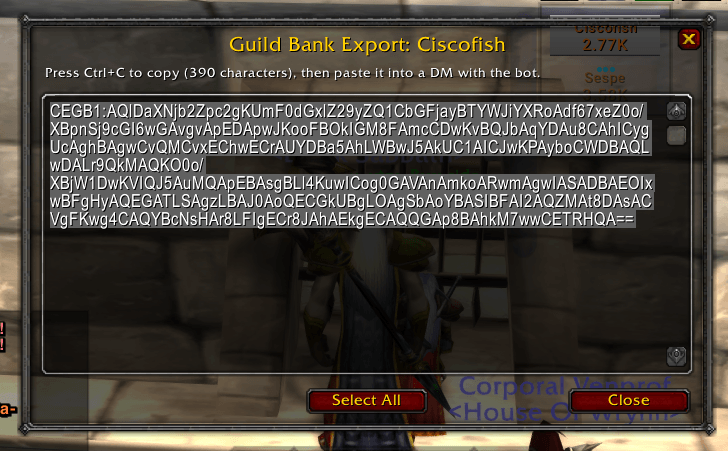
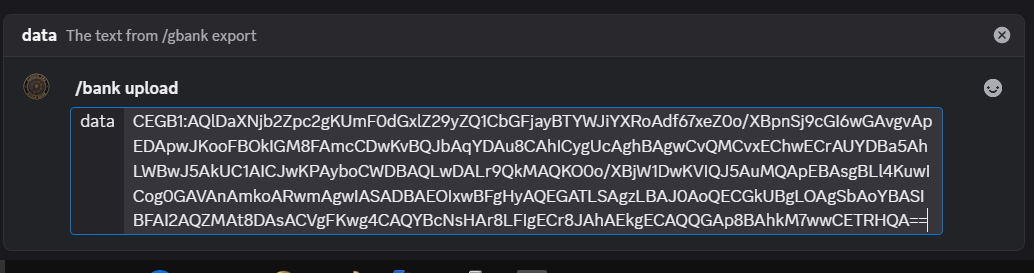
/gbank export, copy the text, and DM it to the bot (or use/bank upload). - Everyone in your server can now browse the bank with
/bank.
Repeat step 4 whenever the bank changes. The bot tells you what changed since the last upload.
The addon
- Opt-in per character. Only characters you turn on with
/gbank enableare recorded. Your main and personal alts are never touched. - Records gold, bags and bank. Bags and gold update automatically as you play. The bank updates whenever you open it at a banker. Keyring and Mailbox contents are not recorded until accepted.
- Multiple bank alts supported. Enable as many bank characters as your guild uses, on any realm.
- Small, Discord-ready export.
/gbank exportopens a window with a short block of text that's already selected, so you can press Ctrl+C. Large banks are split into numbered pieces that fit Discord's 2000-character message limit. - Lightweight. No libraries and no background work while you play. It only scans when your bags or bank actually change.
Addon commands
| Command | What it does |
|---|---|
/gbank enable |
Make the current character a bank character and start recording it |
/gbank disable |
Stop recording this character and delete its saved data (asks you to confirm) |
/gbank status |
Shows whether this character is being recorded |
/gbank scan |
Record gold and bags right now (and the bank, if it's open) |
/gbank show |
Summary of what's recorded: gold, item counts and when they were updated |
/gbank list |
All bank characters on your account |
/gbank export |
Open the export window to copy into Discord |
/gbank help |
List the commands |
/cegb works as a shorter alias for /gbank.
The Discord bot
➜ Invite the Classic Era Guild Bank bot to your server
The bot only asks for the permissions it needs: View Channels, Send Messages and Embed Links. It does not need to read your server's messages.
Features
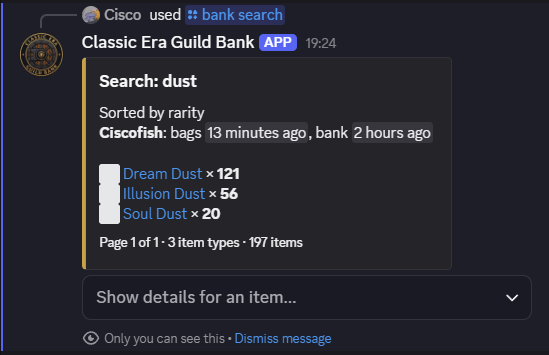
- Private replies. Browsing results are shown only to the person who asked ("Only you can see this"), so channels stay clean.
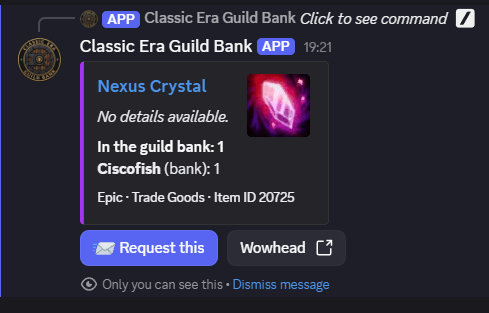
- Full item details. Item names in rarity colors, icons, and tooltip-style stats (armor, damage, stats, required level and more) from Blizzard's official item data.
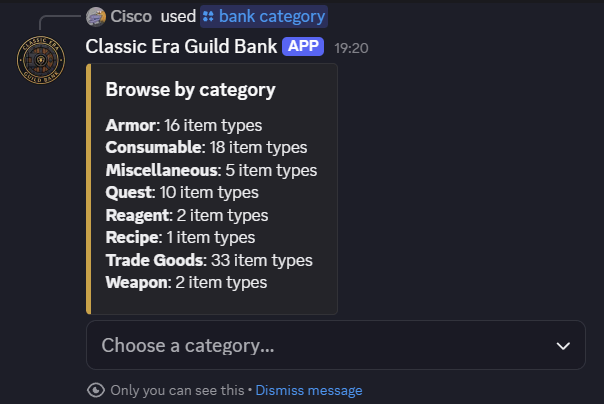
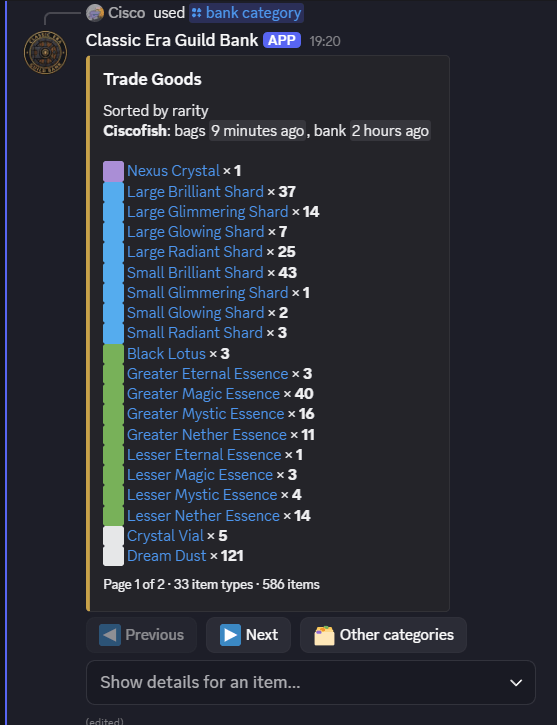
- Search and categories. Find items by name, or browse by Weapons, Armor, Trade Goods, Consumables, Reagents and more.
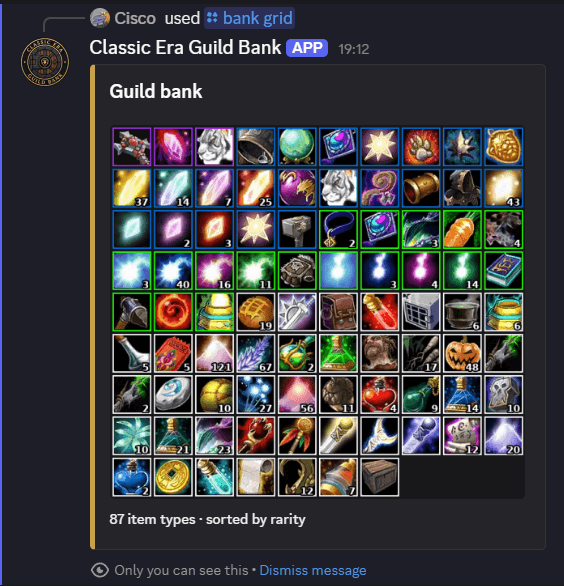
- Bank grid picture. See the bank as an image of item icons, just like your in-game bags.
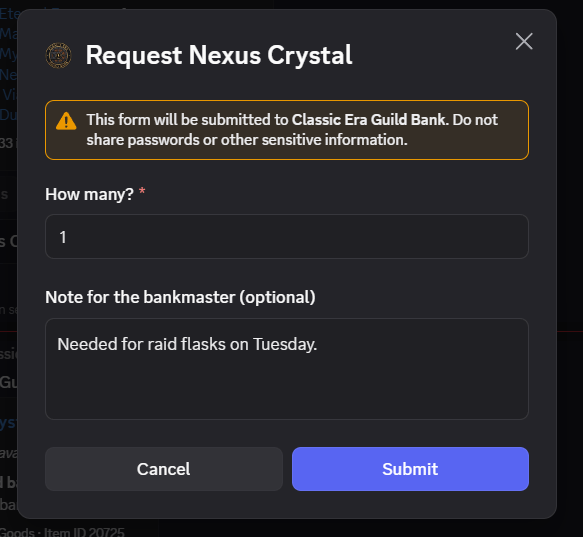
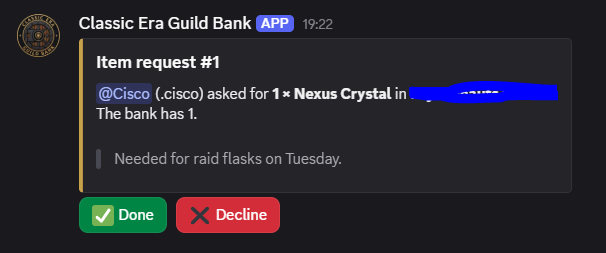
- Item requests. Members press Request this on any item, choose a quantity and add a note. The bankmaster gets a DM and can mark it Done or Decline, and the member can follow its status with
/bank requests. - Change tracking. Every upload shows what was added or removed. Optionally, the bot posts a summary to a changelog channel of your choice.
- Freshness warnings. If a bank hasn't been updated in a few days, members see a note so they know the listing may be out of date.
- Multiple bank alts. Upload as many bank characters as your guild uses. Members can view them together or one at a time.
- Every server is separate. Each Discord server has its own bankmaster and its own bank data. Two servers tracking the same guild or even the same character never share or overwrite each other's data.
- Only the bankmaster can upload. The bot accepts exports only by DM from the registered bankmaster, so nobody else can change your bank.
Bot commands
For everyone
| Command | What it does |
|---|---|
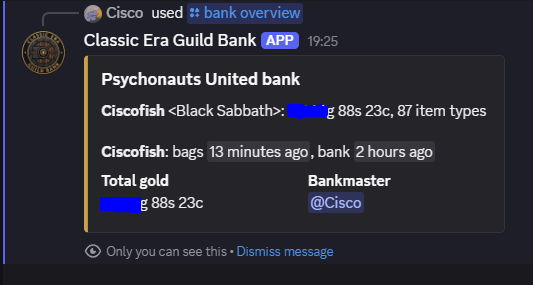
/bank overview |
Bank characters, their gold, and when each was last updated |
/bank list |
Every item in the bank, sortable by rarity, name or quantity, optionally for one character |
/bank search [text] |
Find items by part of their name |
/bank category |
Browse the bank by item category |
/bank item [name] |
Full stats and details for one item, with a Request this button |
/bank grid |
A picture of the bank's items, optionally for one character |
/bank requests |
Your own item requests and their status |
/bank history |
Recent uploads and what changed in each |
/bank help |
How to use the bot |
For the bankmaster
| Command | What it does |
|---|---|
/bank setup |
Register yourself as this server's bankmaster (requires Manage Server) |
/bank upload [data] |
Upload an export directly instead of DMing it |
/bank requests |
The open request queue for the whole guild |
/bank changelog [channel] |
Post bank changes to a channel after each upload (leave empty to turn off) |
/bank transfer [user] |
Hand the bankmaster role to someone else |
/bank remove-character [character] |
Remove a bank character and all of its items |
Getting started (bankmaster)
- Install the addon, log into your bank alt and type
/gbank enable. - Open your bank at any banker so its contents are recorded.
- Invite the bot with the link above, then run
/bank setupin your server. - Type
/gbank export, press Ctrl+C, and paste it into a DM to the bot. If the export is split into several pieces, send each one. The bot puts them back together. - Optional: run
/bank changelog #your-channelto announce changes to the guild.
That's it. Tell your guild to type /bank.
FAQ
Does this record my main character? No. Nothing is recorded until you type /gbank enable on a character, and /gbank disable deletes that character's data.
Does it upload automatically? Not yet. You paste the export into Discord yourself. Automatic uploading is planned.
Can two Discord servers use the same bank alt? Yes. Each server has its own bankmaster and its own copy of the data, and they never interfere with each other.
What happens if I remove the bot from my server? That server's bank data is deleted from the bot.
Which game versions are supported? World of Warcraft Classic Era (1.15.x).
Found a bug or have a suggestion? Leave a comment on this page or DM @.Cisco on Discord
Classic Era Guild Bank Team