Services Bulletin Board / SBB
- By
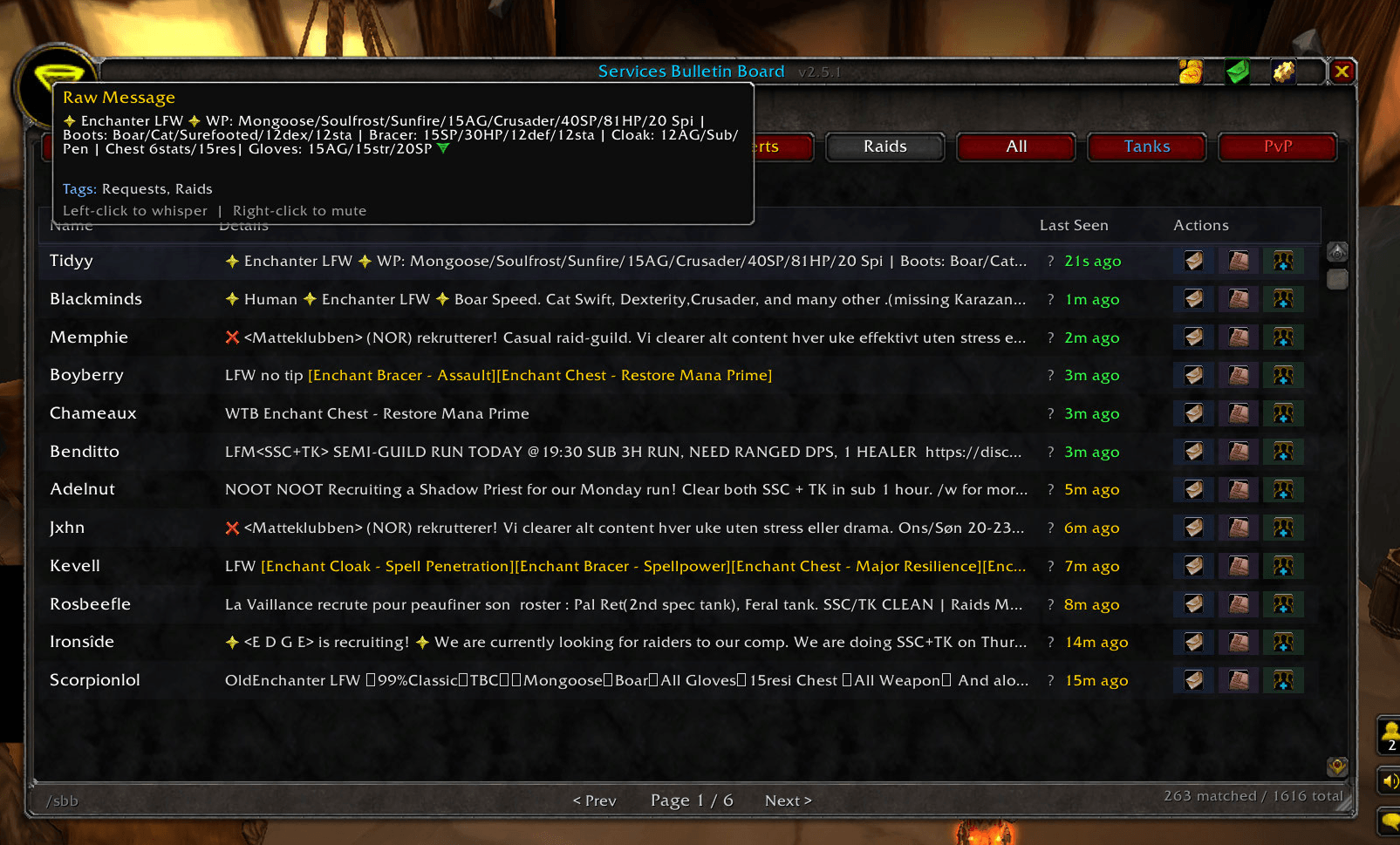
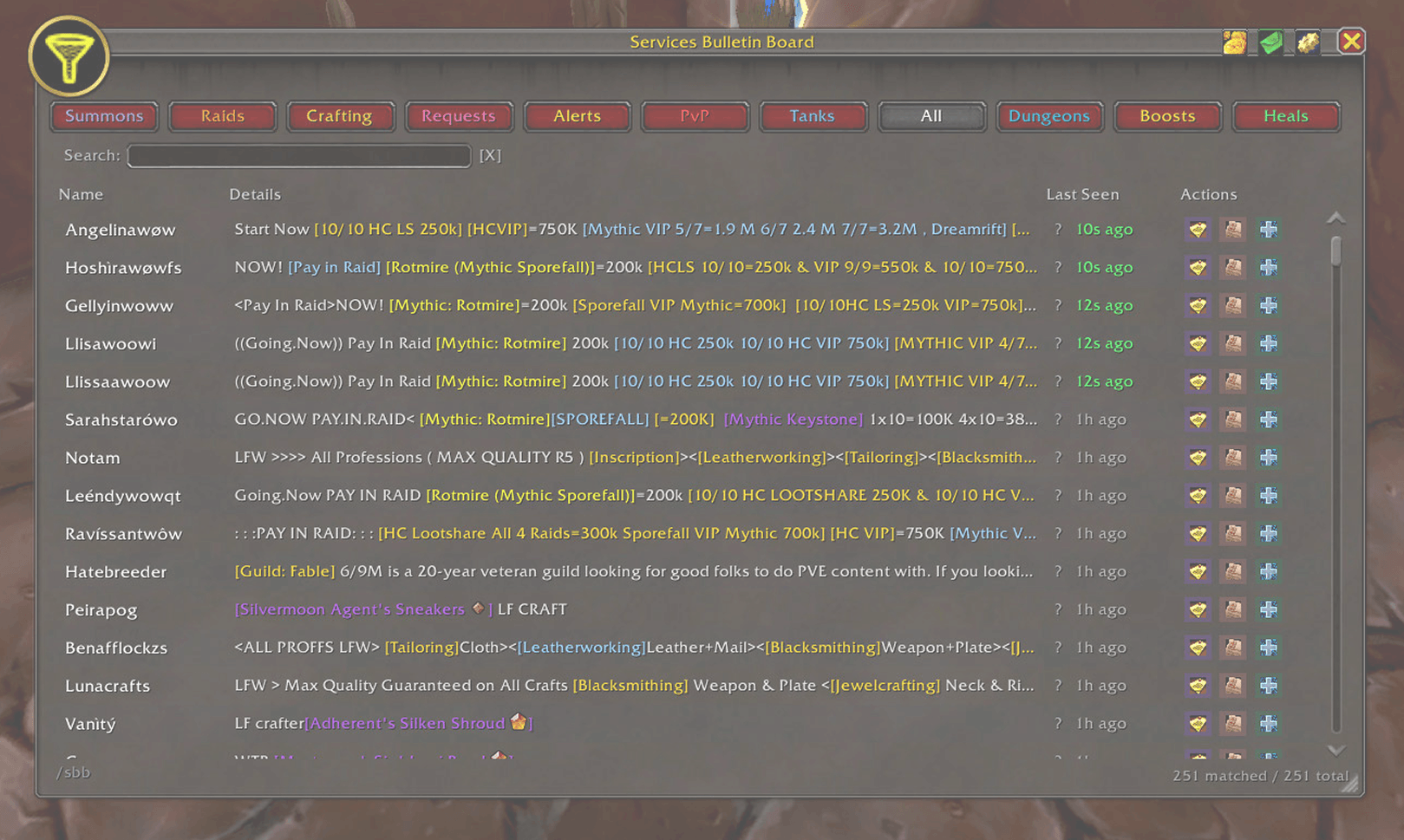
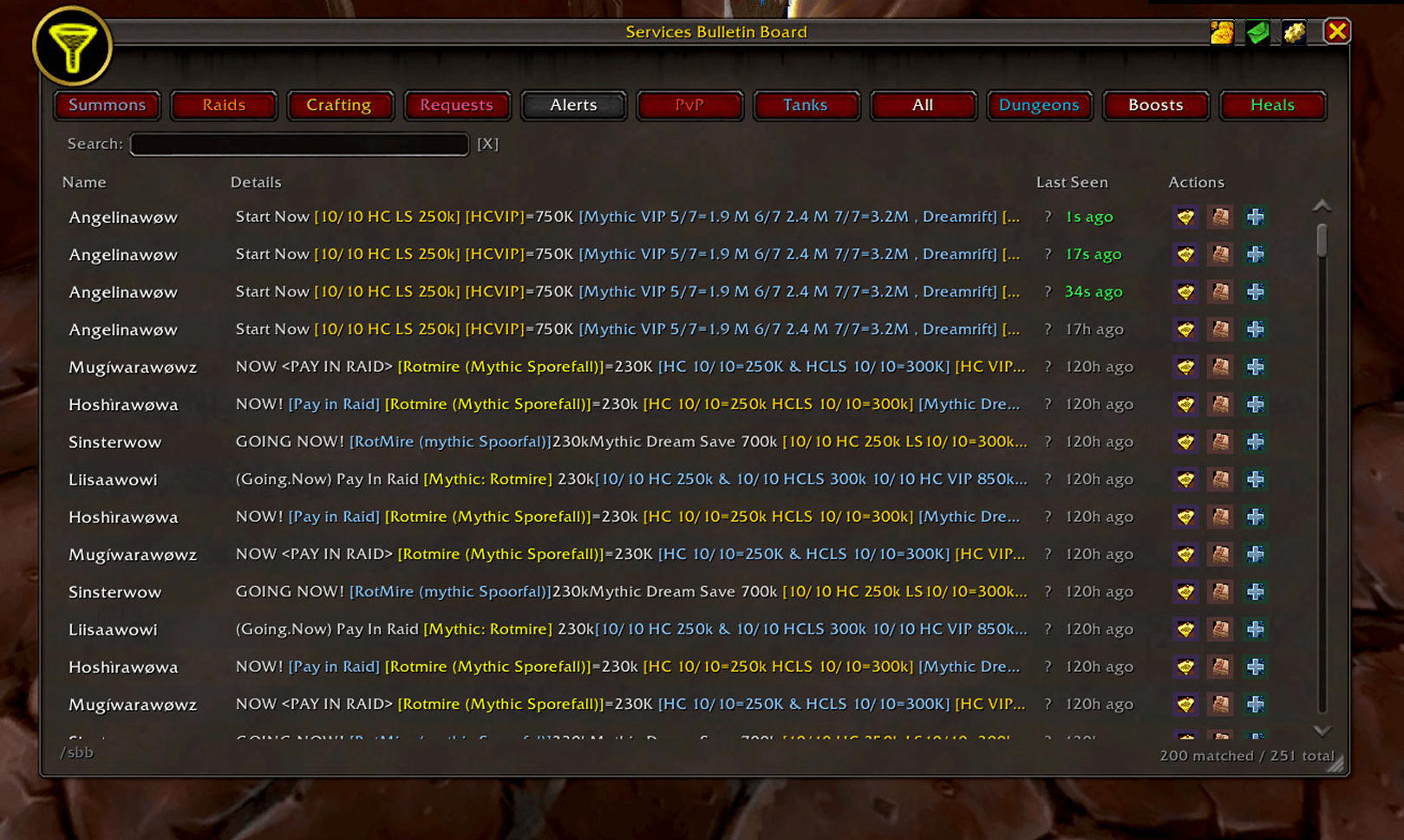
Automatically parses the Services channel and compiles boosting, crafting, and group services into a clean, clickable, interactive interface.
WoWScrnShot_063026_133052 1.png
WoWScrnShot_063026_133320 1.png
WoWScrnShot_063026_133329 1.png
WoWScrnShot_063026_133344 1.png
Description
Services Bulletin Board (SBB) is a lightweight, zero-configuration utility designed to declutter your chat window and make finding groups, boosts, and crafters incredibly easy. It constantly monitors your server's "Services" and "Trade" channels for advertisements and automatically compiles them into a highly organized, interactive board.
No more scrolling endlessly through fast-moving spam to find the run or crafter you need. Just open the board and instantly see exactly who is offering what.
Core Features
- Instant Auto-Parsing: The addon scans chat in real-time, pulling out key information like prices, level ranges, and specific dungeon names.
- Unified Tab Ordering Engine: Built-in tabs and custom tabs now share one persistent order list.
- Cross-Type Reordering: You can now move tabs Up/Down across the full list, not just within custom tabs.
- Persistent Order Storage: Tab order is saved and restored reliably between sessions.
- Rendering Consistency: The top tab bar now follows the stored order so UI and settings stay in sync.
- Smart Search Filter: Instantly filter the entire board by typing any keyword (e.g., "Netherweave," "T6," "Mage"). The list updates as you type, making it effortless to find exactly what you're looking for.
- Trade & Services Monitoring: Automatically listens to the standard Trade channel (joined by default) and the Services channel to catch every relevant ad.
- Smart Categorization: Automatically sorts listings into intuitive tabs: Dungeons, Raids, Summons, PvP, Crafting, Tanks, Heals, and Requests.
- NEW: Dedicated [Boost] Tagging: Automatically identifies boosting services with a distinct high-visibility tag to help you separate paid carries from standard groups.
- Mega-Spam Quarantine: Highlighted the new intelligent parsing that banishes "Wall of Text" boosters into the dedicated Boosts tab to keep the main LFG feeds clean.
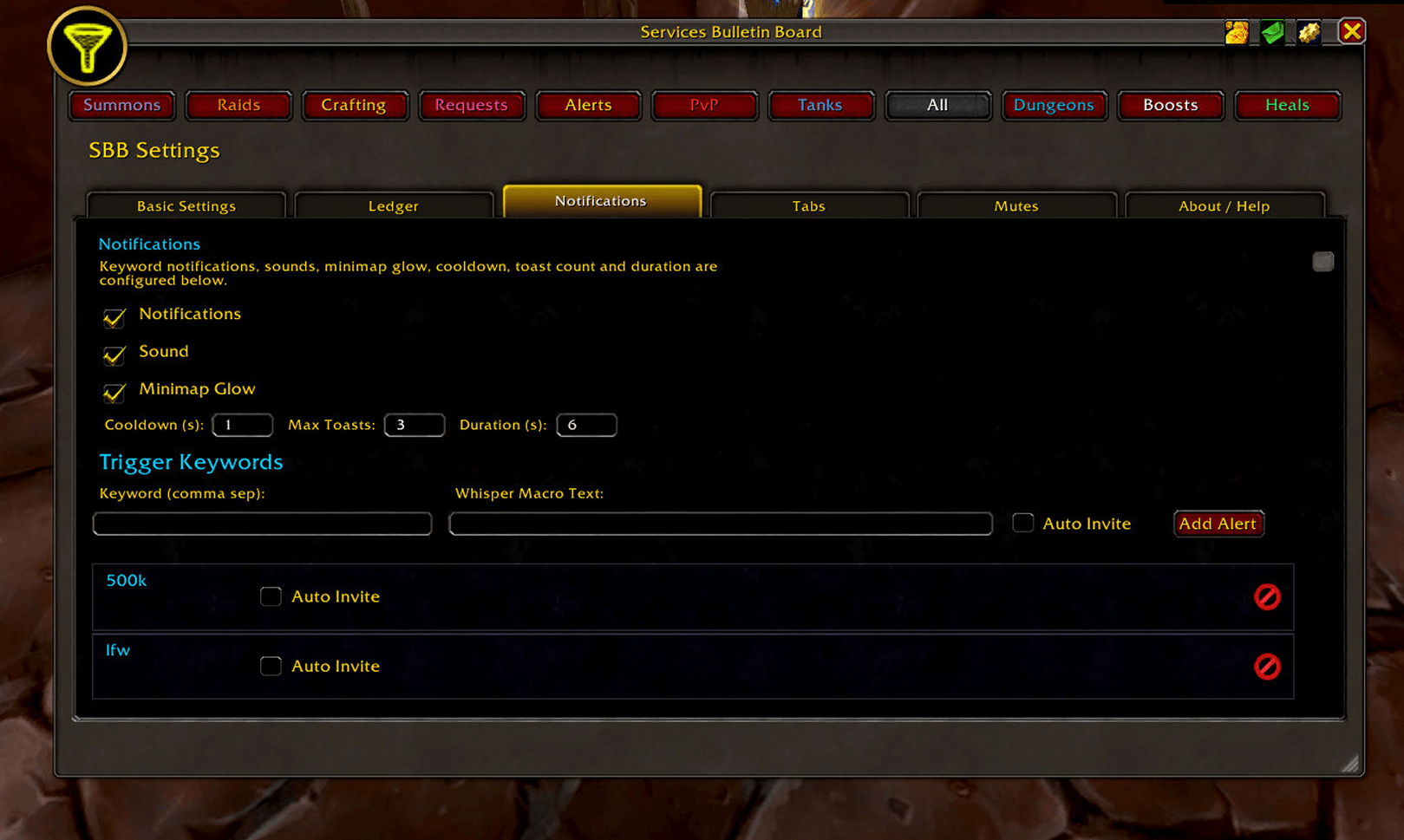
- Tactical Screen Pop-up: Added a section for the new Notification System Alert (Toast) and its interactive features.
- Instant One-Click Snipe: Clearly detailed the new Auto-Send Whisper functionality from the pop-up, emphasizing that it sends replies without needing to open the chat box or press Enter.
- Modern Compatibility: Updated the backend details to mention the Zero-Error engine using the latest
C_PartyInfoandC_FriendListAPI modules. - Professional Trade Ledger (CRM): SBB now includes a high-performance background ledger that automatically tracks every gold and item exchange. It even "remembers" recent whispers to tell you exactly what a buyer wanted (e.g., "Mongoose Enchant") next to the gold you received.
- Global Multi-Language Intelligence: The parsing engine is now truly international. It natively understands and categorizes advertisements in English, Russian, German, French, Italian, and Spanish without requiring any manual configuration.
- Automated Localized Detection: Smart-logic automatically identifies profession links and slang across all supported languages (like "Инчант" or "Ingenieurskunst"), ensuring they are never filtered out as spam
Interactive Interface:- 1-Click Actions: Instantly send a whisper or party invite directly from the row.
- Status Check: Use the built-in [?] button to check the level and online status of any player via a Classic-optimized
/whoquery. - Modern Details: The Details column now shows full dungeon names (e.g., "Shattered Halls") and validated level ranges.
- Intelligent Housekeeping: Features an auto-pruning heartbeat to remove stale entries, plus a Confirmation-Protected "Clear Board" button for when you want a fresh start.
- Minimap Integration: A fully draggable minimap icon ensures your board is always one click away.
Getting Started
- Ensure you are in a major city to access the Trade channel, or
/join Servicesfor specific service ads. - Once chat starts flowing, SBB will immediately begin building your board.
- Left-click the minimap button or type
/sbbto open the interface.
Services Bulletin Board / SBB Team