DoomCorgi

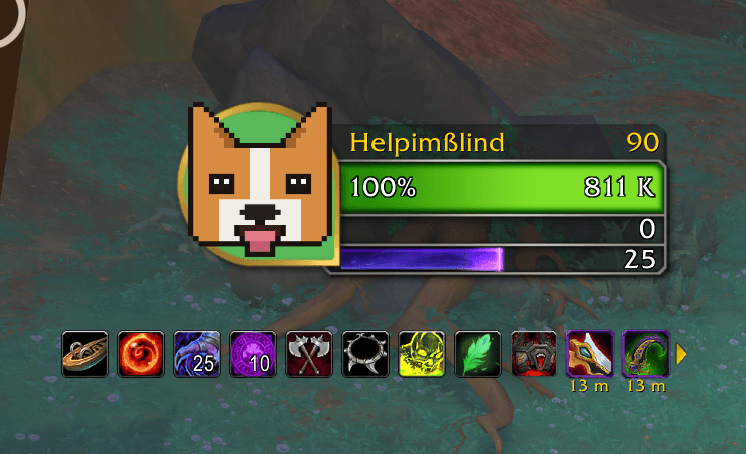
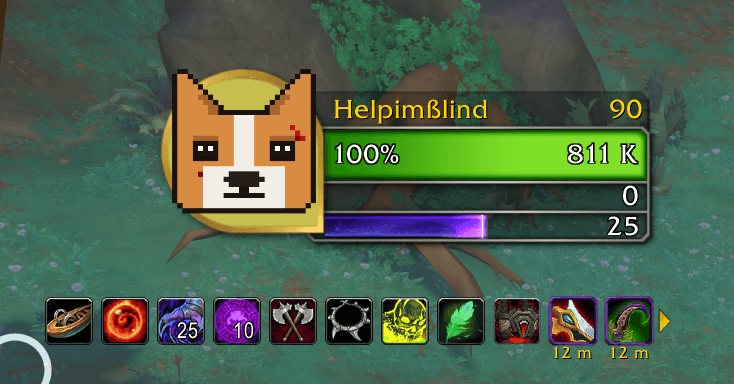
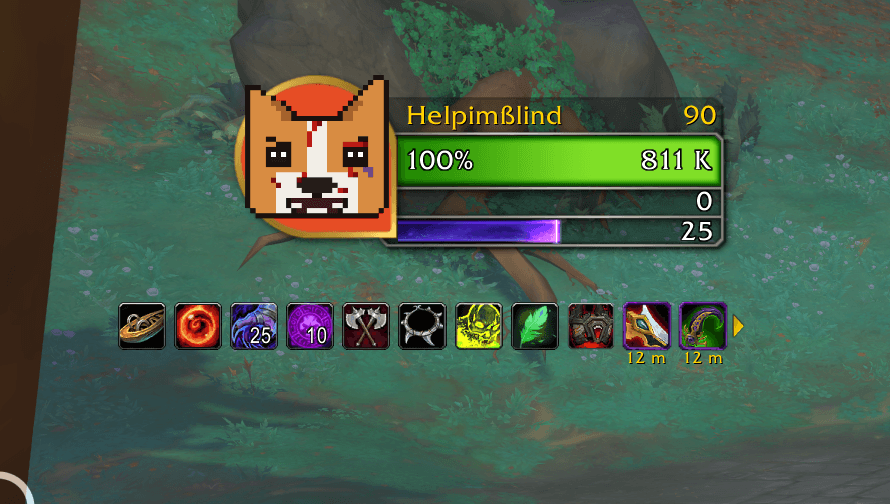
A Doom-style corgi status face for your own health. Six tiers of increasingly beaten-up corgi that swap as you drop.
Screenshot 2026-09-27 200311.png
Screenshot 2026-09-27 200311.png

Screenshot 2026-09-27 200331.png
Screenshot 2026-09-27 200331.png

Screenshot 2026-09-27 200357.png
Screenshot 2026-09-27 200357.png

Screenshot 2026-09-27 200410.png

Screenshot 2026-09-27 200410.png

Description

DoomCorgi instead the classic Doom marine status face its a corgi that gets more and more destroyed the lower your health drops.

  • Unhurt → Scuffed → Bruised → Bloodied → Near death → Dead
  • The face updates in real time as you take damage.

Placement

  • Free-floating — Movable frame you can put anywhere on screen
  • Player portrait — Sits on top of your PlayerFrame portrait and replaces your character’s face. Optional circular mask, scale control, and the ability to hide the original portrait underneath

Display Modes

  • Hurt (default) — Face only appears once you leave the top health tier
  • Always — Permanent Doom-style HUD furniture
  • Combat — Visible for the entire fight from full health

Customization

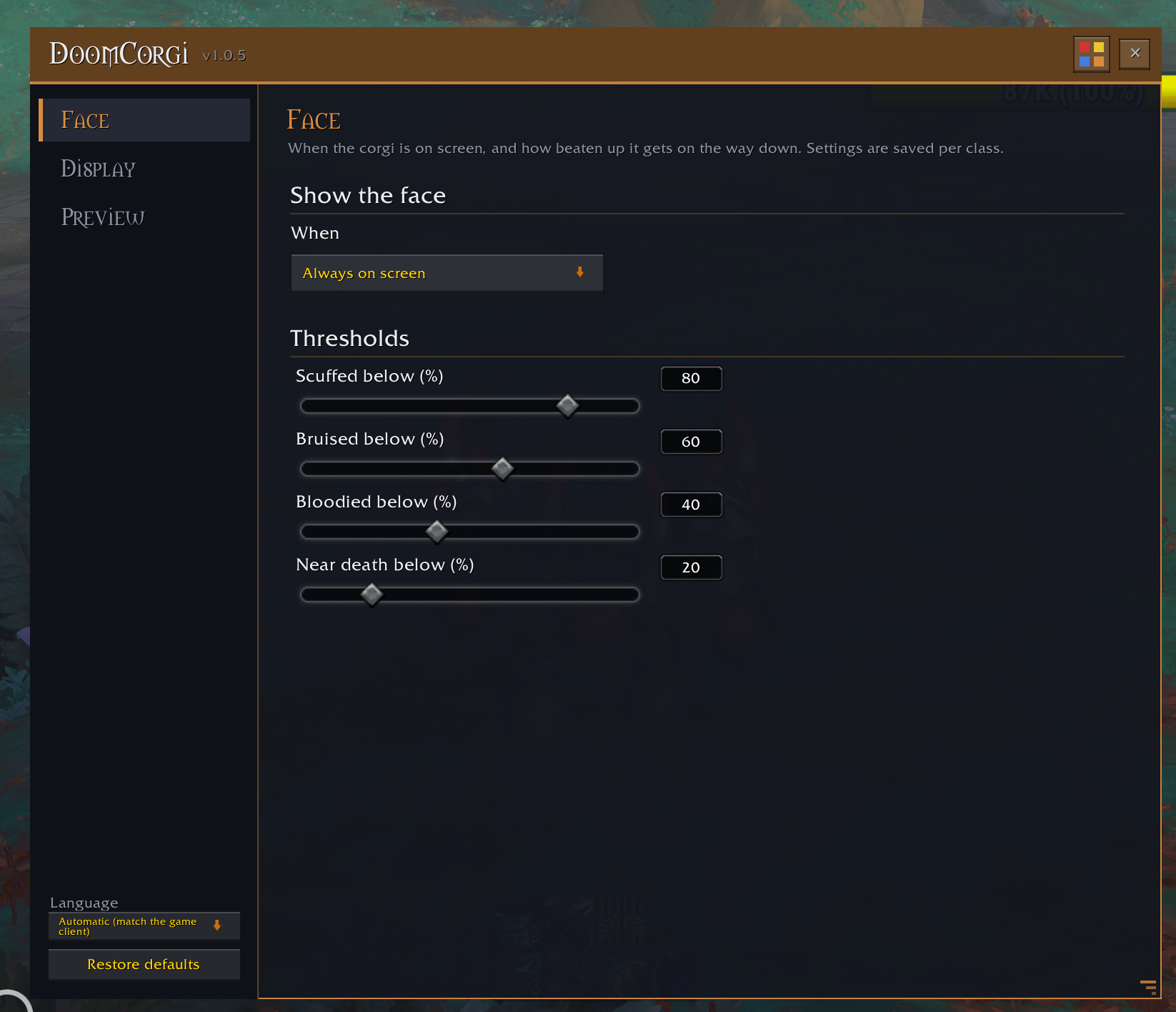
  • Adjustable health thresholds for each tier
  • Cross-fade between faces or hard swap
  • Near-death pulse (breathing) and optional shake
  • Show/hide the dead face
  • Optional death sound (Alarm Clock, Raid Warning, Ready Check, or Auction Bell)
  • Per-class profiles so tanks and clothies can have different settings

Commands

/dc or /corgi or /doomcorgi

  • /dc — Open options
  • /dc unlock / /dc lock — Move the face
  • /dc test — Cycle all faces (or pin a specific one)
  • /dc size 96, /dc mode hurt|always|combat, /dc tiers 80 60 40 20, and more

Built for those who want a relentless, mangled face staring back while the world burns.

DoomCorgi Team

profile avatar
  • 1
    Followers
  • 24
    Projects
  • 23.1K
    Downloads

More from CorgiKaneView all

  • QuickCurrency project image

    QuickCurrency

    Takes out the need of clicking multiple menus to bring up the transfer screen for the currency you want.

    • 52
    • October 14, 2026
  • SuperPin project image

    SuperPin

    SuperPin extends Blizzard’s super-tracking guidance to the manual pins you drop.

    • 190
    • October 14, 2026
  • BulkBuy project image

    BulkBuy

    Opens Blizzard’s buy-quantity prompt on every vendor item — including those that normally have no stack-split option — and lets you buy past a single stack.

    • 1.6K
    • October 14, 2026
  • WatchDog project image

    WatchDog

    Report Player on chat name menus + a match roster window for gameplay sabotage. Opens Blizzard’s own report dialog. No config.

    • 137
    • October 14, 2026
  • QuickCurrency project image

    QuickCurrency

    Takes out the need of clicking multiple menus to bring up the transfer screen for the currency you want.

    • 52
    • October 14, 2026
  • SuperPin project image

    SuperPin

    SuperPin extends Blizzard’s super-tracking guidance to the manual pins you drop.

    • 190
    • October 14, 2026
  • BulkBuy project image

    BulkBuy

    Opens Blizzard’s buy-quantity prompt on every vendor item — including those that normally have no stack-split option — and lets you buy past a single stack.

    • 1.6K
    • October 14, 2026
  • WatchDog project image

    WatchDog

    Report Player on chat name menus + a match roster window for gameplay sabotage. Opens Blizzard’s own report dialog. No config.

    • 137
    • October 14, 2026