SealGlow
A draggable ring that changes color with your active Paladin Seal and glows when Judgement is ready, plus a swing timer, tracked skills bar, Holy Shock and Infusion of Light alerts, and a blessing bar with one-click buffs.
1.png
3.png
4.png
5.png
a.png
Description
SealGlow
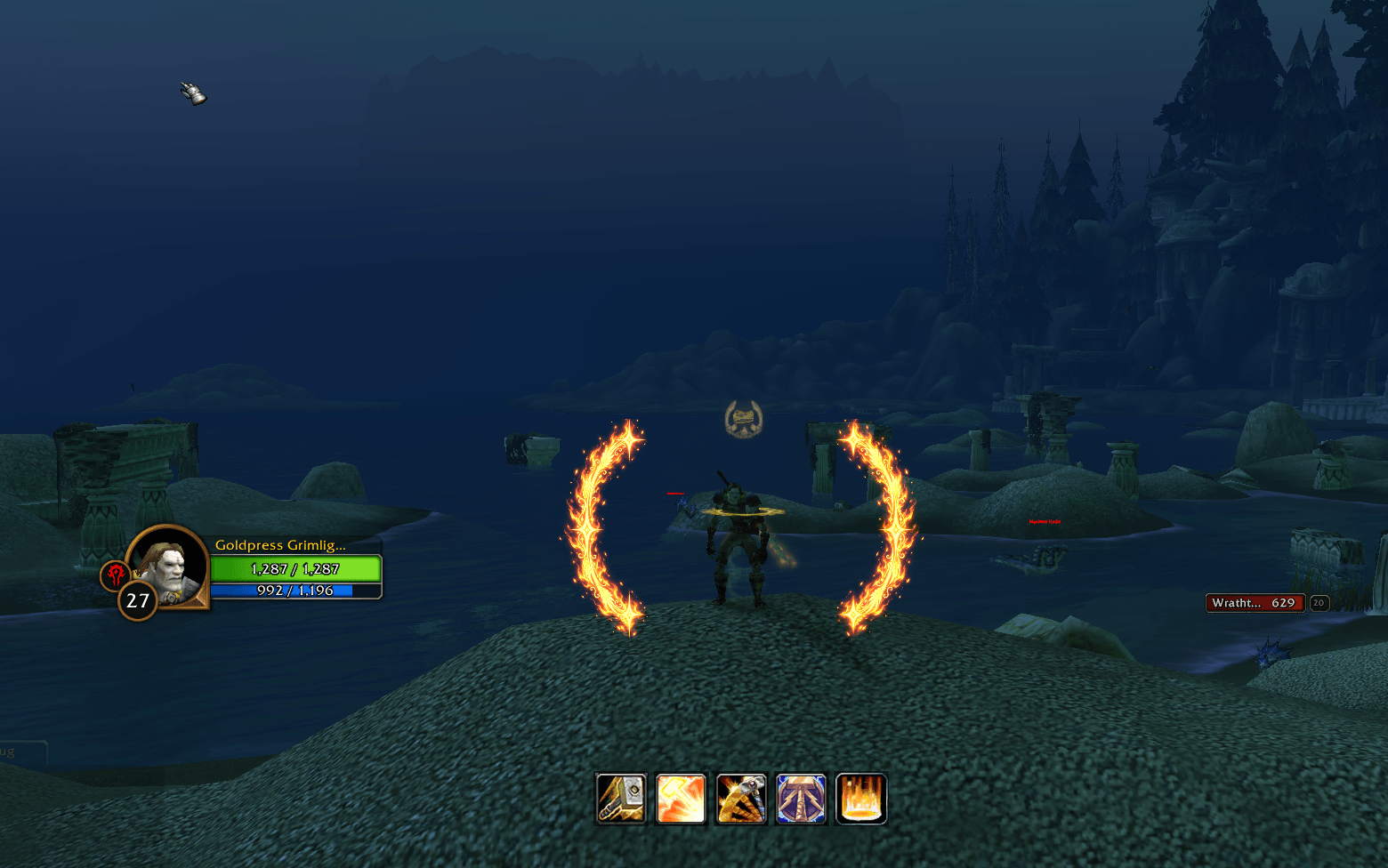
SealGlow puts a pair of glowing crescents around your character that change color with your active Paladin Seal. When Judgement is ready, the ring bursts into flame art and can play a voice line from your own character. It also covers Holy and Retribution with a swing timer, a tracked skills bar, a Holy Shock alert and a blessing bar.
Features
Seal ring
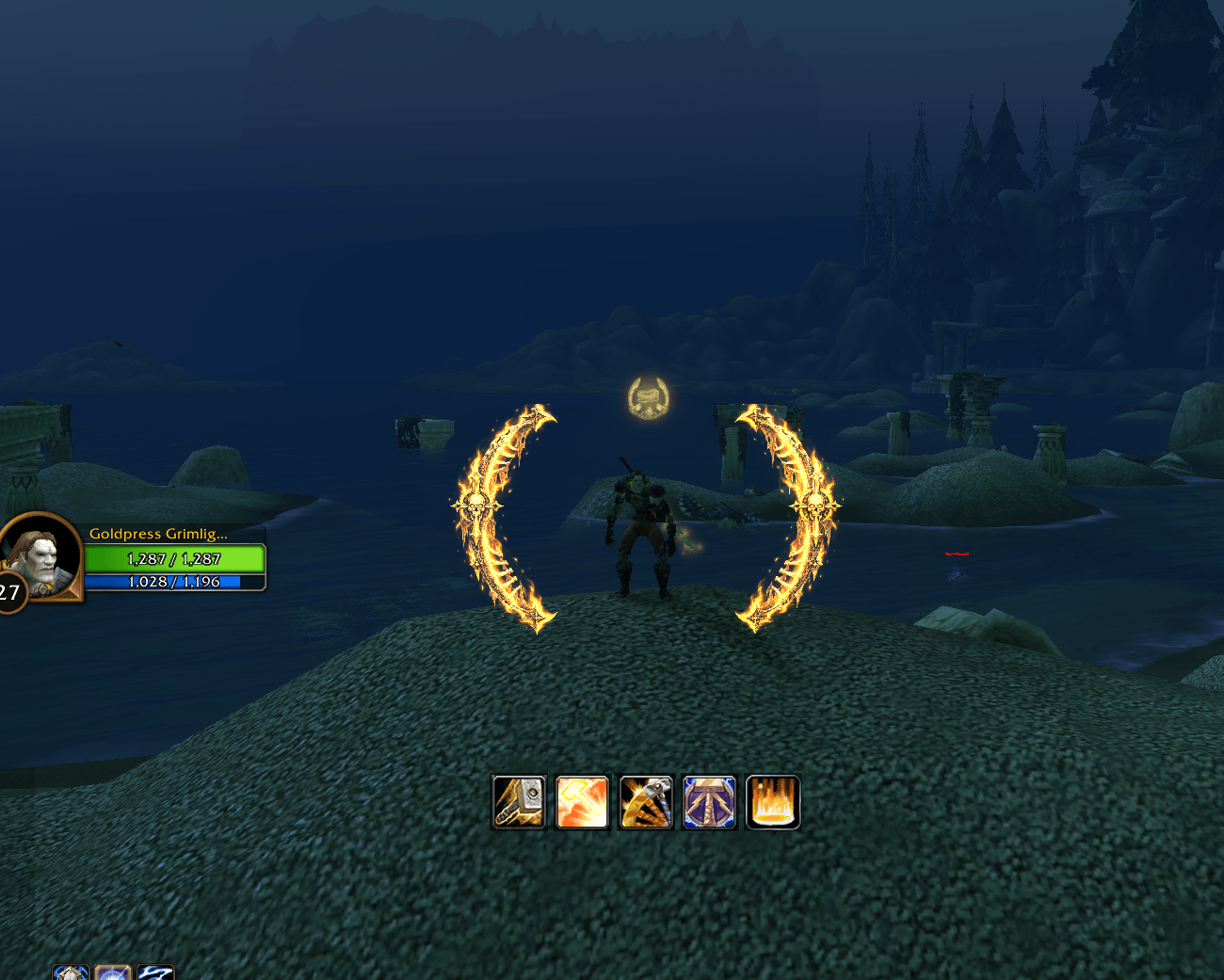
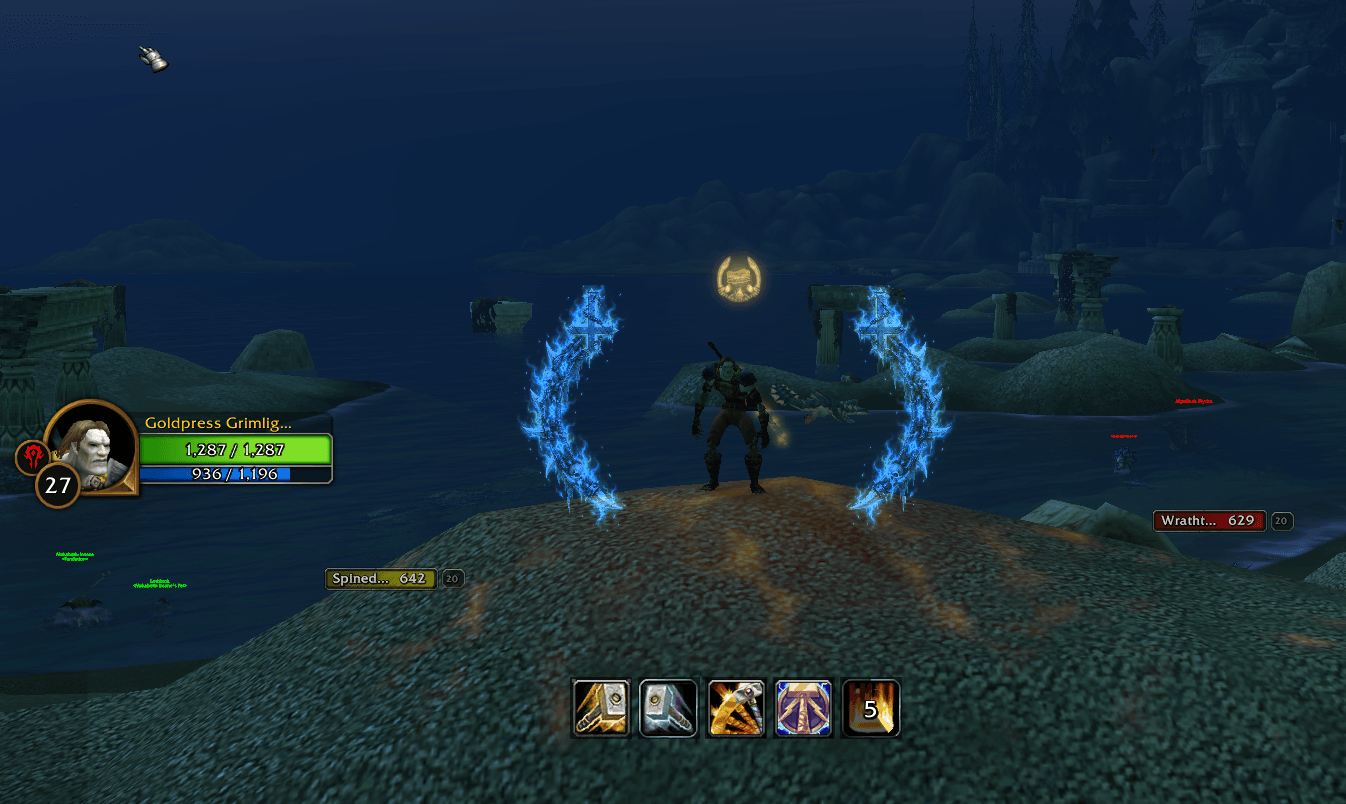
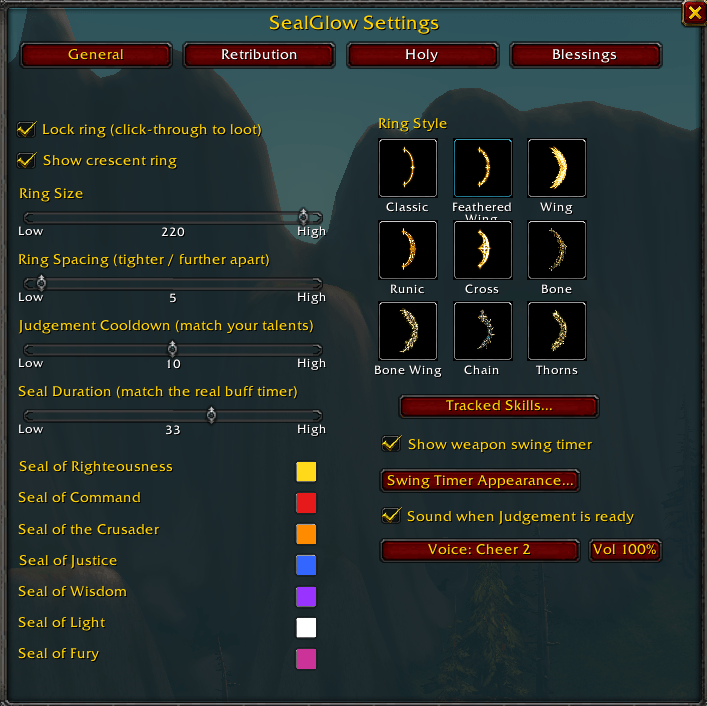
- The crescents change color for each Seal: Righteousness, Command, the Crusader, Justice, Light, Wisdom and Fury. You can pick your own color for every Seal.
- The ring fades from the top down as your Seal runs out, so you know when to recast.
- Choose from nine ring styles: Classic, Feathered Wing, Wing, Runic, Cross, Bone, Bone Wing, Chain and Thorns.
- Resize the ring, change the gap between the crescents, drag it anywhere, lock it so clicks pass through, or hide it completely.
Judgement-ready alert
- When Judgement is off cooldown, the ring swaps to a flaming version of your chosen style and pulses. Every style has its own flame art.
- Optional sound cue: pick a voice line from your own character's race and gender (Charge, Cheer, Attack My Target, Open Fire, Incoming, Roar and more), or use a default sound.
- Set the cue's volume with the volume button, and turn it on or off with one checkbox.
- Prefer your own sound? Drop a judgement.ogg or judgement.mp3 into the SealGlow folder and it plays instead.
Holy tab
- Infusion of Light icon: a draggable icon with a countdown appears when a crit on Flash of Light or Holy Shock makes your next Holy Light faster. SealGlow detects it from the Holy Light cast time, because this client hides buffs in combat.
- Holy Shock ready sound: turn it on and set your Holy Shock cooldown, and SealGlow plays a sound when it should be ready again. Choose the sound from a list and set its volume.
- Holy skills bar: the tracked skills bar shows your own set of Holy spells while the Holy tab is selected.
Retribution tab
- Echo Seal icon (Twist of Light): with the Twist of Light talent, swapping off a Seal banks an Echo of it. A small icon above the ring shows which Seal you have banked, until your next melee swing. Drag it, lock it, or reset it. It is off by default.
- Your own tracked skills set for Retribution.
Blessings tab
- A bar of your own blessings, picked from the ones you know. Click one to cast it on yourself.
- To bless someone else, hover a blessing, hold the arm key (Shift, Ctrl or Alt) and click the player. Other buttons grey out while one is armed. With nobody under the mouse it goes to your friendly target.
- Low-level targets get a lower rank of the blessing, if you leave that option on.
- Marks on the buttons show whether the player under your mouse (or your target) already has the blessing from you or from another paladin, with the time left in green, yellow or red.
- Adjustable icon size and a lock for the bar.
Extras
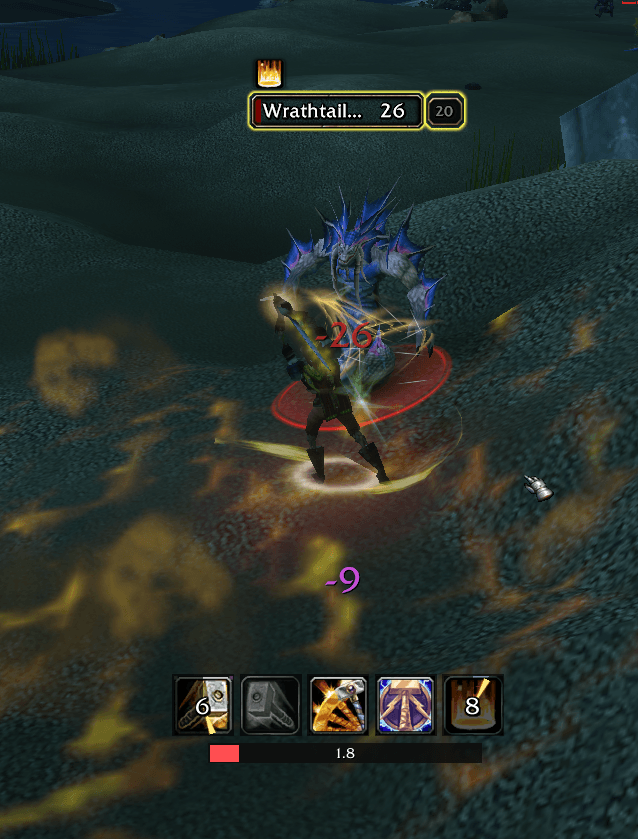
- Tracked Skills bar: show up to 5 spells of your choice with icons and cooldown timers. To bind one, click Set, then cast the spell.
- Weapon swing timer: a bar that fills with each swing, with adjustable color, width and height.
- Minimap button and settings window: open it from the minimap button or with /sealglow. Tabs: General, Retribution, Holy and Blessings.
Getting started
- Click the minimap button, or type /sealglow.
- Drag the ring where you want it, then tick Lock ring.
- Pick a style, set your Seal colors, and turn on any extras you want.
Good to know
- SealGlow follows your Seals, Judgement and Holy Shock from the spells you cast, because this client doesn't allow reading buffs or cooldowns in combat. Seal Duration (default 30 sec), Judgement Cooldown (default 10 sec) and the Holy Shock cooldown are adjustable in the settings. Change them to match your talents if the ring lights up or the sound plays early or late.
- The blessing bar's arming (blessing other players), the buff marks and bar changes only work outside combat, because the game blocks them in combat. A plain click on a blessing still casts it on yourself in combat.
- The volume controls work through the game's Dialog sound channel. They briefly set that channel's volume when the cue plays, then restore it. If Dialog sound is off in your game audio settings, the cue plays at full volume.
- Made for WoW Forever (Interface 1.60.1).
Bug reports and ideas are welcome in the comments.
SealGlow Team