Enchanting4Ever
Finds enchant requests in chat, builds orders from your recipes and whispers customers the materials, for WoW Forever enchanters.
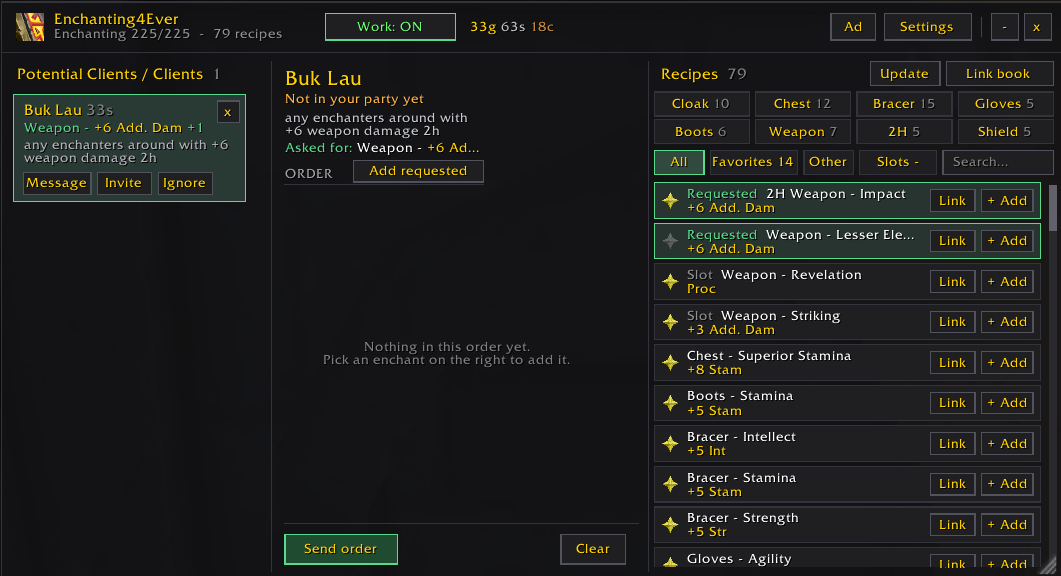
image.png
22.png
23.png
33.png
Description
An enchanter's assistant for WoW Forever. It reads chat for enchant requests, shows them in a window and popups, and manages each customer's order, materials, payment and thank-you, so you spend your time enchanting, not typing.

Features:
- Reads your recipes automatically and updates when you learn new ones.
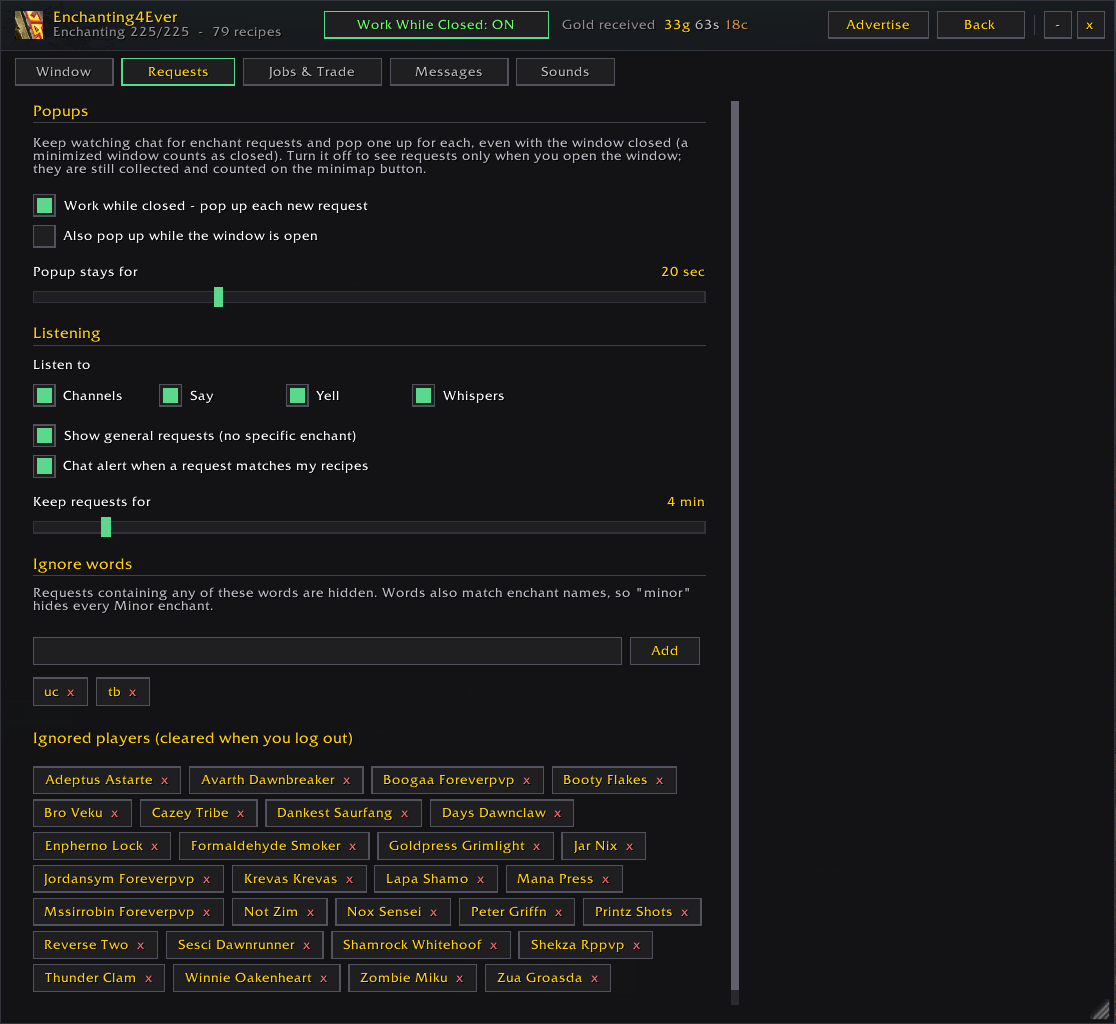
- Understands requests in chat ("+8 stam chest pls", "LF enchanter for gloves") and shows them as Potential Clients with Message / Invite / Ignore, in the window and as popups.
- Work While Closed: keeps catching requests, with a sound, while the window is closed or minimized.
- Clients list: anyone who joins your party or trades you mats becomes a Client with a card of its own: order, mats received, gold paid. Jobs survive /reload.
- Orders: build an order from your recipes, send it with the combined materials, ask for missing mats, tell the customer what you have received.
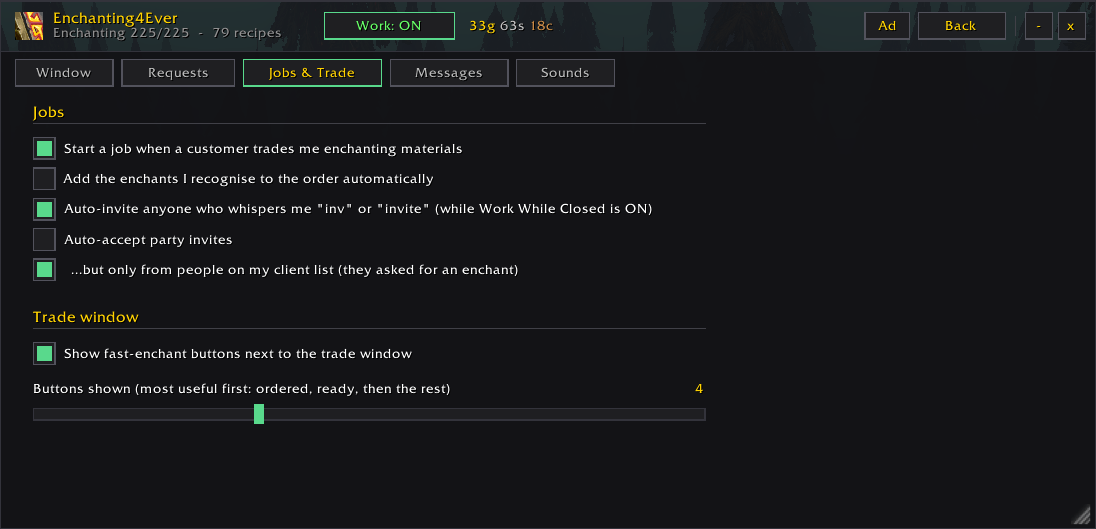
- Fast enchant bar on the trade window: the customer's item gets buttons for their ordered enchants, what you can do right now, and the rest. One click casts it.
- Link your recipes: one enchant with its materials, or your whole Enchanting book, to a whisper, chat box or any channel.
- Advertise button: favorite your enchants and it writes your ad for you, with your book link first, posted to the channel you pick.
- Auto-invite anyone who whispers "inv" while you are working, with optional auto-accept of party invites.
- Gold counter in the header, and an automatic /thank and thank-you whisper when a customer pays.
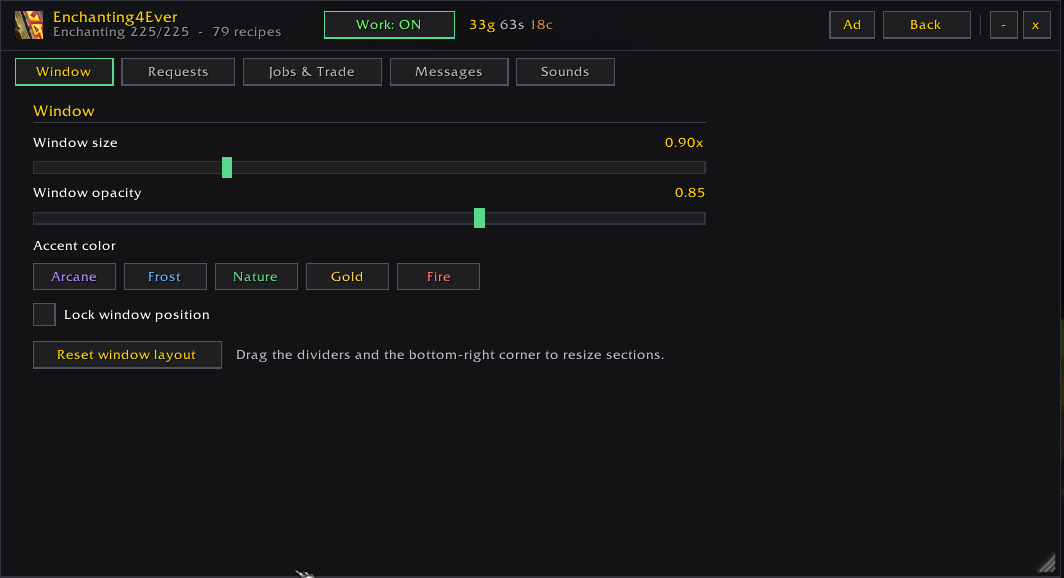
- Settings for every whisper, sounds, accent colors, window size and opacity.

Getting started:
1. Install, then open your Enchanting window once so the addon can read your recipes.
2. Click the minimap button or type /ench.
3. Star your favorite enchants for the Advertise button, and check Settings > Messages.

Commands: /ench (window), /ench settings, /ench scan, /ench ad <channel>, /ench book <channel>, /ench gold, /ench work, /ench sound.

Notes:
- Built for WoW Forever. It uses the game's own trade skill and chat APIs.
- With Work While Closed off and the window closed, the addon sends no automatic whispers.
- Optional sounds: put request.ogg or join.ogg in the addon's Sounds folder (see the README inside). Without them the addon uses game sounds.
- Not affiliated with any other enchanting addon.
Enchanting4Ever Team