ScreenDock
- By
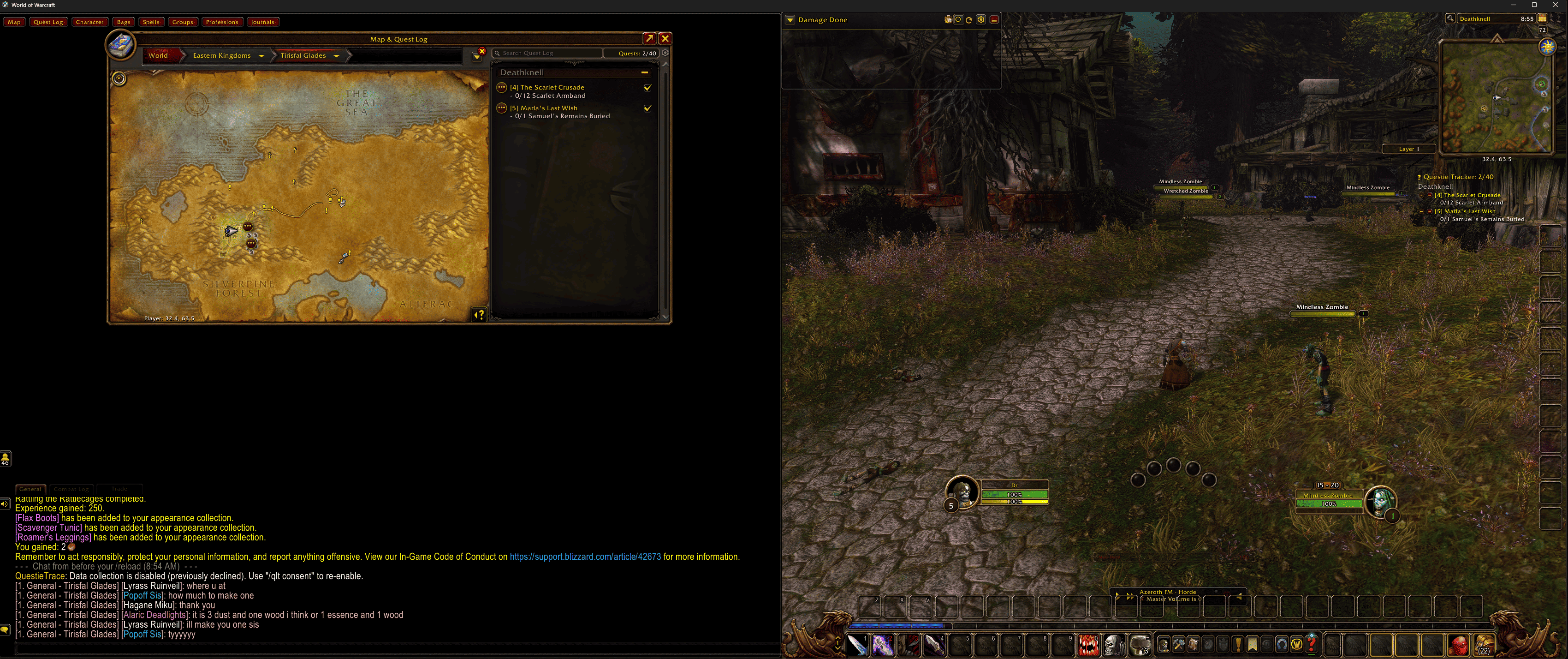
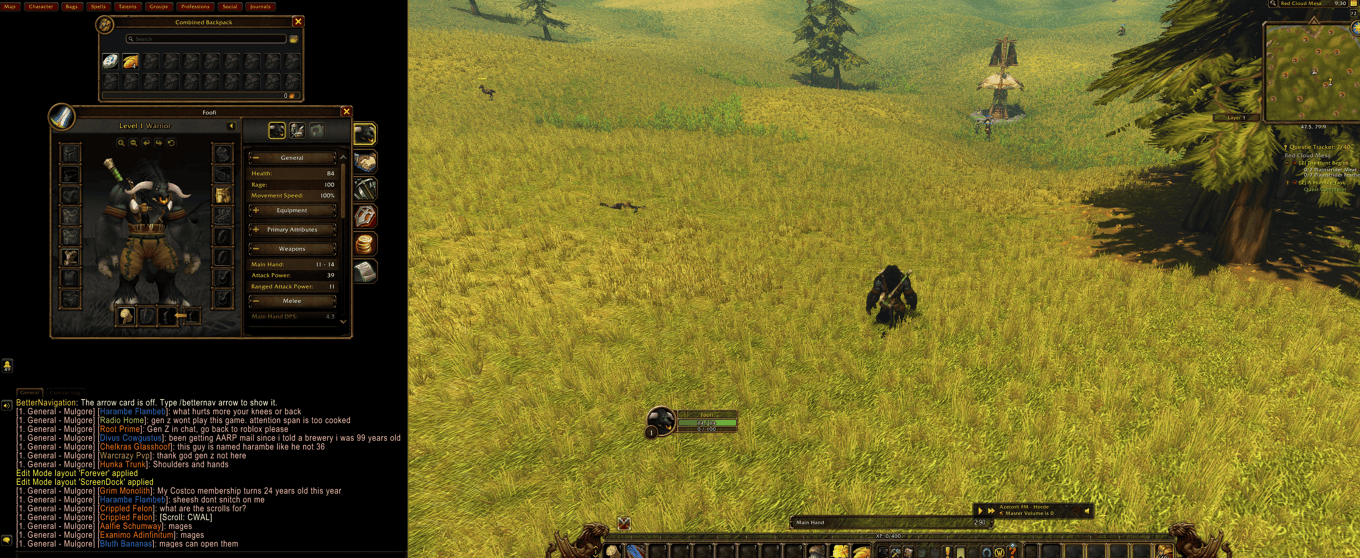
Splits your screen into a game area and Blizzard-style docks, so the map, bags, character panel and chat open beside the game instead of on top of it.
Description
📌 ScreenDock splits your screen into a game area and Blizzard-style docks, so the map, bags, character panel and chat open beside the game instead of on top of it. Whether you play on an ultrawide, want the game on one side of a single monitor, or stretch WoW across two monitors, setup takes under a minute.
🔥 Features
✅ Setup in one window – A short "Set up ScreenDock now?" prompt, then four picture cards (Ultrawide: game in the centre, Game on the left, Game on the right, Two monitors), a live preview on your real screen, Done.
✅ No stretching – The 3D world shrinks to the game area and keeps its shape.
✅ Your HUD comes along – Action bars, unit frames and popups stay over the game, in their own "ScreenDock" Edit Mode layout. Your own layout is never changed, and you switch back to it whenever ScreenDock is off.
✅ You pick what goes to the side – Map, bags, character, quest log, chat, spellbook and talents, group finder, professions, social, journals and tooltips: tick the ones you want in the dock.
✅ No overlap – Every panel gets its own spot, a little smaller if needed, and only shares a spot as tabs when it truly doesn't fit.
✅ Arrange panels – Drag each panel's box where you want it, resize it from a corner, drop one on another to make tabs, and drag chat's top edge to set its height. Auto-arrange puts everything back.
✅ Appears in place – Panels open straight in their dock, with no flash at Blizzard's spot first.
✅ Two monitors, your way – Side by side or stacked, even when the monitors are different sizes: pick each monitor's resolution and how they line up. A "Size my window" button and a short checklist do the rest. No desktop app needed.
✅ Knows your window – One layout per window size, switched by itself.
✅ Combat safe – Nothing moves during a fight; changes wait until combat ends.
✅ Plays nice – Tells you if another screen-layout addon is also running.
✅ Always reversible – Preview mode with sample panels, and "Reset to Blizzard default" in the settings or with /screendock reset.
✅ Native settings – Options > AddOns > ScreenDock, /screendock, or the Addon Compartment by the minimap (WoW Forever and Retail).
✅ Every client – WoW Forever, Retail, MoP Classic, Titan Reforged, TBC Anniversary and Classic Era.
✅ Lightweight & dependency-free – Just install and play!
Donations at buymeacoffee.com/foofiaddons support further feature development
ScreenDock Team

Owner