Sanctum
- By
Modern cross-character viewer for WoW Classic Era — bags, gold, professions, cooldowns, and gear upgrades across your account.
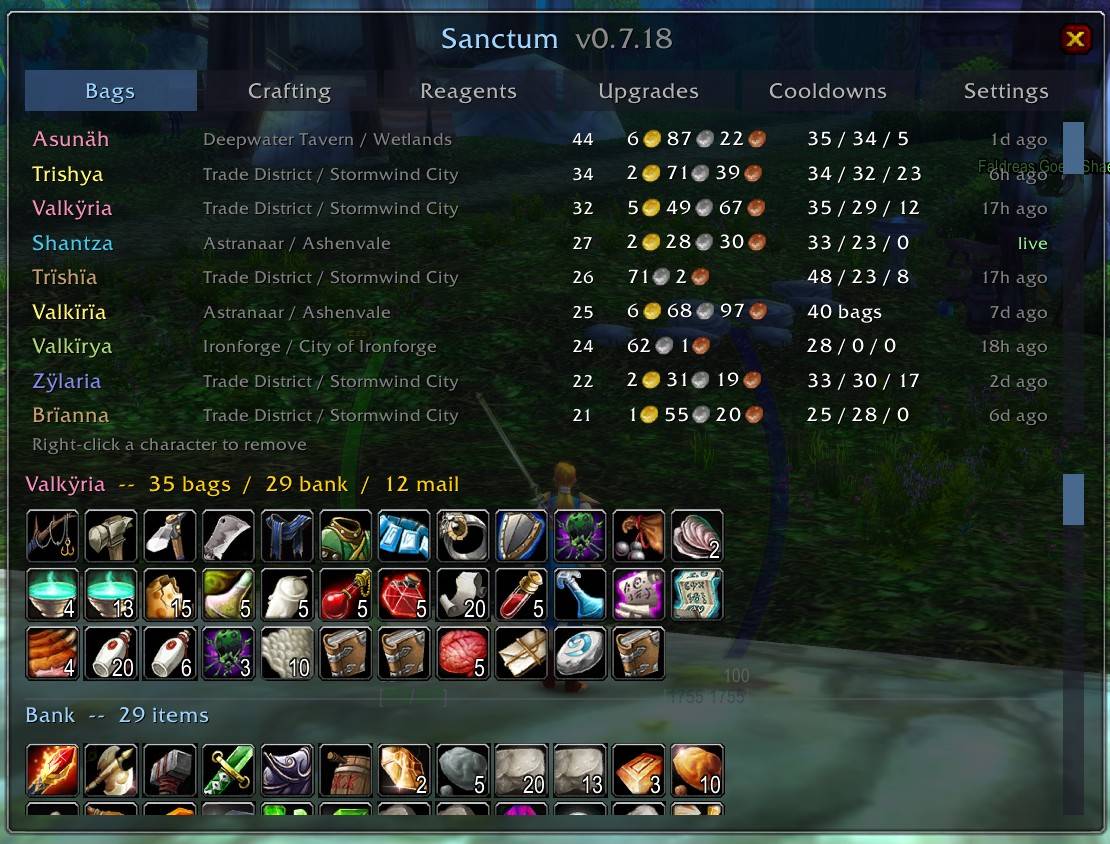
Sanctum - Bags.jpg
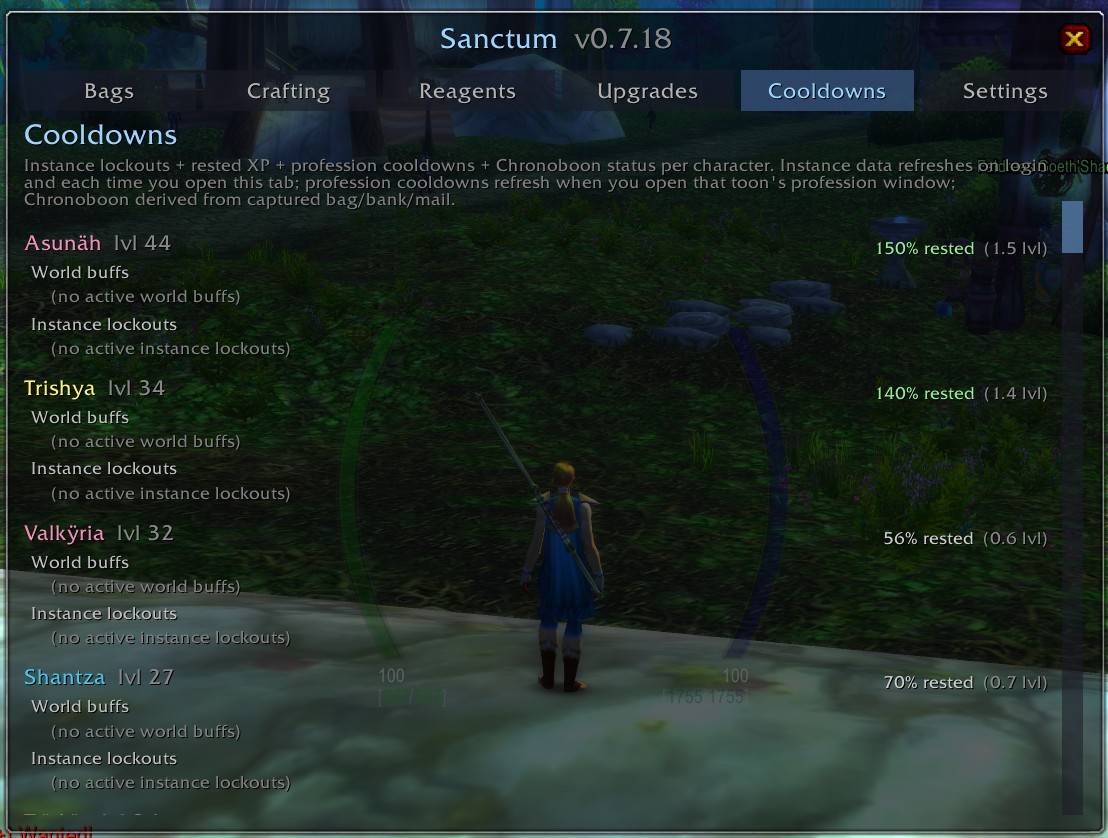
Sanctum - Cooldowns.jpg
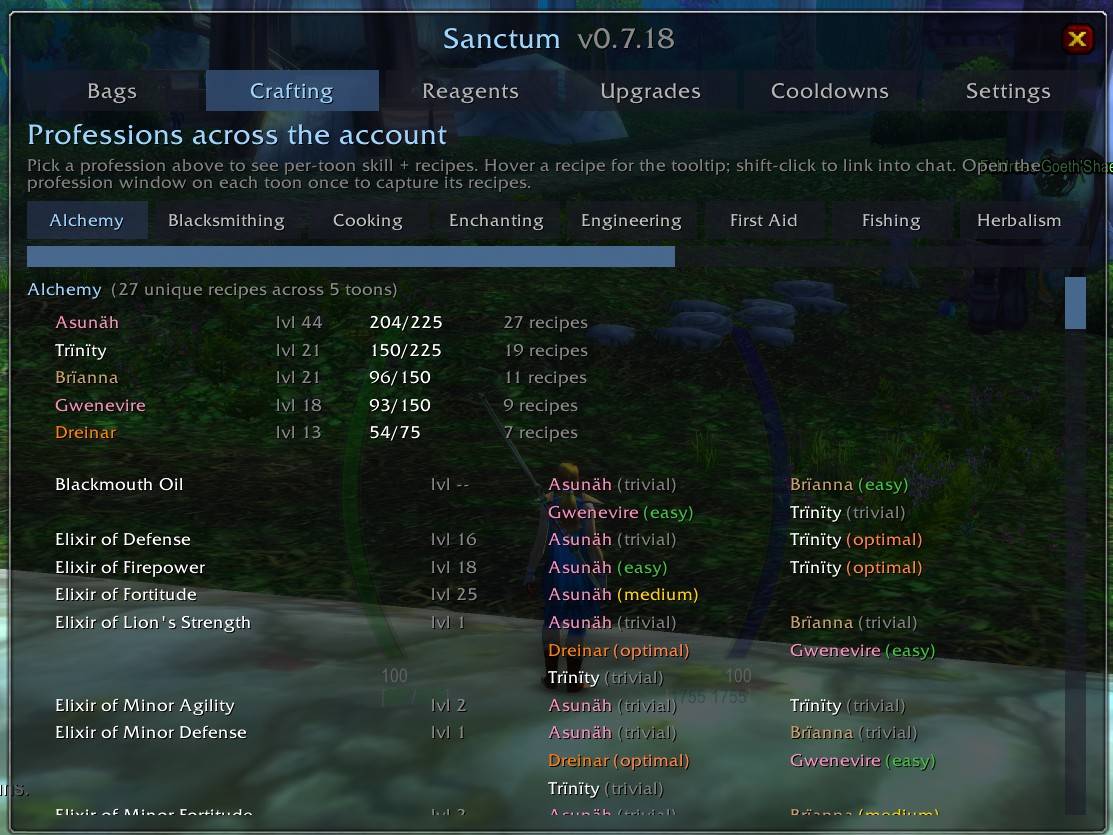
Sanctum - Crafting.jpg
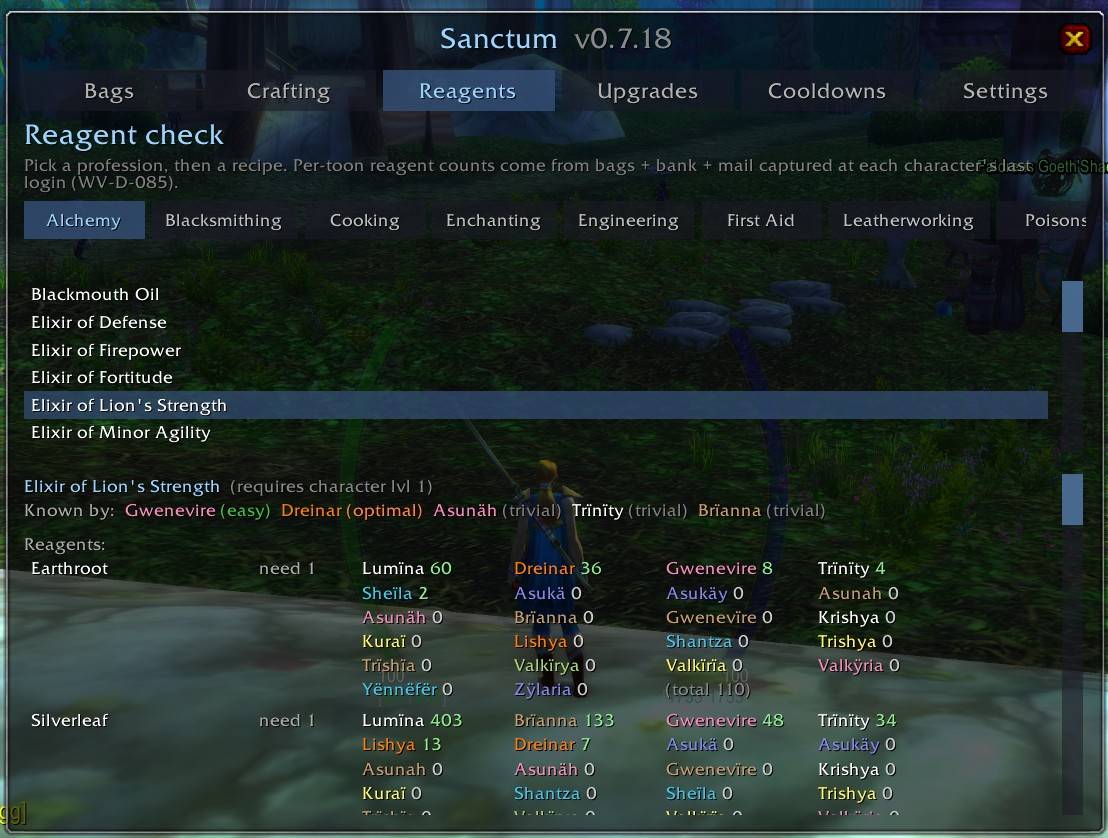
Sanctum - Reagents.jpg
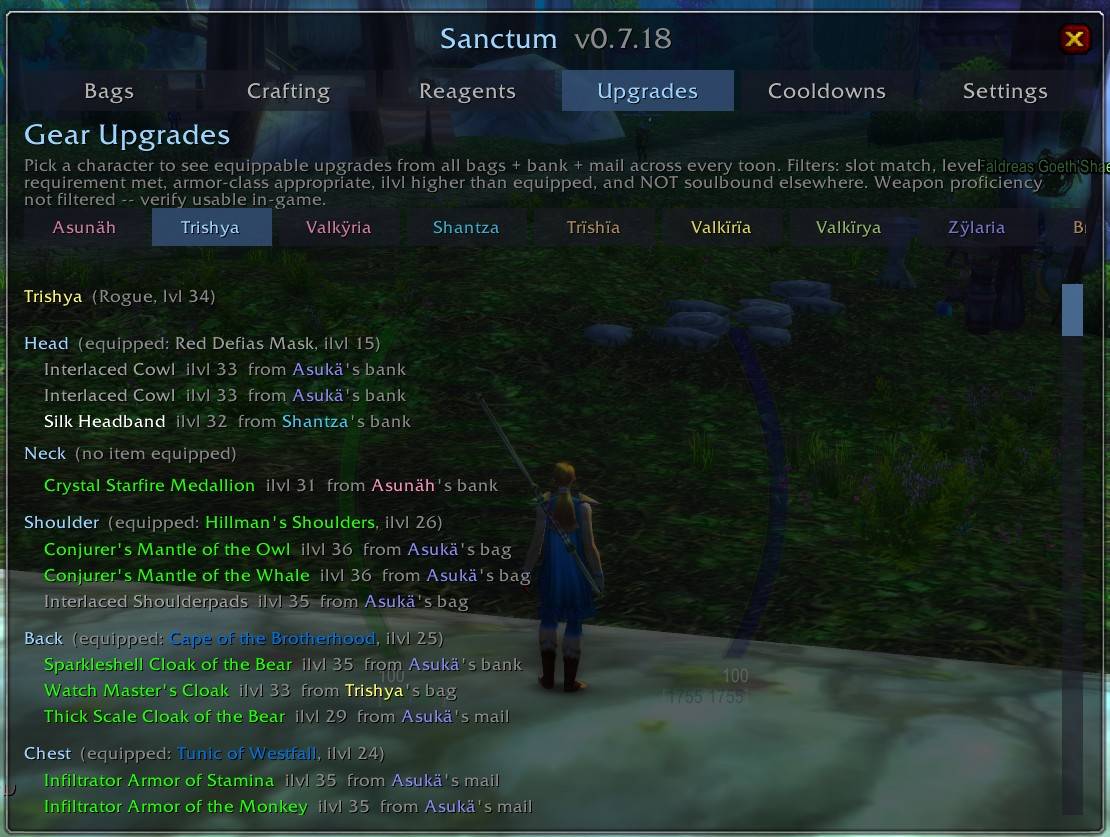
Sanctum - Upgrades.jpg
Description
# Sanctum
**Modern cross-character viewer for WoW Classic Era.** See every character's bags, gold, bank, mail, professions, cooldowns, and gear upgrades from a single window — without logging into each alt just to check.
Sanctum replaces the aging Altoholic-Vanilla backport with a clean, Classic-native UI. Zero protected-API risk, no external libraries, one Lua file. Works on Interface `11509` (Classic Era 1.15.x).
## Screenshots
*[Bags tab — cross-character roster with live current character]*
*[Cooldowns tab — instance lockouts + rested XP]*
*[Upgrades tab — account-wide gear scan per slot]*
*[Reagents tab — who has the materials, who can craft]*
## What it does
**Sanctum captures durable state on each character as you play**, stores it in `SavedVariables`, and shows the whole account's data on any alt.
- **Bags tab** — every character's bag / bank / mail contents in one grid, click a name to inspect. Total gold across all characters. Class-colored roster.
- **Crafting tab** — per-profession recipe list deduplicated across your account, showing which of your toons knows each recipe with difficulty color coding.
- **Reagents tab** — pick a profession + recipe; see which toons have the materials, who can craft it now, who's missing what.
- **Cooldowns tab** — instance lockouts (dungeons + raids) with reset countdown, rested XP per character, and profession cooldowns (transmutes, salt shakers, etc.).
- **Upgrades tab** — pick a character; see every item across your account (bags + bank + mail) that beats their currently-equipped gear, filtered by class armor rules and level requirements. Soulbound-to-another-character items excluded automatically.
- **Settings tab** — faction filter, roster sort, items-log cap, bag cell size, location column visibility, window background (Transparent / Solid), reset-all-data.
## Getting started
**Install** — extract the zip into `_classic_era_\Interface\AddOns\Sanctum\`. Restart the client (or `/reload` if already running).
**Populate each character.** To see a character in Sanctum's roster, you need to visit them once with Sanctum loaded and let it capture data. Log in as each character, then:
1. **Bags** — automatic. Sanctum captures bag contents on every relevant event (login, bag changes, money changes, zone changes).
2. **Bank** — visit any banker and open your bank window once. Sanctum captures on `BANKFRAME_OPENED`.
3. **Mailbox** — visit any mailbox and open your mail once. Sanctum captures on `MAIL_INBOX_UPDATE`.
4. **Professions** — open each of your character's profession windows once (Alchemy, Herbalism, Mining, Cooking, First Aid, etc.). Sanctum captures the skill level and recipe list per profession.
5. **Equipped gear** — automatic on login and any equipment change.
Once done, that character shows on every alt's Sanctum view. **You do not need to repeat this per session** — Sanctum stores the snapshot and only re-captures when data changes on the current character.
## Slash commands
- `/sanctum` or `/sc` — toggle the window
- `/sanctum help` (also `/sanctum ?`) — list every subcommand
- `/sanctum reset` — re-center the window
- `/sanctum recapture` — force a capture of the current character
- `/sanctum debug` — dump stored roster to chat
- `/sanctum where` — dump raw location APIs (diagnostic; useful for troubleshooting inn/subzone displays)
- `/sanctum items [name]` — dump sorted item list (defaults to current character)
- `/sanctum log [N|clear]` — print the last N items-log entries; `clear` resets the log
- `/sanctum professions [name]` (alias `prof`) — dump professions for one or all characters
Type any unknown command and Sanctum will point you at `/sanctum help`.
## Bags-tab shortcuts
- **Left-click** a character row → expand to bag / bank / mail grid
- **Right-click** a character row → remove that character from Sanctum (useful when a Hardcore character dies and you delete them in-game). Confirmation popup; you can restore by logging in as that character again.
- **Escape** closes the window
## Faction filter
The Settings tab has a three-option faction filter (**All** / **Alliance only** / **Horde only**) that applies across every tab. On login, Sanctum auto-scopes to your current character's faction — so an Alliance character sees only Alliance alts by default, and vice versa. Manual override via Settings survives the session but is overwritten on your next login. Neutral characters (Pandaren pre-choice — doesn't exist on Classic Era but defensively handled) leave the setting untouched.
## Data storage
- `SanctumDB` — account-wide roster, keyed by `Realm.Name`
- `SanctumItemsLog` — human-readable items-dump history for offline review, capped at 20 entries by default (configurable in Settings)
Both live at `_classic_era_\WTF\Account\<AccountName>\SavedVariables\Sanctum.lua`. Human-readable — you can open it in a text editor if you want to inspect the raw shape.
## Known limitations (v1)
- **Quest cooldowns are not tracked** — Onyxia head / Darkmoon Faire / etc. Deferred pending a stable API path to observe these; not shipping on guessed mechanics.
- **Mail attachments are captured, but the addon can't move them** for you (WoW's protected-mail APIs are off-limits to addons).
- **Retail is not supported.** Sanctum targets Classic Era only; Retail's API surface differs meaningfully and Retail already has strong alternatives (Altoholic Retail, TradeSkillMaster).
## Support & feedback
File issues or feature requests on the CurseForge / Wago project page comments. Author: Eduardo. License: MIT.
## Companion addon
**Reliquary** — zone drop-rate viewer for Classic Era. Which mobs drop what, and where. Standalone; not required for Sanctum. Both addons share visual conventions (Settings-tab pattern, faction filter, background option).
Sanctum Team