Reliquary Classic
- By
Zone drop-rate viewer for WoW Classic Era — which mobs drop what, and where. All 45 Vanilla zones covered out of the box.
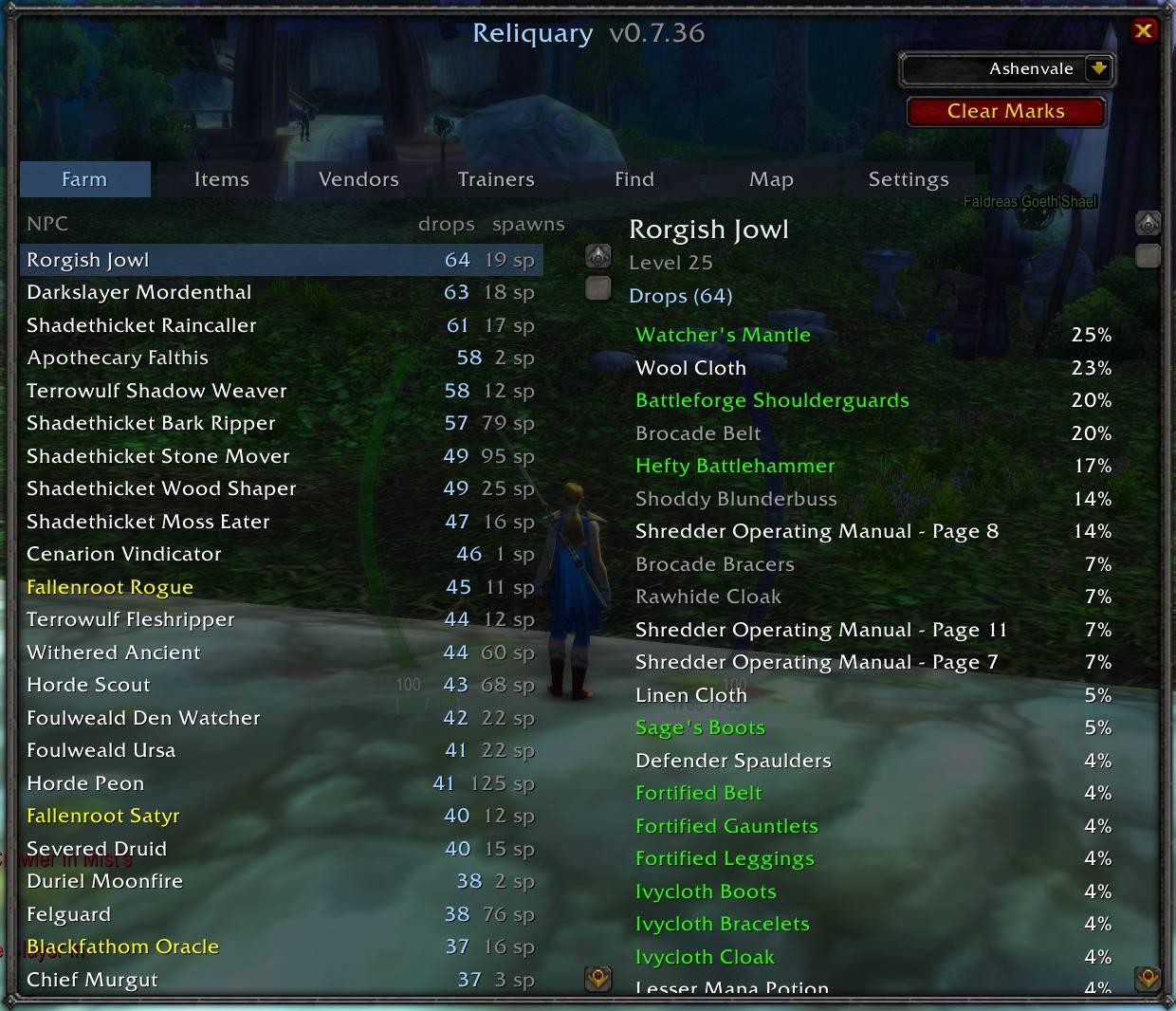
Reliquary - Farm.jpg
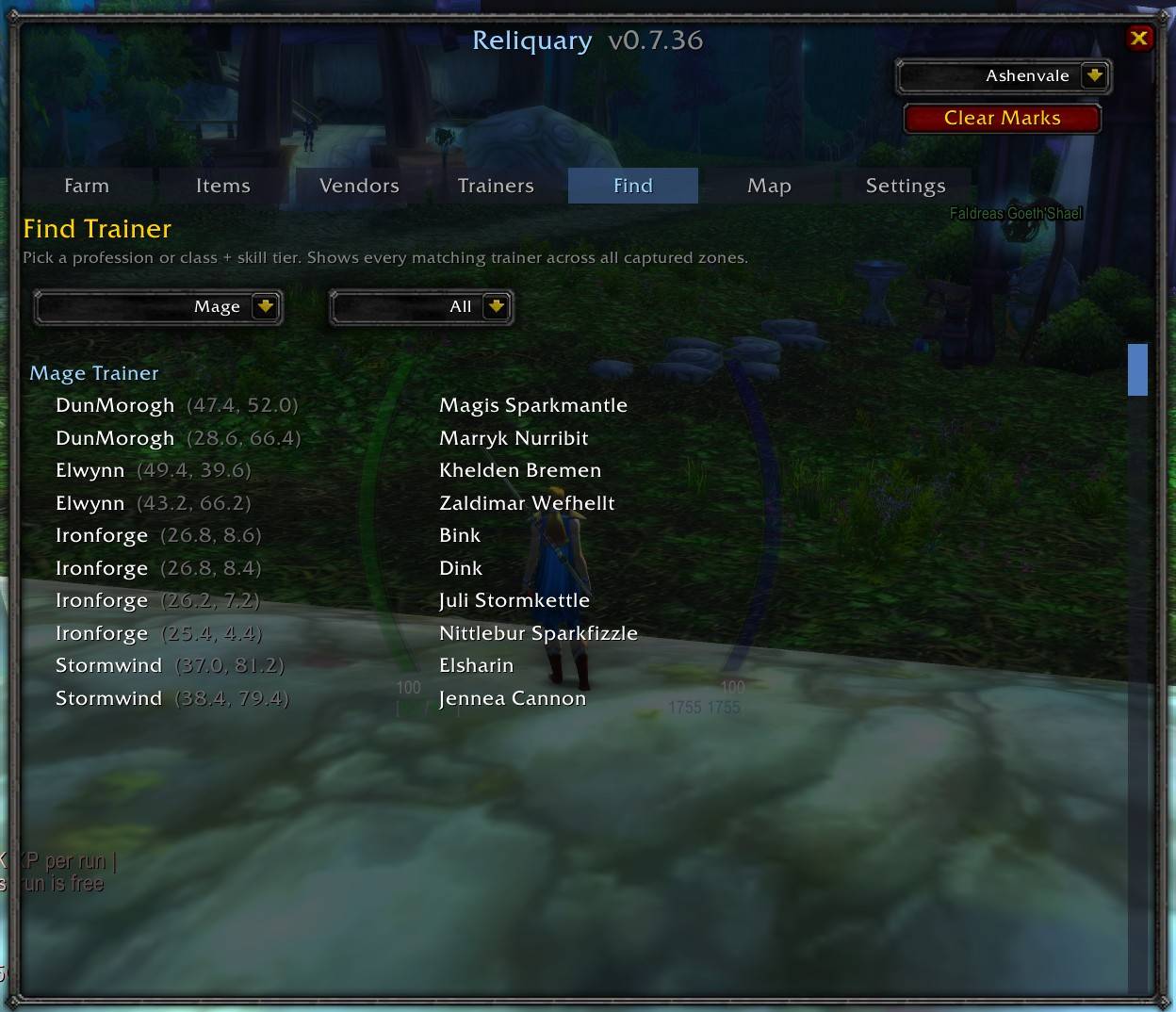
Reliquary - Find - Class Trainers.jpg
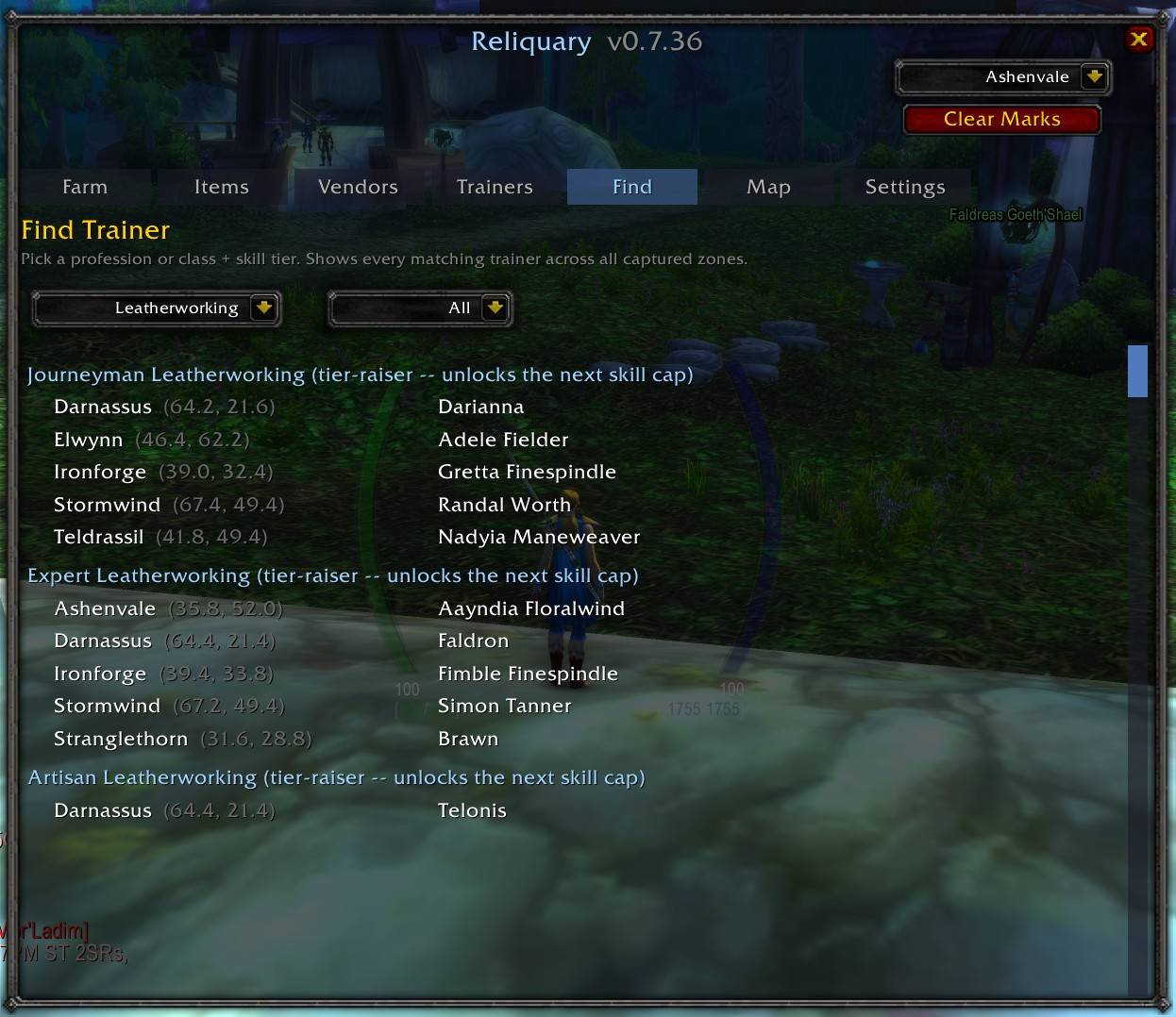
Reliquary - Find - Profession Trainers.jpg
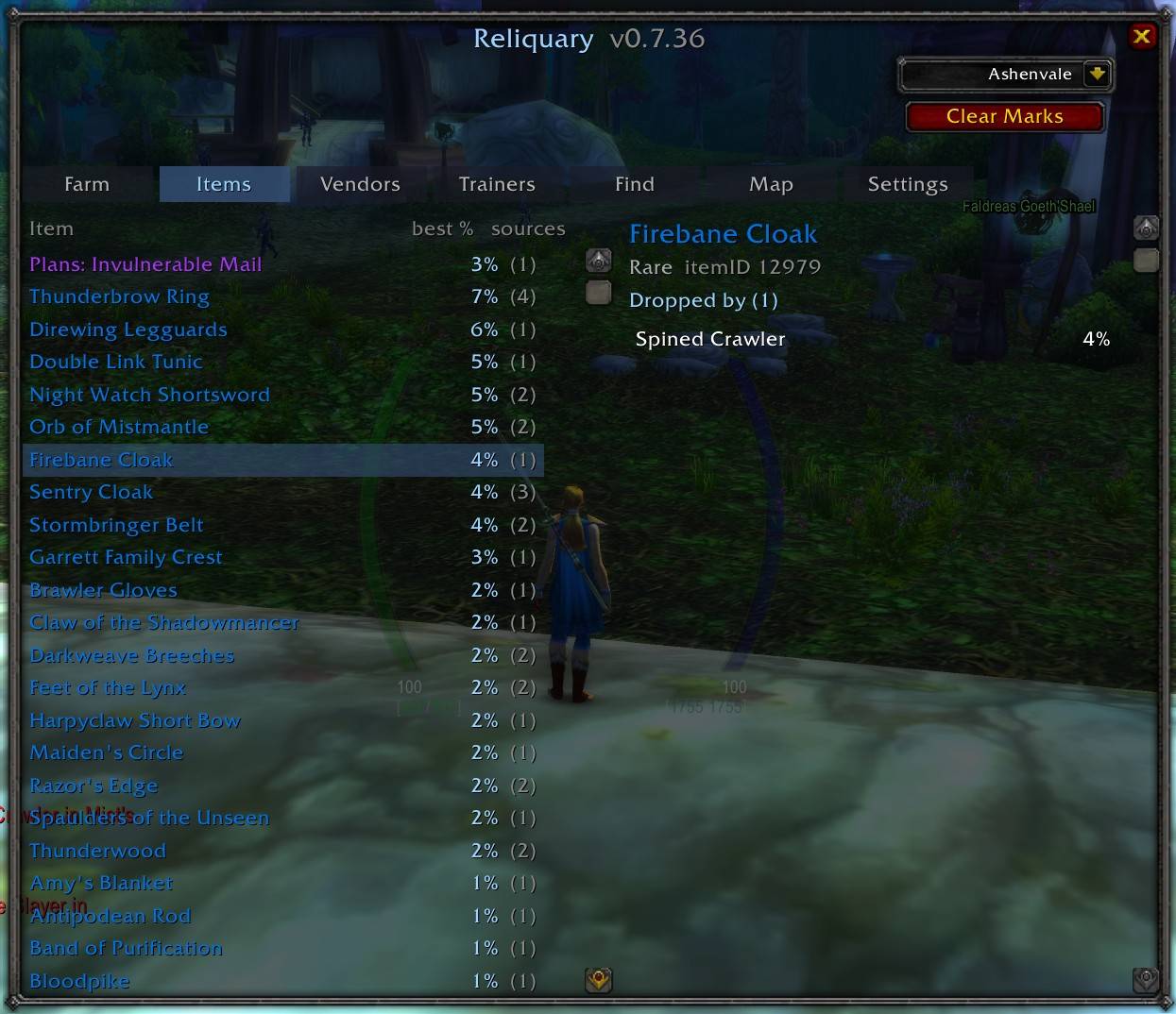
Reliquary - Items.jpg
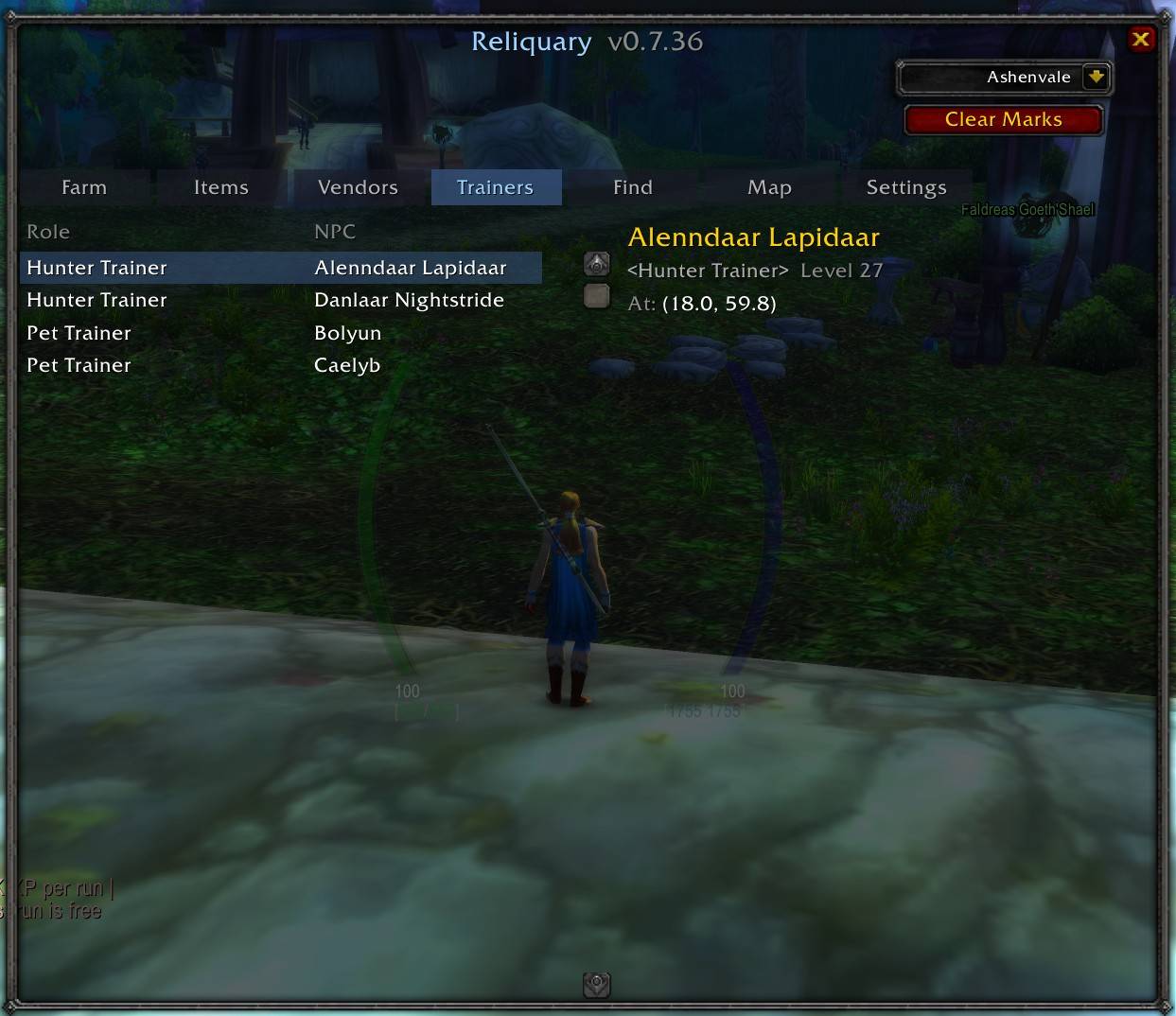
Reliquary - Trainers.jpg
Description
# Reliquary
**Zone drop-rate viewer for WoW Classic Era.** Which mobs drop what, and where. All 45 Vanilla zones covered out of the box — no in-game grind to bootstrap.
Reliquary is a one-stop reference for anyone leveling, farming, or gearing on Classic Era. Ask *"where does this item drop?"* — get a mob list with drop chances. Ask *"where's the nearest Alchemy trainer?"* — get a cross-zone lookup. Open the Map tab to see spawn pins overlaid on the WoW world map.
## Screenshots
*[Farm tab — mob list with drop percentages]*
*[Items tab — item catalog with sources]*
*[Vendors / Trainers tab — role-first columns]*
*[Find tab — cross-zone class + profession trainer lookup]*
*[Map tab — spawn pins on the WoW world map]*
## What it does
Reliquary ships **all 45 Vanilla zone databases embedded** — Alterac through Winterspring, plus every city. Data scraped from Wowhead's Classic Era pages, refreshed periodically. Works offline, no external dependencies, one Lua file.
- **Farm tab** — pick a mob, see its full drop table with percentages. Sorted by drop chance descending.
- **Items tab** — pick an item from the current zone; see every mob that drops it with per-mob percentage. Elite/rare/boss mobs color-coded by classification.
- **Vendors tab** — every vendor in the current zone, columns sorted by role then name (Alchemy Supplies, Weapon Vendor, Innkeeper, etc.).
- **Trainers tab** — every trainer in the current zone, same role-first layout.
- **Find tab** — cross-zone lookup for trainers by profession + tier (Journeyman / Expert / Artisan) or by class (Warrior / Hunter / etc.). Answers *"where can I train Expert Blacksmithing?"* in one click. **Hunter picks also get a Stable Master section** listing every Stable Master across the world (paired for pet swaps).
- **Map tab** — spawn pins for the selected NPC / item source overlaid on Reliquary's in-window map AND on WoW's world map (M key). Green pin follows your Find-tab pick; blue pins follow your Farm/Items/Vendors/Trainers pick.
- **Settings tab** — faction filter, window background (Transparent / Solid).
## Getting started
**Install** — extract the zip into `_classic_era_\Interface\AddOns\Reliquary\`. Restart the client (or `/reload` if already running).
**Open** — type `/reliquary`, `/relic`, or `/rq`. Press **Escape** to close. The zone dropdown auto-detects your current zone; use the dropdown to switch to a different zone's data.
That's it. No per-character setup, no data to populate. **Everything works immediately after install.**
## Slash commands
- `/reliquary`, `/relic`, or `/rq` — toggle the window
- `/reliquary help` (also `/reliquary ?`) — list every subcommand
- `/reliquary reset` — re-center the window
- `/reliquary zone <name>` — set active zone by partial name match
- `/reliquary zone auto` — auto-detect zone from player location (default)
## Map tab
The Map tab renders WoW's actual map tiles inside Reliquary's window and overlays spawn pins for whatever you've picked on Farm / Items / Vendors / Trainers / Find. It inherits from the last-visited list tab — so pick a mob on Farm, tab to Map, and you'll see that mob's spawns. Pick another mob on Items, tab back to Map, and it switches to the new pick.
Same pins render on WoW's own world map (M key) too — so you can pin a target in Reliquary, close Reliquary, open the world map, and the pin's still there. **Clear Marks** button below the zone dropdown wipes both surfaces at any time.
## Faction filter
The Settings tab has a three-option filter (**All** / **Alliance only** / **Horde only**) that applies to Vendors, Trainers, and Find only. **Farm and Items ignore it** — a Kobold Miner drops copper for anyone regardless of your faction, so filtering hostile mobs by faction would hide useful data.
On login, Reliquary auto-scopes to your current character's faction. Manual override via Settings survives the session but is overwritten on your next login. Same UX Sanctum uses so switching between the two addons feels consistent.
## Data source and ethics
Reliquary's zone data comes from [Wowhead's](https://www.wowhead.com/classic) Classic Era pages, scraped via the included Python tool at `tools/scraper/`. The scraper is not part of the shipped addon; it's a development tool for regenerating the bundled data files.
**Wowhead ToS technically prohibits scraping.** The community precedent this addon follows is [GatherMate2 Data Wowhead Classic](https://www.curseforge.com/wow/addons/gathermate2-data-wowhead-classic) (23M downloads, WTFPL, active for years). Reliquary uses the same pattern: open-source, credited, polite rate (2 req/sec baseline with exponential backoff), no re-hosting of raw pages, only derived data tables. If Wowhead ever objects, the escape hatch is CMaNGOS's `classic-db` SQL dump (GPL v3).
## Known limitations (v1)
- **Season of Discovery content is filtered by default.** Reliquary targets Classic Era only. Toggle via the scraper's `--include-sod` flag if you want SoD content in your local data files, but not recommended.
- **Vendor sells-data is pending.** The Vendors tab currently shows *what* NPCs are vendors but not *what they sell*. Follow-up scraper work planned.
- **Some city trainers may miss the faction field** on the current data snapshot due to Wowhead's inconsistent HTML serving. Reliquary has a zone-controlling-faction fallback (`ZONE_FACTION` table) that covers capital cities and single-faction starting zones cleanly. Contested zones may show a mixed roster even under a single-faction filter.
- **Retail is not supported.** Reliquary targets Classic Era only.
## Support & feedback
File issues or feature requests on the CurseForge / Wago project page comments. Author: Eduardo. License: MIT.
## Companion addon
**Sanctum** — cross-character viewer for bags, gold, professions, cooldowns, and gear upgrades. Standalone; not required for Reliquary. Both addons share visual conventions.
Reliquary Classic Team