


RGS - Rhodan's Graphical Automation Settings
- By

Create custom graphics profiles that will swap automatically based on your group-size
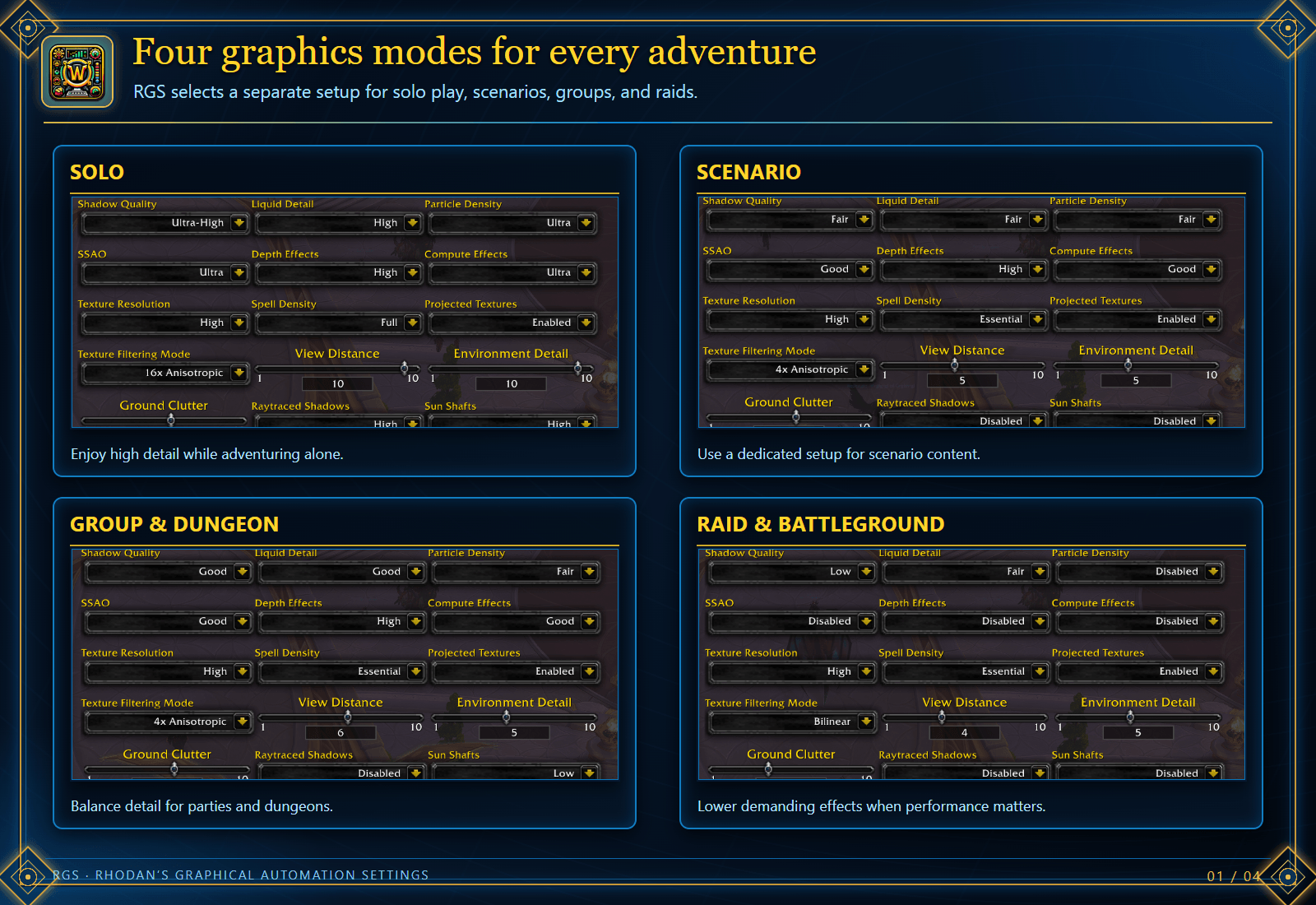
RGS automatically selects a saved graphics setup for solo play, scenarios, groups and dungeons, or raids and battlegrounds. Tune each mode separately for the content you are playing.
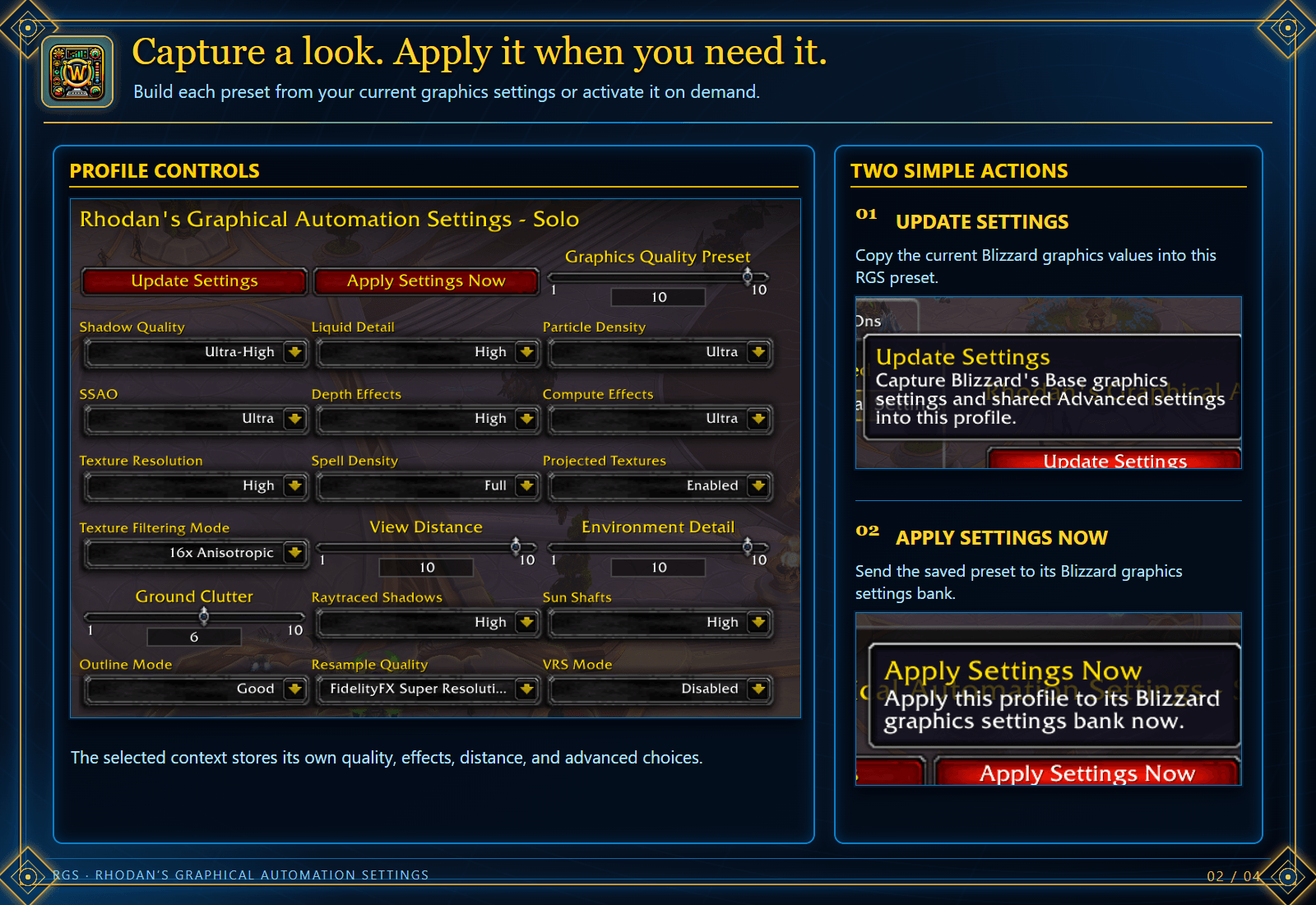
Use Update Settings to capture current Blizzard graphics values into a preset. Apply Settings Now activates that preset immediately.
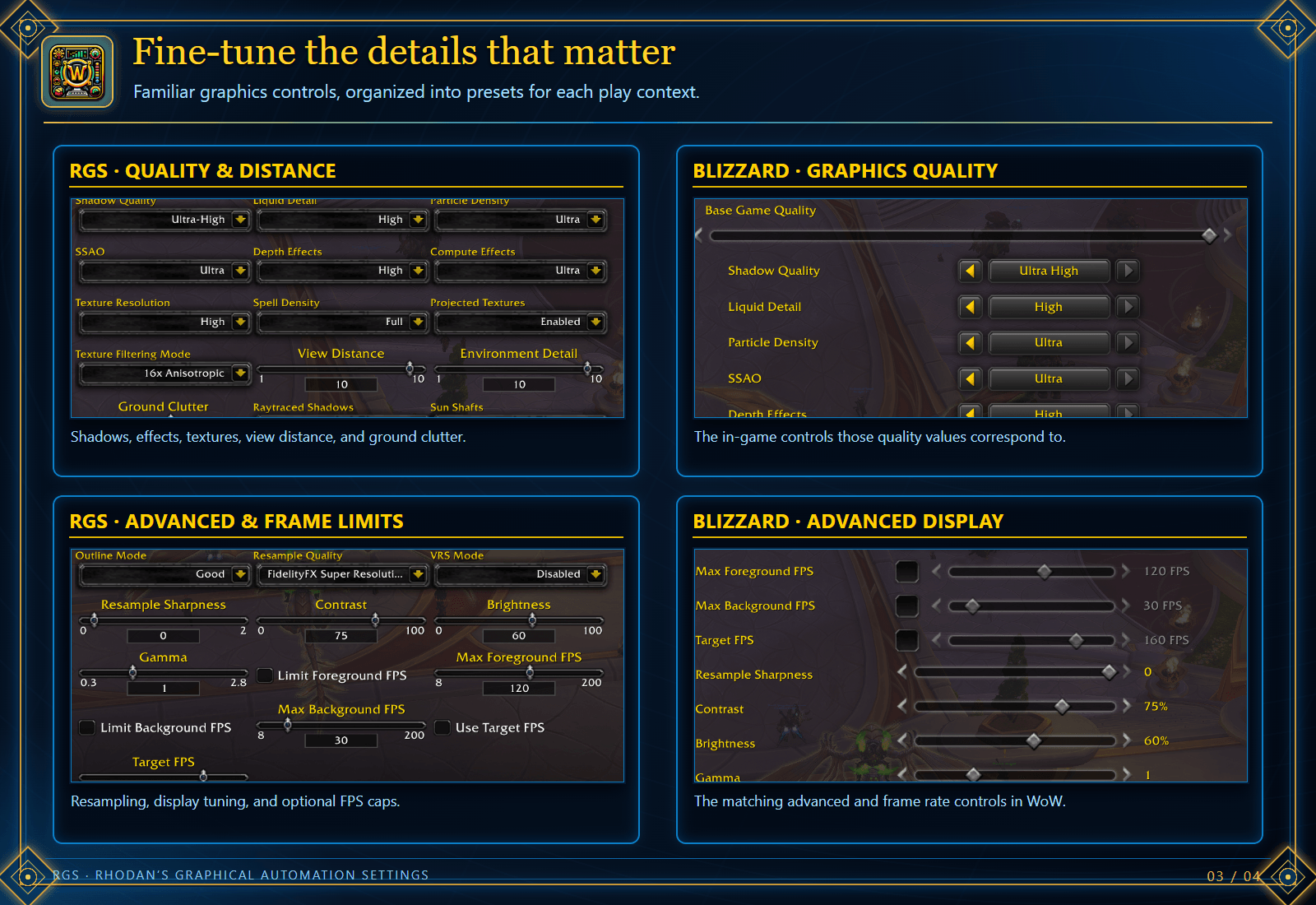
Adjust quality, effects, view distance, display tuning, and frame limits for each mode. See how the RGS choices correspond to Blizzard’s Graphics settings.
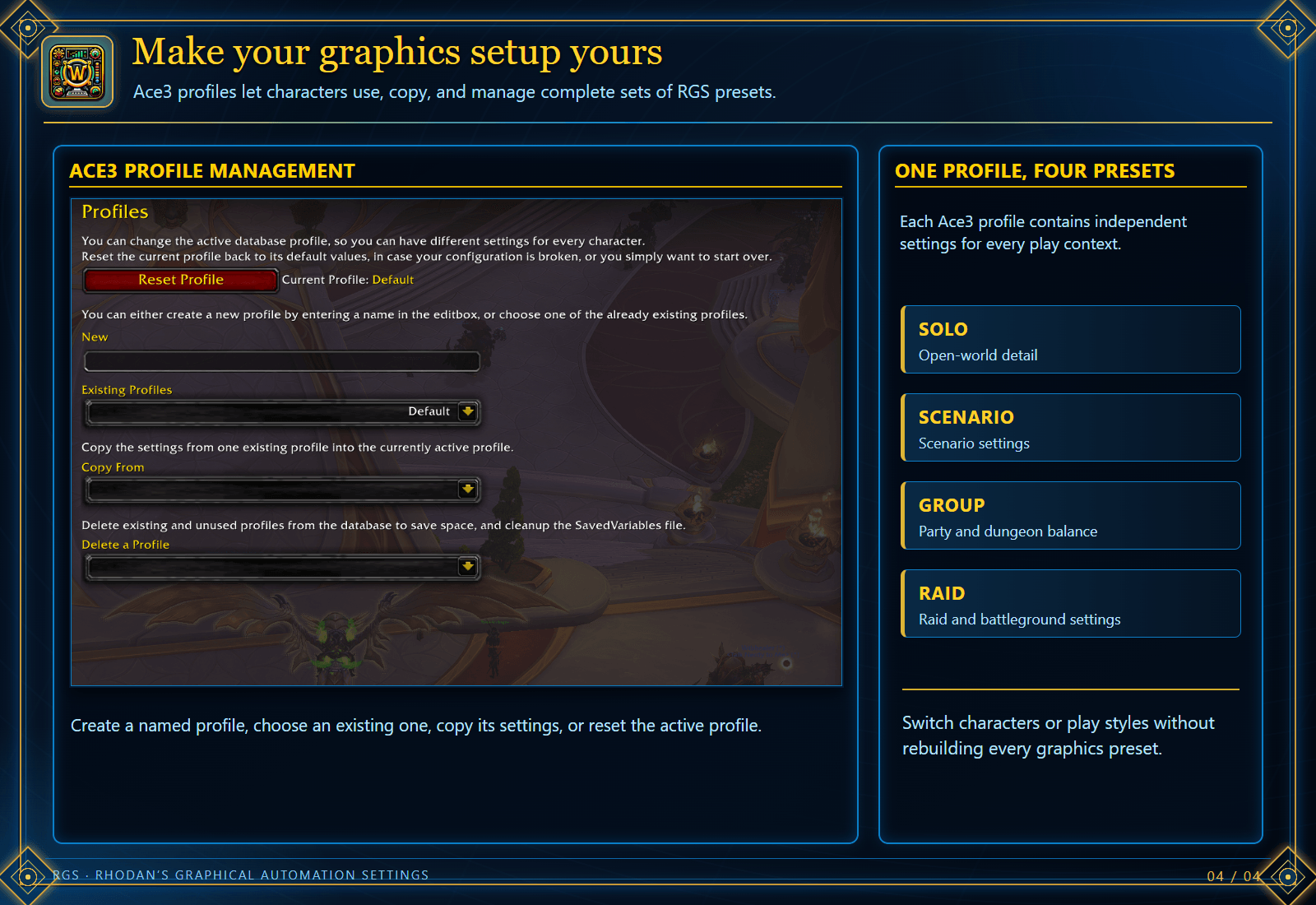
Ace3 profiles hold complete sets of Solo, Scenario, Group, and Raid presets. Create, select, copy, or reset a profile.