Relaxed Notes
- By
A discreet social notebook: tag and annotate the players you meet, see your notes in tooltips and on the target portrait, and get a quiet heads-up when someone you noted joins your group.
relaxedNotes_edit.png
relaxedNotes_minimap.png
relaxedNotes_placeholder.png
relaxedNotes_details.png
relaxedNotes_list.png
Description
Remember the people you play with.
Relaxed Notes is a calm, non-intrusive social notebook for World of Warcraft. Tag players, write a quick note, and the addon quietly reminds you who is who: the amazing healer from last week's key, the friendly guildie-to-be, or the leaver you'd rather not run with again.
No big frames, no flashing warnings. Just the right information, at the right moment.
✨ Features
🏷️ Tags & notes
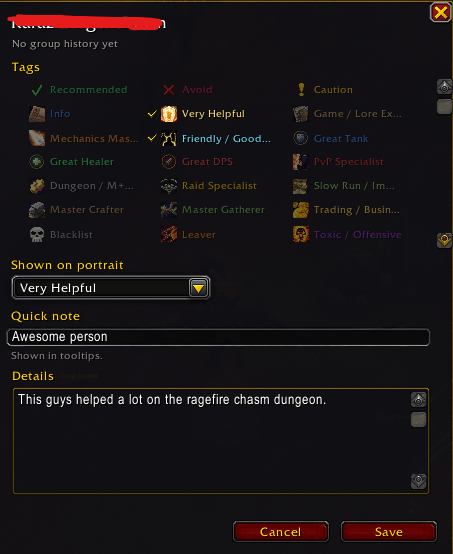
- 23 built-in tags in clear groups: General, Community, Group Content, Professions, Behaviour and Guild.
- Colour-blind friendly: every tag has an icon, a name and a colour.
- Multiple tags per player, with one primary tag (chosen by you, or picked automatically).
- A quick note shown in tooltips, plus a detailed note for the whole story.
- Create your own custom tags with your choice of icon, colour and type.
👀 Discreet in-game integration
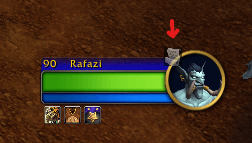
- One small icon on the Target portrait – only for players you have a note on.
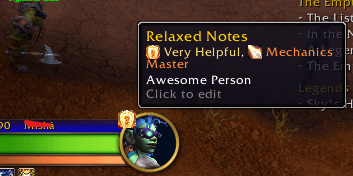
- Tooltip lines with tags, your quick note and your shared history.
- Right-click menu → "Add note" on portraits, party/raid frames and chat names.
- Group Finder tags – see your notes next to applicants and group leaders.
👥 Group awareness
- A short chat message when a noted player joins your group.
- A sound only for alert tags (Blacklist, Leaver, Toxic), and you can change or mute it.
- Friendly reminders for positive tags: "Nice! Arthas (Great Healer) joined your group. Say hi!"
- Automatic group history in dungeons, raids, delves and battlegrounds: "Grouped 3x · last seen 2 days ago in The Stonevault (Mythic)".
📒 Notebook window
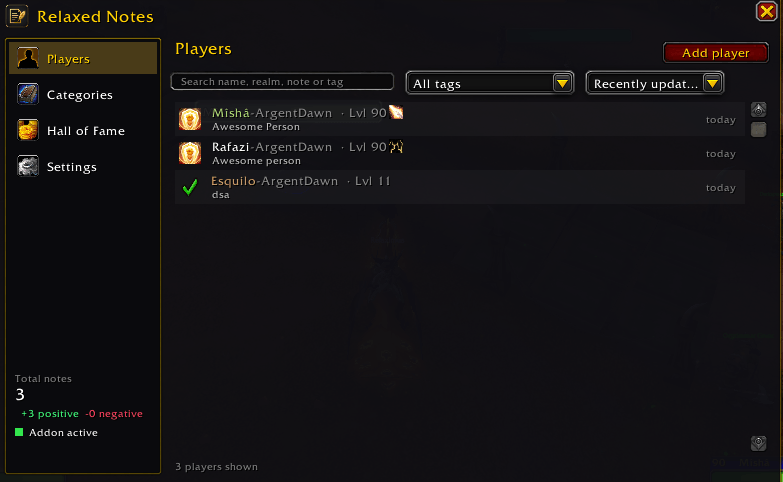
- Players – search by name, realm, note or tag; filter and sort.
- Categories – browse every tag and manage your custom tags.
- Settings – everything can be turned on or off.
- Export / Import your notes as a text string to move them between accounts.
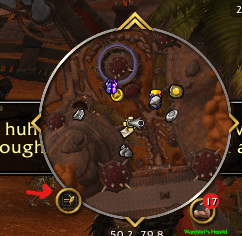
- Minimap button and Addon Compartment entry.
🔒 Privacy
Your notes are stored only on your computer (SavedVariables, account-wide). Nothing is ever sent to other players. You decide if and when to export.
⌨️ Commands
| Command | Action |
|---|---|
/rn |
Open or close the notebook |
/rn note |
Add or edit a note for your current target |
/rn help |
Show the command list |
💛 Support
Relaxed Notes is free and made with love. If you enjoy it, you can support development on Ko-fi. Supporters are featured in the in-game Hall of Fame!
Feedback, ideas and bug reports are very welcome in the comments.
Relaxed Notes Team