


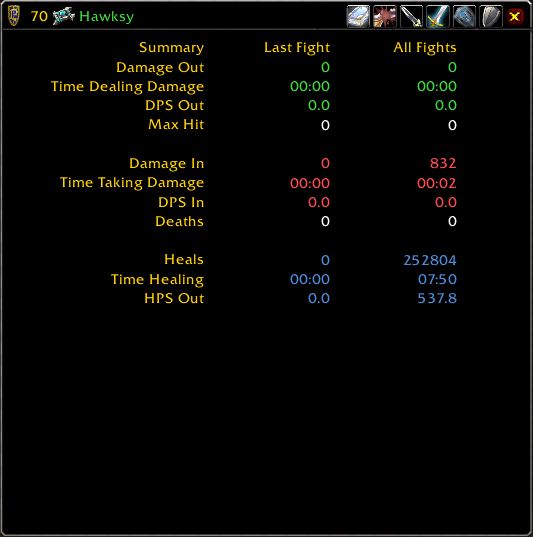
Recap shows a summary of details for a combatant.
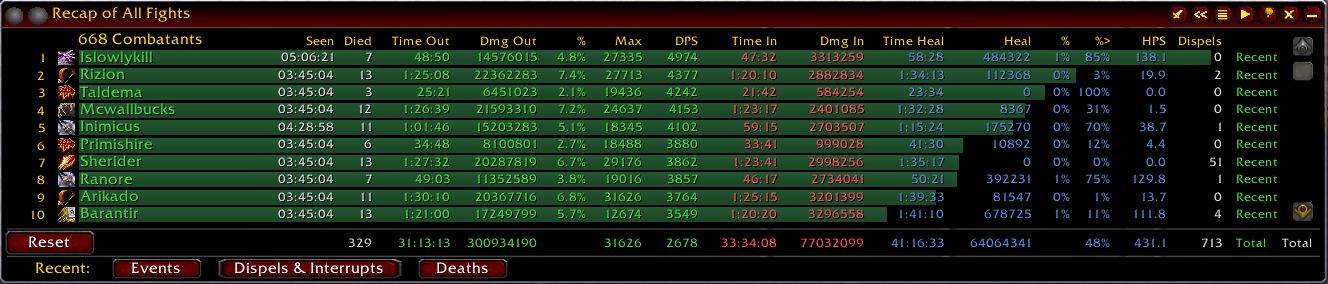
All fights, showing the new row of buttons at the bottom.
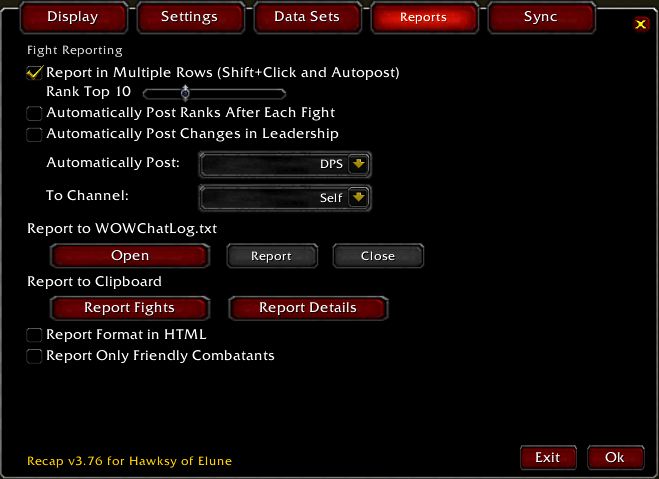
Recap has some reporting options.
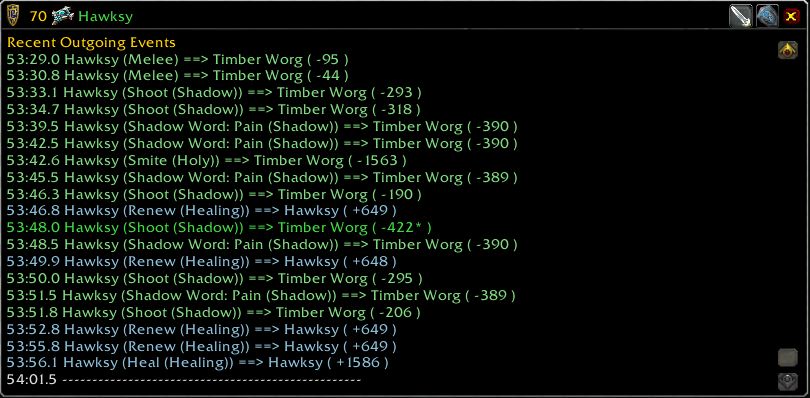
Recap can show recent outgoing events for a combatant.
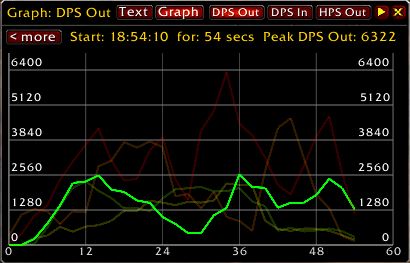
Live outgoing DPS graph. Also available, incoming DPS and outgoing HPS. All three can be viewed as live text listings rather than as graphs.
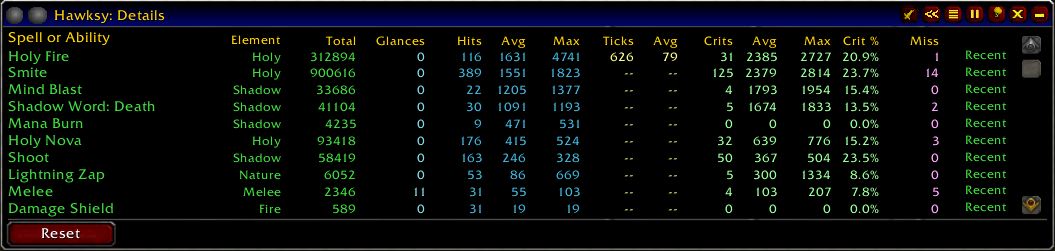
Recap stores data about your individual damage and healing spells separate from the Fights data.
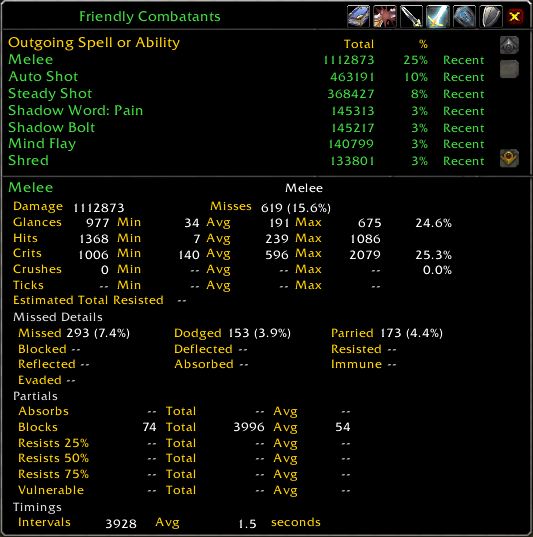
Recap shows a panel with a total for all group members over all abilities.
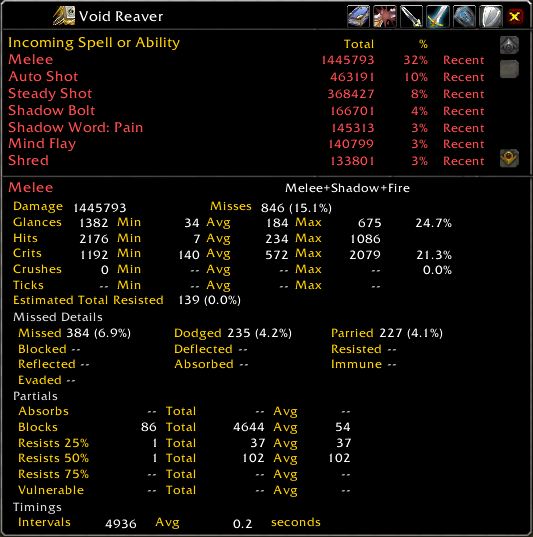
Recap can show a summary of incoming effects that damage or heal a combatant.
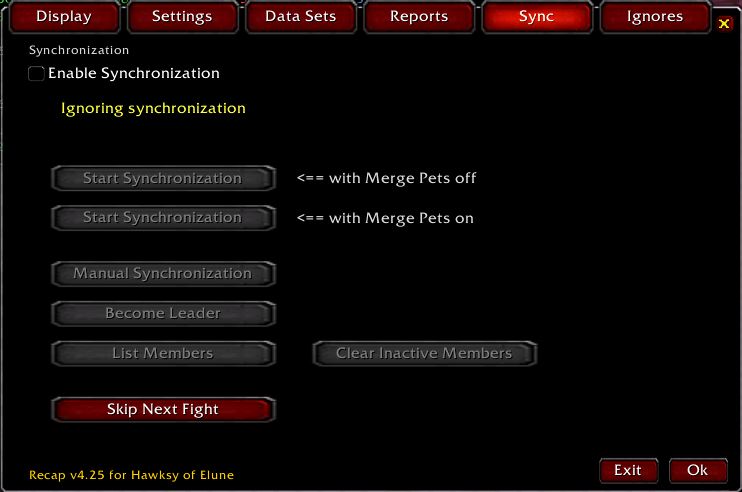
Recap can synchronize All Fights data among group members
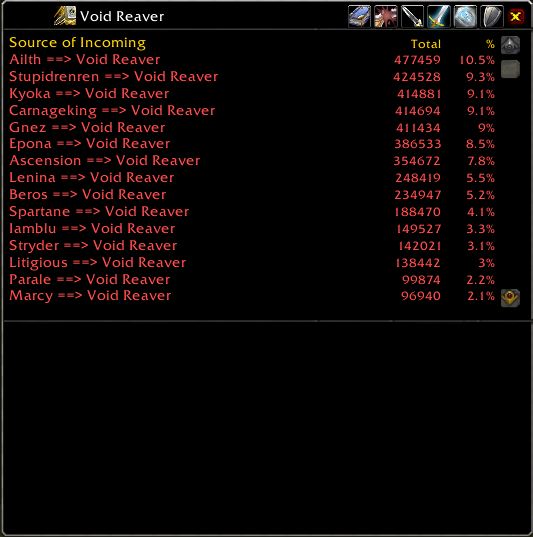
Recap can show the source of all damage or healing that affects a combatant.
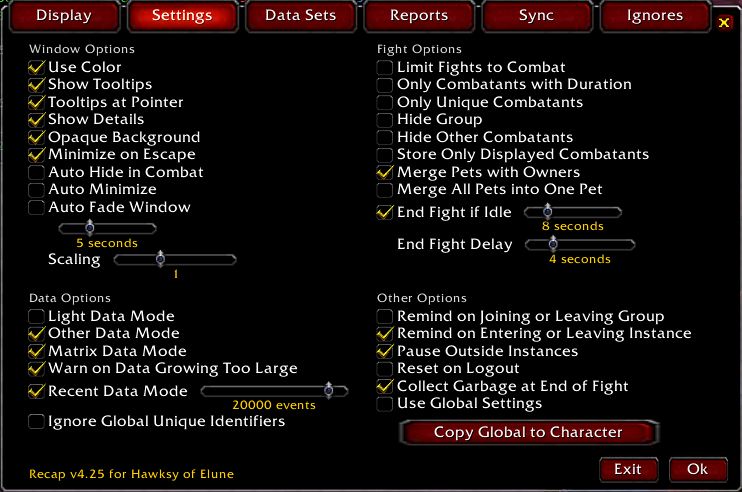
Recap has a number of settings that govern how it behaves
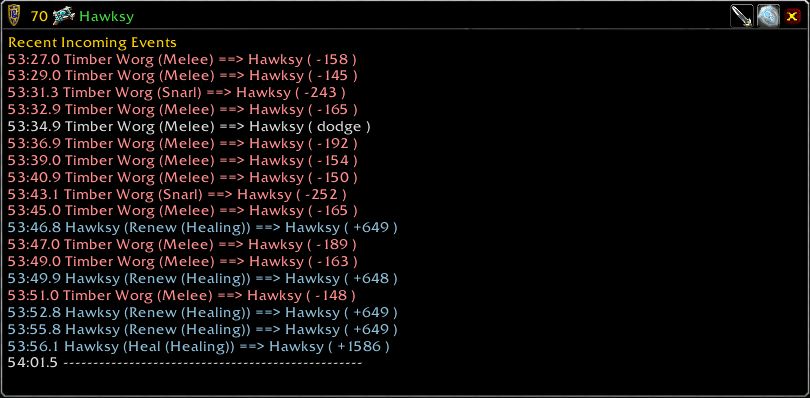
Recap can show recent incoming events for a combatant.
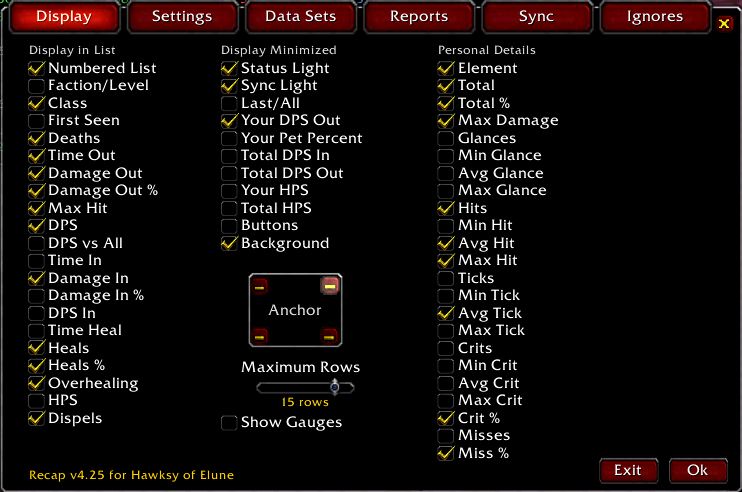
Recap allows you to select which columns to see on various displays
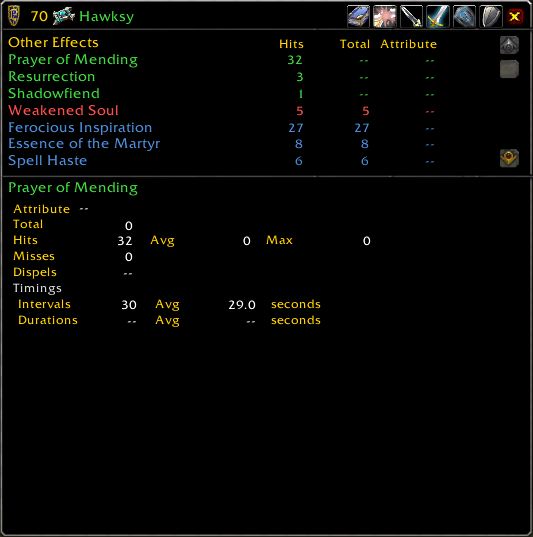
Recap can show spells cast by a combatant, or affecting a combatant, other than damage and healing effects.
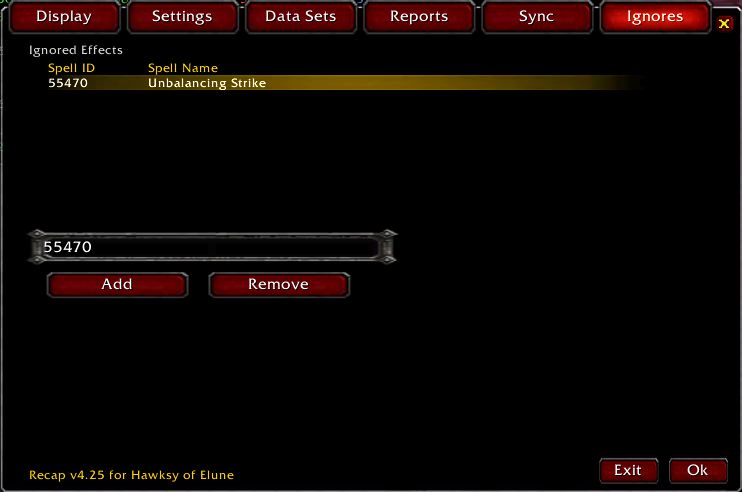
Recap can ignore (on the All Fights panel) effects identified by their Spell ID
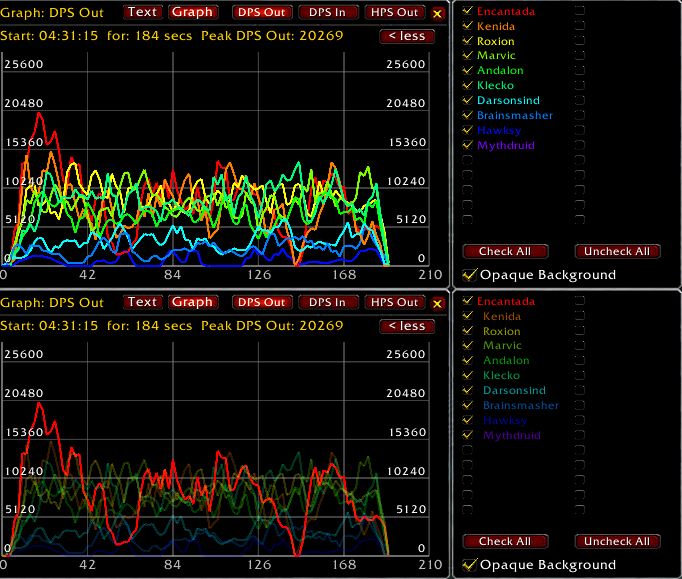
The top half shows a live DPS graph for 10 people, along with the "more" side panel allowing name selection. The bottom half shows the same graph, but with one graph line highlighted.
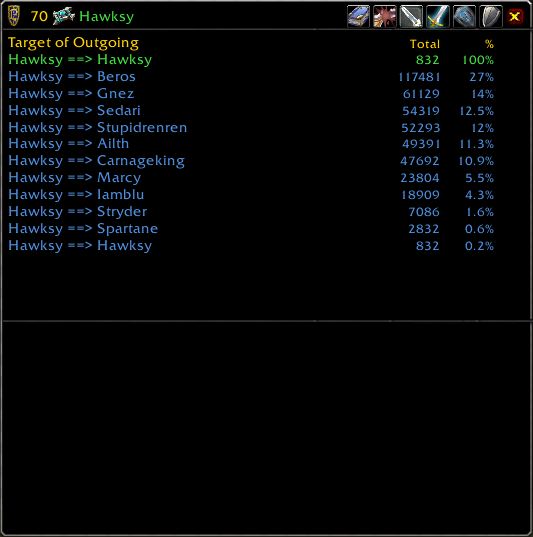
Recap can show the subtotals of damage or healing for all targets of a combatant.
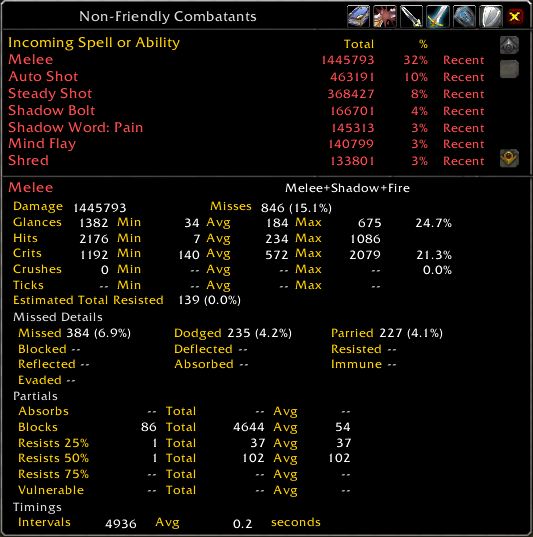
Recap shows a total for all non-group combatants over all abilities.
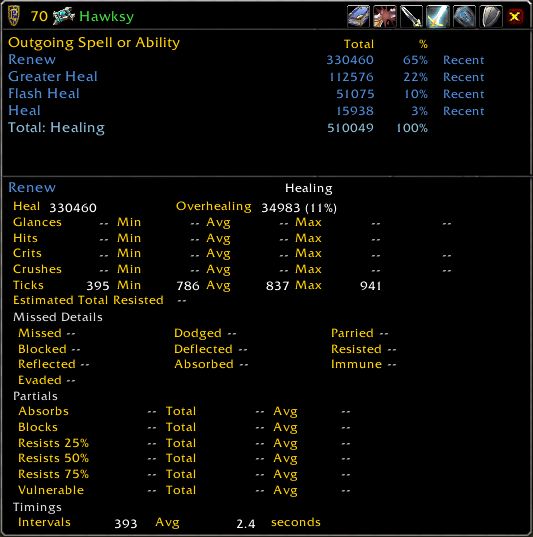
Recap shows outgoing abilities from a combatant that damage or heal.
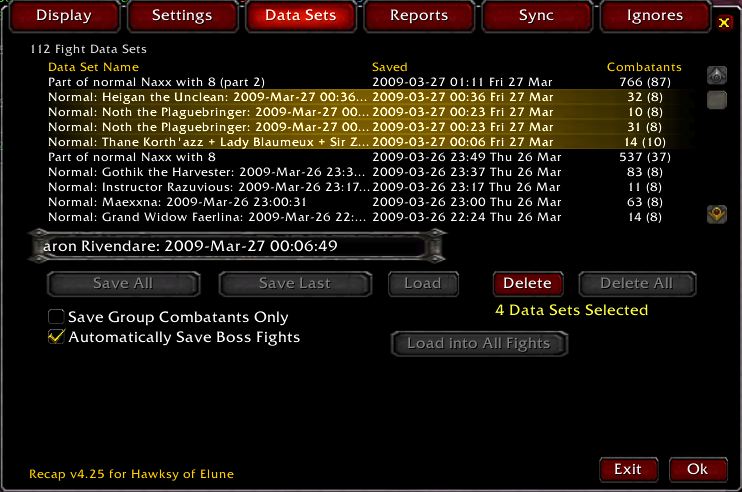
Recap can save All Fight data, or Last Fight data
Description
25 January 2026 -- I will not be updating Recap for the game version 12 changes. Too much work for too little result. Hawksy
Recap records damage, healing, and other combat-related events in the area around the player. Recap tracks buffs, debuffs, and the use of abilities.
- When installing Recap, please first remove any existing Recap folder from your "World of Warcraft/Interface/AddOns" folder.
- If experiencing problems with Recap, sometimes it is a bug, and sometimes your saved variables file may be damaged. It is always worth seeing whether removing the saved variables file fixes the problem. To do that, exit the game and go into your "World of Warcraft/WTF/Account/<account_name>/SavedVariables" folder and remove the "Recap.lua" and "Recap.lua.bak" files. There are also per-character saved variables files in the ".../<account_name>/<server_name>/<character_name>/SavedVariables" folders.
- If you believe that Recap is properly installed and enabled, but you can't see the Recap main panel, try typing "/recap". If that doesn't work try typing "/recap centre" (or "/recap center").
QUICK START GUIDE: If you are new to Recap, or wish a quick overview, check out Recap_Quick_Start.rtf. This file is inside the Docs folder inside the Recap folder.
FREQUENTLY ASKED QUESTIONS: If you wish more detailed information, check out readme_FAQ.txt for all of the features I have added or modified. For answers about earlier (and possibly obsolete) features of Recap prior to version 3.50, check out readme_332_FAQ.txt by Gello. These files are inside the Docs folder inside the Recap folder.
REPORTING A BUG: Please use: http:wow.curseforge.com/addons/recap-hawksy/create-ticket/ for bug reports.
MAKING A SUGGESTION: Please use: http:wow.curseforge.com/addons/recap-hawksy/create-ticket/ to make a suggestion!
__ New in 5.36 __
* Updated for version 11.0.2.
* One fix (garrisonType).
__ New in 5.35 __
* Updated for version 11.0.0.
* One fix.
* Four modules from Ace3 (r1349) included.
__ New in 5.33 __
* One fix.
__ New in 5.32 __
* Updated for version 10.2.0.
* A number of fixes.
* Four modules from Ace3 (r1309) included.
__ New in 5.31 __
* Updated for version 10.0.2.
* Some fixes. Added evoker as a class.
* Four modules from Ace3 (r1294) included.
__ New in 5.30 __
* Updated for version 10.0.0.
__ New in 5.25 __
* Updated for version 9.2.5.
* Four modules from Ace3 (r1259) included.
__ New in 5.24 __
* Updated for version 9.1.5.
__ New in 5.23 __
* Updated for version 9.1.0.
* One fix.
* Four modules from Ace3 (r1252) included.
__ New in 5.22 __
* Updated for version 9.0.5.
* One fix.
__ New in 5.21 __
* Added damage which is absorbed, such as by a spell shield, to the damage done by the attacker, and thereby for the benefit of the attacker's DPS. The damage is NOT added to the damage done to the target.
* A number of fixes, including improved pet identification and assignment to owner.
__ New in 5.20 __
* Initial testing for Shadowlands, version 9.0.2.
* Adjusted for Backdrop changes and for ENUM changes. It took longer than expected to restore the opaque backdrop for menus.
* Updated to identify most pets and assign them to owners, including for languages other than English.
* For display on the Other Details panel, insanity values, which are now non-integer (e.g. 2.0800), are rounded to the nearest integer.
* Replaced use of obsolete GetNumRaidMembers.
* Four modules from Ace3 (r1241) included.
__ New in 5.07 __
* Added search feature for names in stored data sets.
__ New in 5.06 __
* Fixes.
* Updated for version 8.2.5.
* Four modules from Ace3 (r1227) included.
__ New in 5.05 __
* Modified to work in Classic as well as in Retail.
* Fixes.
* Four modules from Ace3 (r1226) included.
__ New in 5.04 __
* Fixes.
* Uploaded as version 8.2.
* Four modules from Ace3 (r1214) included.
__ New in 5.03 __
* Fixes.
* Removed "synchronization" and "skip next fight", freed two Ace3 modules.
* Updated for version 8.2.
* Four modules from Ace3 (r1200) included.
__ New in 5.02 __
* Fixes.
* Updated for version 8.1.
__ New in 5.01 __
* Fixes.
__ New in 5.00 __
* Fixes.
* Display name of character that saved a data set.
* Updated for patch 8 (BfA), will work in earlier patches.
* Six modules from Ace3 (r1182) included.
__ New in 4.94 __
* Popup panel improvements completed.
* Timeout error chance greatly reduced.
* Fixes.
For descriptions of what was new for versions from 5.00 onwards, see the file readme.txt.
For descriptions of what was new for versions 4.60 through 4.95, see the file readme_495.txt.
For descriptions of what was new for versions 3.50 through 3.77, and for versions 4.00 through 4.55, see the file readme_455.txt.
Version 3.50 was initially uploaded by Hawksy on 2006-December-20
Recap up to version 3.32 was developed by Gello.
The Recap Team


Owner

