ReadyCheckPull Alert
- By
Shows your gear set, talent loadout and loot spec on screen when a ready check starts.
screenshot01.png
screenshot02.png
screenshot03.png
screenshot04.png
Description
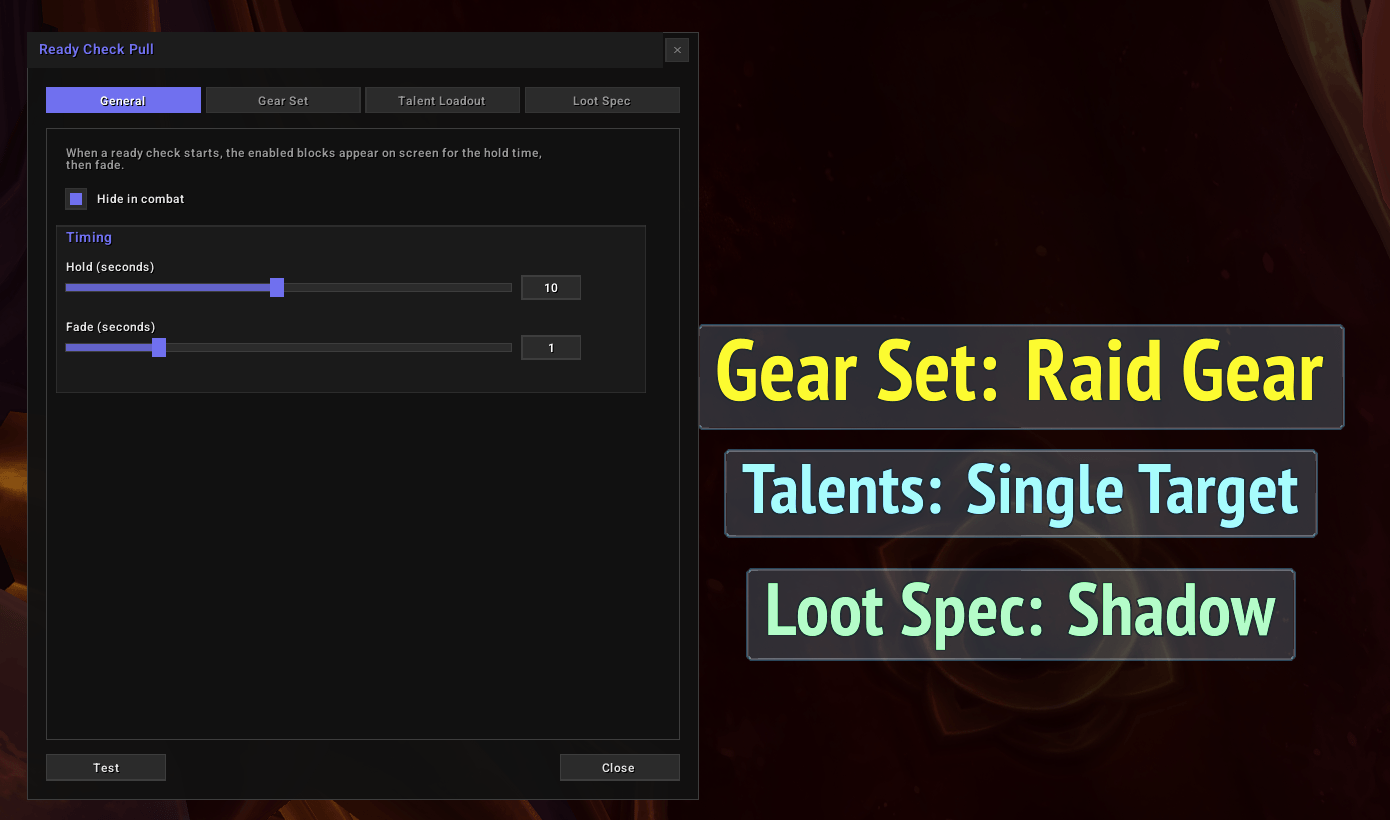
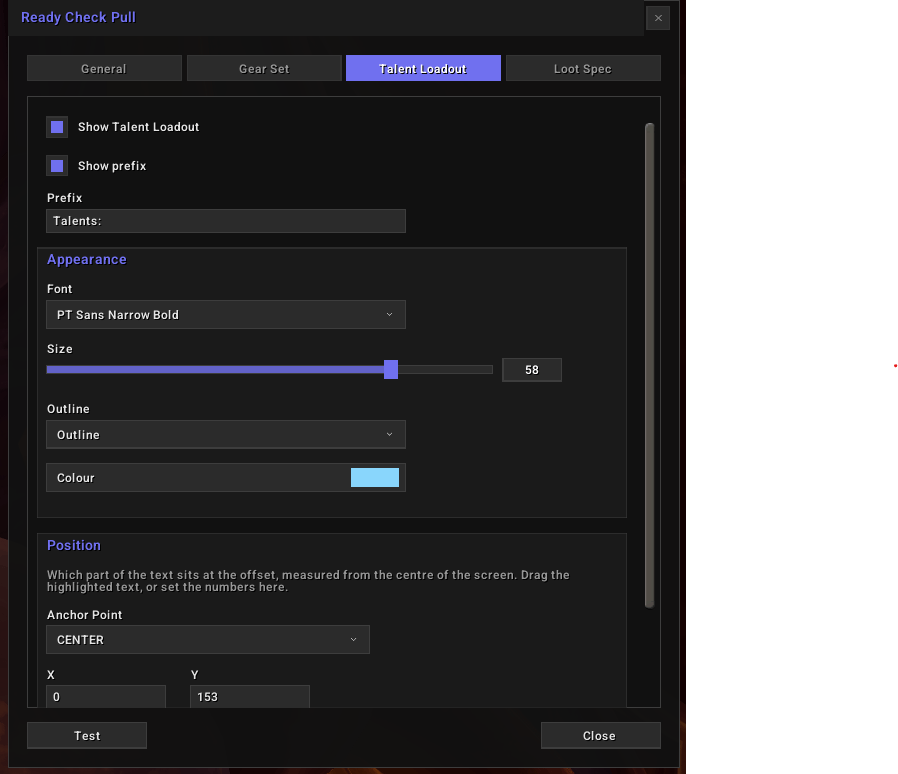
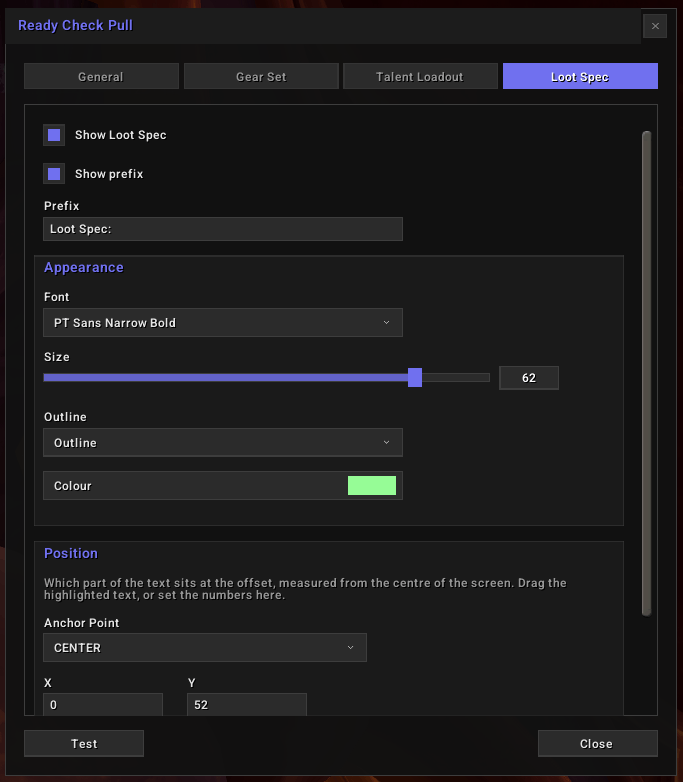
Ready Check Pull shows your equipped gear set, your active talent loadout and your loot spec in the middle of the screen when a ready check starts, then fades them.
Display
- Gear set - the name of the equipment set you have on.
Gear Set??when none of your saved sets is fully equipped. - Talent loadout - the name of the loadout you are running. Talent Loadout Ex supplies the name when you use it, otherwise it comes from your Blizzard saved loadouts.
Loadout??when neither has one. - Loot spec - the spec your loot is going to. Left on the default, that is whichever spec you are playing.
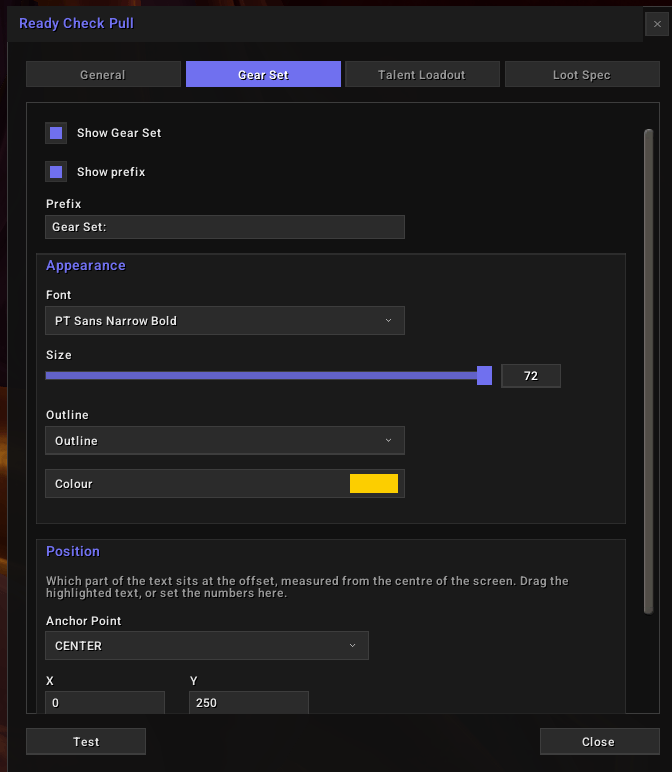
- Three independent blocks - each has its own font, size, outline, colour, anchor and place on screen, and any of them can be turned off.
- Prefix - what sits in front of each name.
Gear Set:,Talents:andLoot Spec:to begin with, up to 20 characters, and off if you would rather see just the name. - Timing - how long the text holds and how long it takes to fade.
- Hide in combat - on by default. Clears the text the moment you enter combat, and shows nothing for a ready check called during it.
Commands
/rcpopens the settings window/rcp configopens the settings window/rcp helplists the commands
Feedback
Bug reports and requests go in the Issues tab on this page.
Donate
Like what I do? Help me out!
Donate: https://ko-fi.com/raegx
ReadyCheckPull Alert Team