
RawID
- By

Show and copy item IDs in WoW Forever, with per-ID visibility controls, modifier-key details and a minimap launcher.
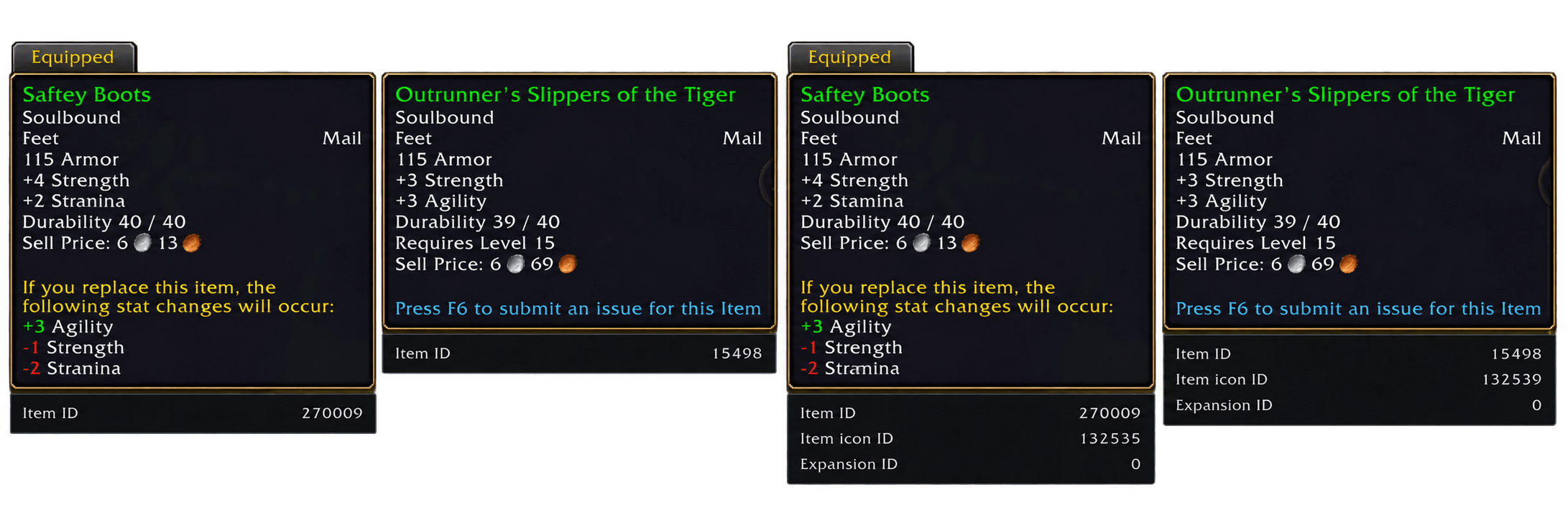
Left: normal hovering shows the Item ID. Right: holding Shift reveals additional details, including Icon ID and Expansion ID. The hovered item and equipped comparison item each display their own IDs.
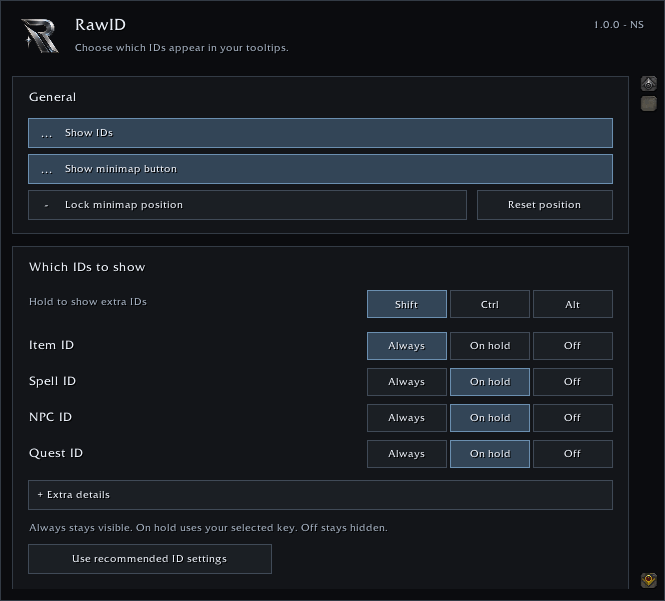
Choose Always, On hold or Off for each ID type. Keep the IDs you need visible and reveal selected extras by holding Shift, Ctrl or Alt. Minimap visibility and position controls are available on the same page.