RaidPortraitsForever - Customisable, 2D/3D Portraits
- By
Customisable Raid Frames with 2D/3D Portraits
Screenshot 2026-11-17 094616.png
Screenshot 2026-11-17 094628.png
Screenshot 2026-11-17 094621.png
Screenshot 2026-11-17 094625.png
Description
RaidPortraitsForever
Character portraits for WoW Forever's raid-style party frames: 3D models, 2D portraits or class icons, placed and styled the way you like with a live-preview designer. No libraries or other addons required.
Raid-style party frames are great for buffs, debuffs and dispels, but they drop the portraits the classic party frames had. RaidPortraits puts them back without replacing the frames: everything else stays exactly as the game draws it.
Features
- Three kinds of portrait. Animated 3D models, 2D portraits or class icons. 3D models fall back to a 2D portrait or class icon for players too far away to load.
- Anywhere around the frame. Left, right, above, below, inside left, inside right, or filling the whole frame as a faint backdrop. Match the frame's size or set your own, with any width-to-height ratio, gap and nudge.
- Your own column. Keep each portrait beside its frame, or line the party's portraits up in their own column or row with custom spacing, starting from the top, centre or bottom.
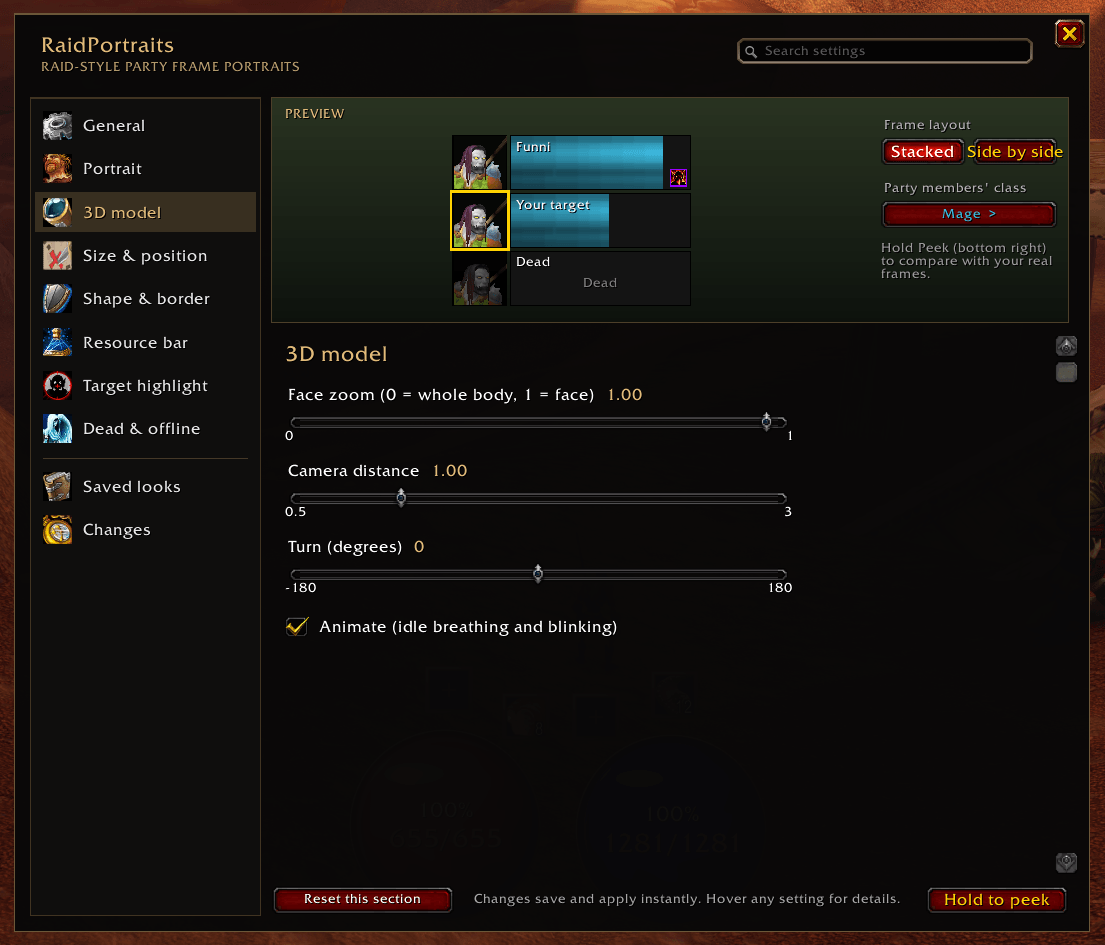
- Styling. Square or round, borders in class colour, custom, white or black, a background, opacity and zoom. For 3D models: face zoom, camera distance, turn, and animation on or off.
- Resource bar. Optional mana / energy / rage bar on each portrait, optionally only for healers.
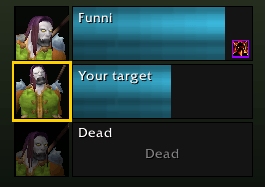
- At a glance. A gold outline on your target's portrait, and grey-out or darken for dead and offline players.
- Plays nicely with the game. Follows out-of-range fading and every Edit Mode party frame setting (size, layout, sort order, opacity...). Buffs, debuffs, dispel highlights and status icons stay on top of portraits placed inside the frame.
- Raid frames too. Optionally add portraits to raid frames, your own frame and pet frames.
- Combat safe. Never touches the game's protected frames, so it can't cause "action blocked" errors.
Getting started
- Open Edit Mode, select the party frames and tick Use Raid-Style Party Frames.
- Join a group.
- Type
/rpt, or open Game Menu > Options > AddOns > RaidPortraits.
The designer
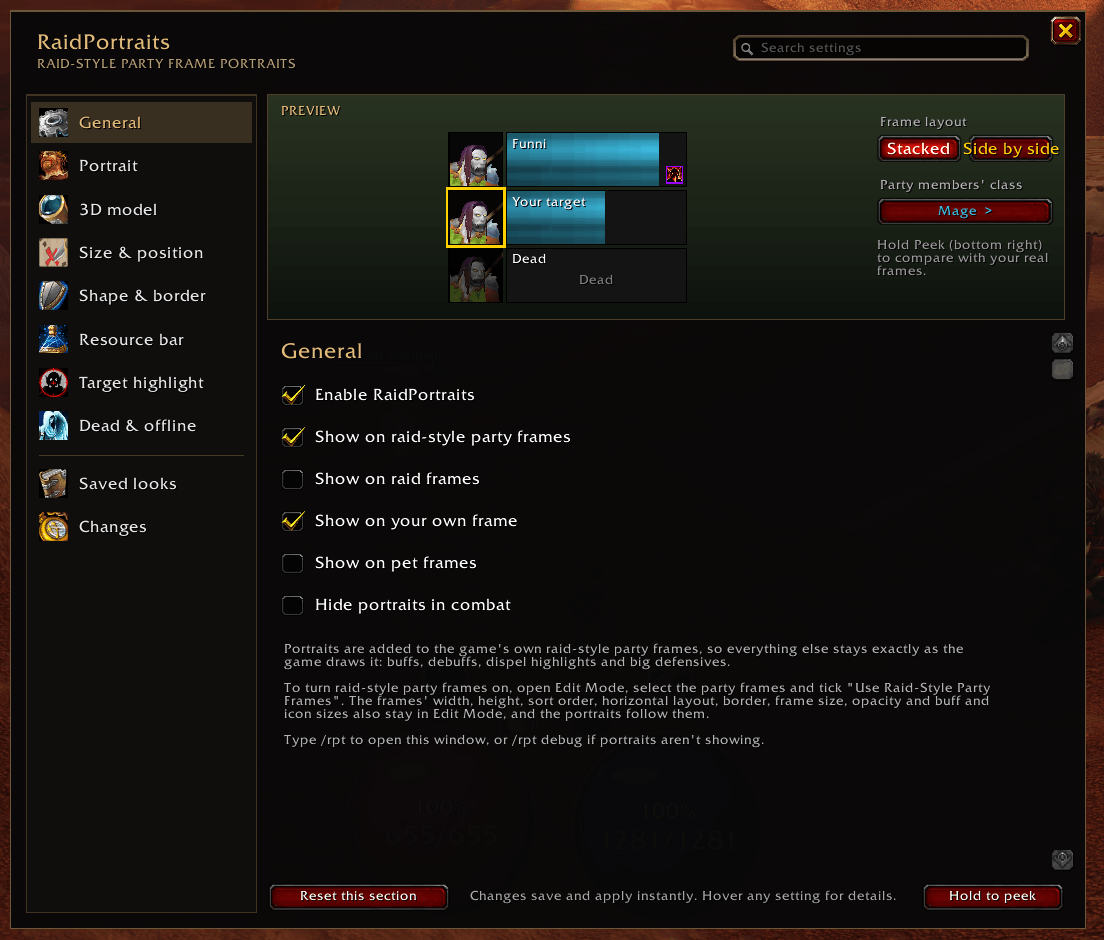
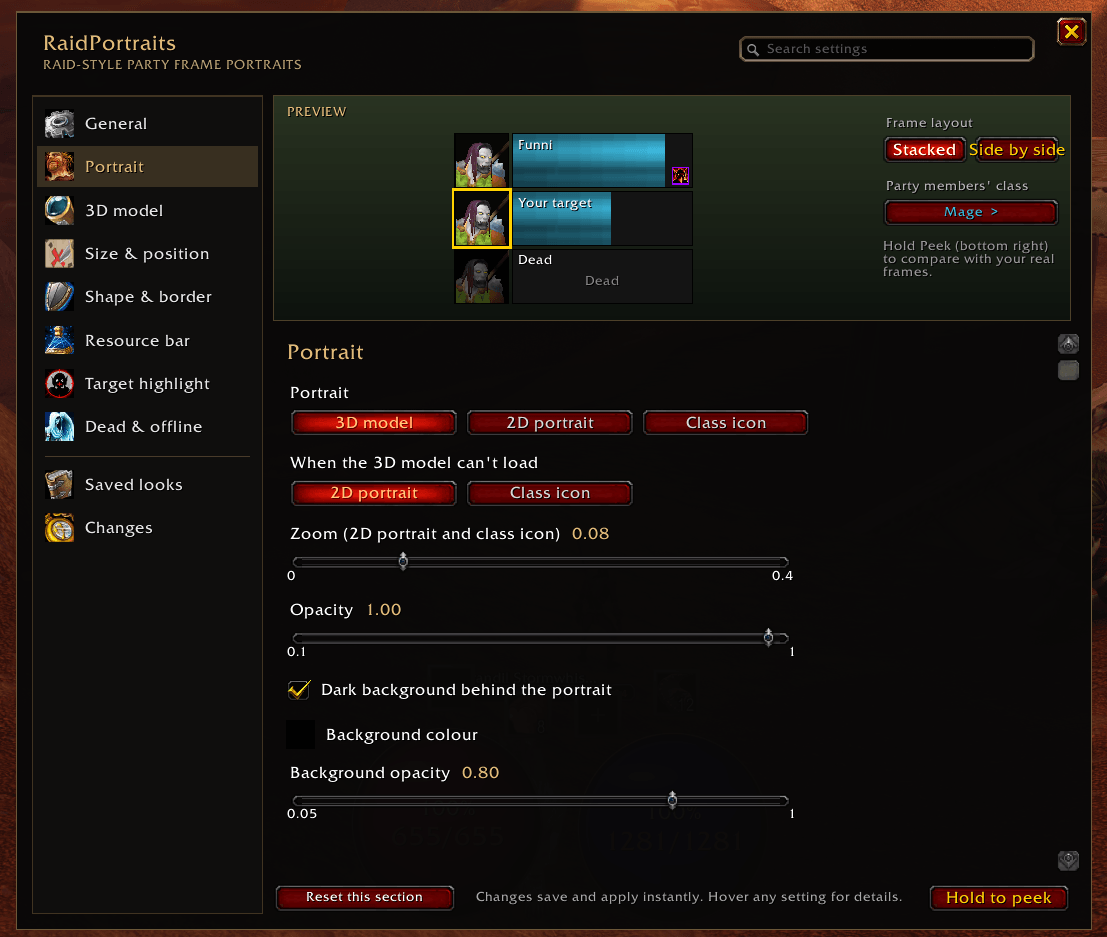
The sidebar has General, Portrait, 3D model, Size & position, Shape & border, Resource bar, Target highlight and Dead & offline sections, plus Saved looks and a Changes page. The preview at the top shows three sample frames (you, your target and a dead player) and updates as you go. Hold Hold to peek to see your real frames through the window.
- Search for a setting by name. Sections without a match fade out.
- Each changed setting has a reset icon, and Reset this section resets the open section.
- Six built-in looks: Classic, Round portraits, Class icons, Inside badge, Ghost and Wide banner. Save your own looks; they're shared by all your characters.
- Hover any setting for a description.
Commands
| Command | What it does |
|---|---|
/rpt |
Open the designer |
/rpt on |
Turn RaidPortraits on or off |
/rpt party, /rpt raid, /rpt self, /rpt pets |
Toggle portraits on party frames, raid frames, your own frame, pet frames |
/rpt combat |
Toggle hiding portraits in combat |
/rpt debug |
Print what the addon can see, for bug reports |
Notes
- The game can't clip 3D models round, so round shapes apply to 2D portraits and class icons.
- The game only loads 3D models for nearby players; further away the fallback you choose is shown.
RaidPortraitsForever - Customisable, 2D/3D Portraits Team