RaidHelper_TBC
- By
All-in-one raid leader toolkit for TBC Classic Anniversary. Manage encounter assignments, auto-mark trash with one keypress, track attendance and session performance - all from a single window.
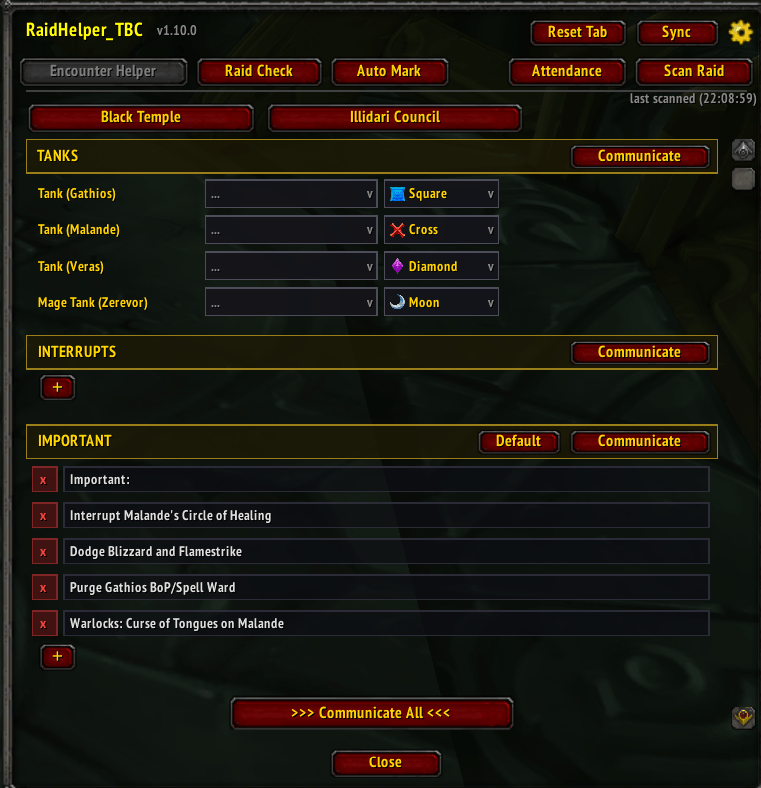
Encounter helper - Illidari Council
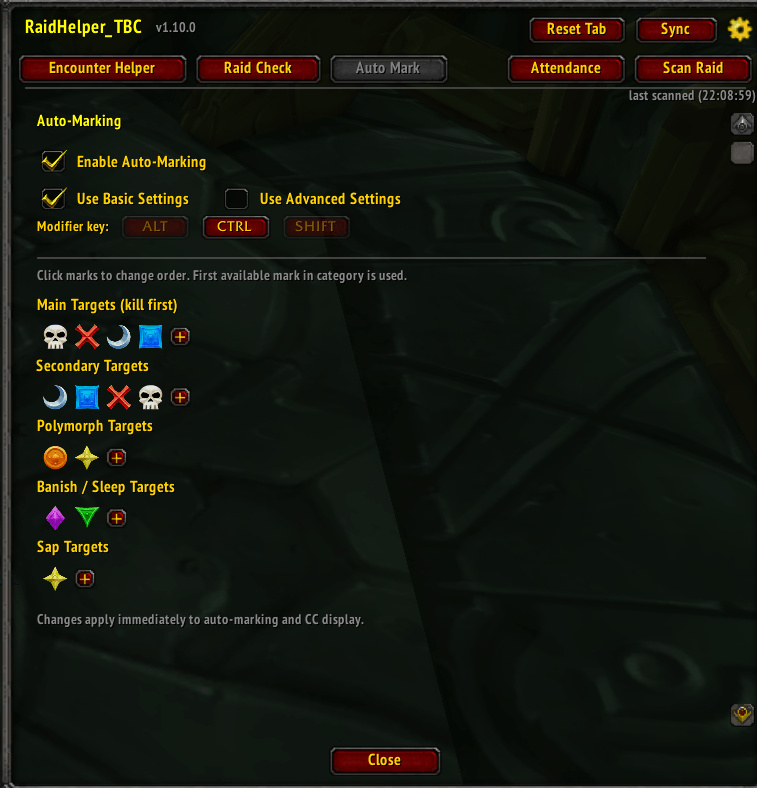
Auto marker - basic settings
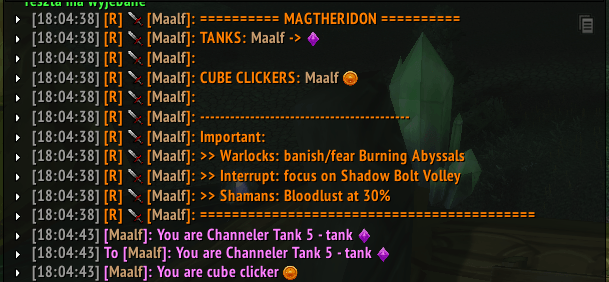
Example how communicate all button explain everything
Description
RaidHelper_TBC
All-in-one raid leader toolkit for TBC Classic Anniversary. Manage encounter assignments, auto-mark trash, track attendance and raid performance - all from a single window.
Supported Raids
Karazhan, Gruul's Lair, Magtheridon's Lair, Serpentshrine Cavern, Tempest Keep, Hyjal Summit, Black Temple
Features
Encounter Helper
Pick a raid and boss, assign players to each role (tanks, healers, MD, interrupts, cube clickers, CC, beam soakers, weapon tanks), set raid marks, then communicate to raid chat per section or all at once. Optional whispers to assigned players. Editable notes per encounter with smart mark matching.
Auto-Mark System
Hold modifier key + mouseover trash mobs to instantly assign raid marks. Built-in NPC database for every supported raid with category-based priorities (kill targets, CC, banish/sleep). Configurable per-NPC in Advanced Settings. Boss marks sync to encounter assignments automatically.
Raid Check
Buff grid showing missing raid buffs per player with talent-spec awareness (Feral skips BoW, Prot skips Salv). Announce missing buffs via whisper. Configurable expiry threshold.
Session Tracking
Kills, deaths, resurrects tracked per raid session. Summary popup after final boss with recap to raid chat.
Attendance
Automatic recording on boss kills. Heatmap view, search filter, per-player notes.
Group Sync
Push/pull assignments between raid leader and raiders with the addon. 20s cooldown.
Usage
/rhto open- Scan Raid to load roster
- Pick raid + encounter
- Assign players, set marks
- Communicate
- Enable Auto-Mark in the Auto Mark tab for instant trash marking
Slash Commands
/rh help - Check available commands
RaidHelper_TBC Team