Raidbridge
Connect your guild with others: shared raid events, an auto-matched Partner Search board, and cross-realm reach via share codes. And Mass invite from Raidbridge to Raid group cross Guilds.
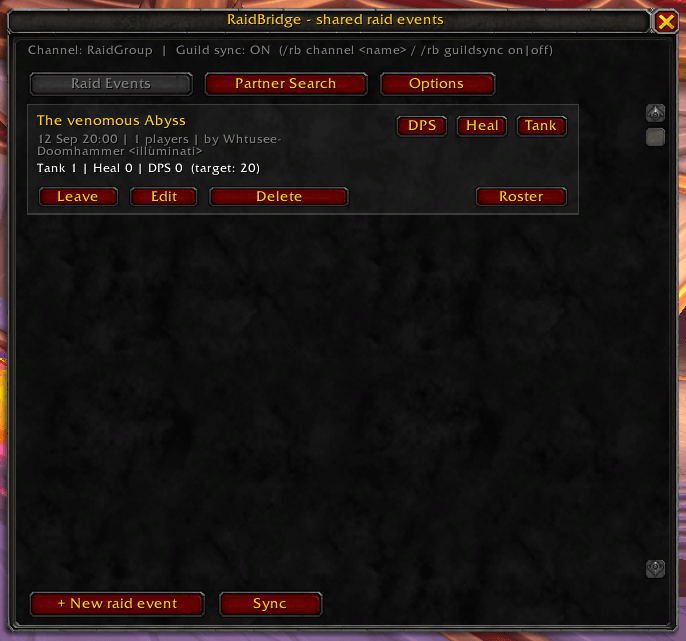
Schermafbeelding 2026-09-06 135112.png
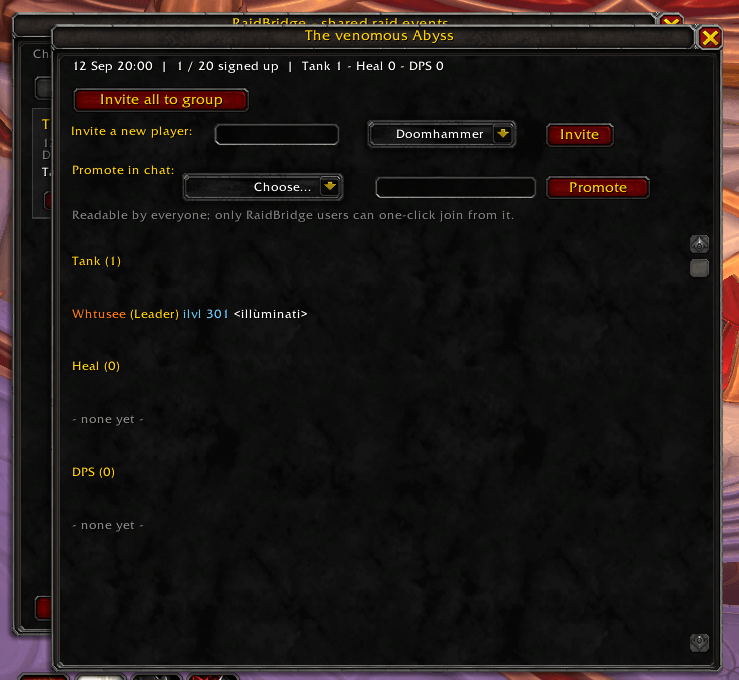
Schermafbeelding 2026-09-06 135207.png
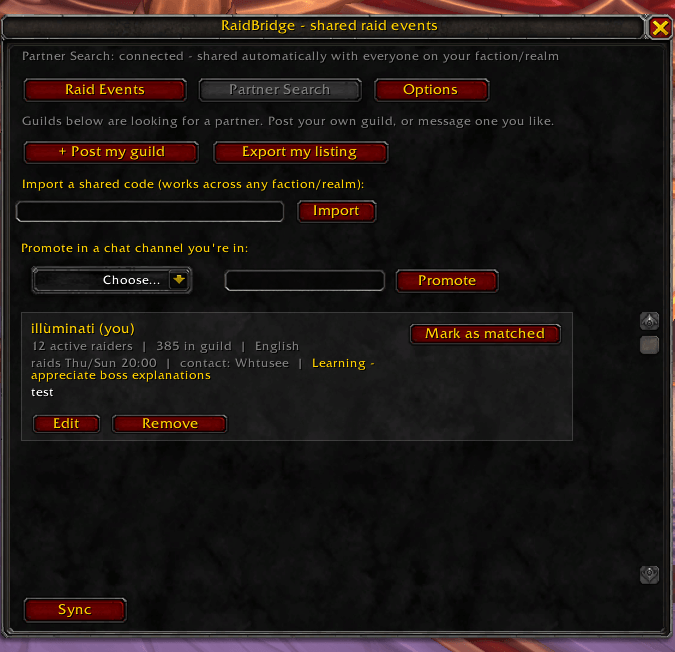
Schermafbeelding 2026-09-06 135242.png
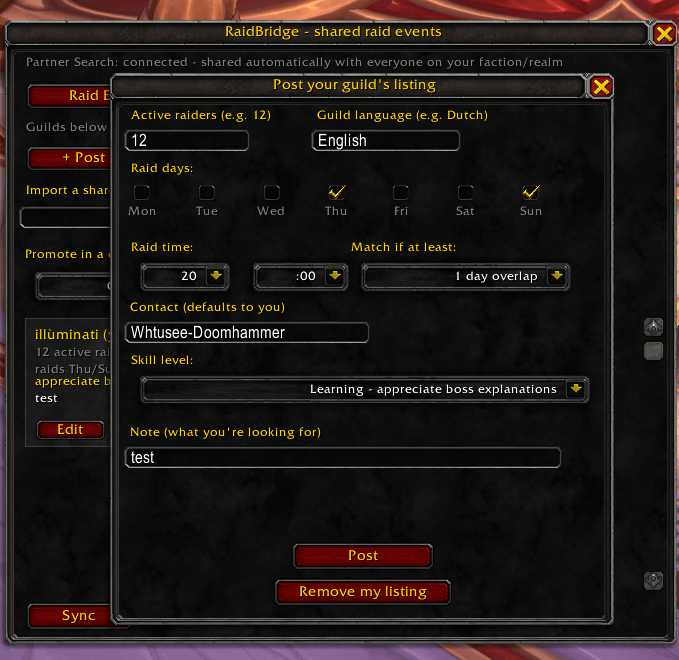
Schermafbeelding 2026-09-06 135323.png
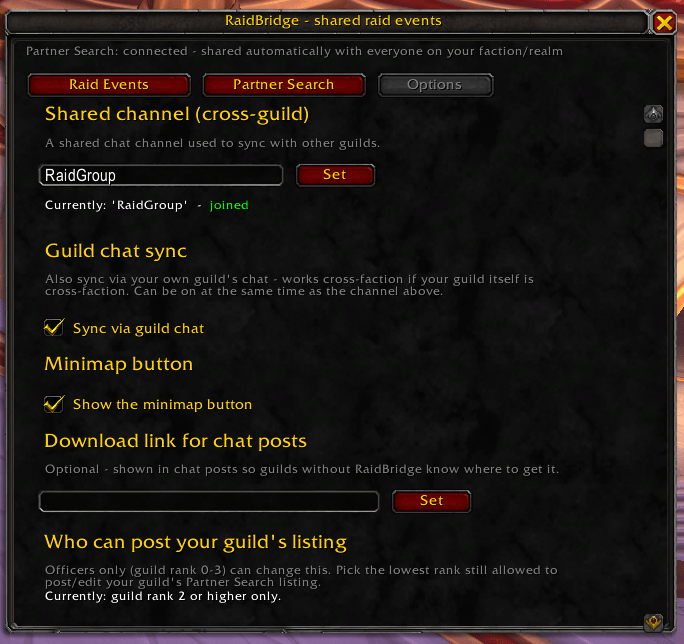
Schermafbeelding 2026-09-06 135402.png
Description
RaidBridge helps guilds find each other and organize raids together. Create cross-guild raid events, let players sign up as Tank, Healer or DPS, manage shared rosters, and invite your entire group with a single click. Looking for a long-term raid partner instead? Use Partner Search to discover compatible guilds based on raid schedules, active raider counts, language, and experience level.
Find guilds. Match schedules. Raid together.
⚔️ Raid Events
Plan a raid with 1-2 other guilds like it's your own.
- Create an event with a title, date, time, size, and note
- Players sign up as Tank / Healer / DPS — item level is captured automatically
- A live roster shows everyone by role, with promote/demote for co-officers
- Invite All — invites the whole signed-up group in Tank → Heal → DPS order, auto-converts to a raid group if needed
- Promote directly to a chat channel you're in, so guilds without RaidBridge can still see and join
🔍 Partner Search
Not enough active raiders? Find a guild that is.
- Post your guild's listing: active raiders, raid days (checkboxes) and time, language, and skill level (Beginner → Advanced/Progression)
- Works automatically — every RaidBridge user on your faction and realm sees the board with zero setup, no channel name to agree on
- Smart matching — a green Match! tag appears automatically when your raid days overlap with another guild's, based on a threshold each guild sets for themselves
- Match Request — one click proposes a shared channel to another guild's listing; if they accept, both sides sync automatically and a heads-up posts straight to each guild's chat
- Cross-realm & cross-faction — export your listing as a shareable code, post it anywhere (Discord, a forum), and anyone can import it into their own RaidBridge
📋 Availability
Once you're collaborating with another guild, keep track of who's actually in.
- Mark yourself with which days you can raid, which role(s) you can fill (Tank/Healer/DPS), and an optional note — visible to everyone on the shared channel, any guild involved
- Names show in real class colors, just like the roster
- Officers can pull people straight from the board into a specific raid event's roster with one click, right from the Roster window — a day highlights green when it matches that event's actual date, and the player gets a whisper letting them know they've been added
🛡️ Built-in Moderation
- Report a player or a guild listing, with a detailed reason list — sent privately to the addon's maintainer, never broadcast, with admin reply support
- A Feedback tab for bugs and suggestions, straight to the maintainer
- Maintainer tools to clean up spam/test listings and reply to reports directly
💬 Commands
| Command | What it does |
|---|---|
/rb |
Open/close the window |
/rb channel <name> |
Set a shared channel for Raid Events (Partner Search works without this) |
/rb guildsync on|off |
Also sync Raid Events via your own guild's chat |
/rb status |
Show your channel, sync, faction, realm, and guild info |
/rb ping |
Test that your connection to another guild is working |
/rb sync |
Request all active events and listings again |
/rb help |
Show this list in-game |
📥 Installation
- Extract the folder into
Interface/AddOns/ - Make sure it's enabled on the character-select AddOns screen
- Open with
/rband start with Partner Search — it works with zero setup
Have a bug to report or an idea for a feature? Use the in-game Feedback tab — it goes straight to the maintainer.
Raidbridge Team