Raid Lead Tool (RLT)
- By
Raid Lead Tool (RLT) is a lightweight addon designed for raid leaders who want quick access to the tools they actually use.
RLT _panel.png
RLT _panel-break.png
RLT _panel-break-active.png
RLT _panel-difficulty.png
RLT _panel-markers.png
Description
Raid Lead Tool (RLT)
Raid Lead Tool is a lightweight World of Warcraft addon designed for raid leaders who want quick access to the tools they actually use, without the complexity of a large raid management addon.
RLT brings raid markers, ground markers, ready checks, pull timers, break management, difficulty controls, group composition, consumable checks, buffs, and durability information together in one compact movable interface.
The goal is simple: give raid leaders the important controls they need during a raid, while keeping the interface clean, fast, and easy to understand.
RLT does not try to replace combat addons or boss mods. It is primarily a raid leadership utility.
Main features
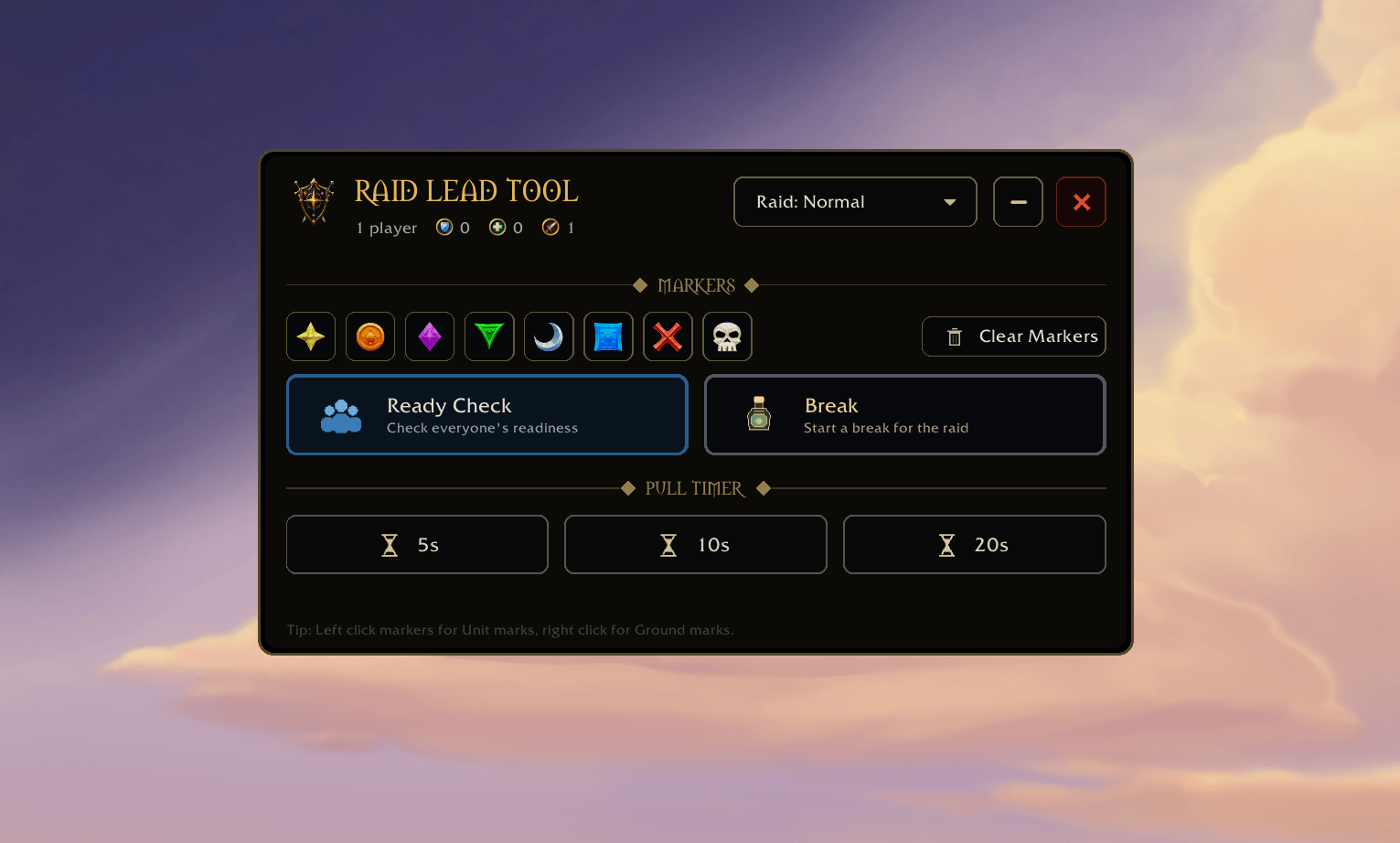
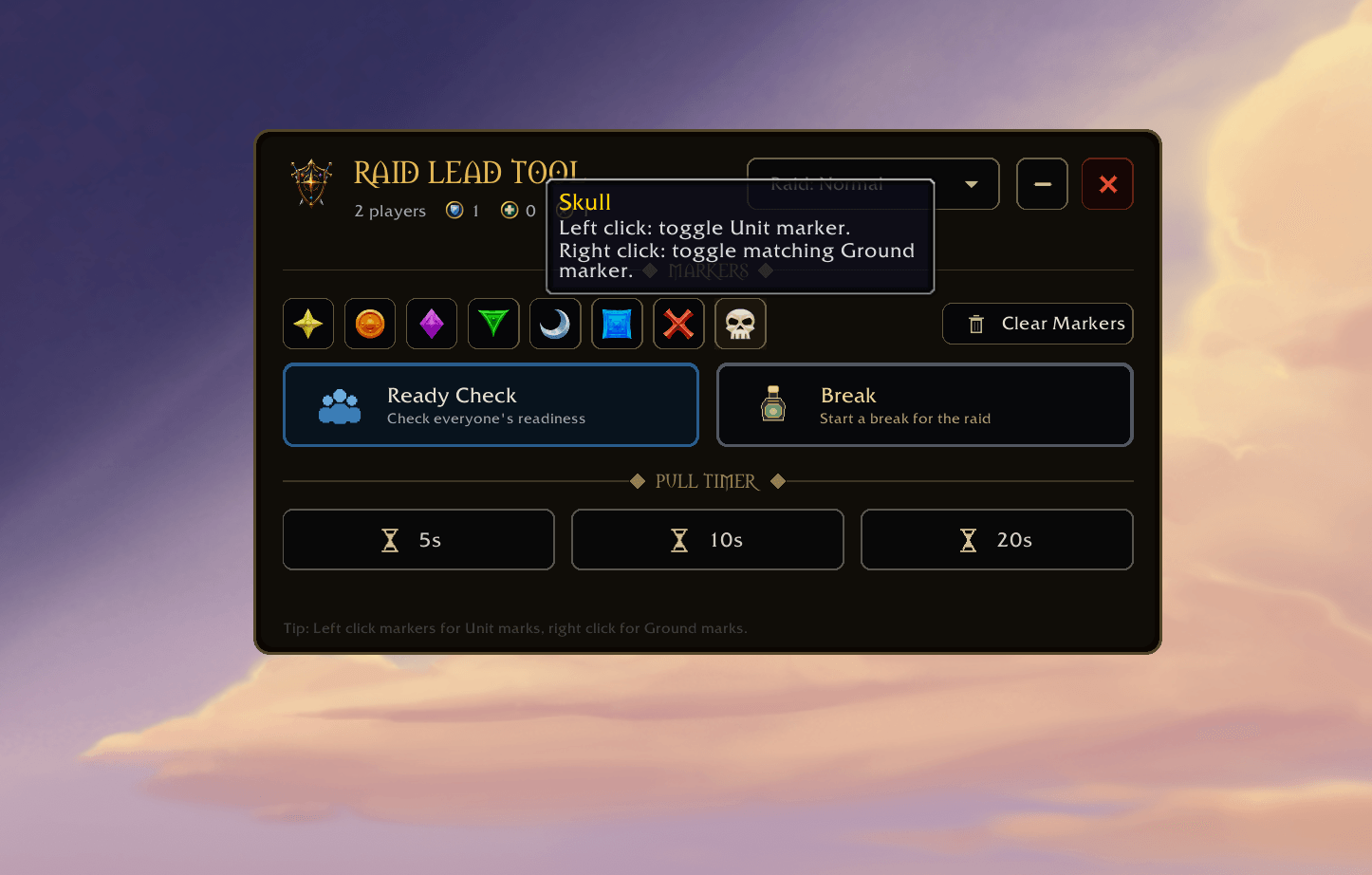
- Unit and Ground Markers: Quickly mark players, enemies, NPCs, and locations directly from the RLT interface. Left click a marker to apply the corresponding Unit marker to your current target. Right click the same icon to place the corresponding Ground marker. Unit and Ground marker numbering is handled separately so the correct matching marker is always used.
- Clear Markers: The Clear Markers button can remove markers without requiring a target. Left click clears all Unit markers. Right click clears all Ground markers.
- Ready Check: Start a ready check directly from RLT. A dedicated RLT ready check window appears and provides a compact overview of the group.
- Ready Check Status: Each player displays a simple visual status for Ready, Waiting, or Not Ready. The player starting the ready check is automatically shown as Ready.
- Consumable Tracking: RLT checks common raid consumables such as Food, Flask, Augment Rune, and Vantus Rune. Timed consumables display their remaining duration when World of Warcraft exposes that information.
- Raid Buff Tracking: Important raid buffs are shown separately from consumables. RLT currently tracks raid buffs such as Intellect, Attack Power, Versatility, Stamina, and Mastery.
- Group Aware Missing Buffs: RLT only expects raid buffs that can actually be provided by the current group. For example, if your raid contains a Mage, Priest, and Druid, RLT can report missing Intellect, Stamina, and Versatility. It does not tell the raid that Attack Power is missing unless a Warrior capable of providing it is present.
- Live Ready Check Updates: Buffs and consumables update while the ready check is active. If a Mage casts Intellect during the ready check, the RLT window updates instead of requiring another ready check.
- Durability: RLT displays known durability percentages. Your own durability is read directly. Other players can share durability information through compatible addon communication. Unknown values are displayed as
?instead of presenting unreliable information. - Resizable Ready Check Window: The Ready Check window can be resized within sensible minimum and maximum limits. Column positions and icons automatically adjust when the window changes size.
- Pull Timers: Dedicated 5 second, 10 second, and 20 second pull buttons make commonly used countdowns immediately accessible. Custom countdowns can also be started through slash commands.
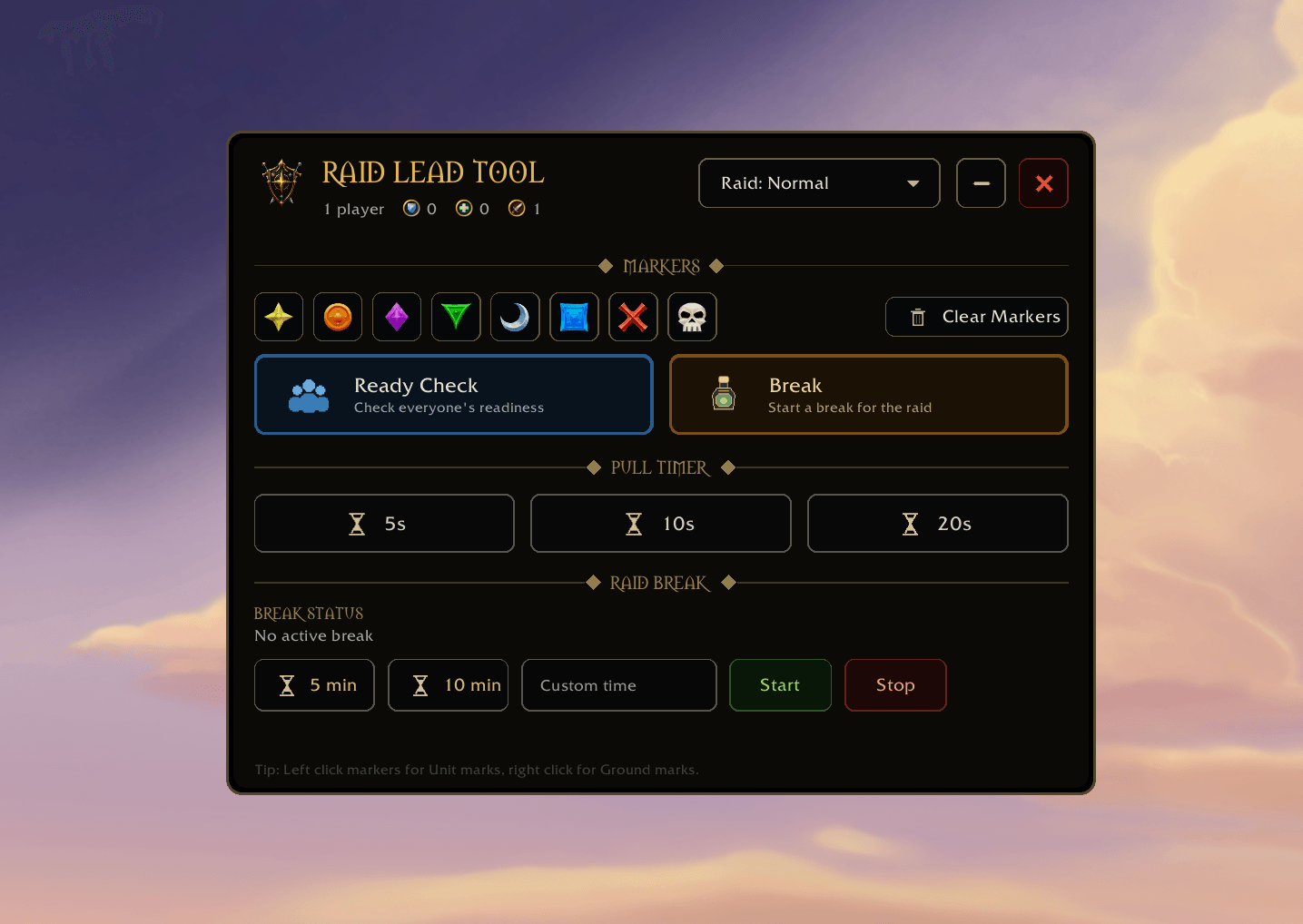
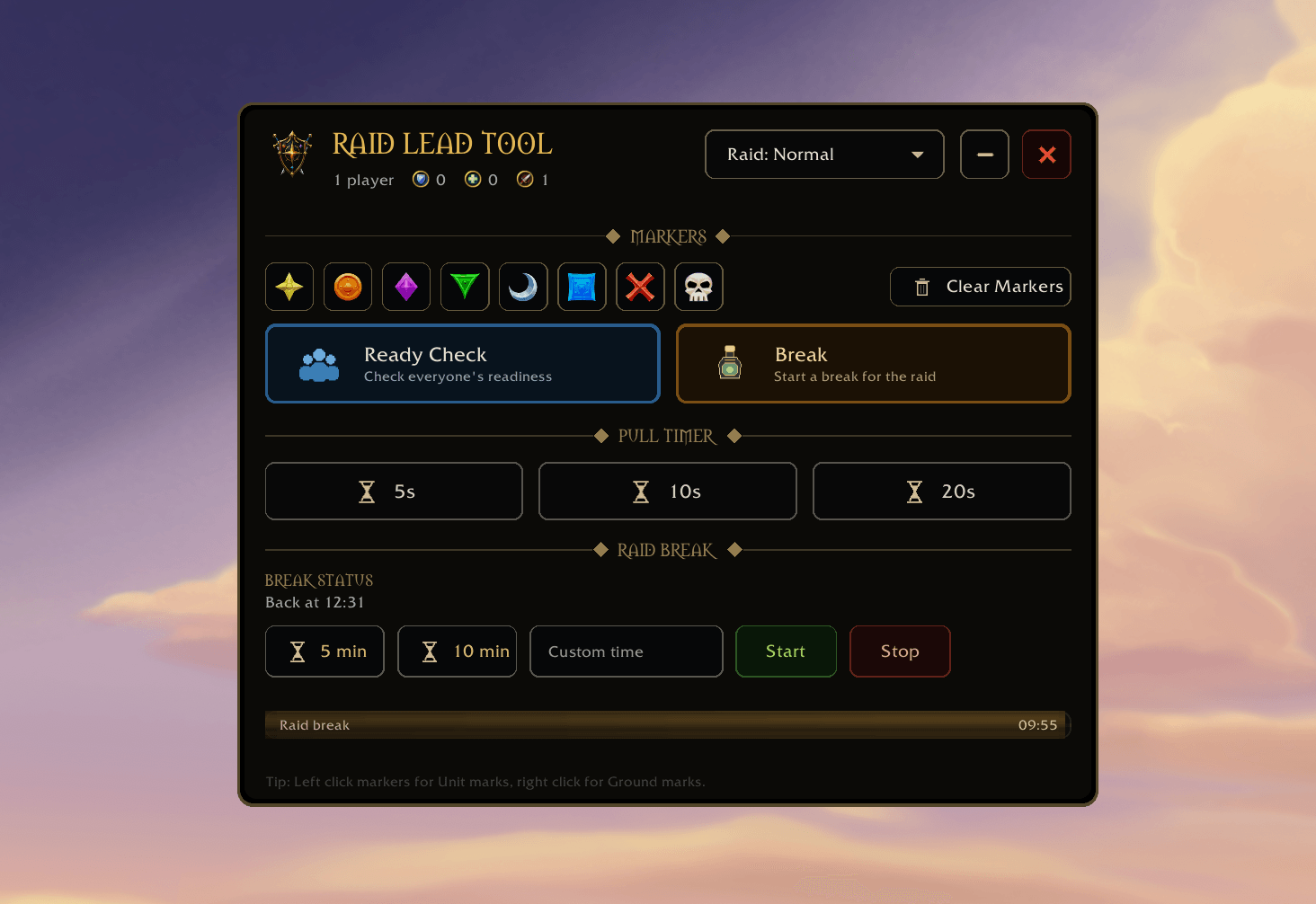
- Raid Break Timer: Start a 5 minute, 10 minute, or custom length raid break directly from RLT. A progress bar displays the remaining time.
- Break Return Announcement: When a break starts, RLT announces the expected return time to the raid, for example:
Break will end: 22:40. - RLT Companion Support: Players can optionally install the lightweight RLT Companion addon. When the raid leader starts a break, Companion users automatically receive a synchronized break timer on their own screen. More information is available further down.
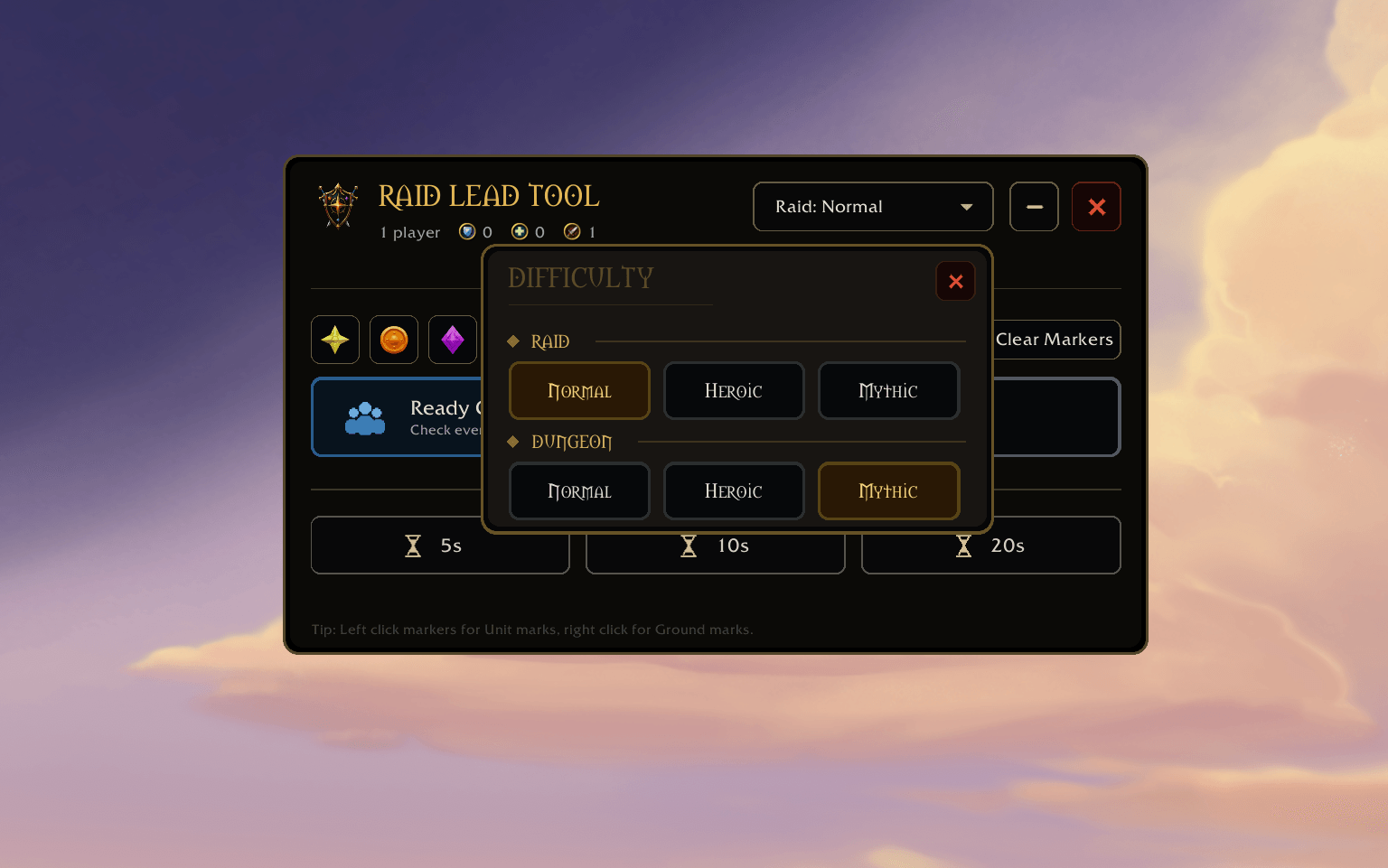
- Raid and Dungeon Difficulty: Change Raid or Dungeon difficulty directly from RLT. Normal, Heroic, and Mythic options are presented in a compact dedicated interface that follows the visual design of the main addon.
- Group Composition: RLT displays the current group size and a quick overview of Tanks, Healers, and Damage players. If World of Warcraft does not provide an assigned role, RLT can fall back to the local player specialization role where appropriate.
- Movable Interface: Move RLT anywhere on the screen and keep it where it works best for your UI.
- Collapse: RLT can be minimized to a compact header when the full controls are not needed. An active break timer remains visible even while the tool is collapsed.
- Close and Restore: RLT can be hidden entirely and reopened later using
/rlt show. - WoW Inspired UI: RLT uses a dark World of Warcraft inspired visual style with rounded panels, gold accents, custom icons, and compact spacing.
Marker controls
RLT is designed so the same marker icons control both Unit markers and Ground markers.
- Left-click a marker icon to toggle that marker on your current Unit target.
- Right-click a marker icon to place the corresponding Ground marker.
Ground markers do not require a target. You can therefore deselect everything and still place a Ground marker normally.
The Clear Markers button follows the same logic.
- Left-click Clear Markers: Clear all Unit markers.
- Right-click Clear Markers: Clear all Ground markers.
RLT uses the secure World of Warcraft marker system, including raidtarget and worldmarker secure actions.
Ready Check window
The RLT Ready Check window is intended to provide a fast overview rather than overwhelm the raid leader with information.
The columns are:
- Player: The player name and Ready Check state.
- Consumables: Consumables currently detected on the player, including remaining duration.
- Buffs: Relevant active raid buffs.
- Missing: Consumables or raid buffs currently missing from that player.
- Durability: Known equipment durability percentage.
The window updates while the Ready Check is running, so raid leaders can see players buffing and preparing in real time.
Consumable and buff icons support tooltips, allowing you to identify an icon by hovering over it.
Consumables and buffs
RLT separates consumables from normal raid buffs because they answer two different questions. Consumables tell the raid leader whether players have personally prepared their character. Buffs tell the raid leader whether the group has applied the available raid wide class buffs.
- Current consumable checks include Food, Flask, Augment Rune, and Vantus Rune.
- Current raid buff checks include Intellect, Attack Power, Versatility, Stamina, and Mastery.
The Missing column is group-aware. RLT only expects a class buff when the group contains a class capable of supplying it.
Difficulty controls
RLT provides quick access to common Raid and Dungeon difficulty settings. Raid options include Normal, Heroic, and Mythic. Dungeon options include Normal, Heroic, and Mythic.
Changing difficulty still follows normal World of Warcraft restrictions. For example, a group member who is not the group leader cannot change the group difficulty.
RLT uses the standard World of Warcraft difficulty APIs rather than trying to bypass Blizzard restrictions.
Pull timers
The main RLT window includes three dedicated countdown buttons:
- 5s
- 10s
- 20s
These trigger the normal Blizzard group countdown. Custom countdowns can also be started using: /rlt pull 15. Replace 15 with the number of seconds you want.
Raid breaks
The Break section provides several ways to start a break. Choose the 5 minute preset, 10 minute preset, or enter a custom duration. When the break begins, RLT displays a progress bar and announces the return time.
For example: Break will end: 22:40
RLT also supports manually stopping an active break. The break timer remains visible when appropriate, including when the main RLT window is collapsed.
Raid Lead Tool commands
/rlt: Open the RLT settings.
/rlt markers: Open the marker controls.
/rlt break: Open the Break controls.
/rlt ready: Start a Ready Check.
/rlt pull 10: Start a 10 second pull timer. Replace 10 with the desired duration.
/rlt break 10: Start a 10 minute break. Replace 10 with the desired number of minutes.
/rlt stop: Stop the current break timer.
/rlt lock: Lock the RLT window position.
/rlt unlock: Unlock the RLT window position.
/rlt reset: Reset the RLT position.
/rlt show: Show RLT if it has been closed.
/rlt hide: Hide RLT.
/rlt help: Display available commands.
Permissions and World of Warcraft restrictions
Some RLT functions depend on normal World of Warcraft group permissions.
Starting Ready Checks, changing group difficulty, placing some raid markers, and using Raid Warning can require group leader or group assistant permissions depending on the situation. RLT does not bypass Blizzard restrictions.
If World of Warcraft prevents an action, RLT follows that restriction. Marker buttons use secure World of Warcraft actions to remain compatible with current protected action rules.
RLT Companion
RLT Companion is an optional separate lightweight addon for regular raid members.
- Players do not need the full Raid Lead Tool to receive a synchronized break timer.
When a raid leader starts a break using RLT, Companion users receive a small movable timer bar showing the same remaining time. Companion can also display the expected return time, for example: Back at 22:40.
The timer automatically disappears when the break ends or when the raid leader stops the timer. If a Companion user reloads the UI or joins during an active break, Companion can request the current break state from RLT and restore the correct remaining time.
Only messages from the current group leader or an authorized group assistant are accepted.
RLT Companion does not include raid markers, Ready Checks, Difficulty controls, or other raid leader functionality. Its purpose is to remain extremely lightweight.
RLT Companion commands
/rltc help: Show Companion commands.
/rltc reset: Reset the break timer position.
/rltc lock: Lock the Companion bar.
/rltc unlock: Unlock the Companion bar.
/rltc sync: Request the current active break state from Raid Lead Tool.
/rltc test 1: Display a local one-minute test timer. This is useful for positioning the bar without needing an active raid break.
What RLT is not
Raid Lead Tool is not a rotation helper, boss mechanic addon, damage meter, combat automation addon, or replacement for DBM or BigWigs.
- It does not tell players what ability to cast next.
- It does not automate combat.
- It does not interact with combat decisions.
- It is simply a lightweight interface for common raid leadership tasks.
Development note
Raid Lead Tool was created and iterated with the assistance of AI, including help with Lua development, UI implementation, debugging, and API research. The addon itself is designed around Blizzard-supported World of Warcraft addon APIs and secure action systems.
The project has also been actively tested and refined through real dungeon and raid use, including feedback from multiple players.
Current version
Raid Lead Tool: v0.2.4.1
RLT Companion: v0.1.1
Raid Lead Tool (RLT) Team