Quiver Forever
- By
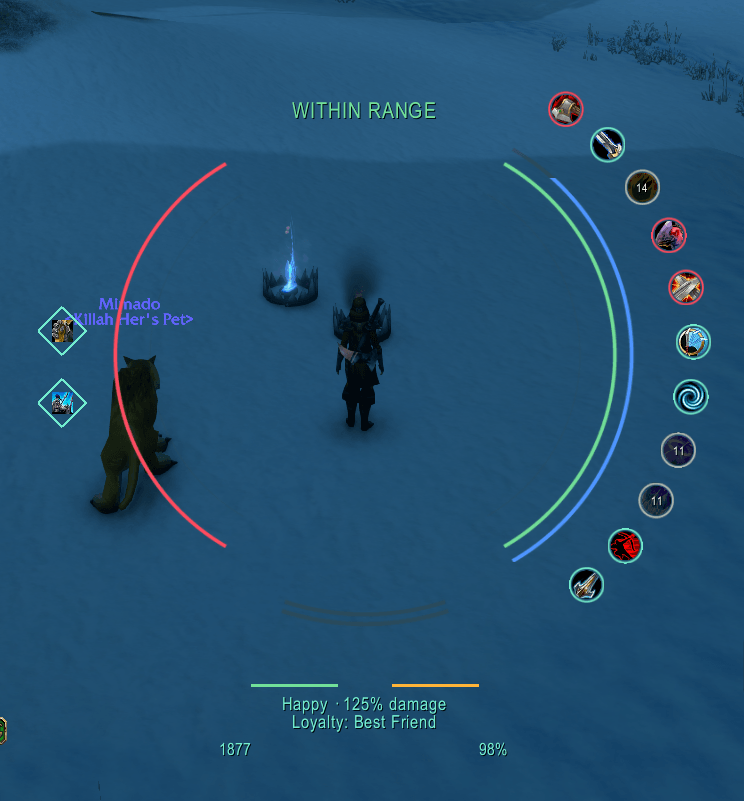
A customizable radial hunter HUD with range status, health and mana arcs, cooldowns, tracking, pet care and supply alerts.
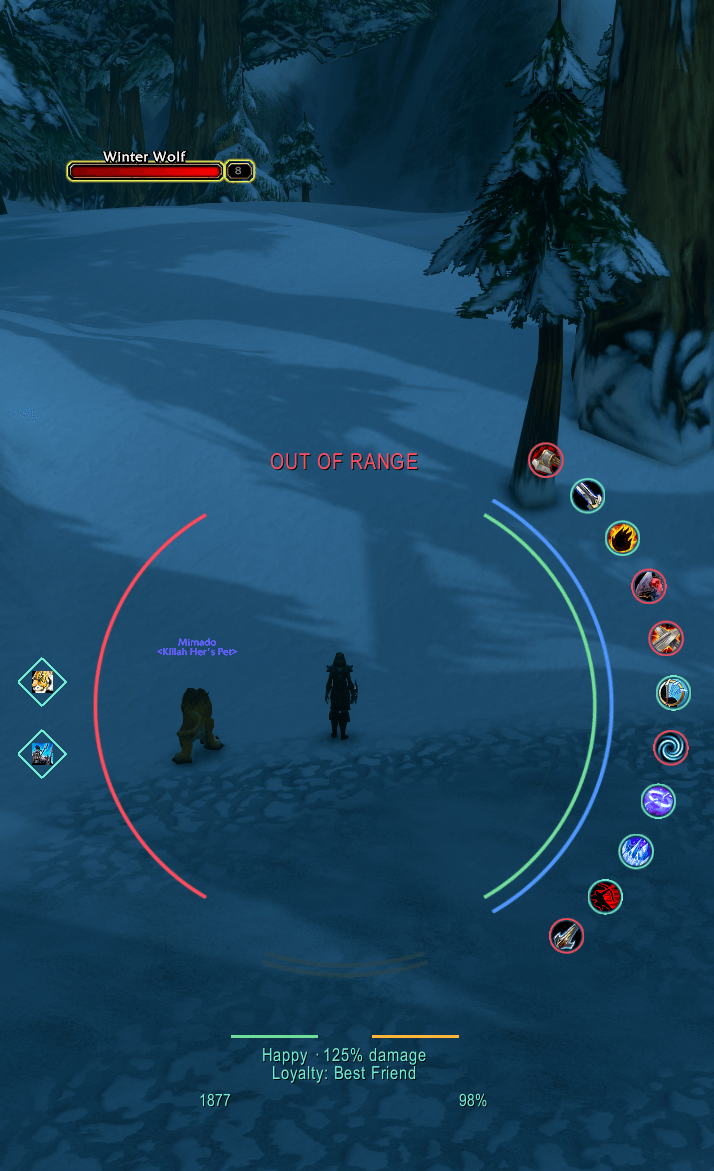
1.png
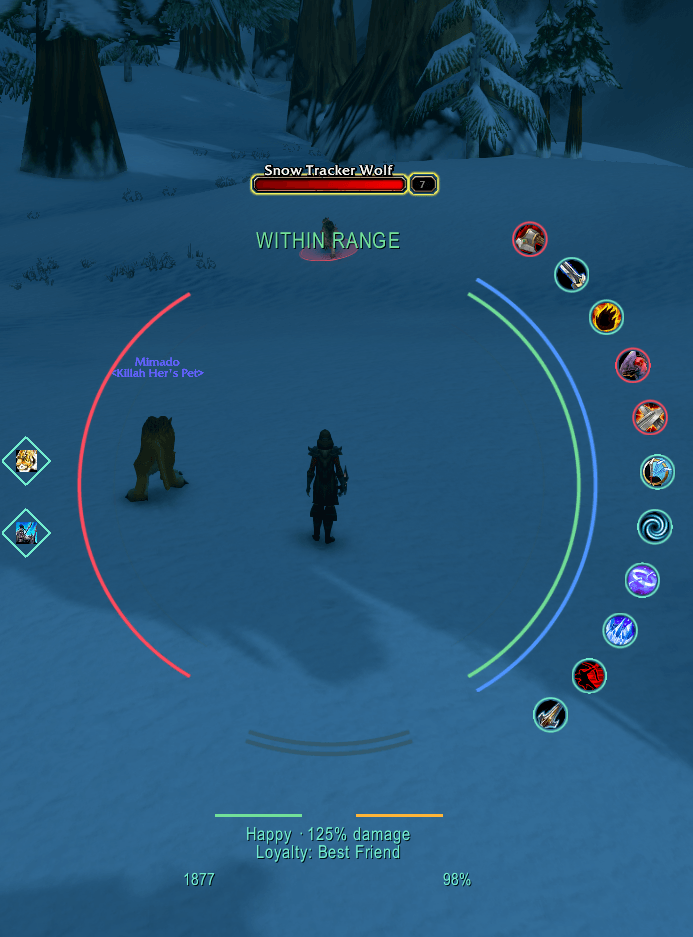
2.png
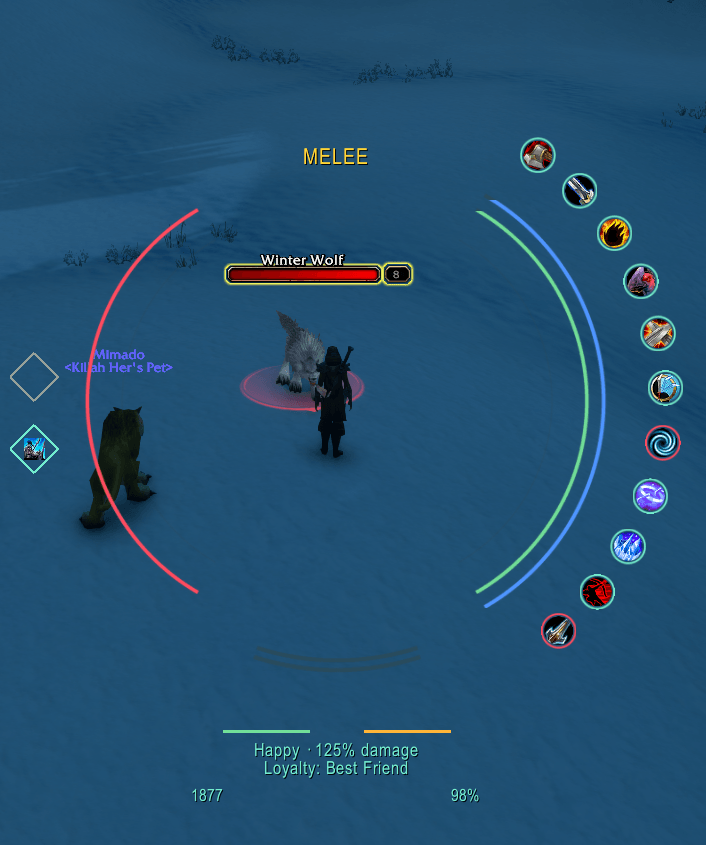
3.png
4.png
5.png
Description
Quiver Forever is a customizable hunter HUD for World of Warcraft: Forever. Its transparent radial layout keeps your character visible while putting combat, pet and supply information around the center of your screen.
Features
• Clear green Within Range, red Out of Range and yellow Melee status, including with HUD labels hidden.
• Symmetrical enemy and player health/mana arcs, with teal enemy mana and blue player mana.
• Editable ability cooldown icons with countdowns and adjustable dark recovery overlays.
• Separate aspect and hunter tracking diamonds.
• Compact pet health/focus bars beside visible happiness, damage and loyalty information.
• Ammunition and durability indicators, with low-ammo warning colors.
• Optional Auto Shot, main-hand and off-hand swing timers.
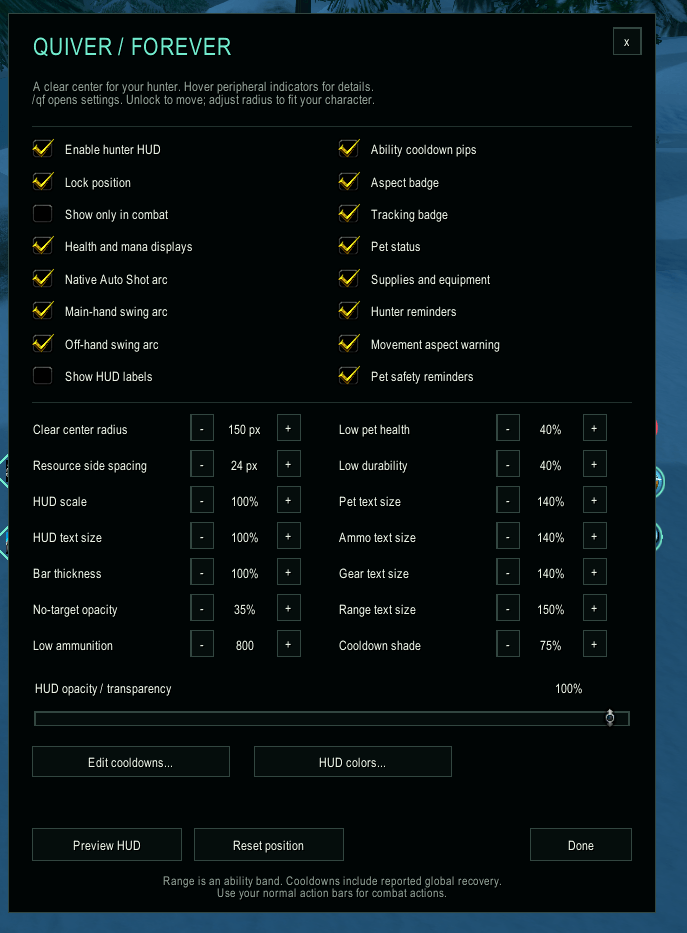
• Per-character colors, opacity, text sizes, bar thickness, spacing, scale and visibility settings.
• A minimap menu for quick access to settings and cooldown selection.
Getting started
Place the QuiverForever folder inside Interface/AddOns/ and fully restart the game. Click the minimap bow icon or type /qf to open settings. Right-click the minimap icon to choose and reorder cooldown abilities. Use Preview HUD to inspect the layout, then unlock it to adjust its position.
Compatibility
Designed for World of Warcraft: Forever, interface 16001. No required libraries or other addons. This is the v0.10.0 beta test build; additional in-game testing and feedback are welcome.
Range status uses available ability-reach checks. It does not measure exact physical distance. Restricted or unavailable client information remains unknown.
Credits
Inspired by SabineWren's Quiver for Turtle WoW: https://github.com/SabineWren/Quiver
Quiver Forever uses a new implementation for Forever's APIs and is independent of the original Turtle WoW addon.
The included LICENSE contains the GNU Affero General Public License, version 3.
Quiver Forever Team