
QuietUI
- By

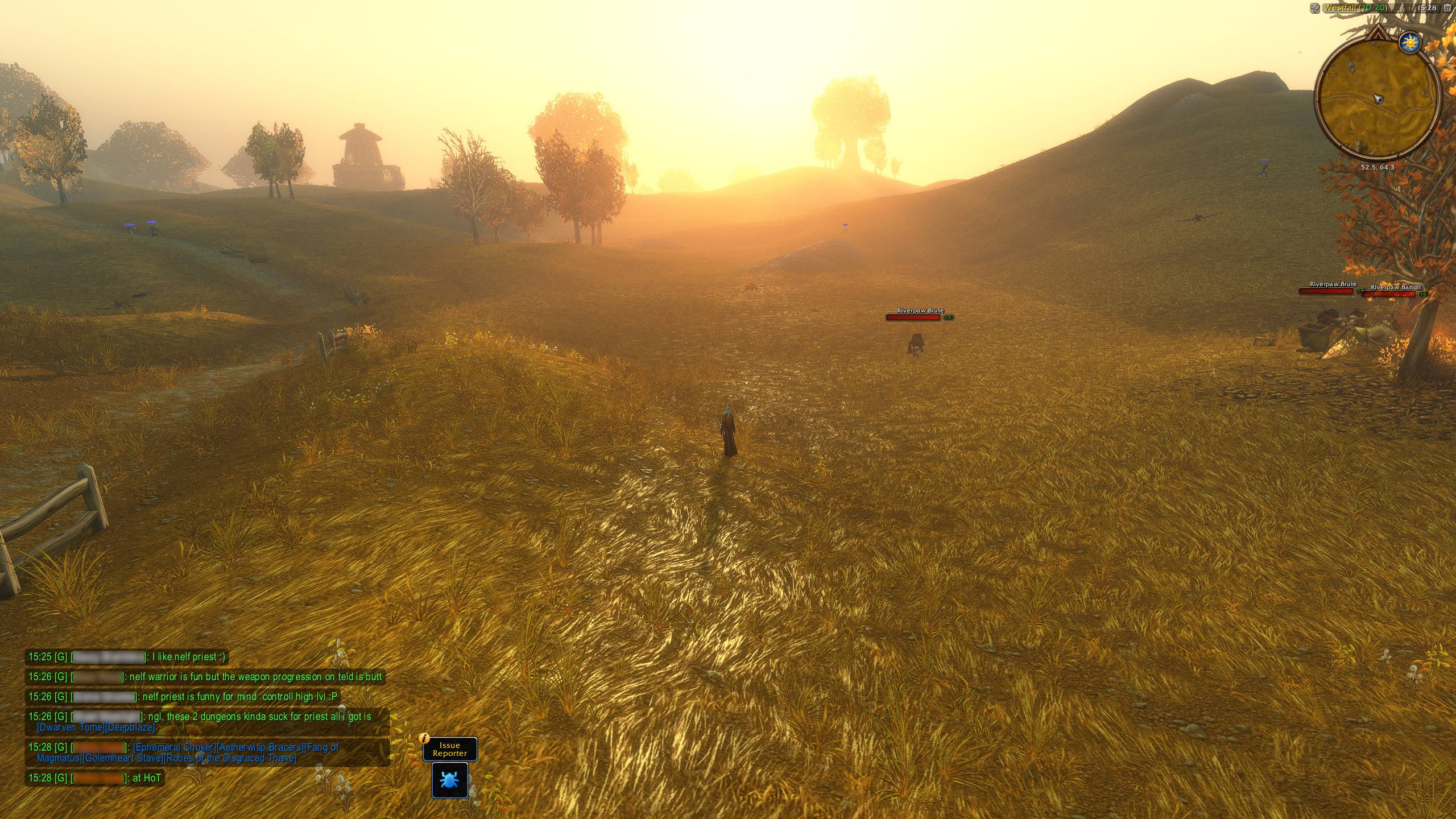
The default exploration view lets the world take center stage. QuietUI fades the HUD until combat, hover, or your current situation calls it back.
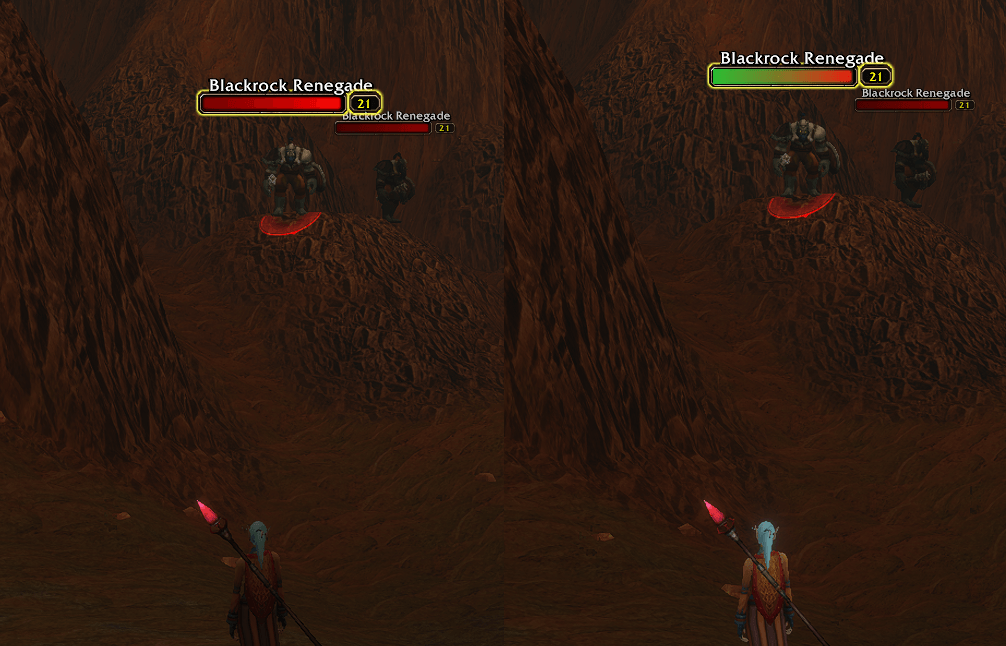
Enable In range to see a green gradient on your target's nameplate when it is within your chosen spell's range. A quiet way to check your reach while the action bars are faded.
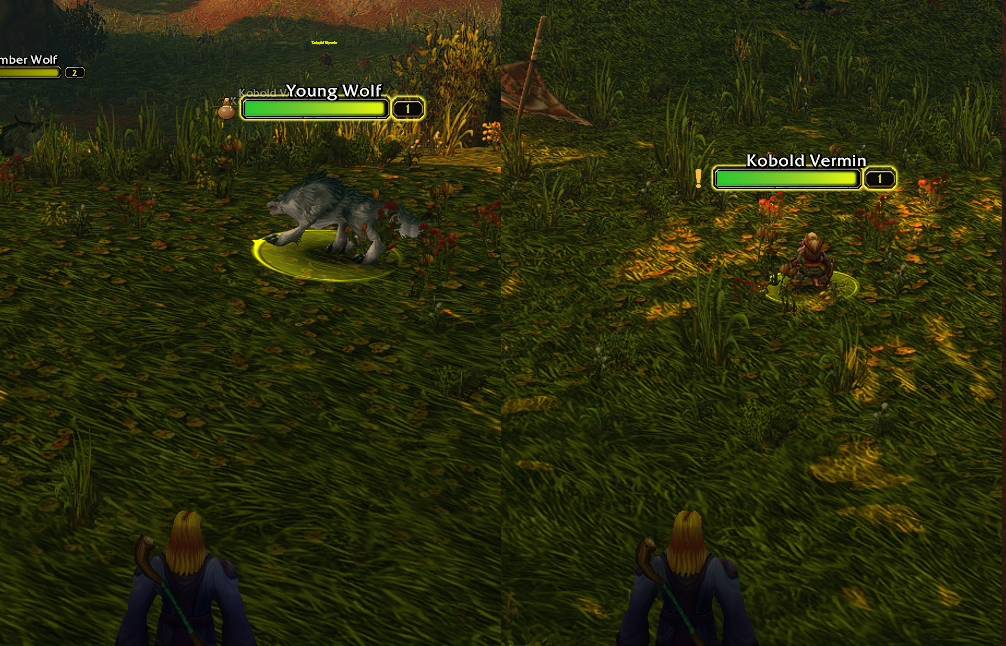
Spot quest enemies and loot at a glance. An exclamation mark highlights enemies needed for a quest, while a loot bag marks defeated enemies with loot to collect. Optional feature.
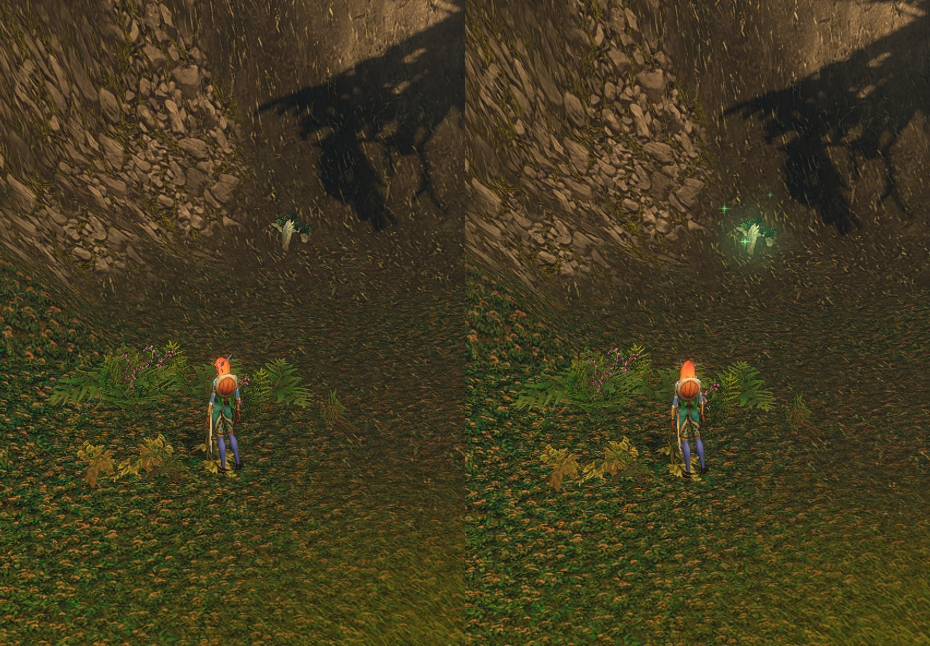
Spot herbs, ore, and interact objects with a soft glow and gently rising particles. Green for herbs, gold for ore, and warm white for interact objects. Enable each type in /quiet setup → Misc. → Highlights.
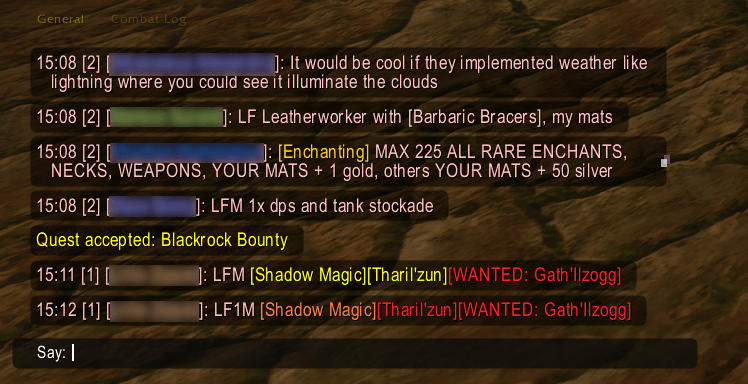
Modern chat puts messages in subtle dark bubbles, then fades them after your chosen delay. Hover to read them again and scroll through your history.
Chat tabs stay hidden until you need them, and a whisper tab lights up below the chat when someone writes to you.
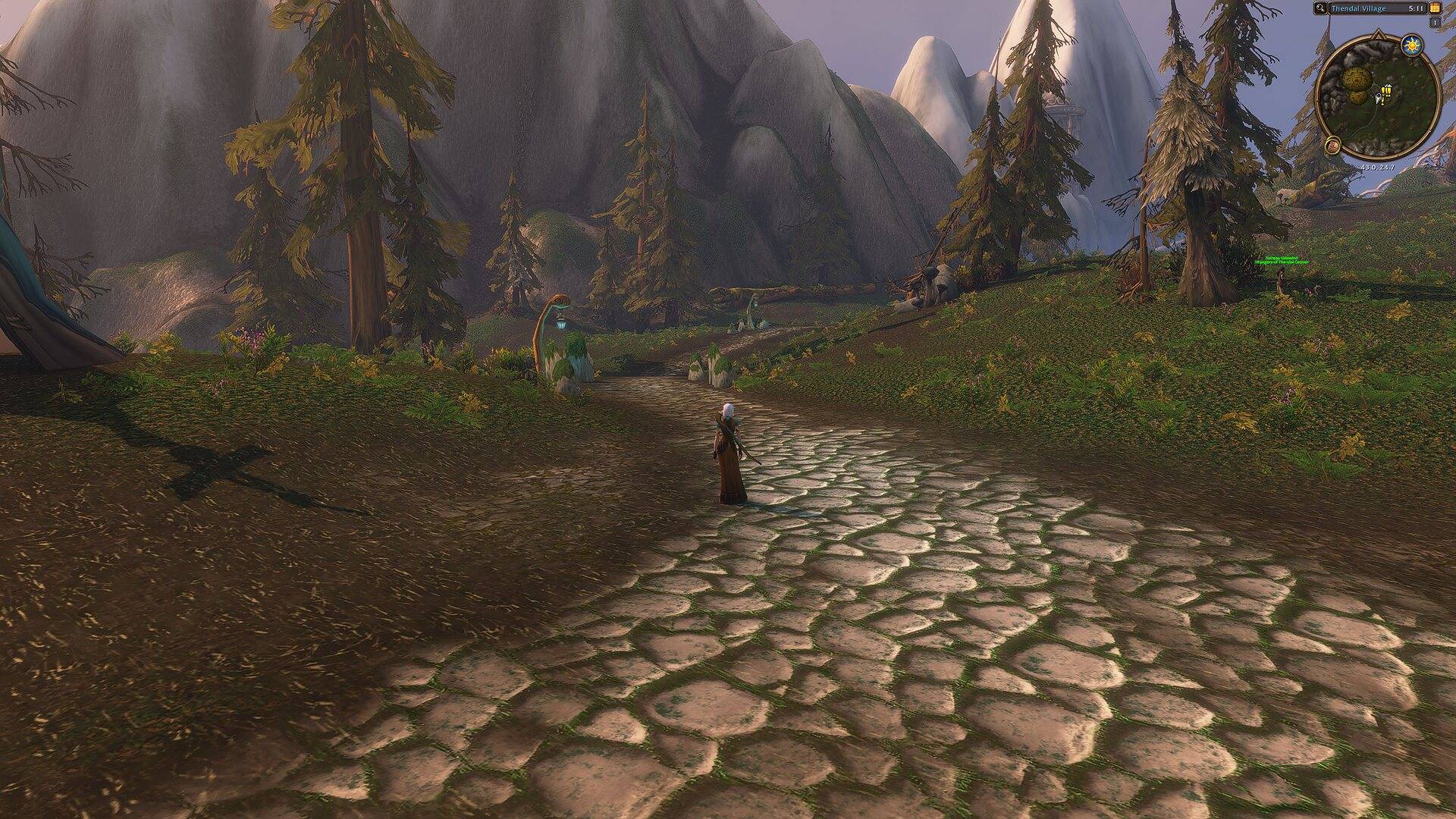
Out of combat, QuietUI fades the action bars, unit frames and everything else you don't need right now. Only the minimap and zone name stay, so the view is all yours.
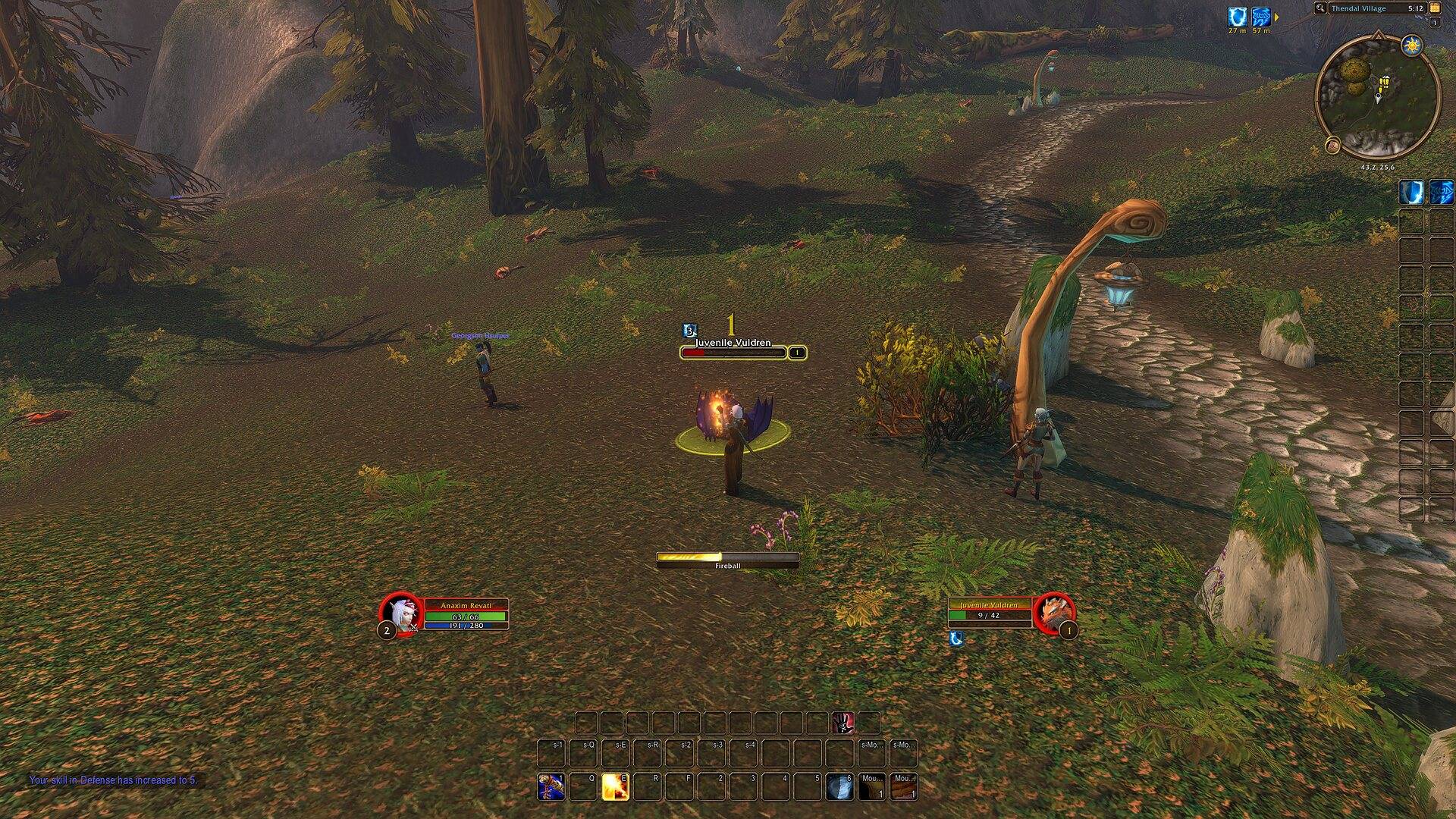
Start a fight and your action bars, player and target frames and cast bar appear at once. When the fight is over, they fade away again.
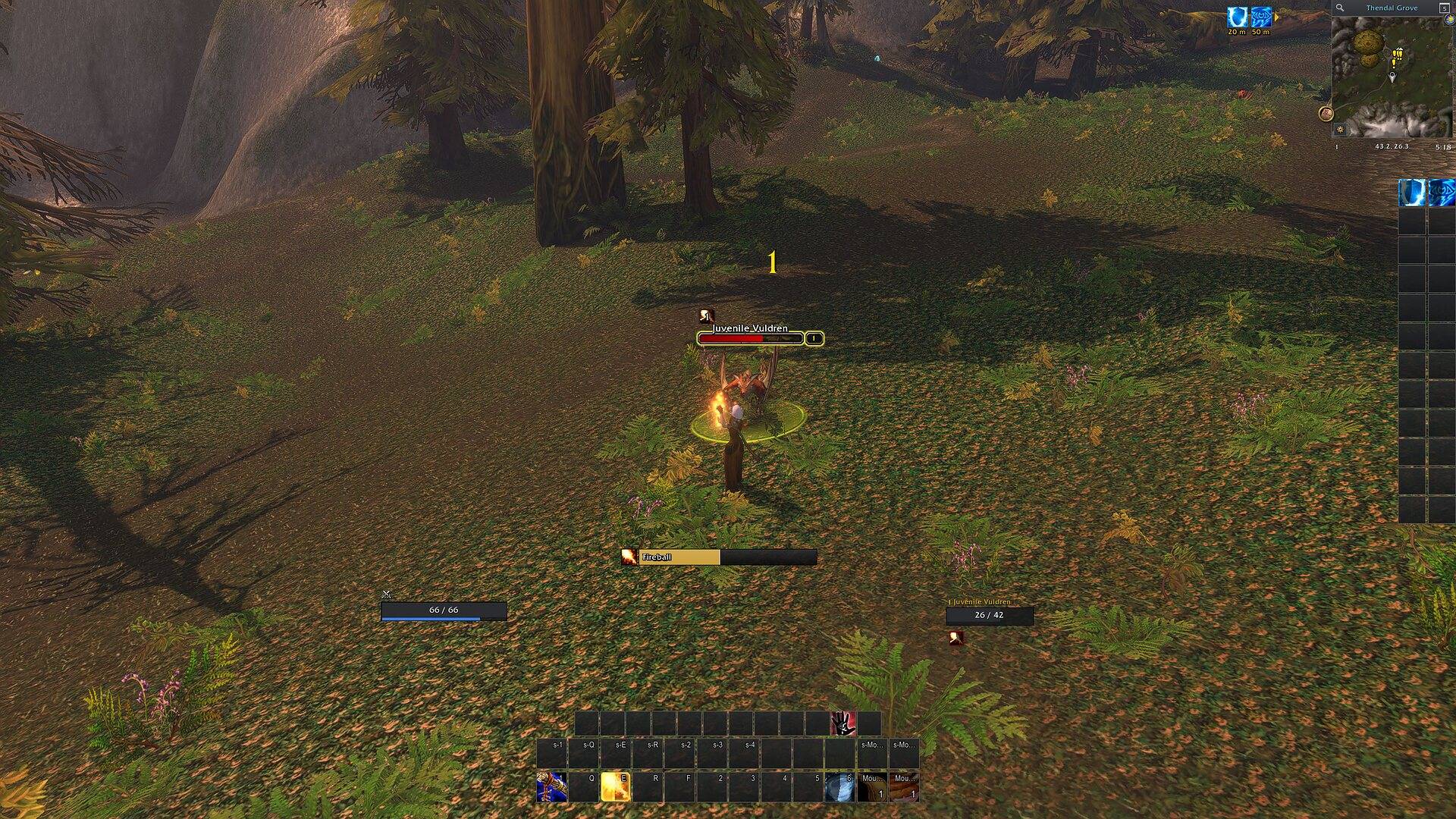
The same fight with Modern on. Slim unit frames, a flat cast bar, dark action slots and a tidy minimap. Everything still fades away once the fight is over.
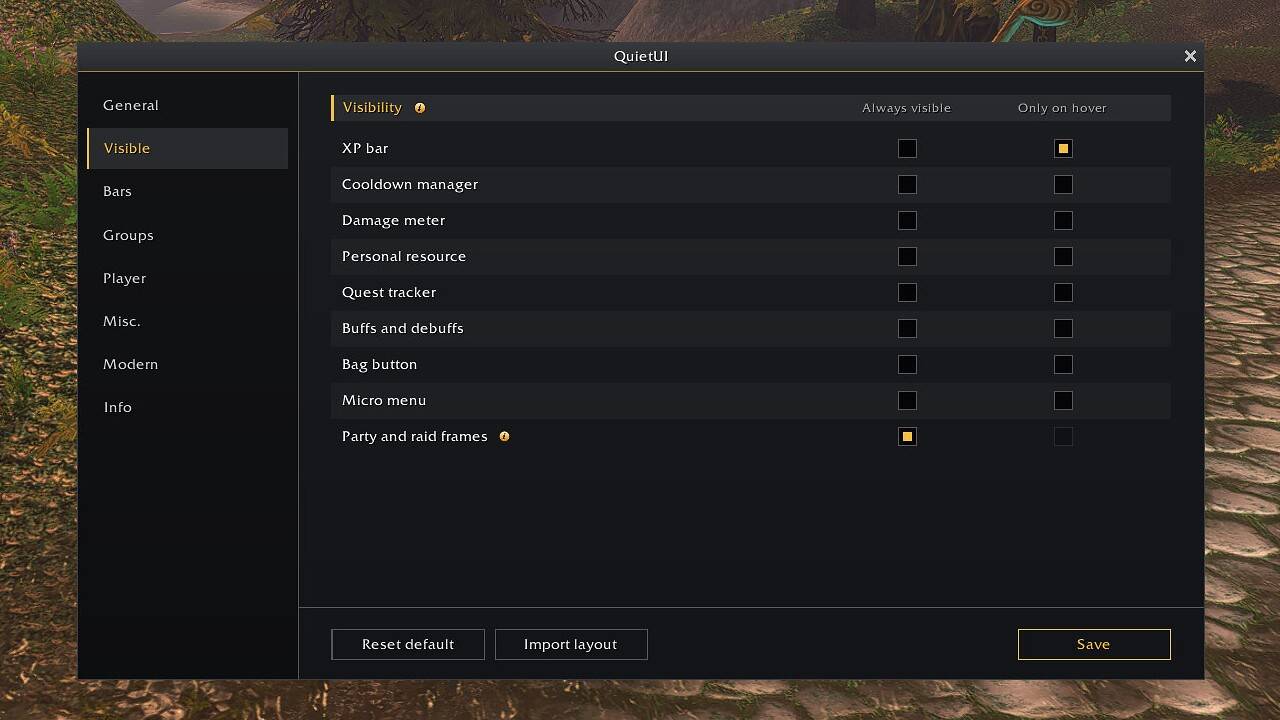
Type /quiet setup or click the minimap button. Choose what stays on screen, what shows only on hover, and which bars fade together. Click Save when you're done.
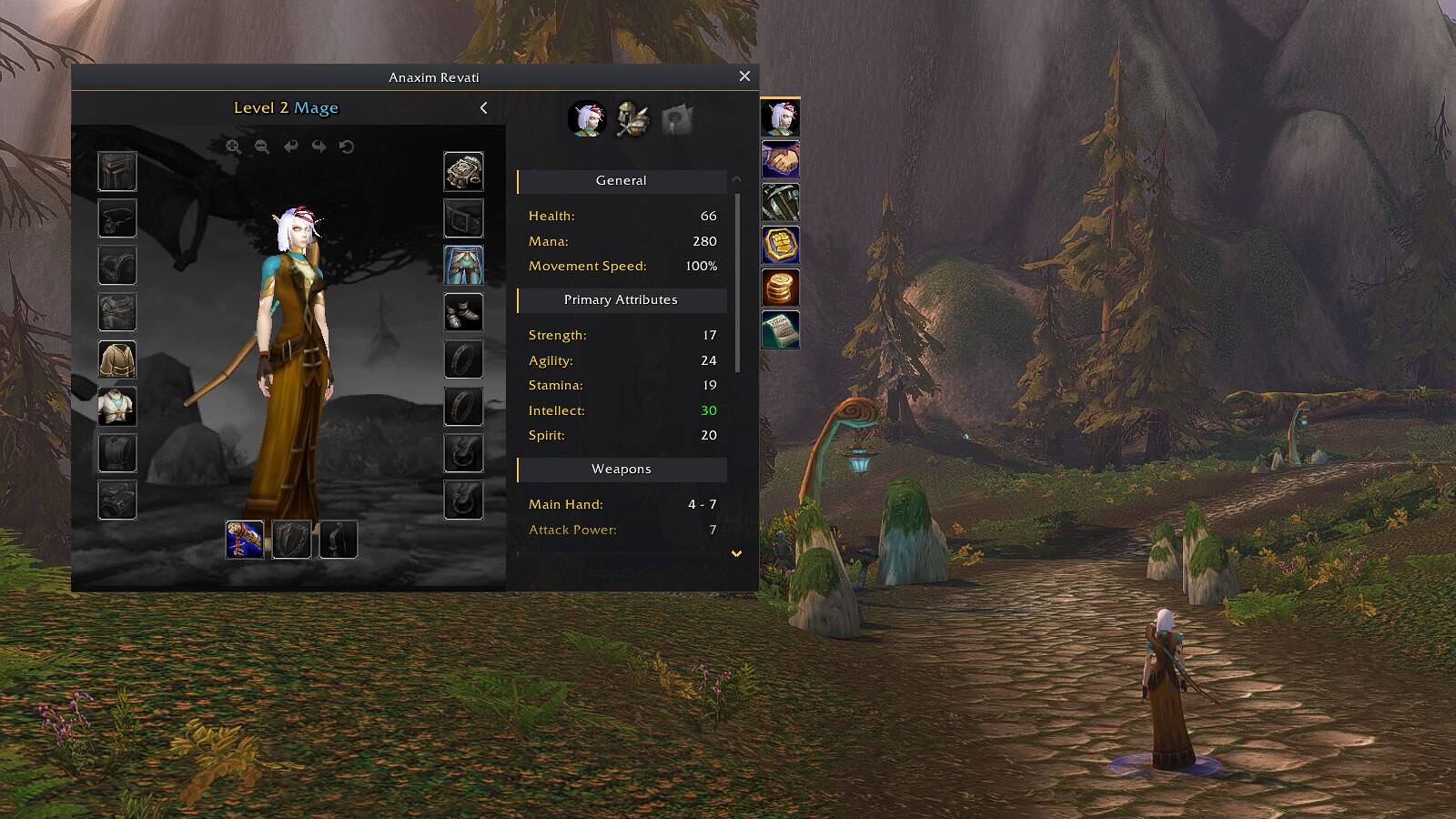
Modern gives Blizzard's windows a flat graphite style with clear section headers and dark item slots. The character model and your stats stay just as they are, only easier to read.
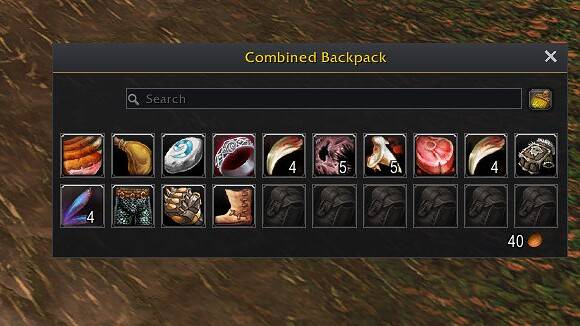
All your bags in one movable window, with search and your gold at the bottom. Empty slots stay dark, so your items stand out.
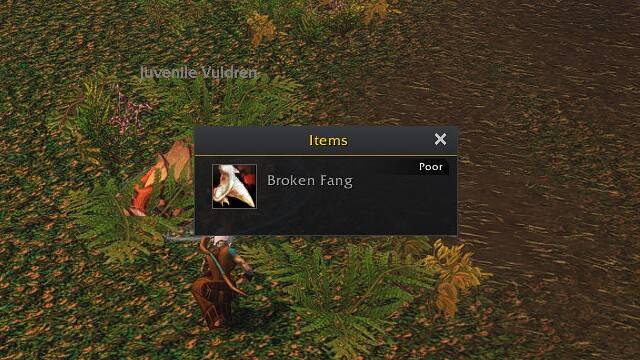
Loot opens in the same flat style. Item quality still shows, so you can tell what's worth keeping at a glance.
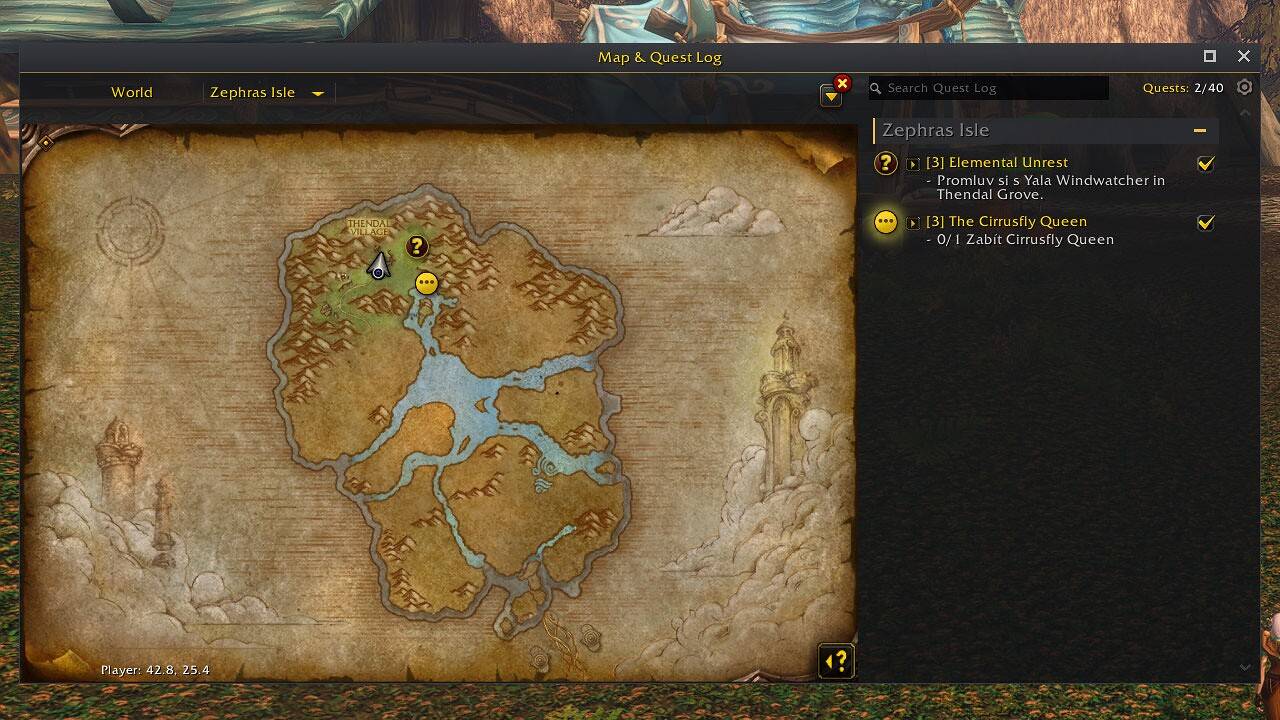
The map and quest log share one dark frame. The map art stays untouched, and your quests are easy to read next to it.
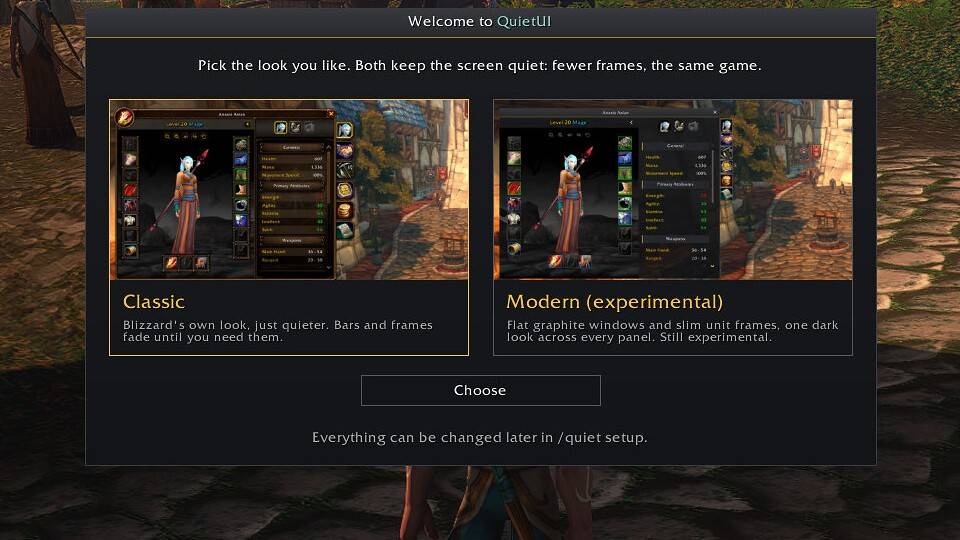
On first login, each character chooses Classic or Modern. You can change it any time in /quiet setup.