


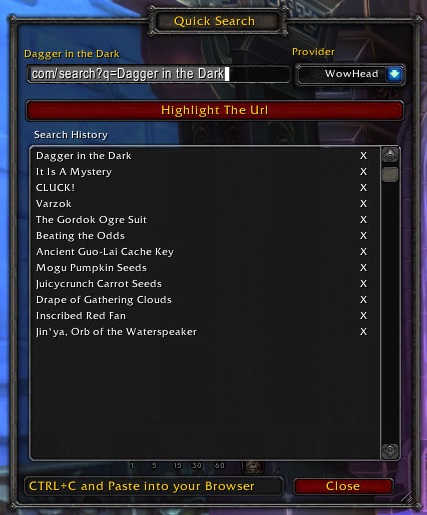
Panel that opens when executing a QuickSearch
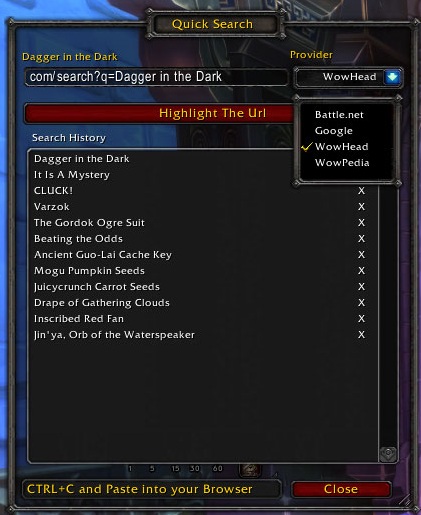
Show the available search providers
Description
Have you ever flicked back and forth between WoW and Wowhead or Google to search for details about a quest, achievement or item? I did it enough to think; "DAMN THIS SHOULD BE EASIER"
Enter Quick Search which allows you to Quick(ly)Search for Quests, Achievements or Items by generating a URL for you to Copy/Paste into your web browser.
Default Usage
Capturing Clicks
Use your Right Alt (Alt button on the right of your keyboard) and click on one of the following;
- Bag Item
- Inventory Item
- Trade Items and Materials
- Reputation Panels
- Quest Title in the Quest Log
- Quest or Achievement Title in the "Watcher" panel
- More to come!
Slash Command
- /qs to load the Search Panel
- /qs toon {unit/toon name} to query toon names or NPC's
Accepted Units;
- /qs toon player
- /qs toon target
- /qs toon focus
- /qs toon mouseover
Features
- Use the above methods to quickly create search queries
- Pick from 4 default providers; Wowhead, Google, Wowpedia or Battle.net
- Copy the URL into your browser to initiate a search
- View search history and re-generate search URL quickly for older items
- Configuration of; Custom Providers, Define Override "modifier"
- Configuration of Max History to be kept
- Addition of LDB for opening Search History and accessing options
On "Toon" Searches
I will not build searching (for click) for toon because of the sheer number of UnitFrames. What I will look to do is provide an easy to use slash command for that purpose that can be macrod! (see upcoming features above)
The QuickSearch Team


