Wow_ktjDDtGlcO.png
Wow_QOowQOA161.png
Wow_aR192hwkx9.png
Wow_4uhjCjFJeV.png
Description
QuickMogs
A lightweight World of Warcraft (Retail) addon for browsing and equipping transmog outfits.
✨ Features
- 🧭 Minimap Button: Quick access to outfits and settings
- 🖱️ Draggable Screen Button: Optional on-screen button (Shift + Right-click to toggle)
- 👕 Outfit Manager: Browse and equip saved transmogs in one click
- ❌ Clear Transmog: Instantly remove your current appearance
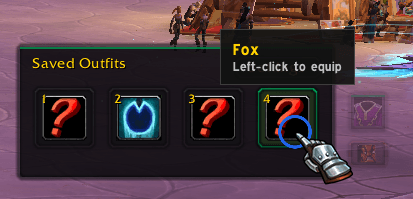
- 📦 Compact Outfit Bar: Quick 2-column selector via left-click
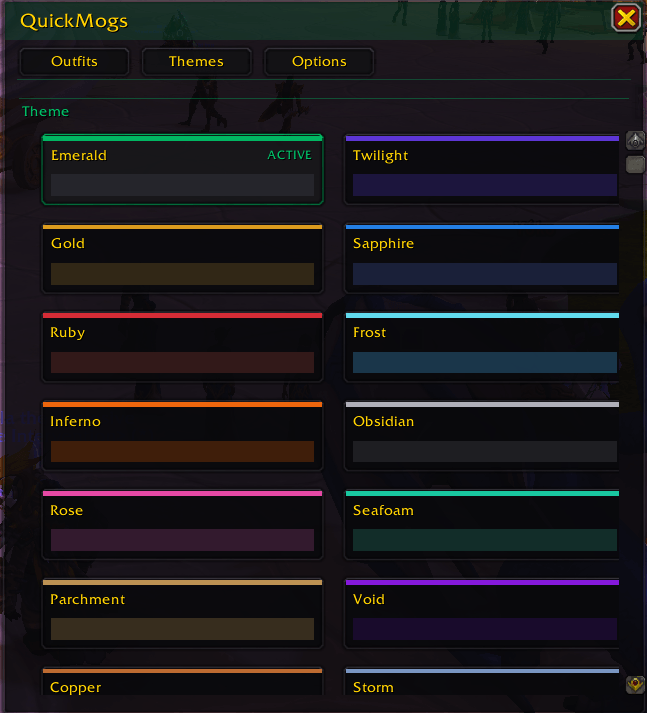
- 🎨 Theme System: 14 color themes
- 🔍 Transparency Controls: Adjust UI button opacity
- 🔒 Secure Execution: Uses Blizzard secure action buttons
- ⏱️ Cooldown Protection: 3-second lockout to prevent spam
🧪 Usage
🧭 Minimap Button
- Left-click: Toggle compact outfit bar
- Right-click: Open settings
- Shift + Right-click: Toggle screen button
- Drag: Move around minimap
🖱️ Screen Button (Optional)
- Left-click: Toggle outfit bar
- Right-click: Open settings
- Drag: Move anywhere on screen
Enable via: Options > Visibility > Show draggable screen button
⚙️ Settings
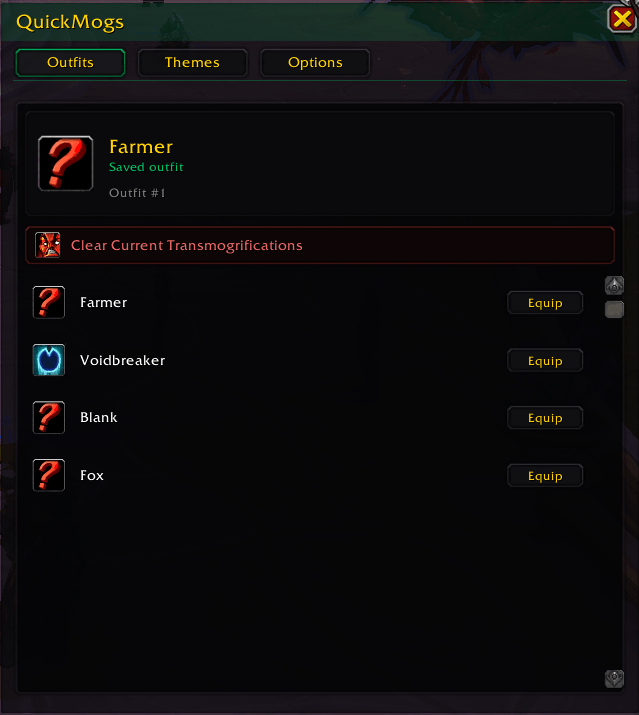
👕 Outfits
- Click an outfit to equip it
- Hover to preview details
- "Clear Current Transmogrifications" removes all transmogs
🎨 Themes
- Choose from 14 color schemes
- Active theme is highlighted
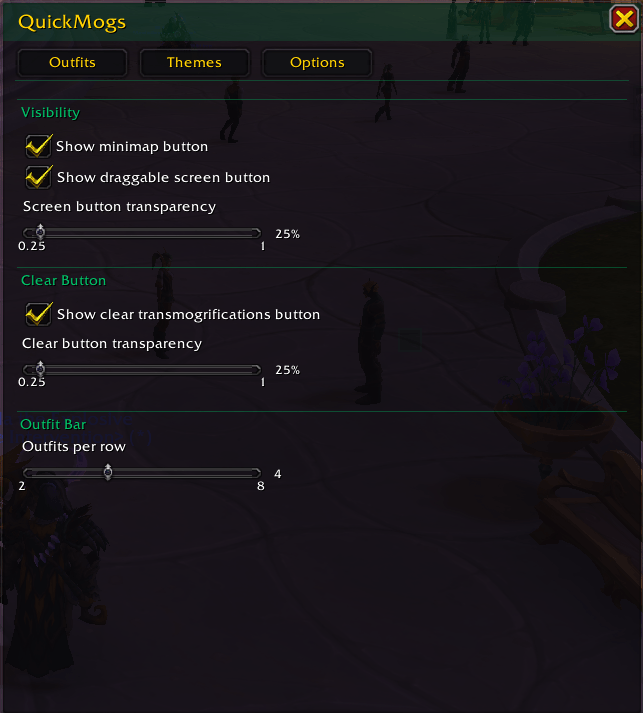
🔧 Options
- Toggle minimap and screen button
- Adjust button transparency (25% to 100%)
- Set outfits per row (2 to 8)
💬 Slash Commands
/quickmog          Open outfits tab
/quickmogs         (alias for /quickmog)
/qm                (alias for /quickmog)
/qm outfits        Open outfits tab
/qm themes         Open themes tab
/qm options        Open options tab
/qm refresh        Manually refresh outfit list
🎨 Themes
Emerald, Twilight, Gold, Sapphire, Ruby, Frost, Inferno, Obsidian
Rose, Seafoam, Parchment, Void, Copper, Storm
🛠️ Troubleshooting
Outfits not working?
- Run /qm refresh
- Wait for the 3-second cooldown
Minimap button missing?
- Enable via /qm options > Visibility
- Check addon is loaded with /addons
No outfits showing?
- Save at least one transmog set
- Visit a Transmog NPC to sync
- Run /qm refresh
❤️ Support
For bugs or feature requests, visit the addon's CurseForge page and leave a comment.
QuickMogs - Transmogs Team