QuickHide
- By
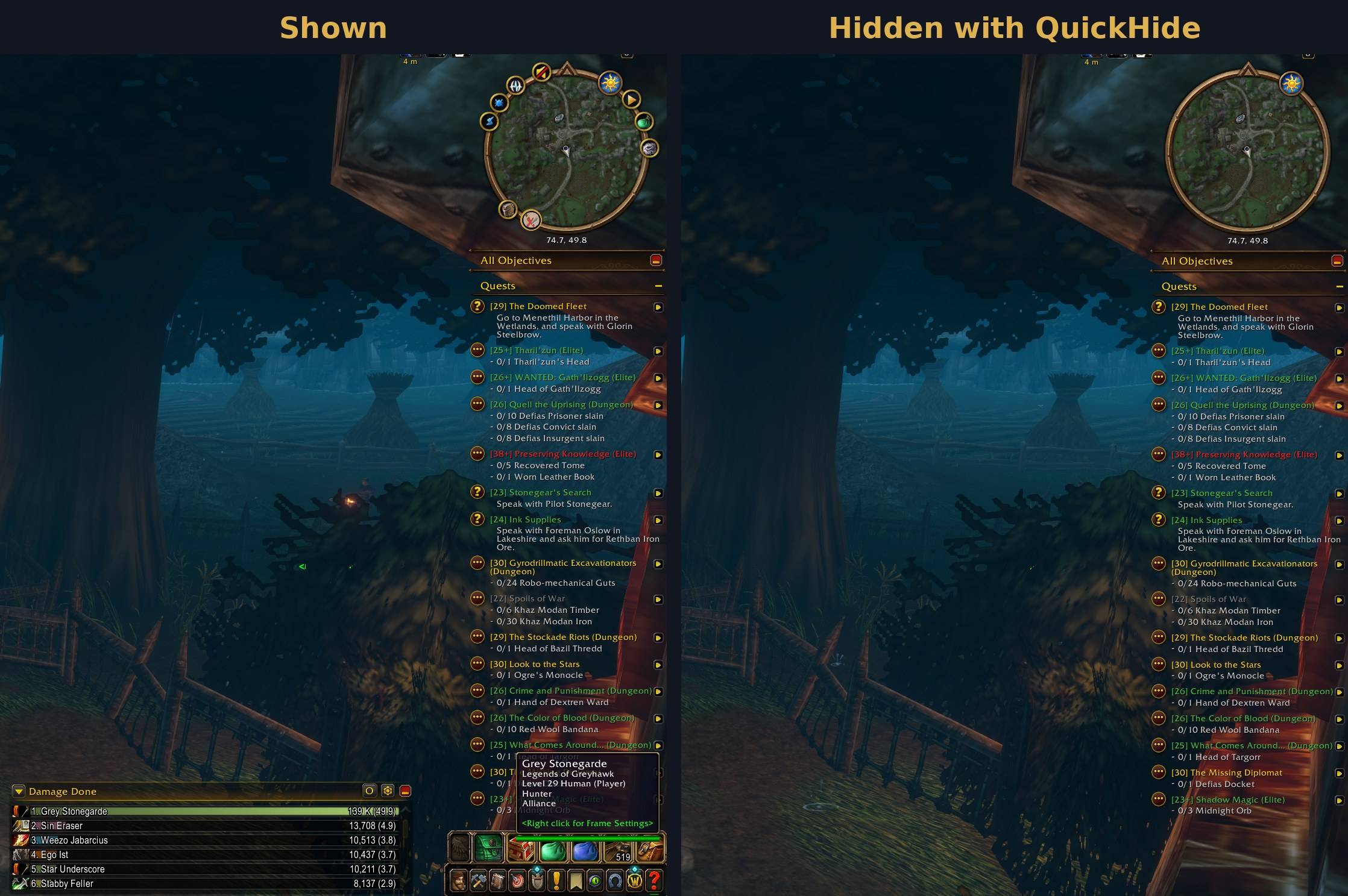
Hide the micro menu, bags, damage meter and minimap buttons, then bring them back with one click
QuickHide-before-after.jpg
Screenshot 2026-11-13 074604.png
Screenshot 2026-11-13 074632.png
Description
QuickHide
A cleaner screen, one click away. QuickHide hides Blizzard's micro menu and bag bar, and optionally the built-in damage meter and other addons' minimap buttons. Click the minimap button, press a key, or type /qhide, and they're all back.
Works on Retail and WoW Forever.
Features
- One switch for everything. A single toggle hides or shows every element at once.
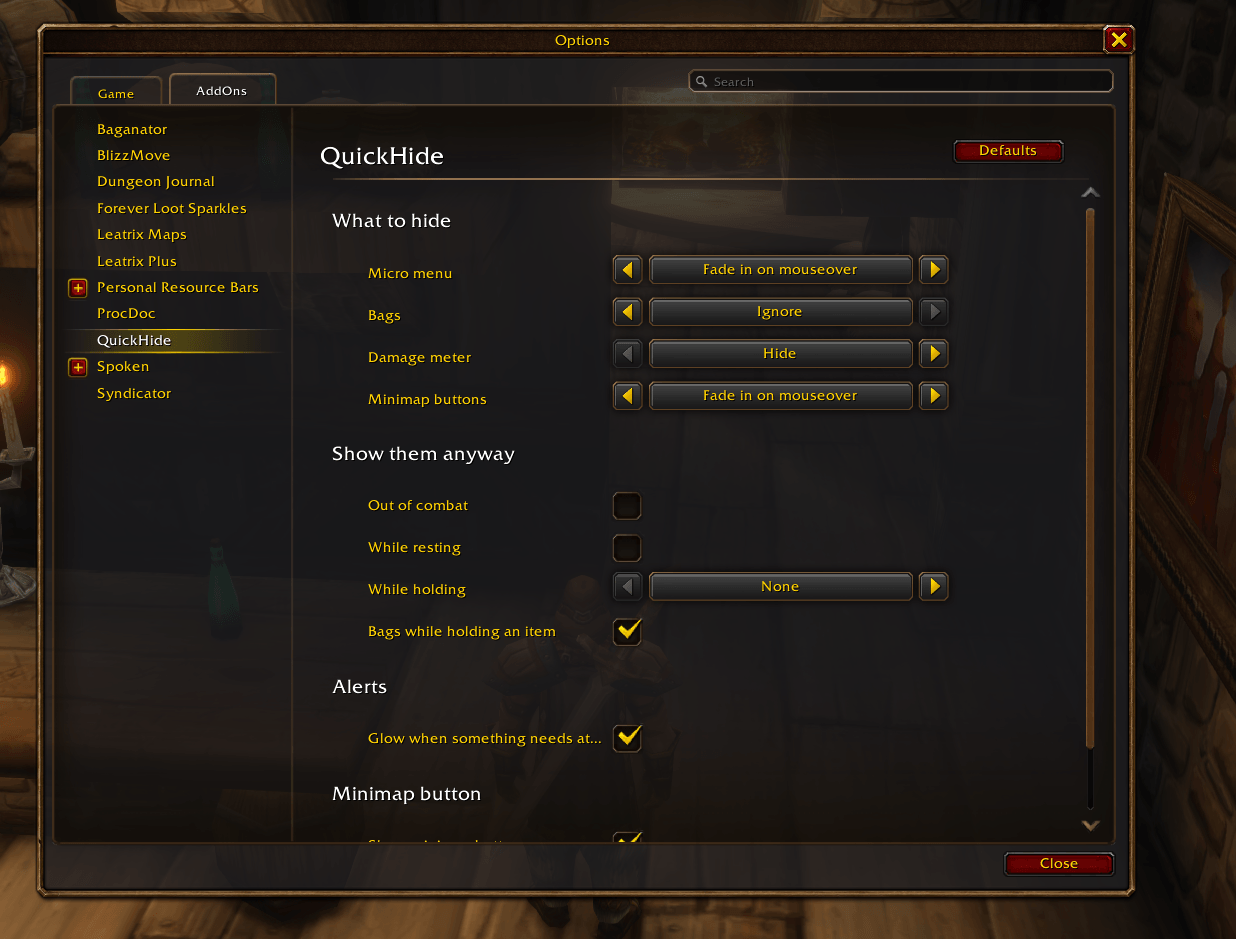
- Pick a style per element:
- Hide: gone until you flip the switch.
- Fade: invisible, but fades in when you mouse over it.
- Ignore: QuickHide leaves it alone.
- Choose what to hide:
- Micro menu (character, spellbook, talents, and the rest)
- Bag bar
- Blizzard's damage meter
- Other addons' minimap buttons (LibDBIcon buttons and most addons' own minimap buttons)
- Show them anyway when it makes sense:
- Out of combat
- While resting
- While holding Shift, Ctrl or Alt
- Bags only: while an item is on your cursor, so you can drop it into a bag
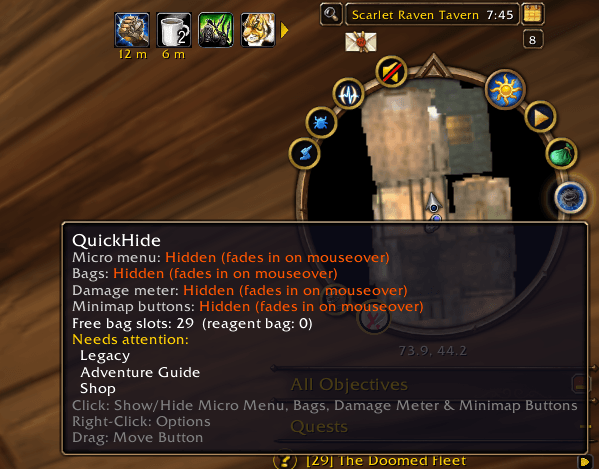
- Never miss an alert. While the micro menu is hidden, the minimap button glows gold when a micro button wants your attention, and its tooltip tells you which one and why.
- Free bag slots at a glance in the tooltip.
- LibDataBroker support for Titan Panel, ChocolateBar and similar bars: shows Hidden · 42 free, turning orange when you're low on space and red when your bags are full.
- Plays nicely with the default UI. Everything comes back in Edit Mode, and QuickHide never shows a bar Blizzard has hidden itself (vehicles, pet battles, gamepad mode).
How to use
| Action | What it does |
|---|---|
| Left-click the minimap button | Hide or show |
| Right-click the minimap button | Open settings |
| Addon compartment (the menu by the minimap) | Same as the minimap button |
| Key binding | Options > Key Bindings > AddOns > QuickHide |
/qhide or /quickhide |
Hide or show |
/qhide options |
Open settings |
Settings live in Options > AddOns > QuickHide.
Good to know
- Other fader addons: if another addon also fades the micro menu or bags (MiniFader, for example), turn that part off in one of them so they don't fight over the same bar.
- Minimap button bags: buttons already collected by a button-bag addon stay with that addon.
- Damage meter: Blizzard's own visibility setting for the meter always wins. If the meter is set to In combat and QuickHide's Out of combat option is on, the meter will never show.
- A minimap button isn't being hidden? Leave a comment with the addon's name and I'll add it.
Libraries
QuickHide bundles LibStub, CallbackHandler, LibDataBroker and LibDBIcon. No other dependencies.
Feedback
Found a bug or have an idea? Please leave a comment or open an issue. A Lua error message from BugSack helps a lot.
QuickHide Team