


QuickMute
- By
One-click minimap button to mute and unmute all game sound, plus a quick volume slider.
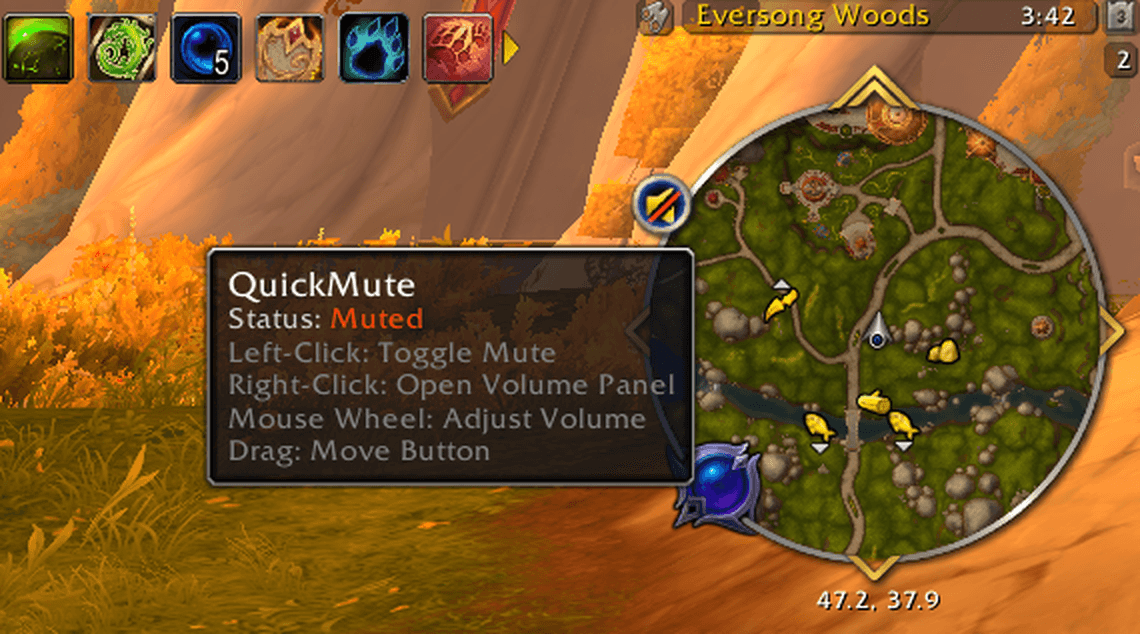
1-tooltip-muted.png
Description
QuickMute
A small, lightweight minimap button that mutes and unmutes all game sound with one click, plus a compact volume panel. It's built to sit quietly alongside minimap addons: button bags and collectors, square minimaps, and other addons' LibDBIcon buttons.
Features
- Left-click the minimap button to mute or unmute. While muted, the button switches to a muted-speaker icon, so you can see the state at a glance.
- Right-click opens a small volume panel with a mute button and a master volume slider. Drag it anywhere; Esc closes it.
- Mouse wheel over the button or slider changes master volume by 5%. Turning the volume up while muted unmutes.
- Live tooltip shows the current mute state and volume, and updates while you hover.
- Addon Compartment support: QuickMute also appears in the minimap's addon menu, with the same muted icon.
- Key binding: Options → Keybindings → AddOns → QuickMute → Toggle Mute (no key assigned by default).
- Minimap-friendly: uses LibDBIcon's standard settings (position, hide, lock) that minimap addons understand, and never replaces another addon's action on the button.
- Translatable: all text lives in Locale.lua.
Slash commands
/qm or /quickmute
/qm— toggle mute/qm panel— open or close the volume panel/qm volume <0-100>— set master volume/qm minimap— show or hide the minimap button/qm lock— lock or unlock the minimap button's position
Compatibility
- Retail (12.1.5) and WoW Forever (1.60.1), from one download.
- Bundles LibStub, CallbackHandler-1.0, LibDataBroker-1.1 and LibDBIcon-1.0 (v12.1.2). If another addon brings a newer copy, the game uses that one and QuickMute works with it.
- Settings are saved account-wide.
QuickMute Team
