QuickCrate - Waylaid Crate Helper
- By
Lightweight helper to fill your waylaid crates or slap a forged receipt on an empty one. Click one button instead of every crate and material in your bags!
Description
QuickCrate
Fill your Waylaid Crates and apply Forged Delivery Receipts with one click each.
QuickCrate opens a small window listing every Waylaid Crate in your bags. For each crate it shows what it will fill it with, and Fill does the rest: it opens the crate and puts the right materials in, without you hunting through your bags.
Features
- One-click Fill. Each crate row says what it fills with, for example "Fills with 20× Tin Ore". Click Fill and QuickCrate uses the crate and puts the material in.
- Picks the materials for you. When a crate accepts more than one bundle, QuickCrate chooses the first one your bags can cover.
- Shows what's missing. If your bags can't cover any bundle, the row says what you're short of, and Fill is greyed out until you have it.
- Forged Delivery Receipts. With receipts in your bags, every crate row gets a Receipt button that puts one receipt on that crate.
- All your crates at a glance. Several crates of the same kind share one row with a count.
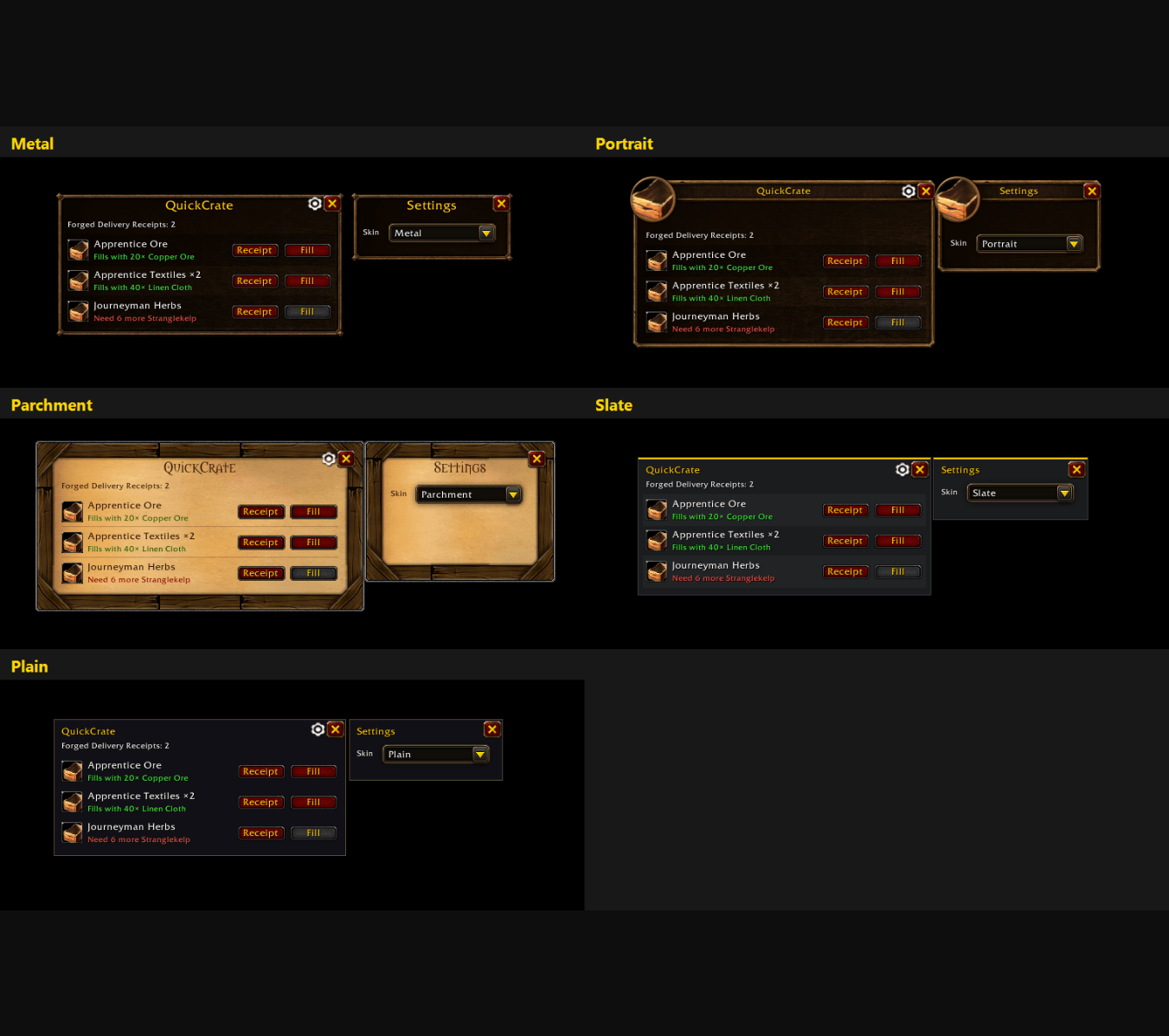
- Five skins. Metal (the default), Portrait, Parchment, Slate and Plain.
How to use it
- Right-click a Waylaid Crate or a Forged Delivery Receipt in your bags, and the window opens by itself.
- Or type /qc (or /quickcrate) to open and close it.
- Click Fill on a crate row to fill that crate. If the crate takes a moment before asking for the material, the button changes to Put in: click it once more to finish.
- Click Receipt on a crate row to apply a Forged Delivery Receipt to that crate.
- Crates QuickCrate doesn't recognise are listed as Fill by hand.
- Drag the window to move it. It remembers where you left it.
- Press Esc or click the X to close it.
Skins
Click the cogwheel next to the close button to open the settings, then pick a skin from the dropdown. The window changes straight away, and your choice is remembered for every character.
Commands
| Command | What it does |
|---|---|
/qc or /quickcrate |
Opens or closes the window |
/qc debug |
Lists every Waylaid item and receipt in your bags, which helps when reporting a problem |
QuickCrate - Waylaid Crate Helper Team