QuickChat
- By
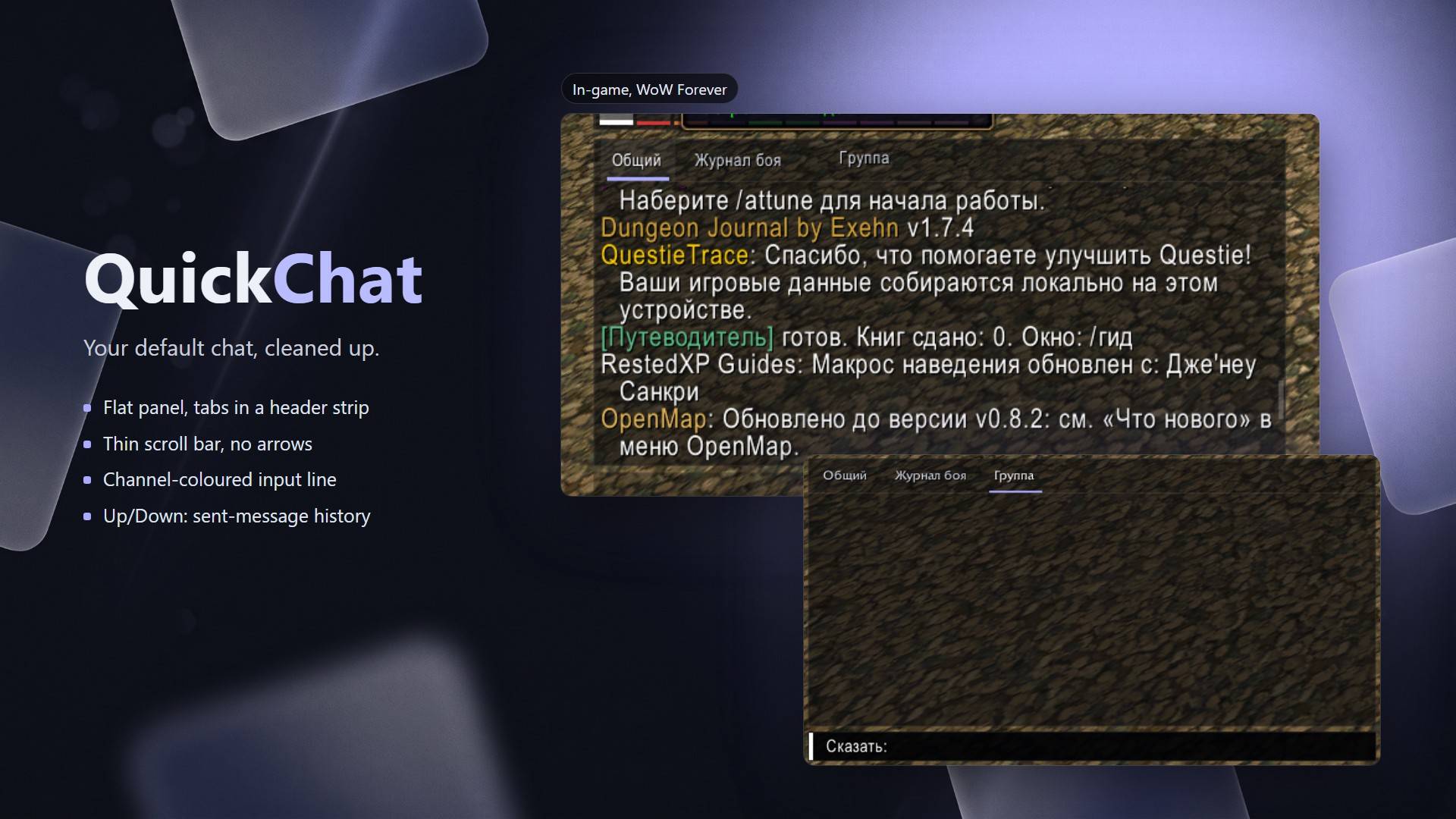
Clean, flat, modern look for the default chat windows: header tabs, thin scroll bar, arrow-key message history.
Description
QuickChat
A clean, flat, modern look for the default chat windows. No addon suite to install, no libraries, no options maze: QuickChat restyles Blizzard's own chat and stays out of the way. Made for WoW Forever and today's clients.
Features
- Flat dark panel with a thin 1px border instead of the old chat frame art. The background doesn't flicker when you hover the chat, and its opacity is adjustable.
- Tabs in a header strip. The selected tab is white with an accent underline, the others stay readable instead of fading out. New messages on another tab pulse as a thin line.
- Thin scroll bar: a slim flat thumb in place of the arrows and track. It appears when you hover the chat.
- Channel-coloured input line: a flat input box aligned with the chat panel, with an accent bar in the colour of the channel you're typing in.
- Arrow-key history. While typing, Up/Down go through your last 50 sent messages, without holding Alt. They're kept between sessions. You can turn this off.
- Fewer buttons. The chat menu, channels, social and voice buttons next to the chat are hidden. You can bring them back with one checkbox.
- Safe by design. QuickChat only changes frames and textures. It never reads, filters or rewrites chat messages, so it stays clear of protected chat paths and the new secret values in Midnight-era clients.
Pairs nicely with the QuickChannels channel bar.
Settings
Options → AddOns → QuickChat, or /qchat:
| Command | What it does |
|---|---|
/qchat |
open the settings |
/qchat on / off |
turn the restyle on / off (off needs a UI reload) |
/qchat alpha 0-100 |
chat background opacity |
/qchat buttons |
hide / show the chat side buttons |
/qchat arrows |
arrow-key history on / off |
/qchat status |
show current settings |
Supported game versions
WoW Forever, Classic Era, Anniversary, MoP Classic and Retail (Midnight). It's developed and tested on WoW Forever.
Languages
English and Russian. Translations are welcome. Open an issue on GitHub with the lines from Locales.lua.
Feedback
Found a bug? Please include the error text from BugSack/BugGrabber and your game version. Source code: https://github.com/itsindolence/quickchatwow
☕ Enjoying QuickChannels? You can support development here: DonationAlerts
QuickChat Team