Emote Codex
- By
Every emote in the game, one click away: search, favorites, recent and a fantasy-styled panel.
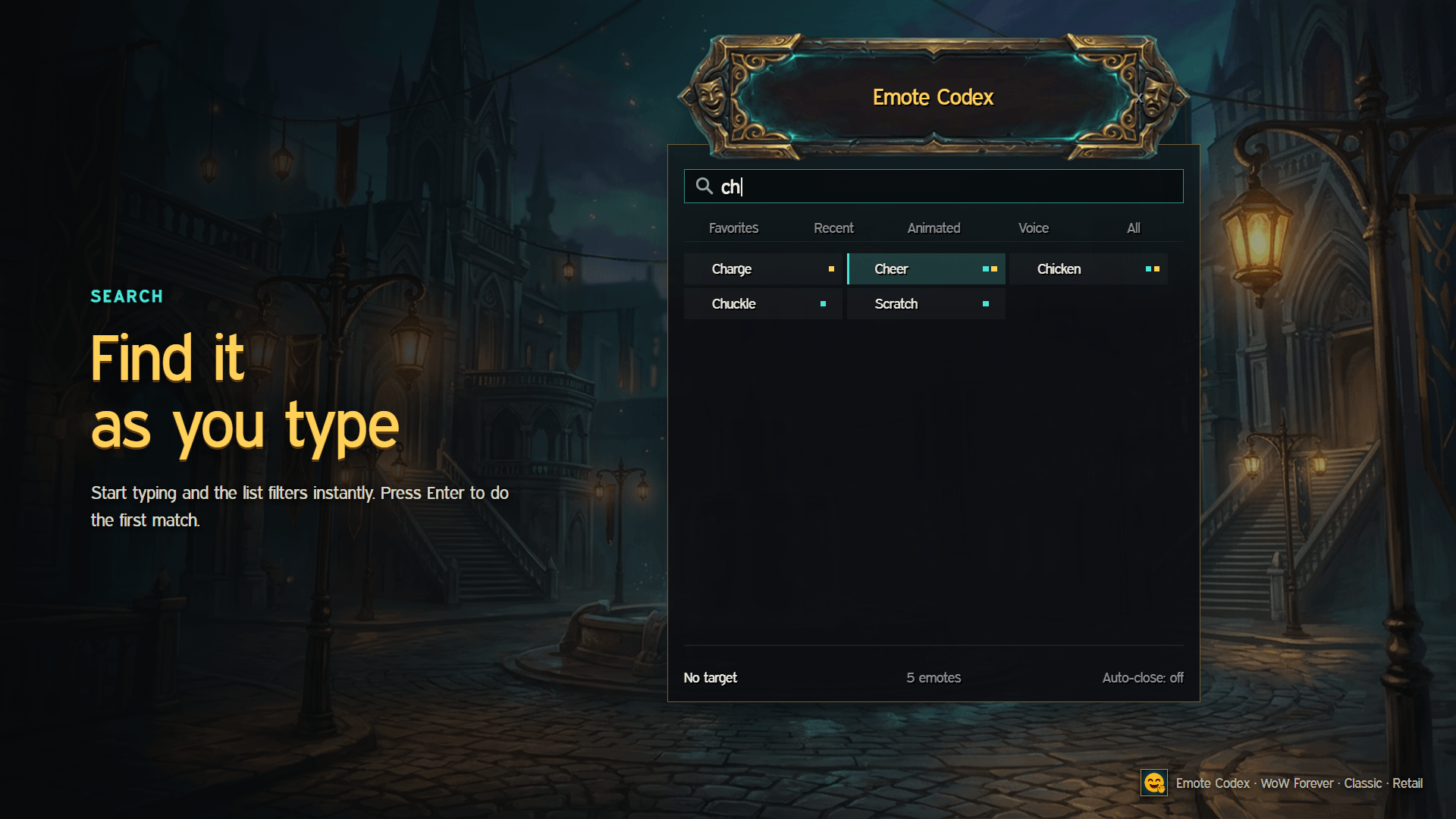
2-search.png
3-favorites.png
4-tooltip.png
Description
QuickEmotes
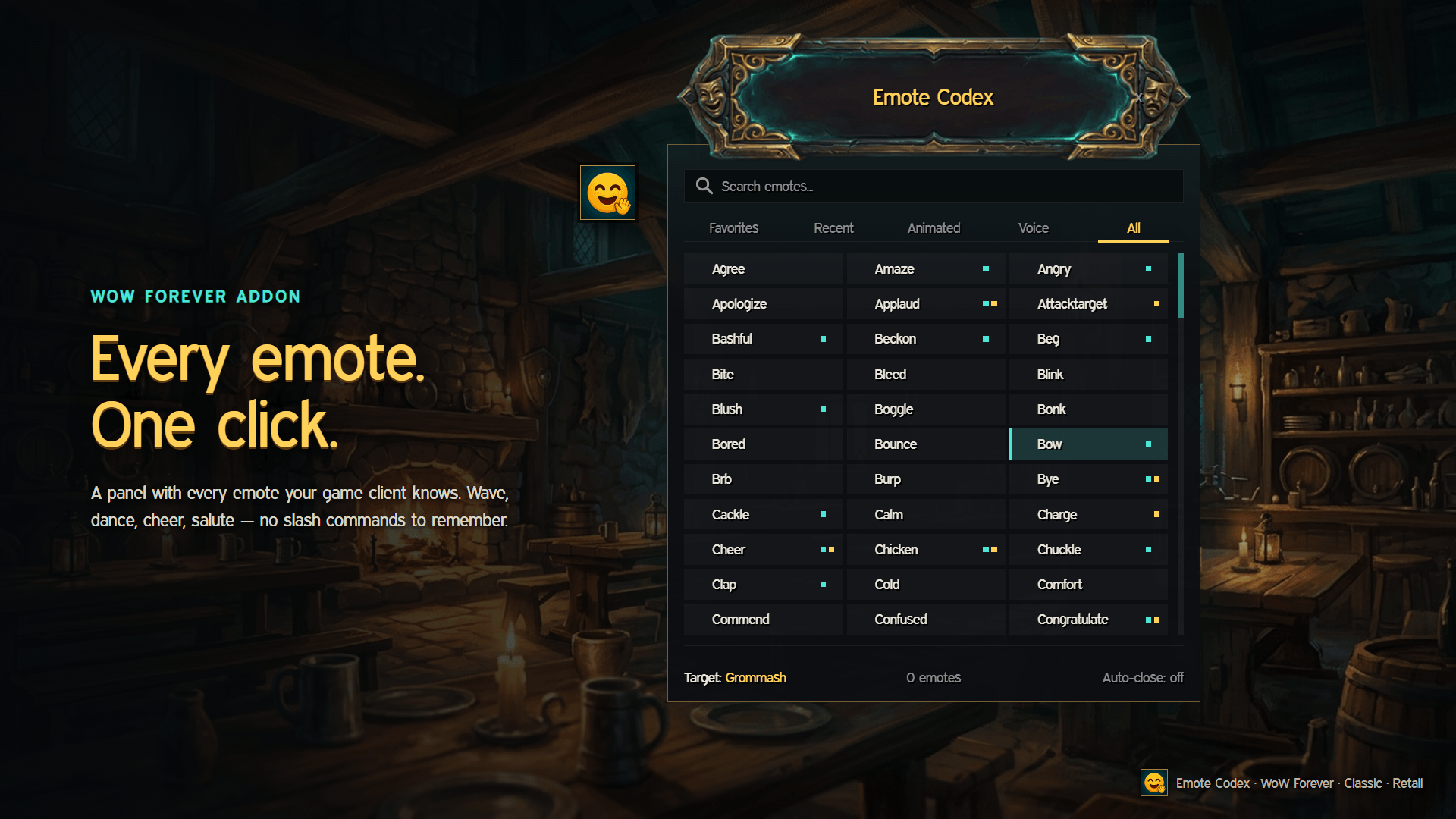
Every emote in the game, one click away. QuickEmotes is a small, good-looking panel that lists every emote your game client knows — wave, dance, cheer, laugh, salute and hundreds more — so you never have to remember /flex or /golfclap again. Built for WoW Forever, works on Classic and Retail too.
Features
- Every emote, always up to date — the list is read straight from your game client, so it matches your game version and your language. No hard-coded tables to go stale.
- One click — click an emote and your character does it. If you have a target, the emote goes to them; the panel shows who your target is.
- Search — start typing and the list filters as you type. Press Enter to do the first match.
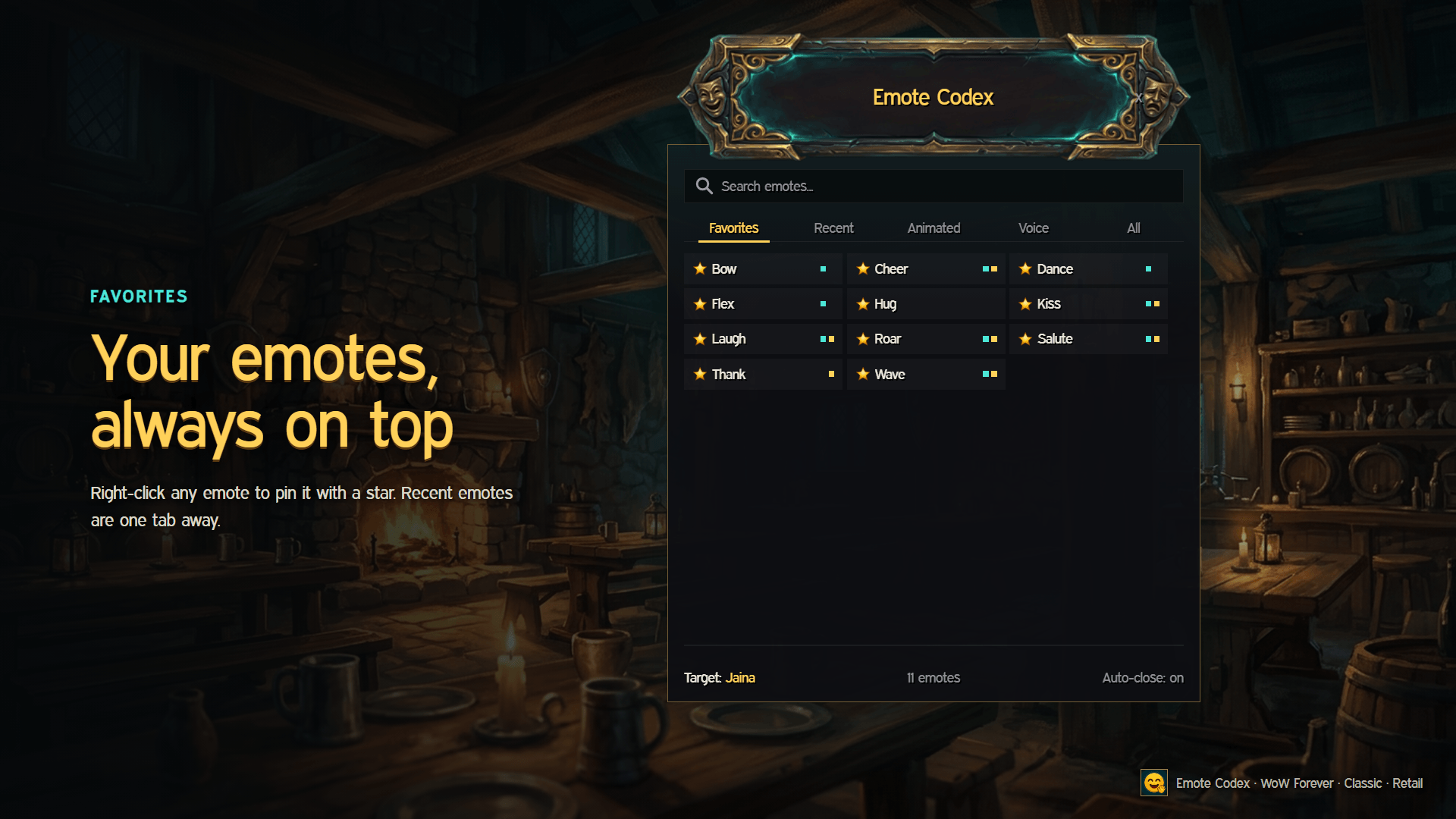
- Tabs — Favorites, Recent, Animated, Voice and All.
- Favorites — right-click any emote to pin it with a star.
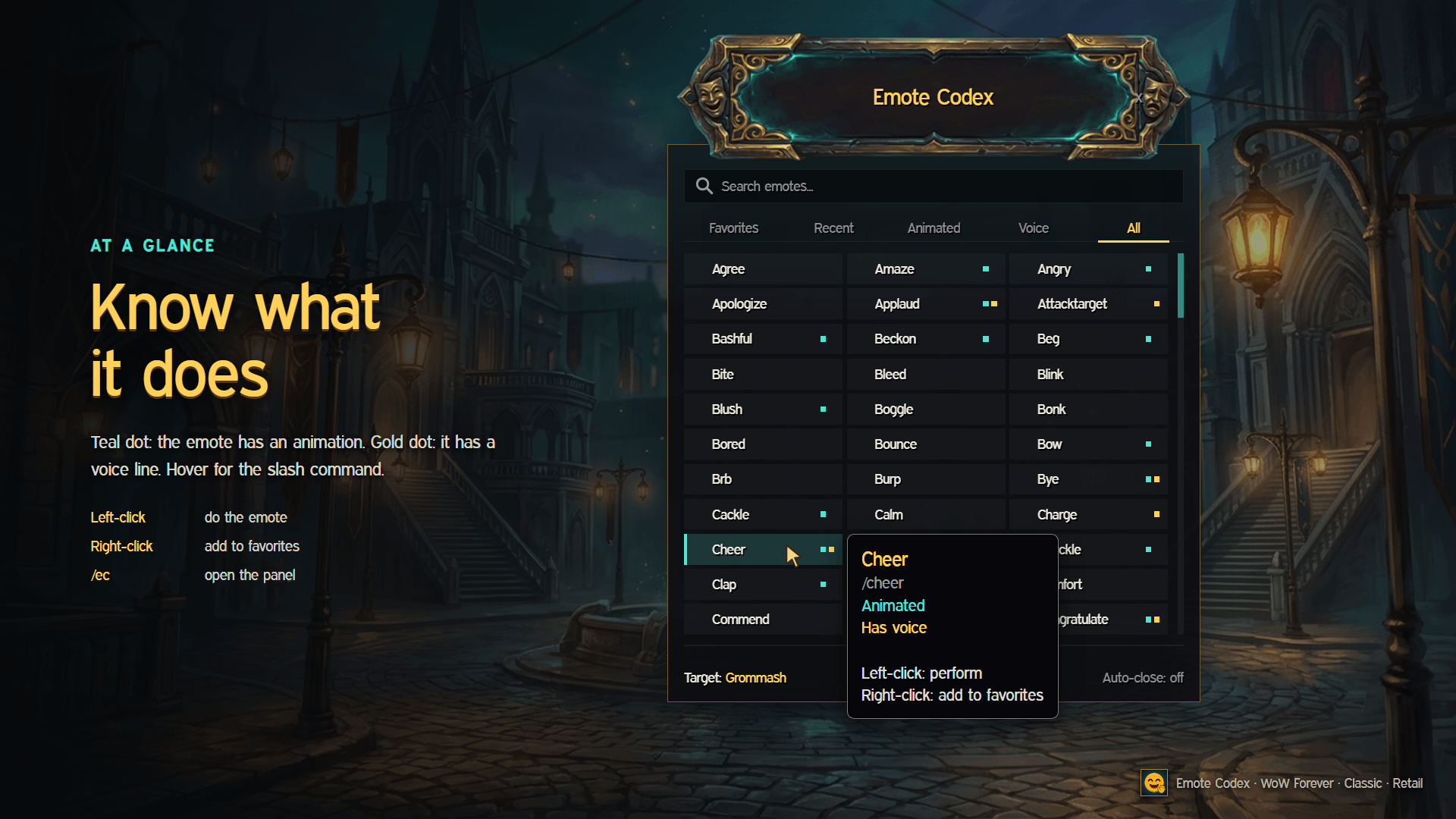
- At a glance — a teal dot means the emote has an animation, a gold dot means it has a voice line. Hover for the slash command.
- Auto-close — have the panel close after each emote, or keep it open to chain several.
- Launcher button — a small draggable button to open the panel, plus a key binding and
/qe. - Fantasy look — hand-painted header plate, dark glassy panel, bronze and teal accents.
- Lightweight — no libraries, no taint, no options maze.
Usage
| Action | Result |
|---|---|
| Left-click an emote | Do the emote (on your target, if you have one) |
| Right-click an emote | Add to / remove from Favorites |
| Mouse wheel | Scroll the list (Shift + wheel: one page) |
| Type in the search field | Filter; Enter does the first match |
| Drag the header / launcher | Move it |
| Esc | Close the panel |
Slash commands
/qe— open / close the panel/qe launcher— show / hide the launcher button/qe reset— reset panel and button positions
A key binding is available under Key Bindings → AddOns → QuickEmotes.
Supported game versions
WoW Forever, Classic Era, Anniversary, MoP Classic and Retail.
Languages
English and Русский. Emote names always come from your own game client, so they show up in your language automatically.
Feedback
Found a bug? Please include the error text from BugSack/BugGrabber and your game version.
Emote Codex Team