Quick Item Level
- By
Retail WoW Addon that efficiently displays players average item levels and specilization in tooltips
WoWScrnShot_030826_141308.jpg
WoWScrnShot_030826_141323.jpg
Description
Quick Item Level
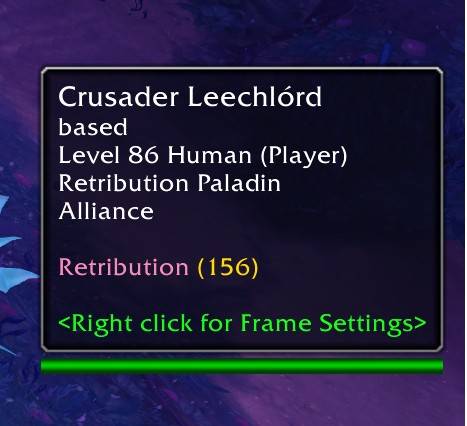
A lightweight World of Warcraft addon that displays player item levels and specializations in tooltips. Hover over any player in the world, on your party or raid frames, your target, focus, or target-of-target to instantly see their gear level and spec.
Features
- Item Level & Spec Display: Hover over any player to see their average item level and current specialization.
- PvP Item Level Display: While in PvP content, QuickItemLevel will estimate the players active PvP Item Level.
- Works on All Unit Frames: Target, focus, party, raid, and target-of-target frames are all supported.
- Customizable Tooltip Style: Choose between Inline Colors, Side by Side, or Stacked Lines.
- Display Options: Toggle spec name, item level, and header visibility independently.
- Efficient LRU Caching: Configurable cache size and expiration to minimize API calls.
- Lightweight and Non-Intrusive: Integrates seamlessly with the default WoW UI.
Installation
- Download from CurseForge or GitHub.
- Place the
QuickItemLevelfolder in yourInterface\AddOnsdirectory. - Launch WoW and hover over players to see their spec and item level.
Configuration
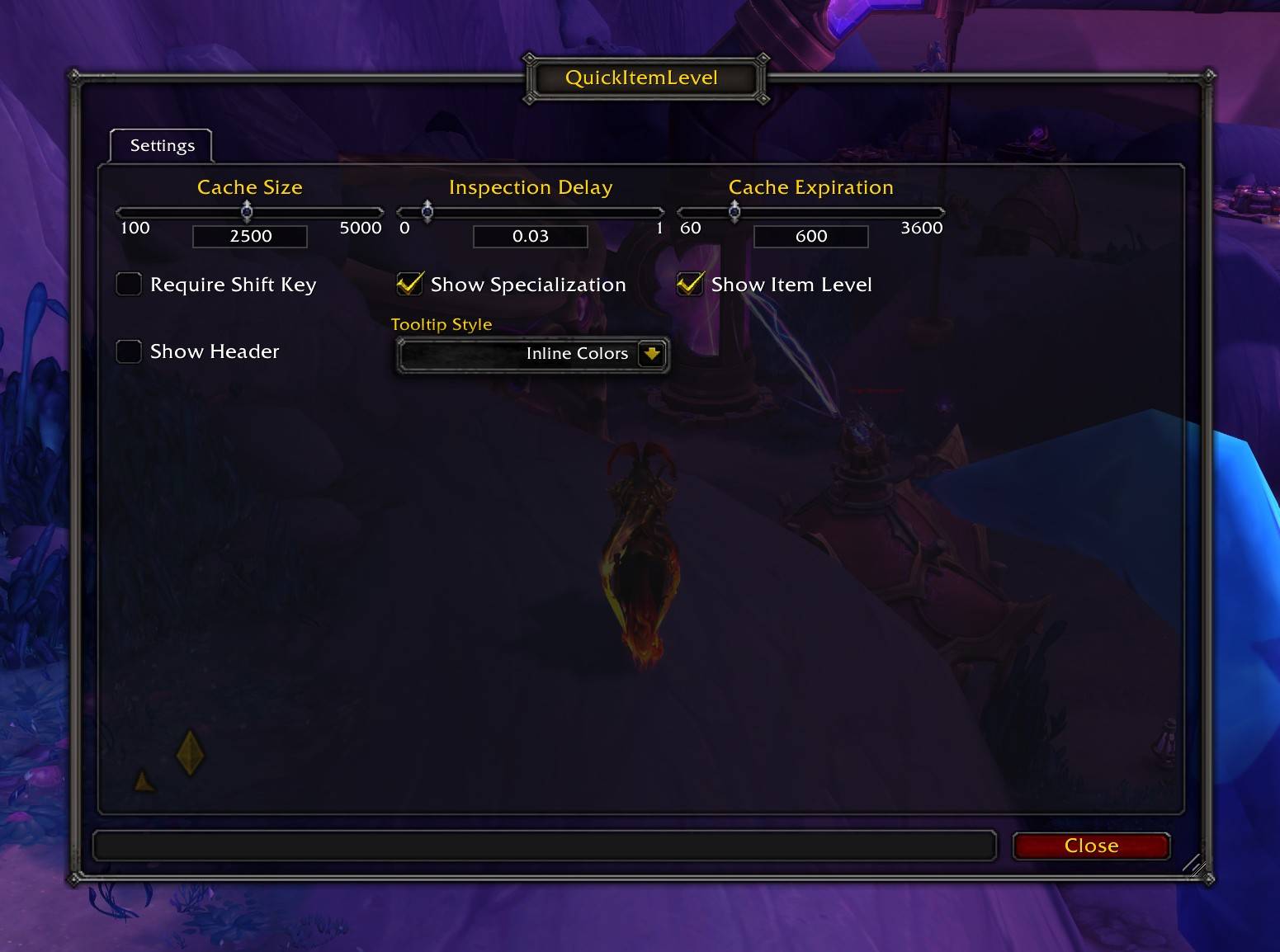
Open settings with /qil or /quickitemlevel, or find it in the AddOns options panel.
Settings
- Cache Size: Max cached inspections. Default:
2500 - Inspection Delay: Seconds before inspecting. Default:
0.025 - Cache Expiration: Seconds before data expires. Default:
600 - Require Shift Key: Only inspect while holding Shift. Default:
Off - Show Specialization: Show spec in tooltip. Default:
On - Show Item Level: Show item level in tooltip. Default:
On - Show Header: Show "Quick Item Level" header. Default:
Off - Tooltip Style: Inline Colors, Side by Side, or Stacked Lines. Default:
Inline Colors
Feedback and Support
Found a bug or have a suggestion? Visit the issue tracker on GitHub.
Contribution
Pull requests are welcome on the GitHub repository.
License
Released under the MIT License.
Quick Item Level Team