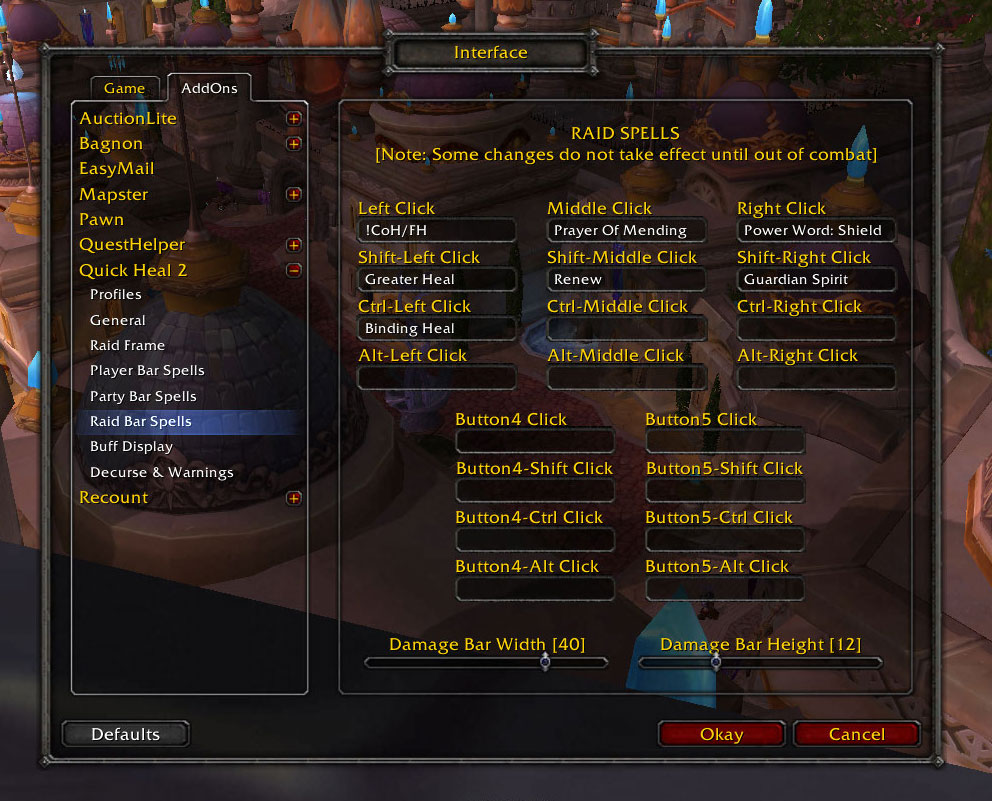
Here are the options to configure what spells are cast when the raid bars are clicked.
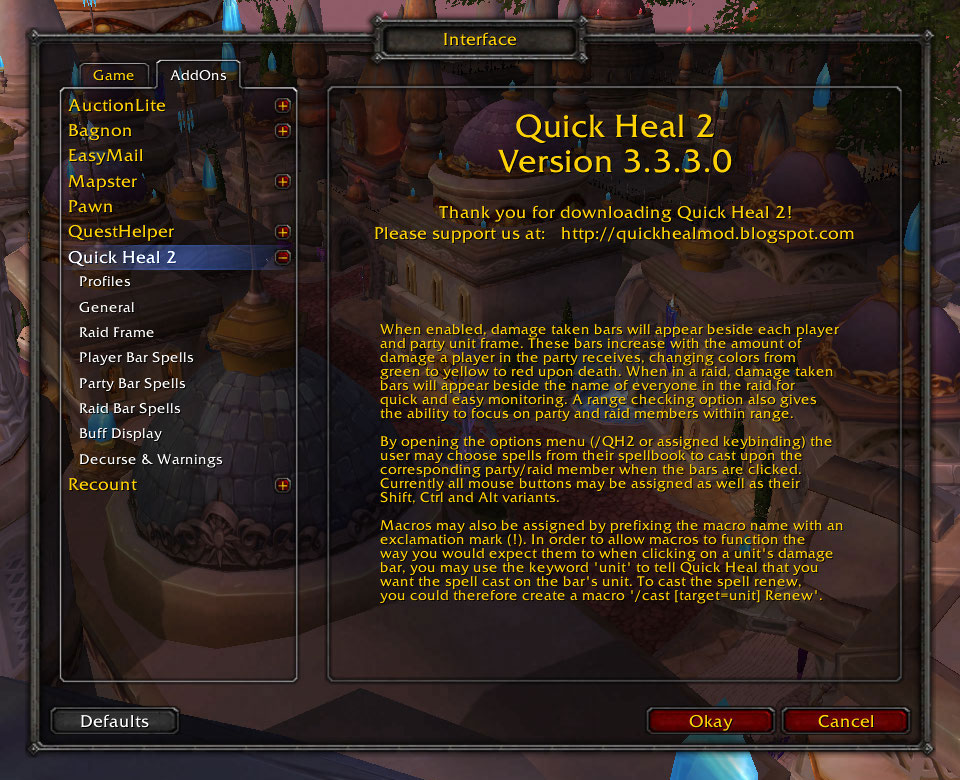
Here is the options screen which shows info about Quick Heal 2.
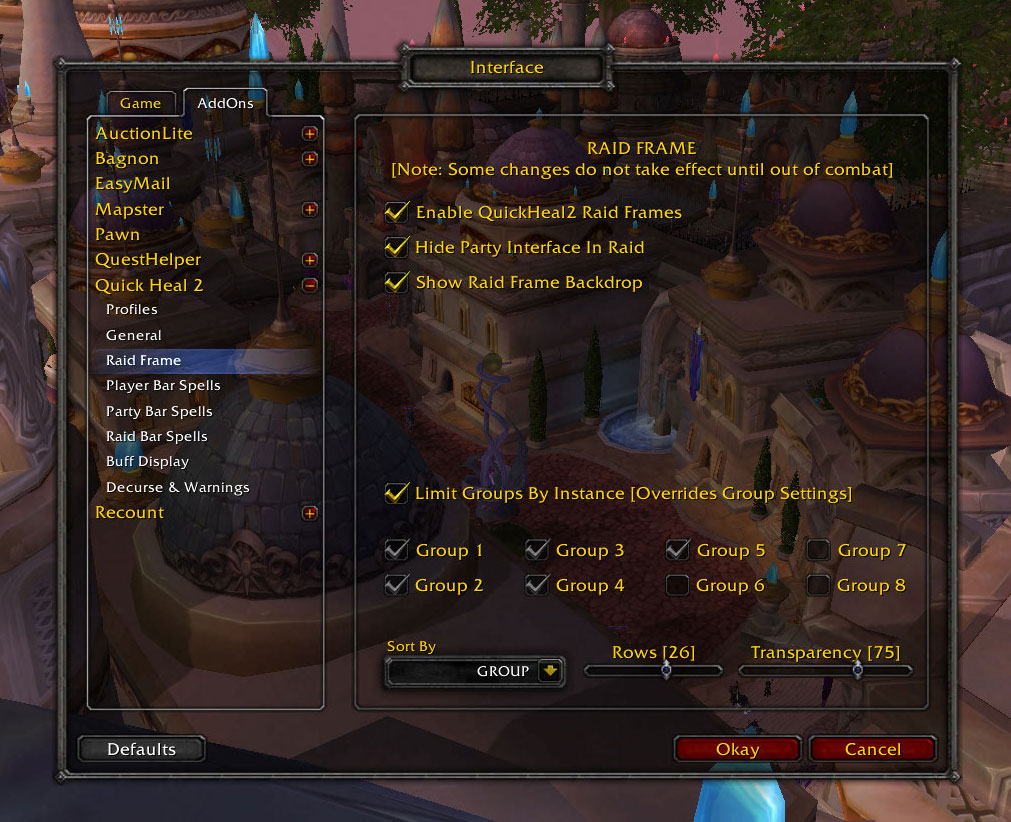
Here are the options to customize the raid frame.
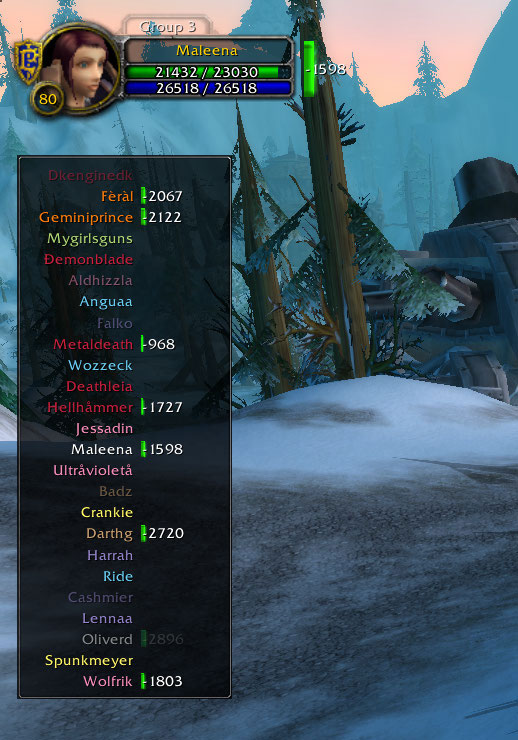
Here is the default raid frame.
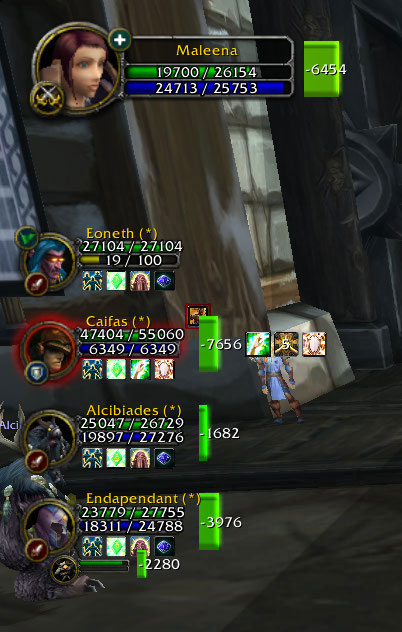
Here are the default party bars with HoTs/Buffs displayed.
You can configure what HoTs/Buffs are displayed in the options.
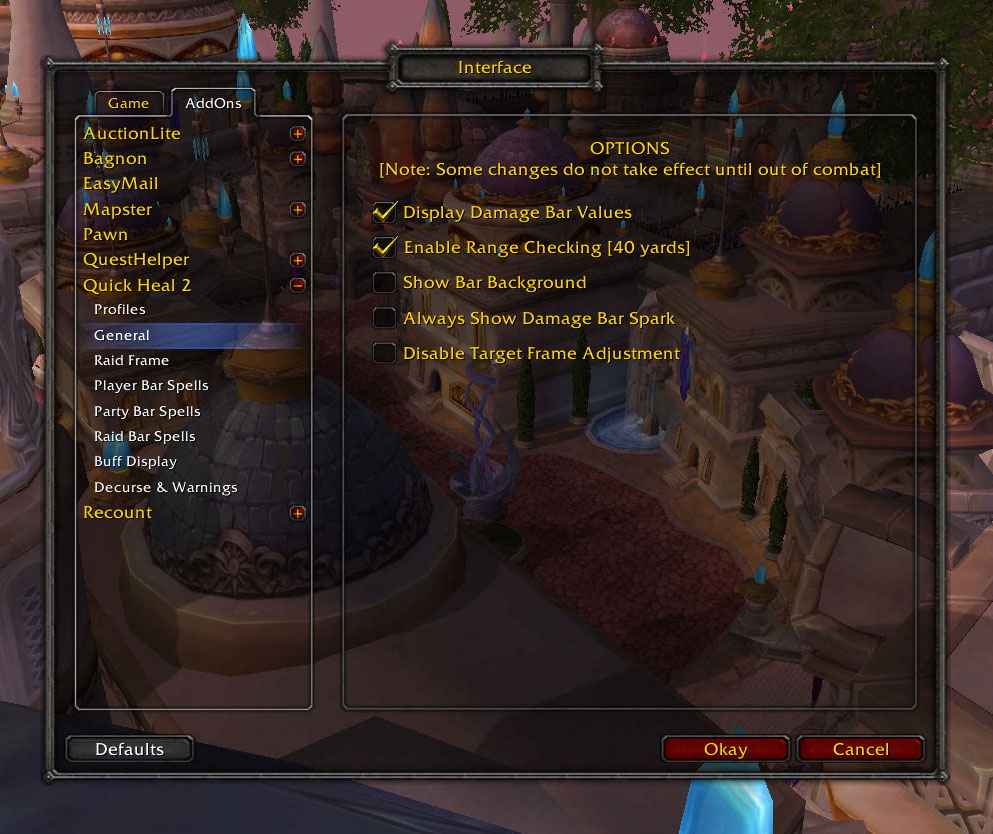
Here are the general options
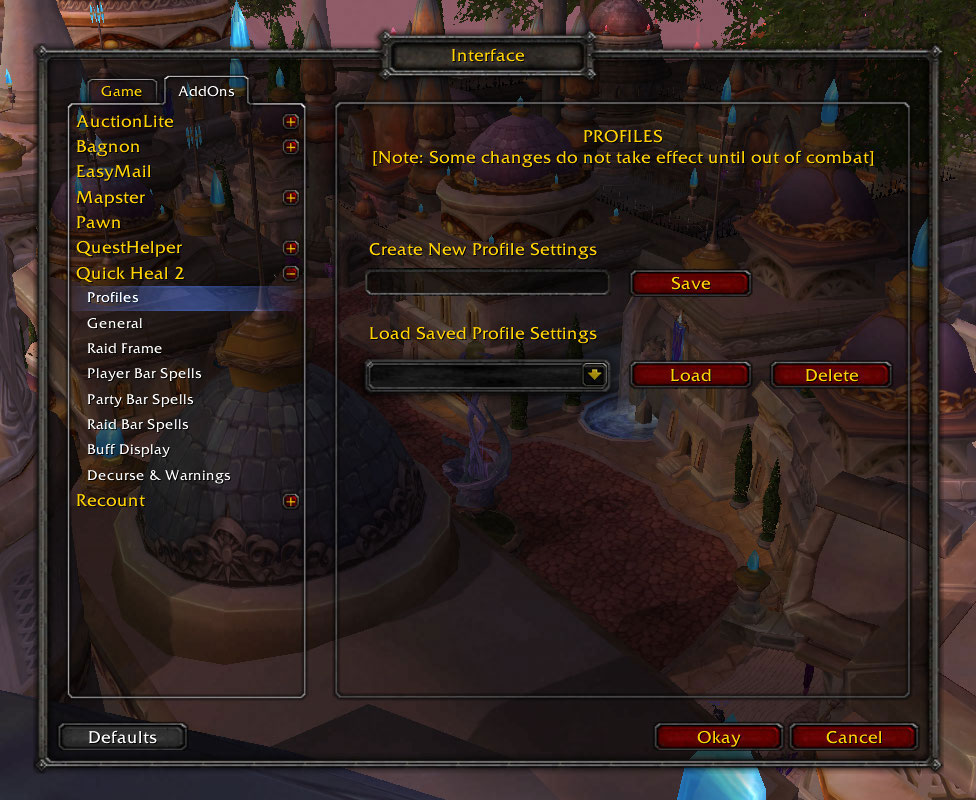
Here are the options to load and save custom setting profiles.
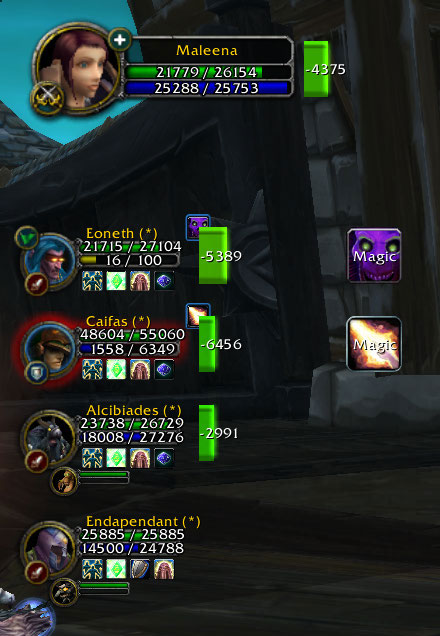
Here are the default party bars with dispellable debuffs displayed.
You can click the bars and debuff icons to cast spells like Flash Heal and Dispel, or trigger a macro.
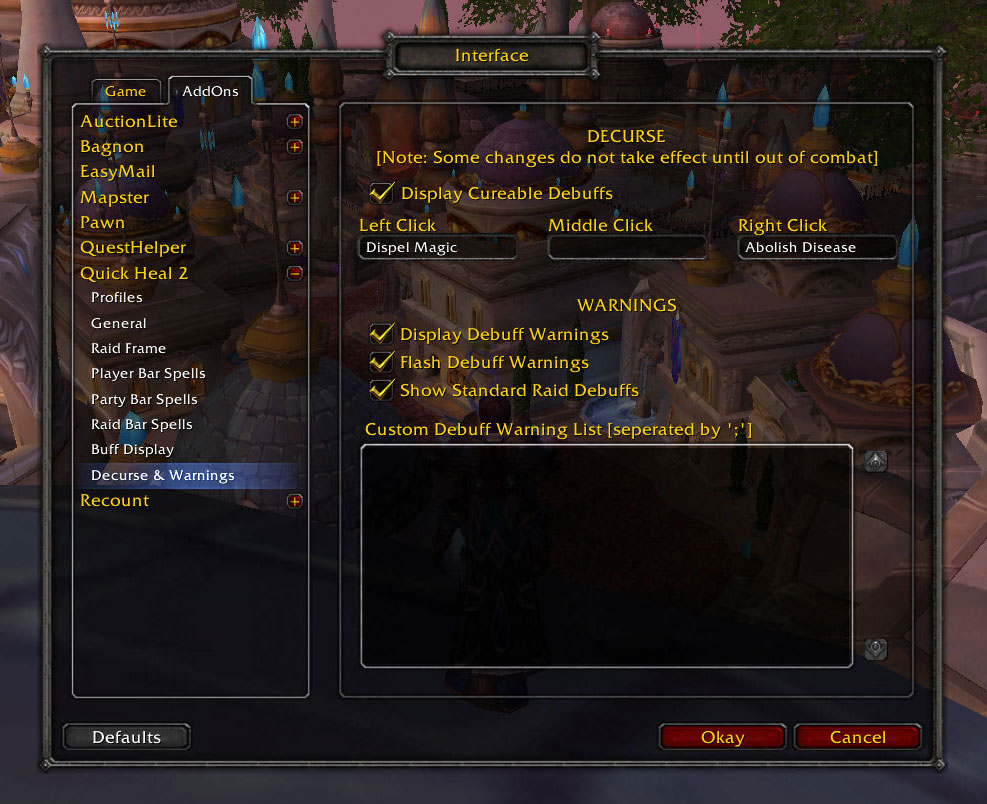
Here are the options to configure decurse and raid warning settings.
Description
What It Does
When enabled, damage taken bars will appear beside each player and party unit frame. These bars increase with the amount of damage a player in the party receives, changing colors from green to yellow to red upon death. When in a raid, damage taken bars will appear beside the name of everyone in the raid for quick and easy monitoring. A range checking option also gives the ability to focus on party and raid members within range.By opening the options menu (/QH2 or assigned keybinding) the user may choose spells from their spellbook to cast upon the corresponding party/raid member when the bars are clicked. Currently all mouse buttons may be assigned as well as their Shift, Ctrl and Alt variants.
Macros may also be assigned by prefixing the macro name with an exclamation mark (!). In order to allow macros to function the way you would expect them to when clicking on a unit's damage bar, you may use the keyword 'unit' to tell Quick Heal that you want the spell cast on the bar's unit. To cast the spell renew, you could therefore create a macro '/cast [target=unit] Renew'.

If you like the mod, please give it a good rating and consider donating!
The Quick Heal Team


Owner