Questworthy
- By
Is this quest worth it? Questworthy rates every quest by minutes, XP and risk against grinding, then plans the fastest leveling route through the ones worth doing.
Screenshot 2026-10-25 212522.png
Screenshot 2026-10-25 212732.png
Screenshot 2026-10-27 181413.png
Screenshot 2026-10-27 181436.png
Screenshot 2026-10-27 181444.png
Description
Questworthy
Questworthy is a quest and leveling addon for World of Warcraft Classic Era and Classic Era Hardcore that tells you whether each quest is worth doing. It estimates the minutes a quest takes, the XP it gives and how risky it is at your level, compares that with grinding mobs, and plans the fastest route through the quests that are worth it.
WoW Forever support is coming soon after Forever launches.
At a glance
| For | Players leveling in Classic Era and Classic Era Hardcore who want the fastest XP without needless risk |
| Game | World of Warcraft Classic Era and Classic Era Hardcore |
| Requires | QuestieDB, which comes inside Questie’s download: install Questie, then turn Questie off and keep QuestieDB on |
| Main features | A verdict for every quest, a risk setting per character, a leveling route with travel, a quest and zone Finder |
Quest verdicts: is this quest worth it?
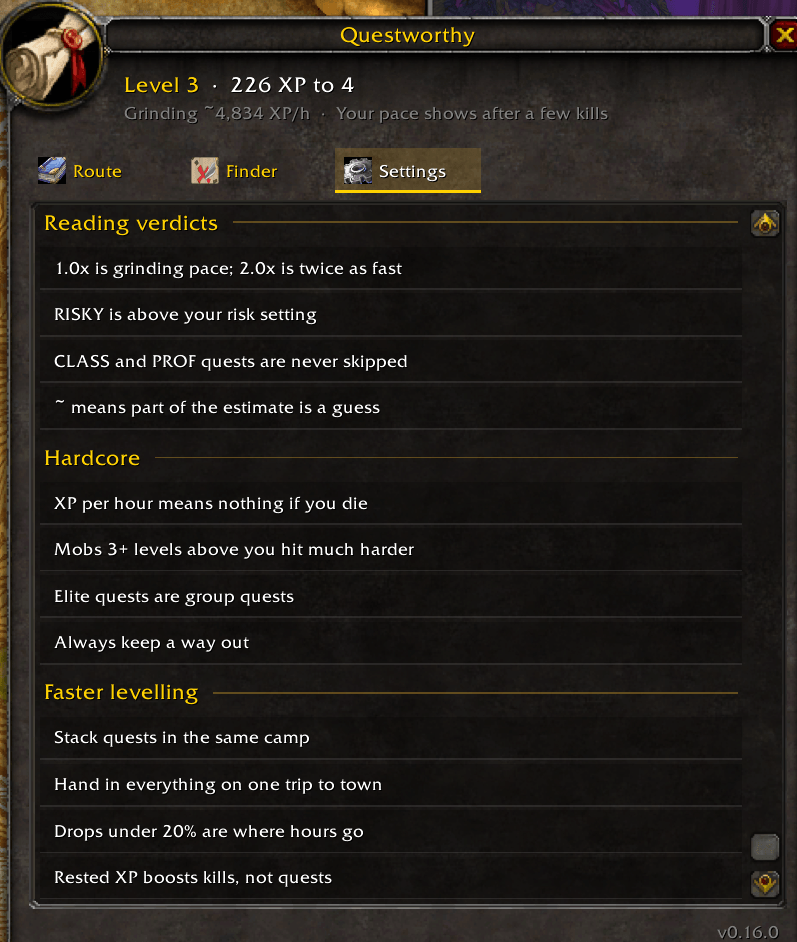
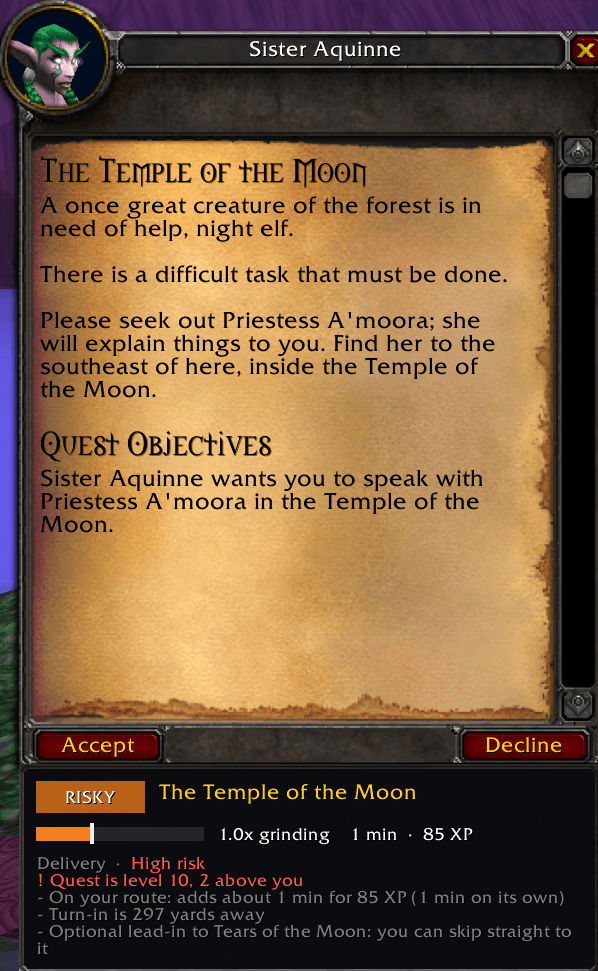
Every quest gets a verdict from its minutes, XP and risk, compared with grinding mobs at your level:
| Verdict | Meaning |
|---|---|
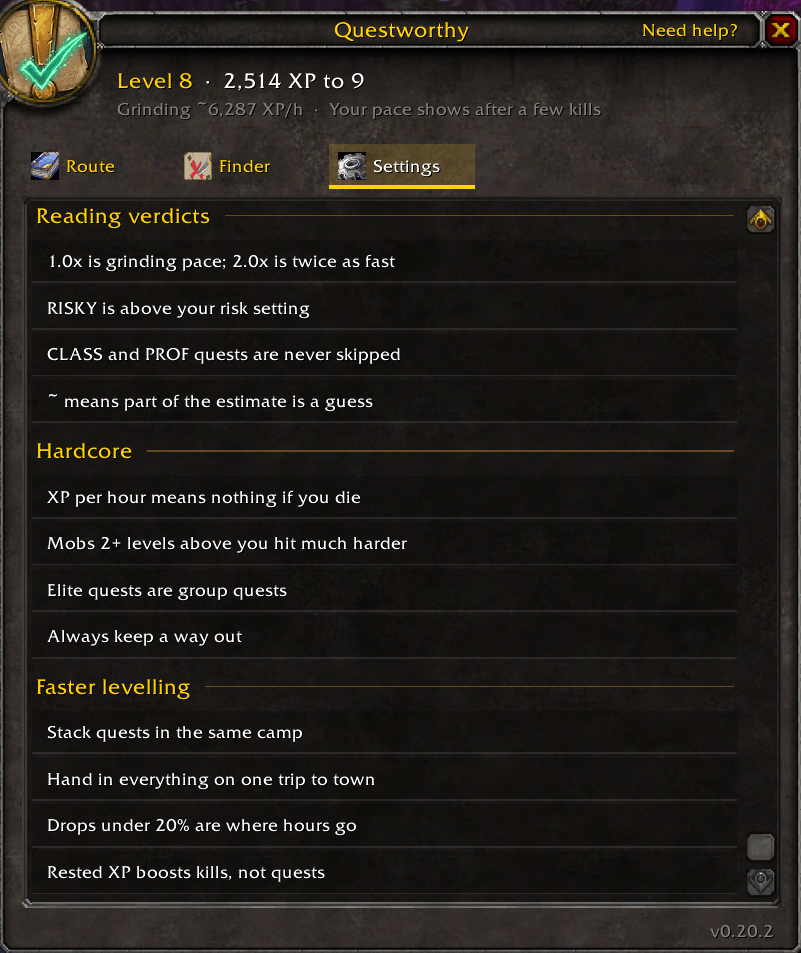
| GREAT | 1.5 times as fast as grinding or better |
| TAKE | 0.9 times grinding or better, or it opens a quest that is |
| OK | 0.6 to 0.9 times grinding: a little slower |
| SKIP | slower than grinding |
| RISKY | above your risk setting |
| CLASS and PROF | class quests, and quests for a profession you have: always worth doing |
Each quest is judged by what it adds to the route you are on. A quest that is slow on its own but right on your path can be worth taking, and the reason line says so: "On your route: adds about 3 min for 540 XP (6 min on its own)."
Hover any verdict for its reasons, such as "8 Goretusk Liver at 34% drop: about 24 kills" or "Elite: Bellygrub (level 24)." The same verdict shows under the quest window, in chat when you talk to a quest giver, in chat when you talk to a quest giver, in the Finder and on the route.
Hardcore risk setting
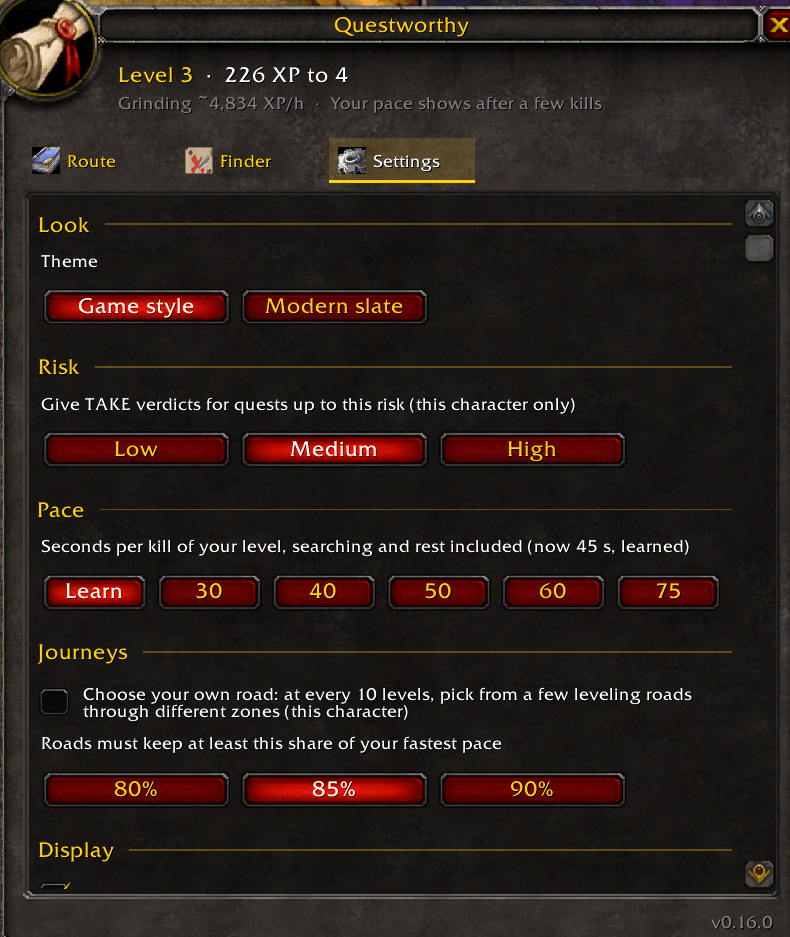
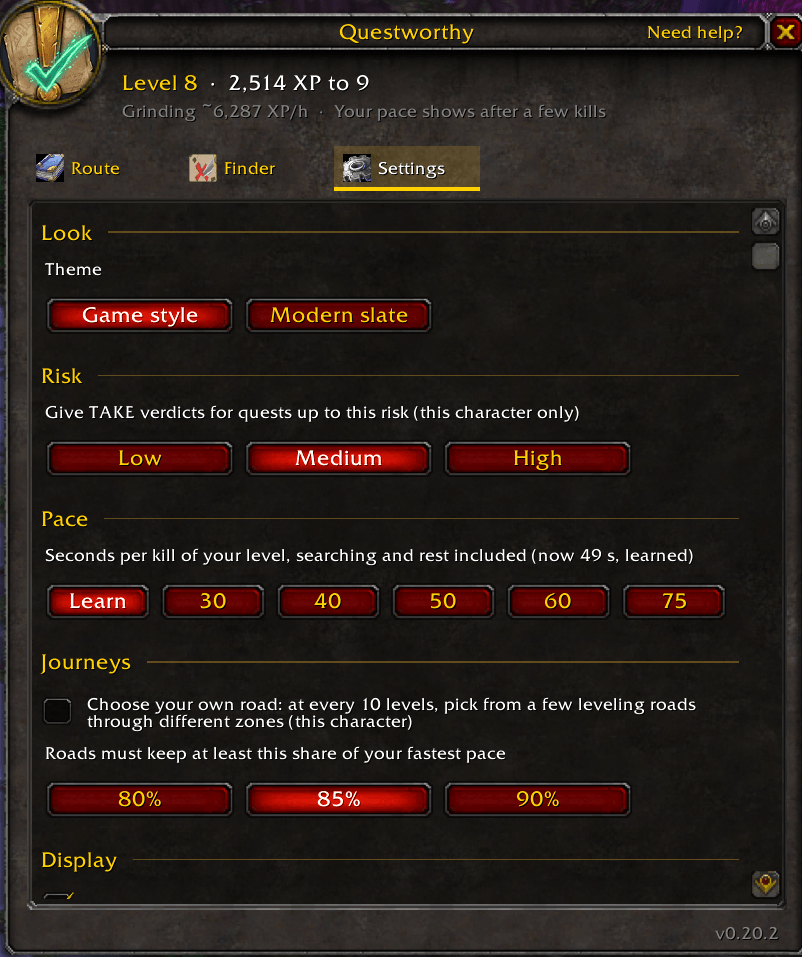
Choose Low, Medium or High for each character. Every new character starts at Medium.
- Low: nothing above your level.
- Medium: at most 1 level above you.
- High: 2 or more levels above you.
Elites and dungeon quests count as high risk, escorts and rare spawns as medium. Mobs not friendly to you that spawn within 50 yards of an objective count too, not only the ones you have to kill.
Leveling route planner
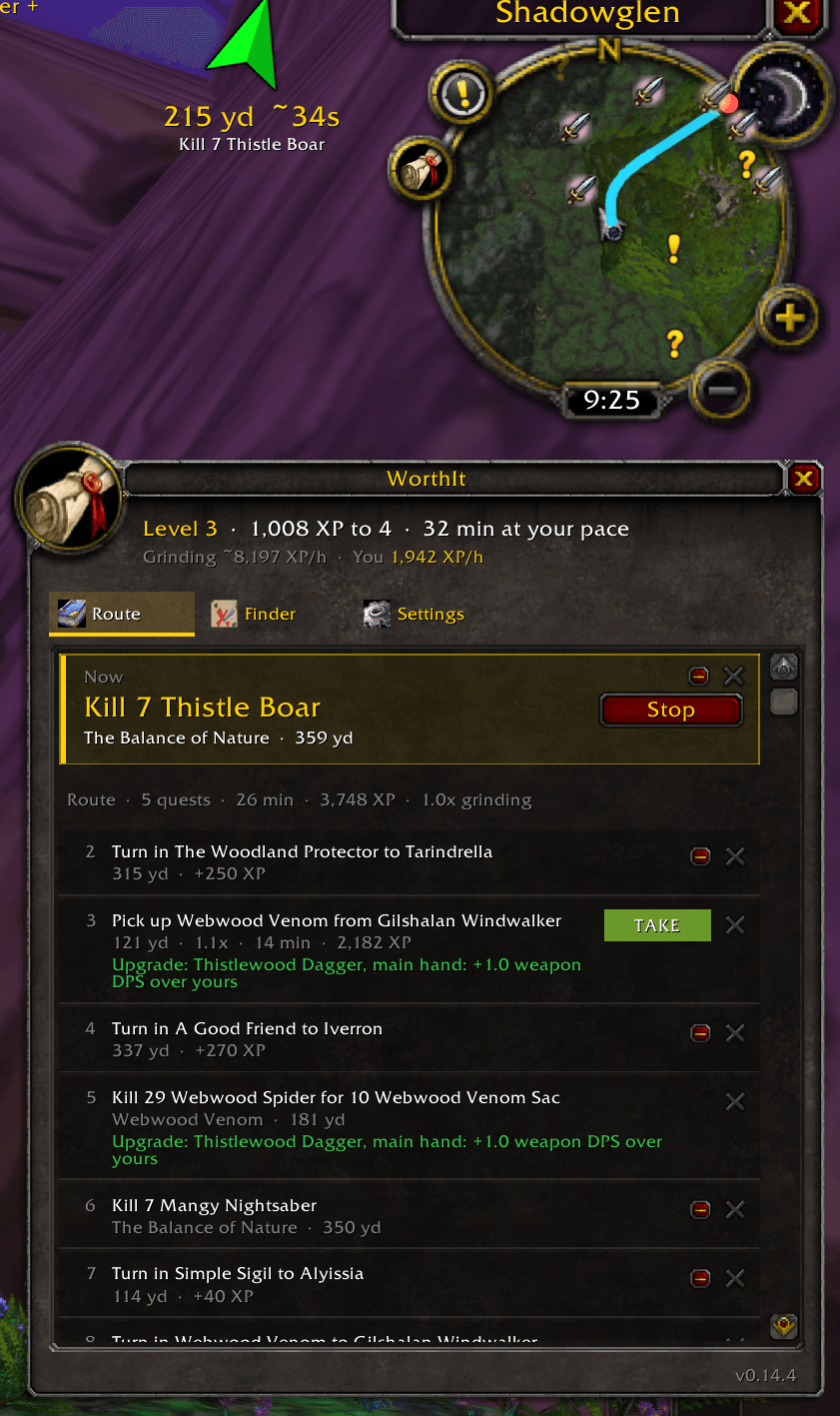
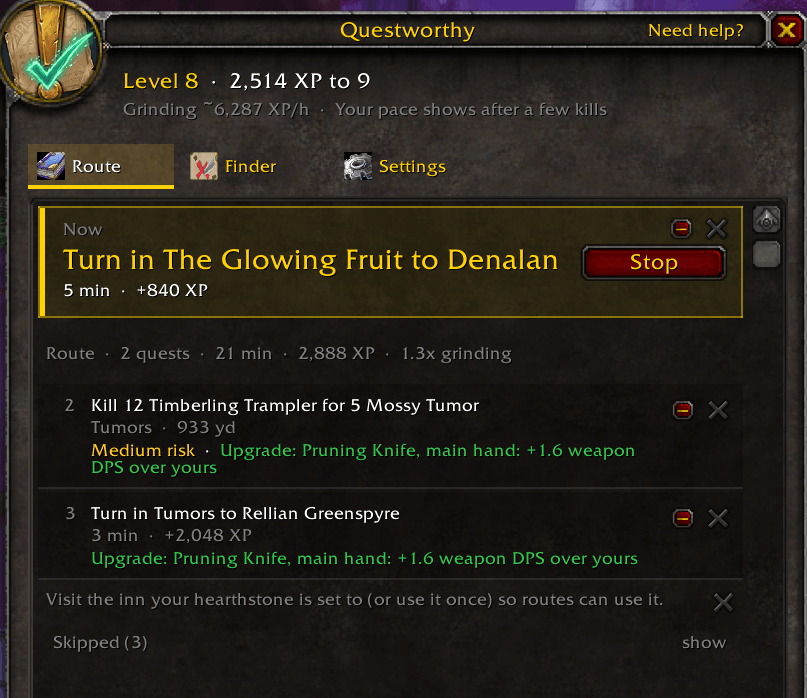
- Fastest order: your quests in the order that gives XP soonest, with one Now step at the top and an arrow along the roads.
- Real travel: walking at your own speed, the flight paths you know, the Deeprun Tram, boats, zeppelins, your hearthstone, and Mage and Druid teleports.
- New quests join: the best quests nearby are added as pickups, so the route keeps going when your log runs low.
- Your call wins: take any quest you like, wherever you are, and the route fits it in. Skip a quest with one click and it is never suggested again for that character.
- What it tells you, it keeps: a quest the route had you pick up stays on it until you hand it in. A quest you have started is never cut.
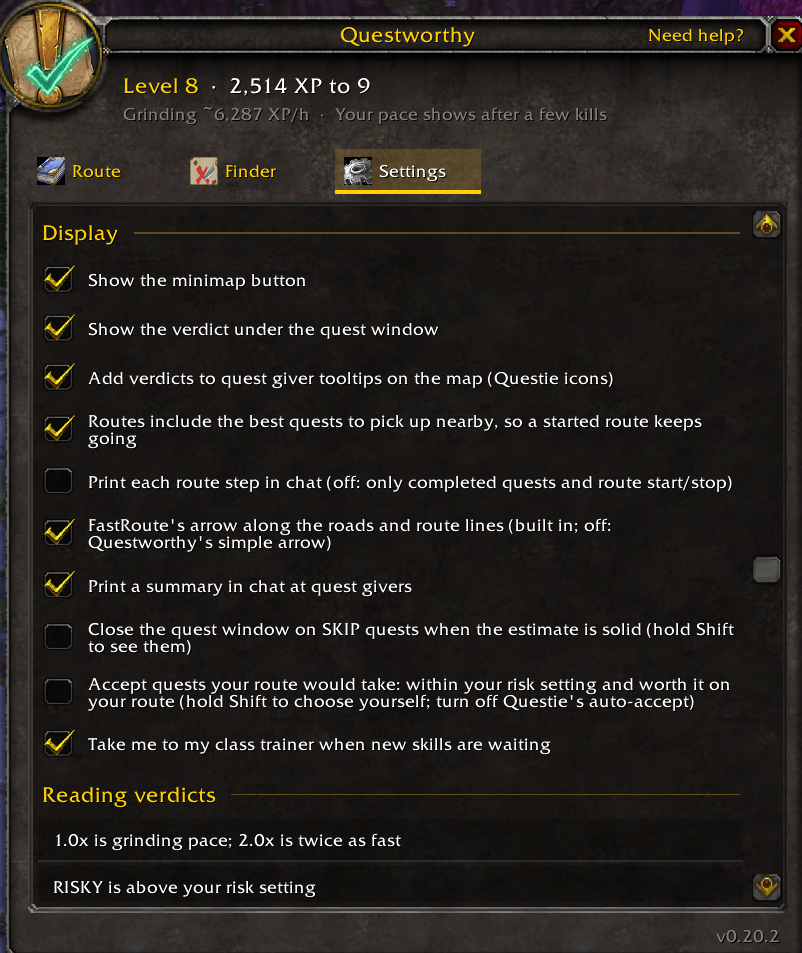
- Class trainer: when you have new skills you can afford, your trainer joins the route. You can turn this off.
- Auto-accept (off at first): accepts only quests your route would take, within your risk setting. Hold Shift to choose yourself.
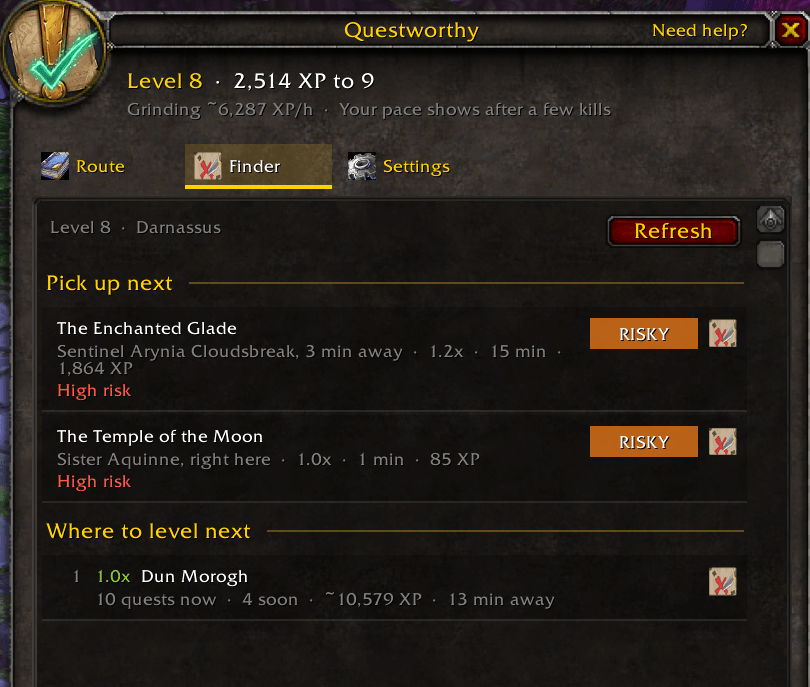
Finder: where to quest and level next
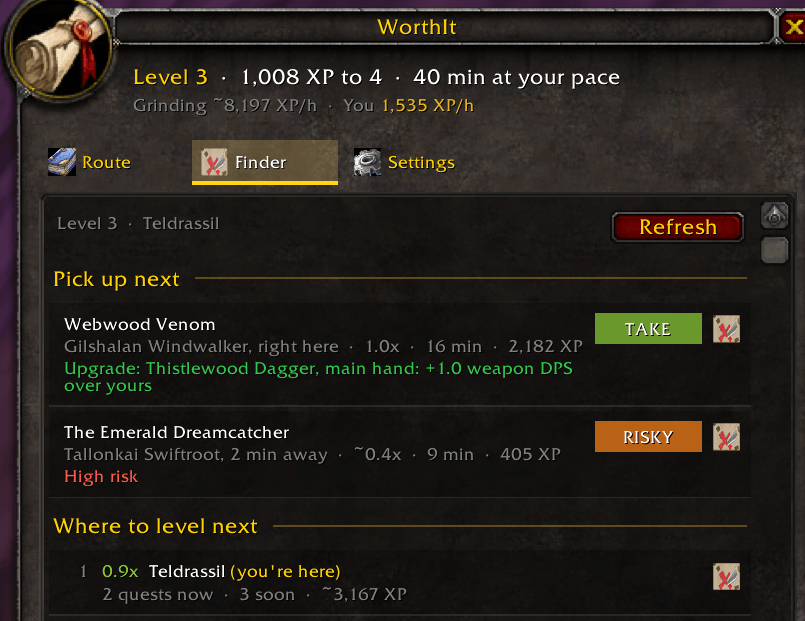
- Pick up next: quests you can take now within 15 minutes, ranked by XP per hour including the walk to the giver.
- Where to level next: zones ranked by the XP per hour their quests give you, counting the trip there.
Also included
- Map tooltips, if you keep Questie on: hover a Questie quest giver icon on the map and each quest shows its verdict.
- Gear for your spec: quest rewards that beat what you wear, weighed for your class and spec.
- Your pace is learned: grinding speed comes from the XP your kills actually give.
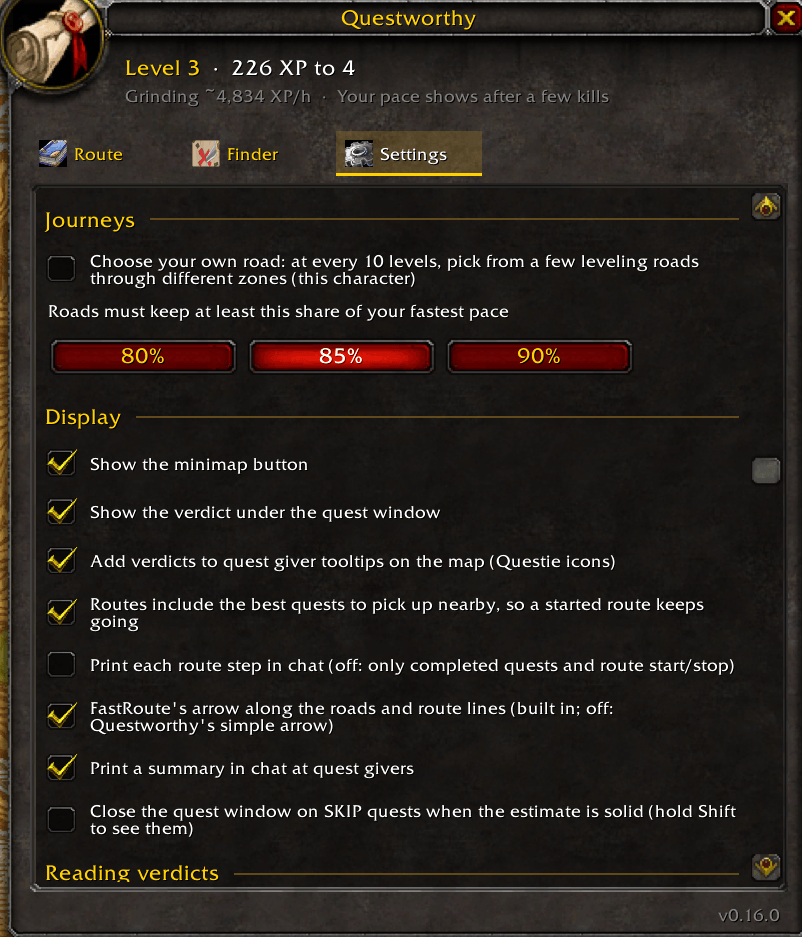
- Journeys (optional): choose your own leveling road every 10 levels, still at least 85% of the fastest pace.
- Two looks: Game style or Modern slate.
Getting started
- Install QuestieDB Install Questie from CurseForge: its download includes QuestieDB, where Questworthy reads its quest data. Then, at character select, click AddOns, untick Questie and keep QuestieDB ticked. Questworthy needs only QuestieDB.
- Install Questworthy with the CurseForge app, which keeps it up to date. To install by hand, extract both folders in the download, Questworthy and Questworthy_Route, into
World of Warcraft\_classic_era_\Interface\AddOns. - Restart the game completely the first time.
- Keeping Questie on? Turn off its auto-accept. It accepts every quest before Questworthy can look.
- Type
/qwor click the minimap button, set your risk in Settings, then click Start route.
Slash commands
| Command | What it does |
|---|---|
/qw |
Open or close the window |
/qw help |
List all commands |
/qw route |
Start or stop the route |
/qw find |
The Finder: the best quests near you right now |
/qw settings |
Risk, pace and other options |
/qw why <quest> |
Why Questworthy offers a quest or not (useful in bug reports) |
/qw arrow |
What is showing the way, and why not |
/qw minimap |
Hide or show the minimap button |
Frequently asked questions
What is Questworthy?
A Classic Era and Hardcore leveling addon that rates every quest by minutes, XP and risk against grinding, and plans the fastest route through the quests worth doing.
Does it work on WoW Forever?
Not yet. Questworthy is built and tested for Classic Era and Classic Era Hardcore. WoW Forever support is coming soon after Forever launches.
Why does it need QuestieDB?
Questworthy reads its quest data from QuestieDB and ships none of its own. QuestieDB has no download of its own: it comes inside Questie’s. Install Questie, then untick Questie in the AddOns list at character select and keep QuestieDB ticked. Questworthy needs only QuestieDB.
Questie accepted a quest Questworthy says to skip. Why?
Questie’s auto-accept takes every quest. Turn Questie off (keep QuestieDB on), or turn off its auto-accept, and if you like, turn on Questworthy’s own auto-accept in Settings.
Can I go off the route?
Yes. Take or skip any quest, anywhere. The route plans again from where you are.
Will it ever tell me to skip a class quest?
No. Class quests and quests for a profession you have show CLASS or PROF, never SKIP or RISKY.
How do I report a bug or ask for a feature?
Join the KinFolk Studio Discord at https://discord.gg/PEqPRQ95Wd and post in the Questworthy bug reports or feature requests forum. Include your Questworthy version (bottom right corner of its window), your class, level, zone and risk setting, and for a quest, what /qw why followed by the quest's name prints.
Questworthy Team