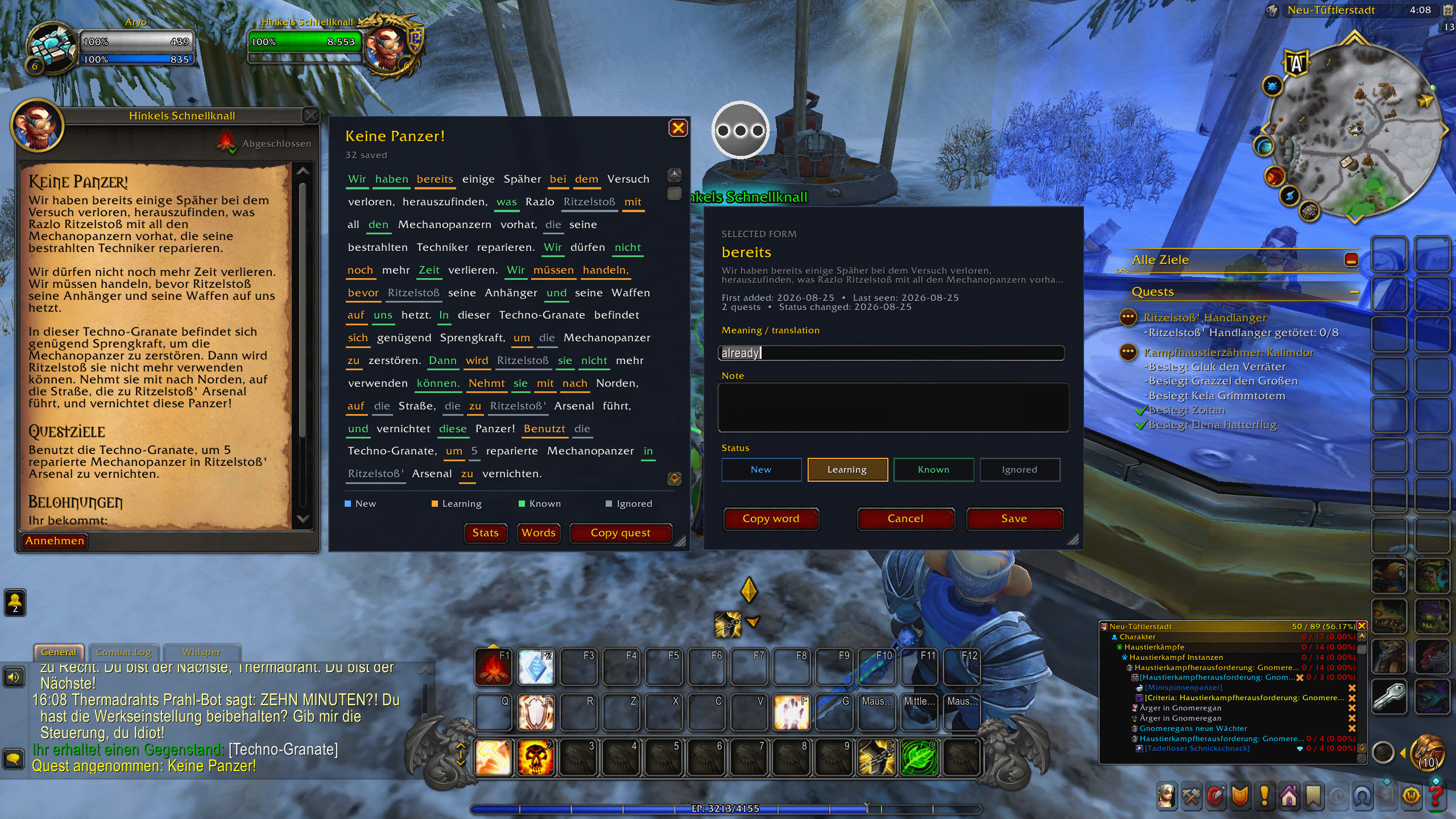
default view
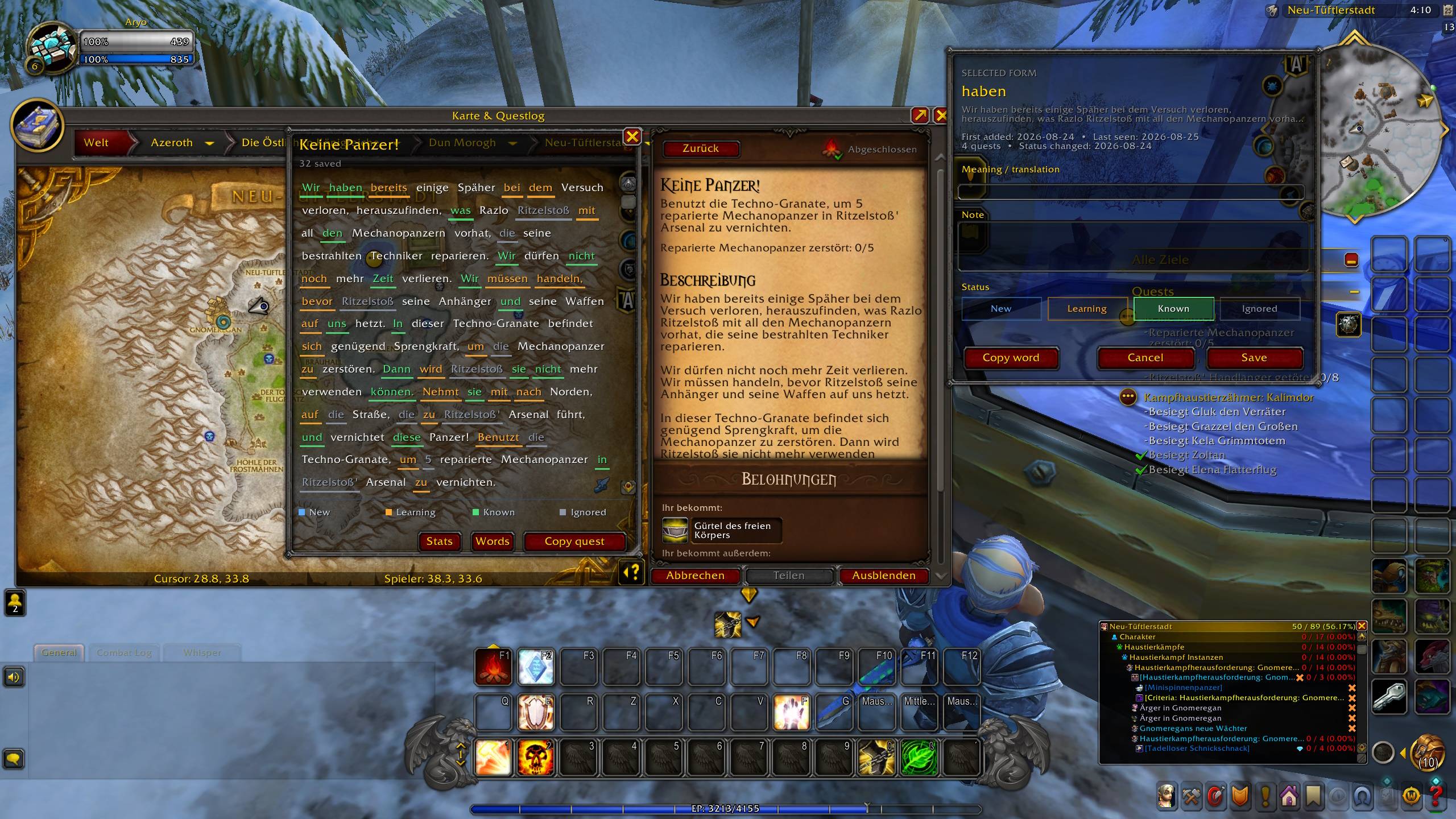
Other available theme
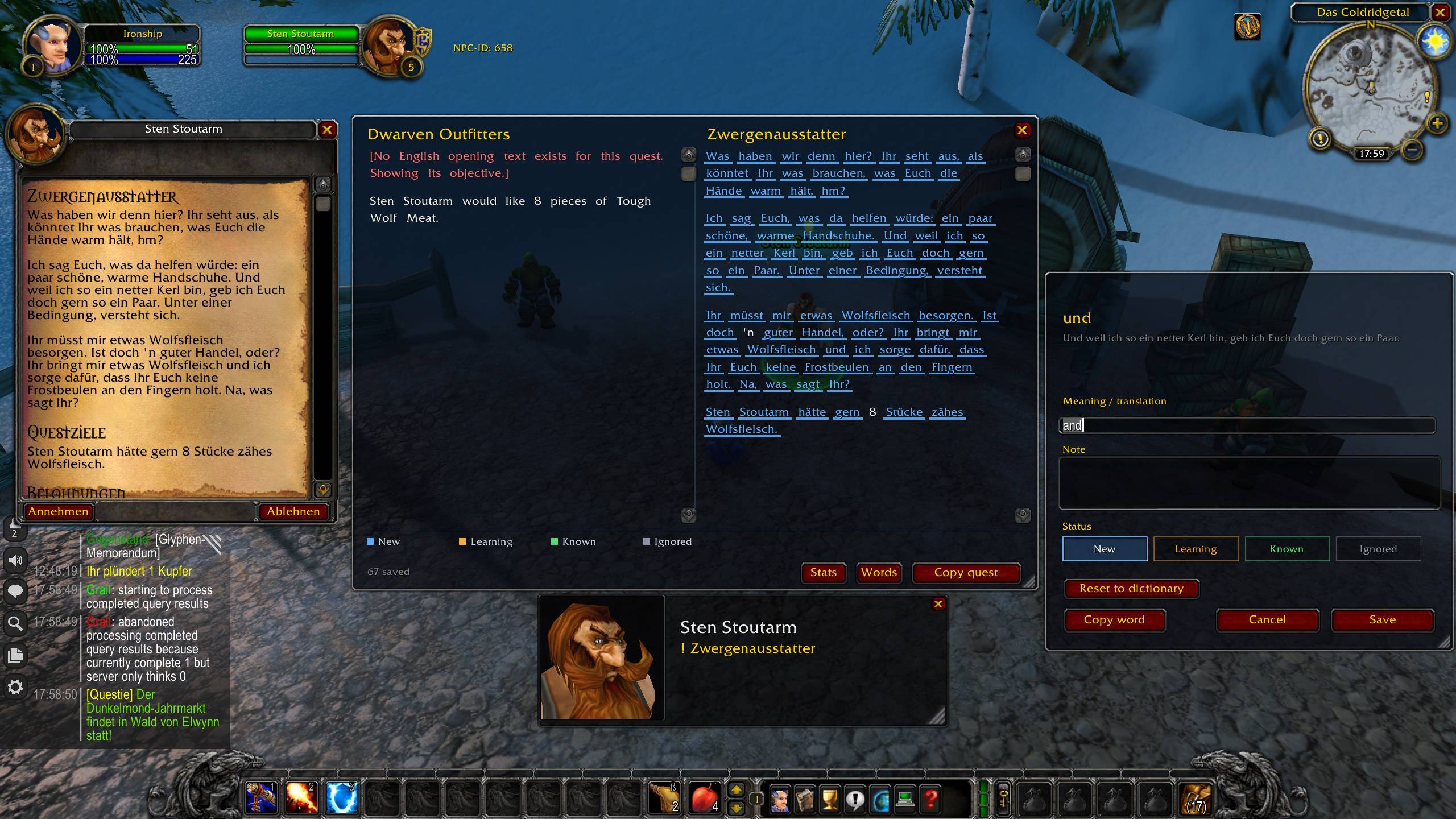
Description
Quest text is full of the language you are trying to learn. You accept, scan for the objective, and it's gone.
QuestWordHunter keeps the quest on screen as clickable text. See a word you don't know? Click it, give it a meaning, mark it Learning. Next time it turns up in another quest, it's already coloured — and one day it makes sense on its own, and you promote it to Known yourself.
What it does
- Click any word in a quest to save it with a meaning and a note
- Your words stay coloured in every quest after that — New, Learning, Known, Ignored
- A line under the quest title telling you how much of it you already know
- A searchable word list, and stats showing what's sticking
- A separate list per language, so German and French don't mix
Getting started
- Set the addon's target language to the one WoW is in —
/whw lang - Open a quest
- Click a word, give it a meaning, save
/whw shows the panel. /whw words, /whw stats and /whw settings open the rest.
Don't want to define every word yourself?
Install a dictionary and the meanings are already there — the words you meet in quests have been read in context and checked by hand.
German · French · Spanish · Italian · Brazilian Portuguese
Want the English next to the original as well? English Quest Panel — it works on its own too.
Retail and Classic
Two downloads. Pick the one for your client; everything works the same way in both, and Classic covers Season of Discovery. Your words live in your client's own saved variables, so the two games keep separate lists.
Helping the dictionaries grow
Blizzard doesn't publish a quest's objective or the words an NPC speaks at hand-in — but your client has them. Collect quest and NPC text in the settings records what you read so it can go into the next dictionary. It is off by default, everything stays on your machine, your character name is stripped, and nothing is uploaded unless you choose to send it.
Also worth having on Classic
Nothing to do with my project, but it makes the whole thing better: Questie, and German VoiceOver — 1 2 3 4
Buttons stay in English. Quest text stays in the language you set in WoW.
Source: github.com/Ironship/WordHunterWoW · All rights reserved.
QuestWordHunter Team