QuestTrail
- By
The quest helper that needs no embarked database. Built for Forever: it learns as you play, shares with other players and plans your fastest route.
Dynamic quest planner - updates while playing - many quality of life features
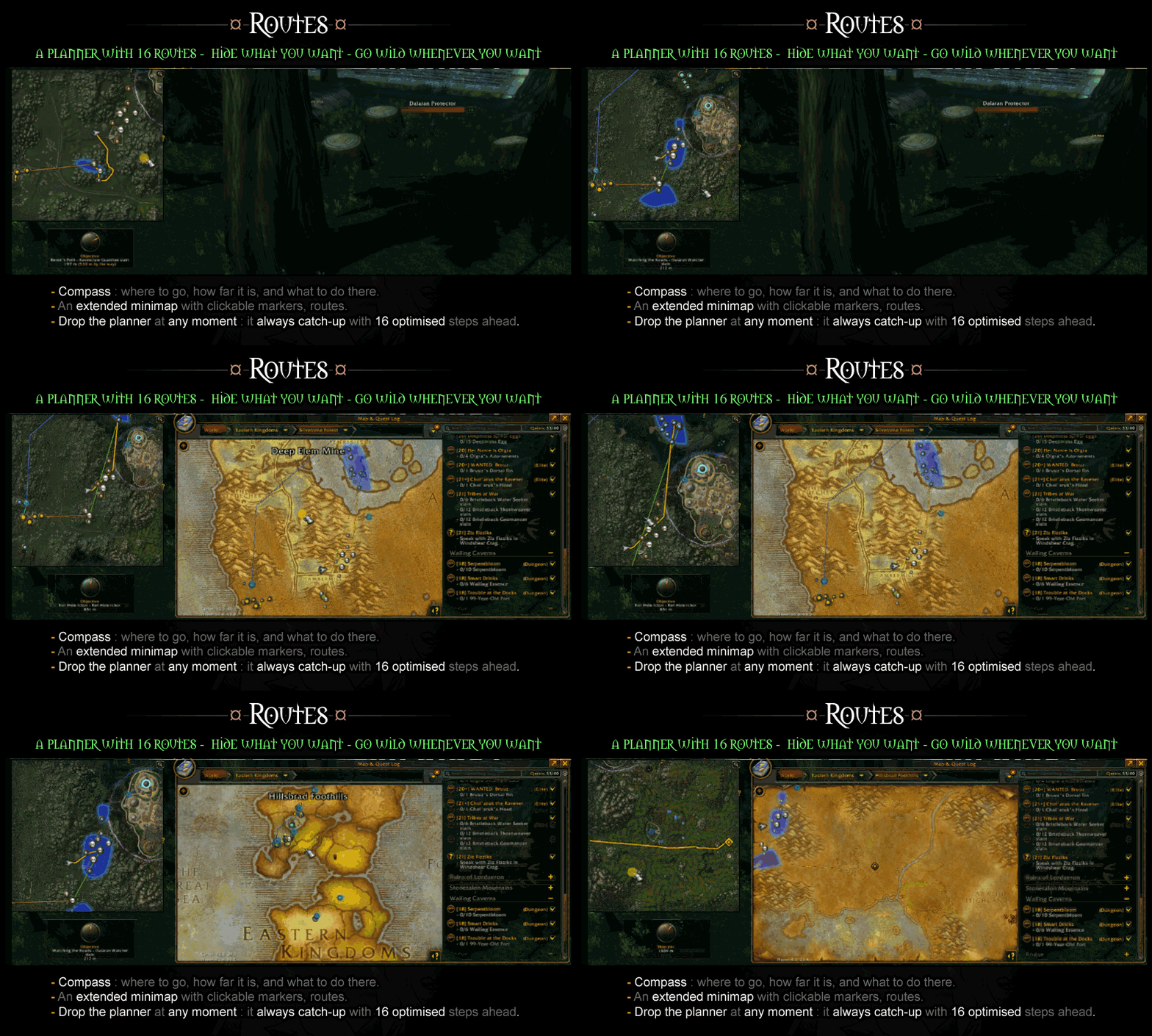
A planner with 16 routes - hide what you want - go wild whenever you want
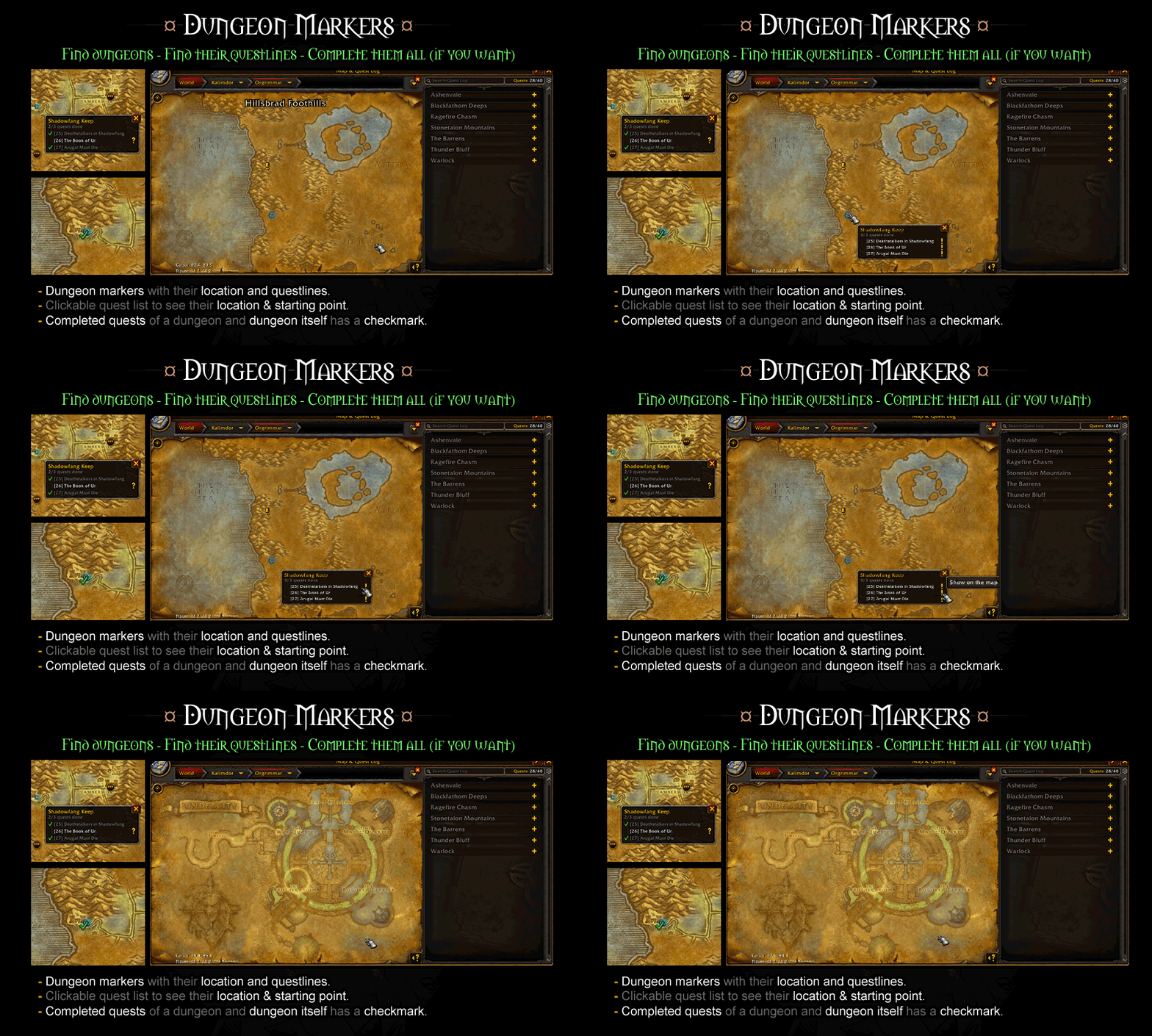
Find dungeons - find their questlines - complete them all (if you want)
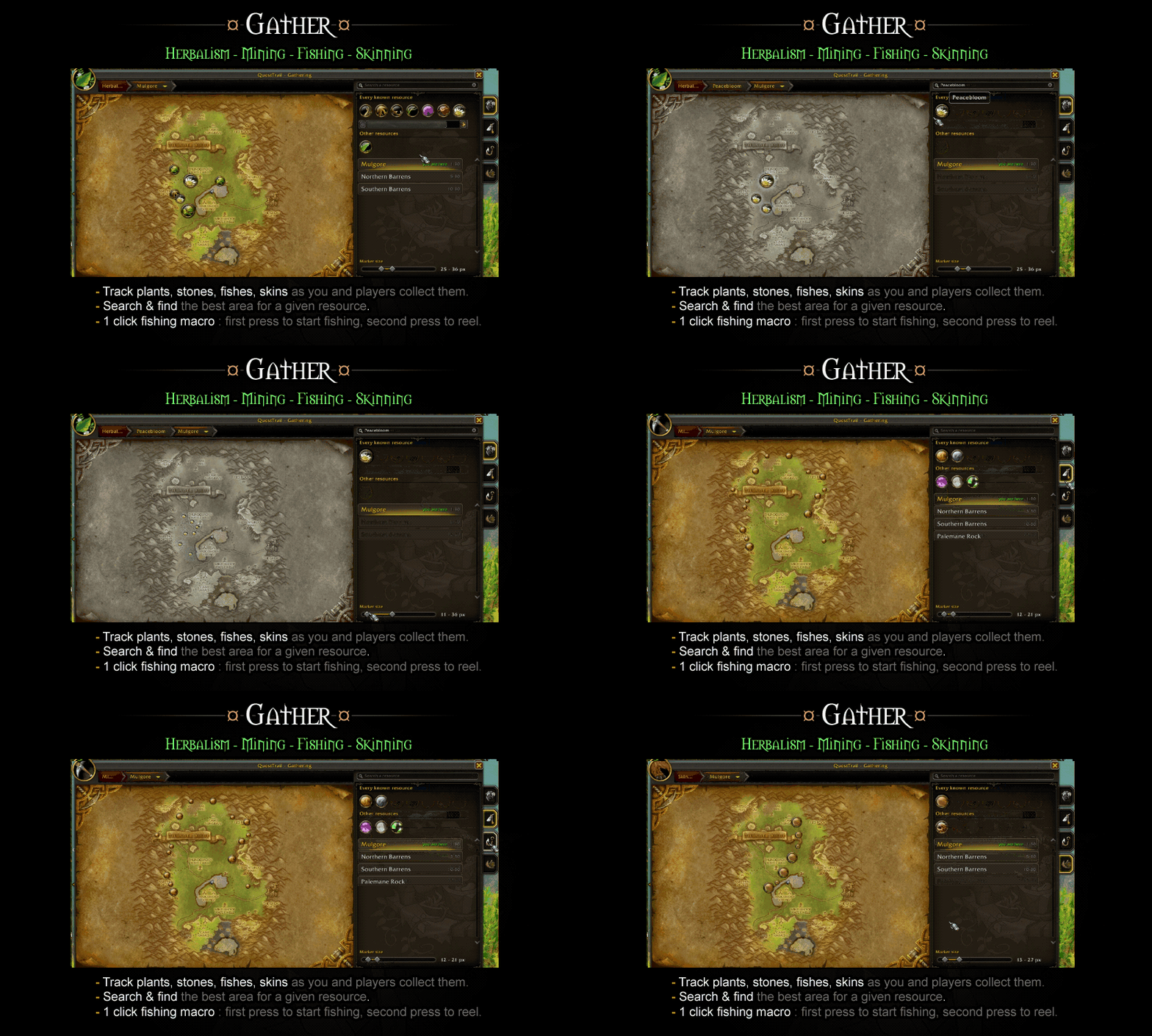
Herbalism - mining - fishing - skinning
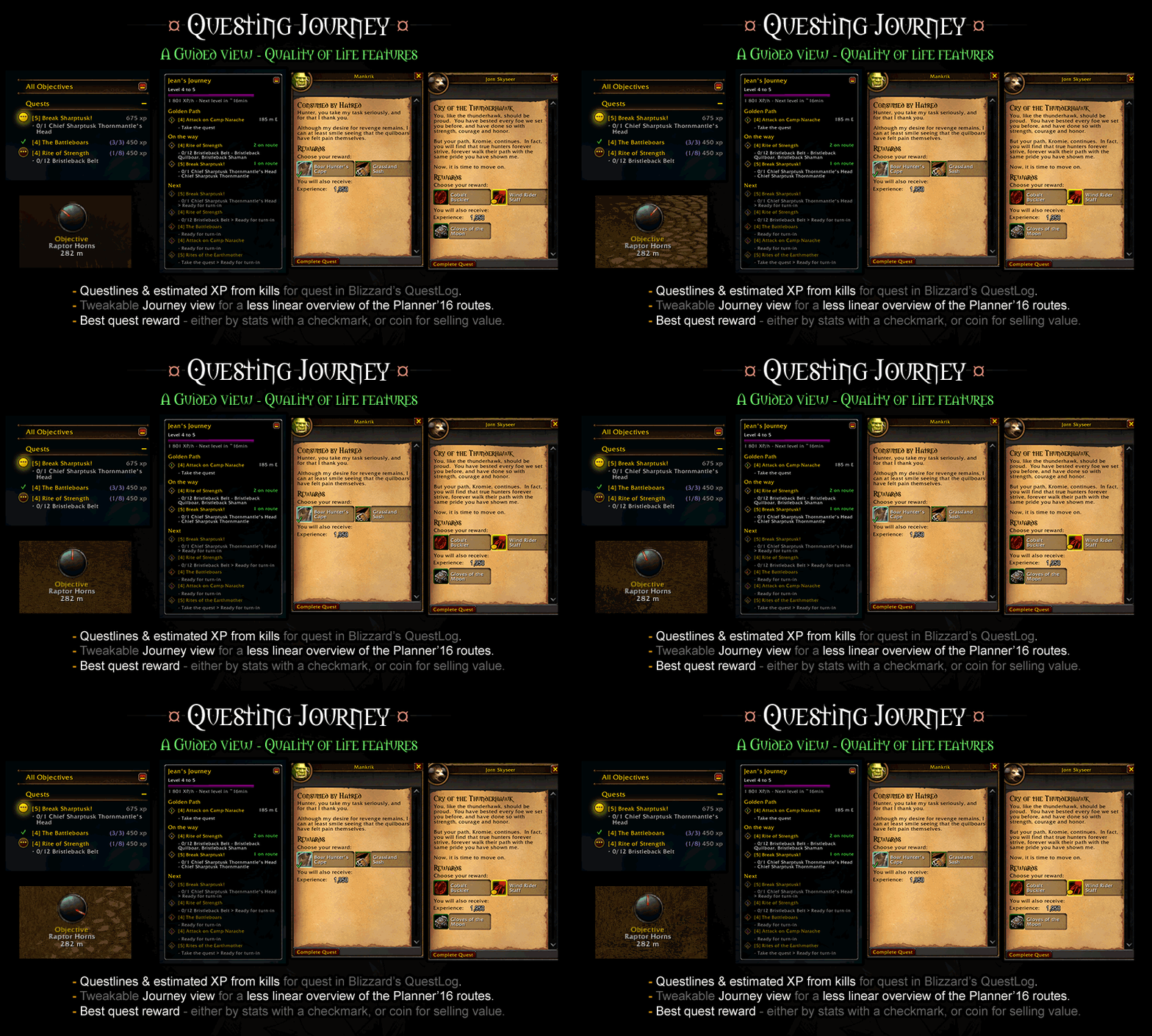
A guided view - quality of life features
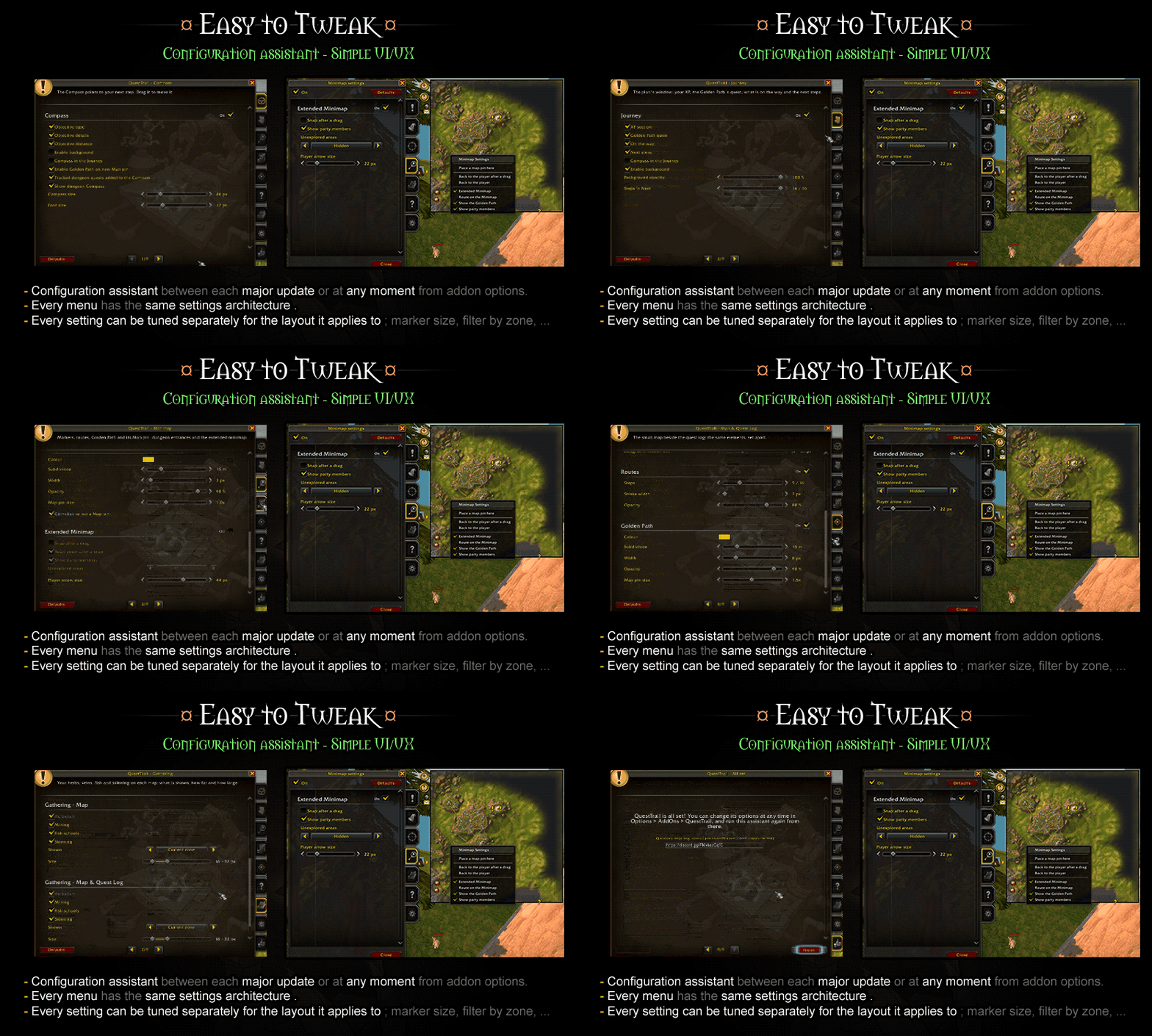
Configuration assistant - simple UI/UX
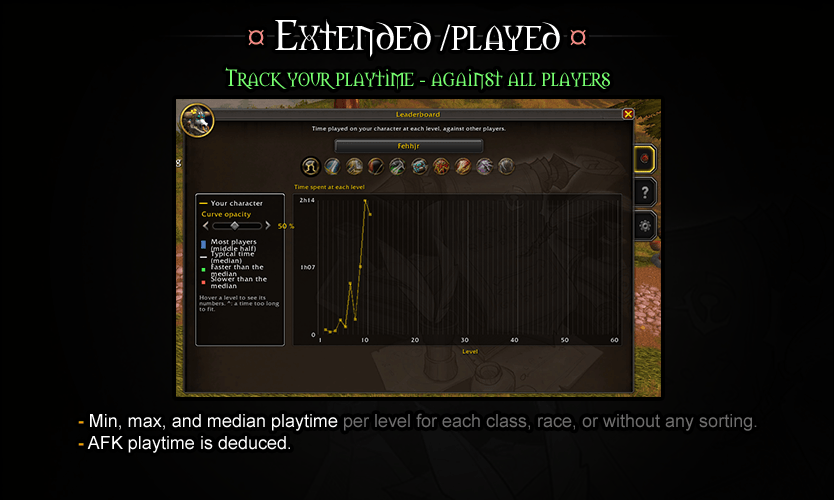
Track your playtime - against all players
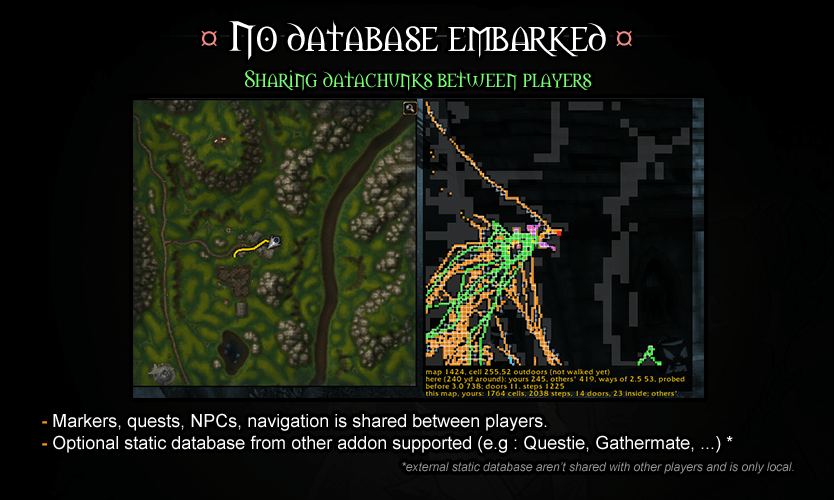
Based on sharing datachunks between players
Description
QuestTrail
The community-built quest route planner for WoW Forever.
QuestTrail tells you where to go next and in which order. It ships without quest database: its players build a living one together as they play, so new Forever quests are covered as soon as someone does them.
Informations
- Questions, ideas or a route that feels wrong ? Join the Discord
- Found a bug ? Report it on Discord with the full error text or via the Report a bug button.
- After installing or updating, restart the game: a /reload is not enough if you jump a major version (ie; 1.x.x to 2.x.x) .
/qtropens the options,/qtr helplists every command.
Features
■ The Compass ■
where, what, how
Tells you where to go, how far it is, and what to do there.
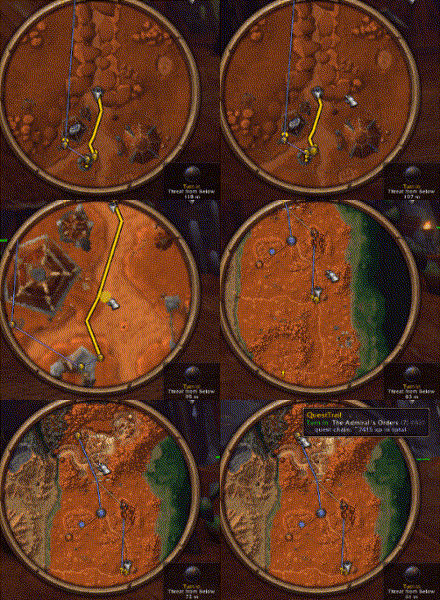
- Can be embedded in the Guide view
- Shows flight duration
- Can be used to skip a Route step
■ Extended QuestLog ■
questlines & estimated XP
Some Quality of life tweaks make the QuestLog more compact, ideal for the new 40 quests cap.
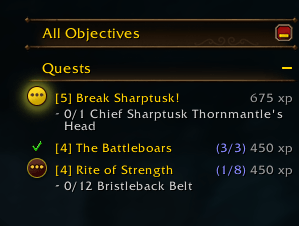
- In blue : quest chains - you are at step X out of Y.
- XP : raw + estimated xp gained from killing enemies related to that quest.
- Auto turn-in/accept quest
- Auto sell
- Suggest best item quest reward (gear, else gold-worthy)
■ Planner ■
a guide 16 steps ahead
Whatever you do, a planner runs asynchronously and finds the best 16 steps to do in order. You can stick to it for some time, then disregard it, make a dungeon, some other quest with friends. The planner is always finding the best route.
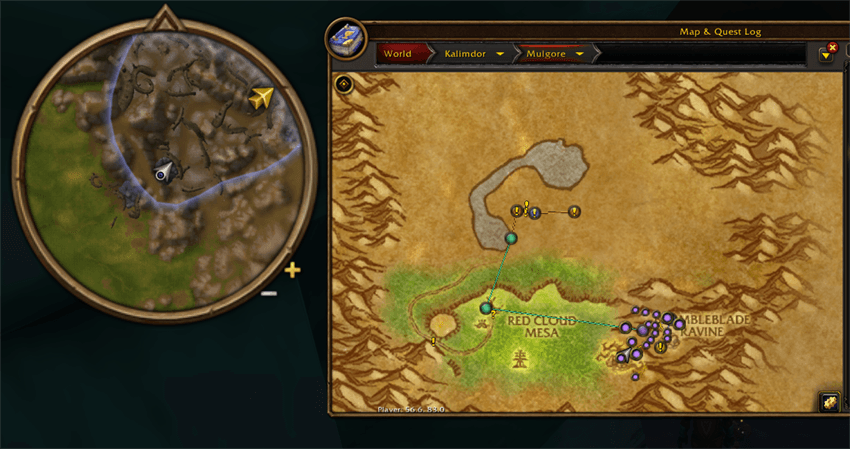
- Each quest shows a marker - markers can be filtered for the current quest only, your current zone only, or ‘everything’
- Clickable markers to highlight them and make it your current Route.
- Optional view for Routes ; where the Guide will lead you after you’re done with your current quest.
■ Extended minimap ■
zoom out to the max, click everything
Minimap shows what the map / map & QuestLog shows. Scroll where you want, make a path to where you want, click on markers, quests, dungeon markers.
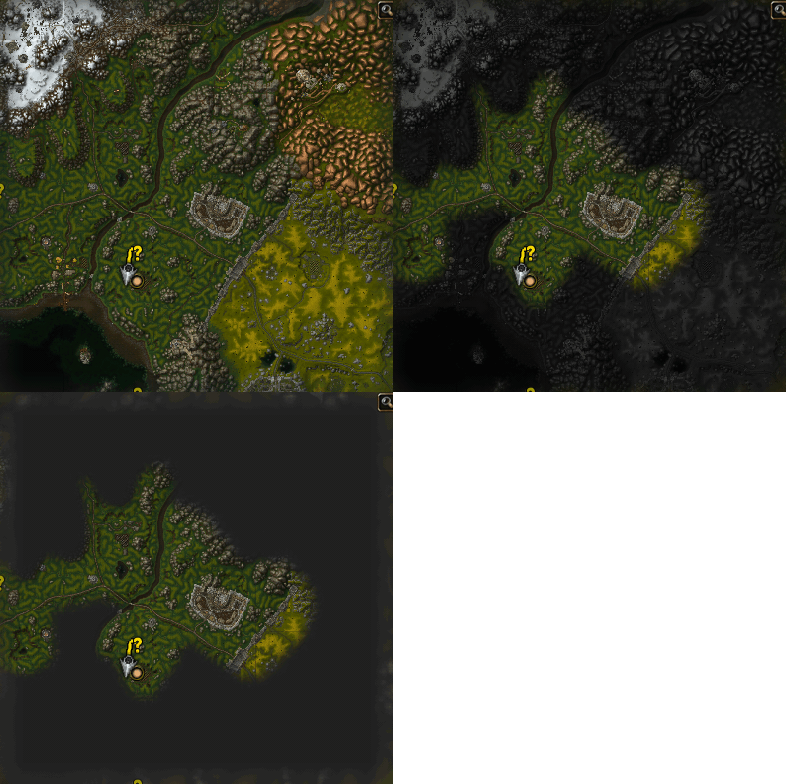
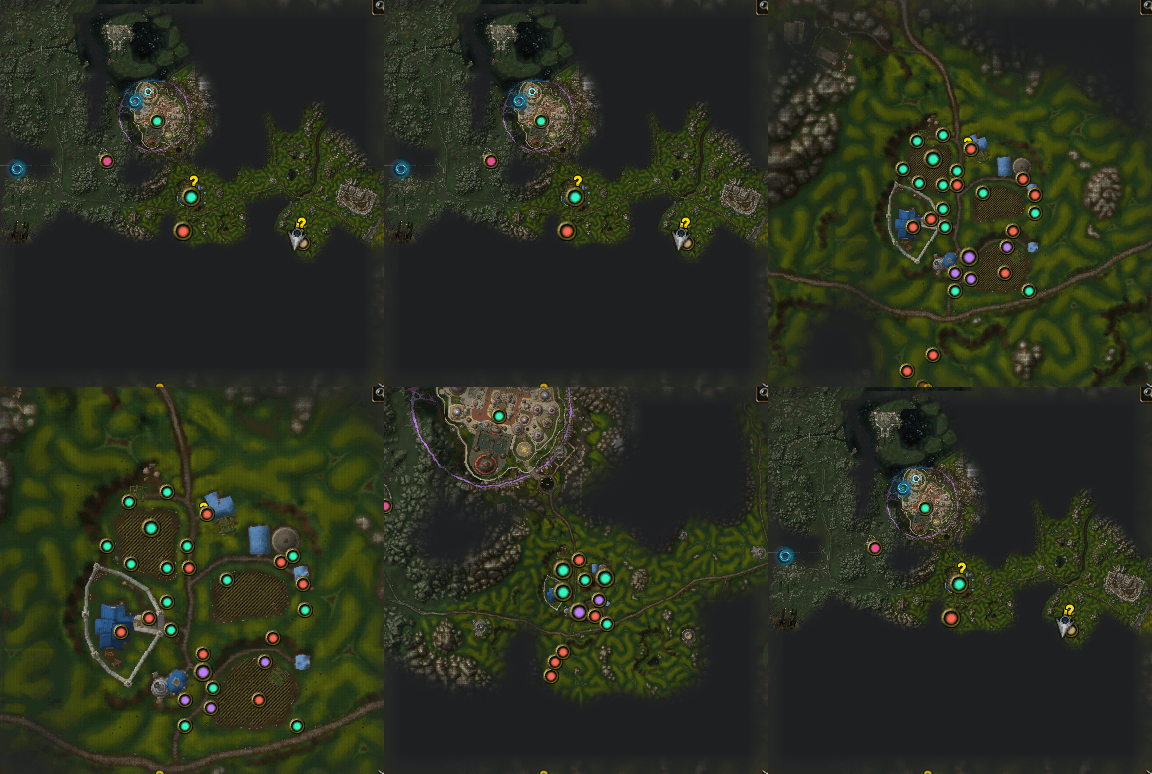
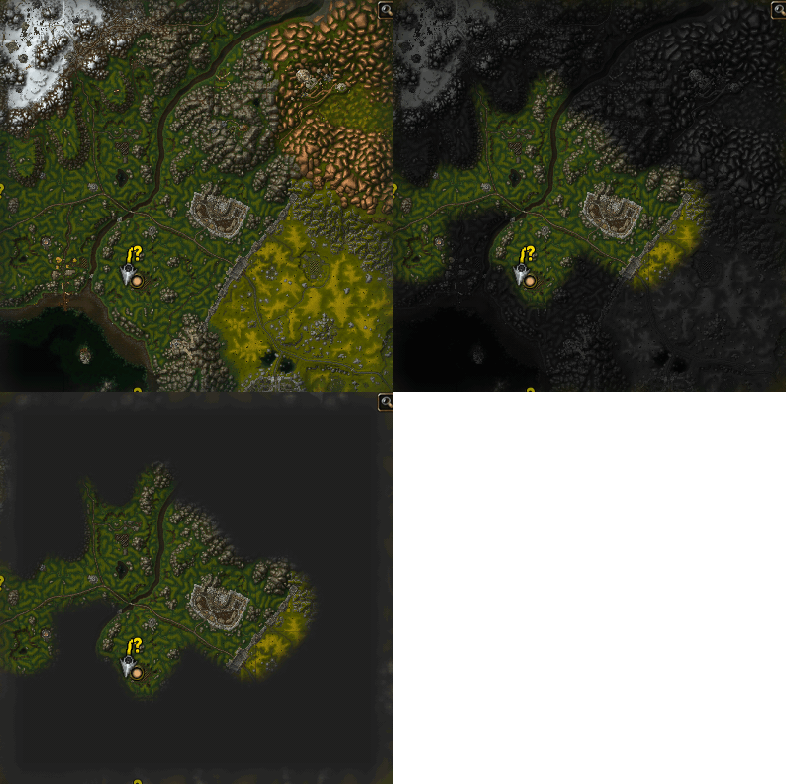
- Map is the minimap, and vice versa
- Optional fog of war based on areas you’ve already discovered (same as the map view)
- Clickable markers to show quest ‘blue’ area
- Ctrl+click to add a map-pin and make a pathfinder to that pin.
- No clutter : filter everything by quest/zone/everything, merge markers based on zoom with min-max sliders.
■ Pathfinder ■
follow the golden path
Next objective or map-pin shows the result of a pathfinding.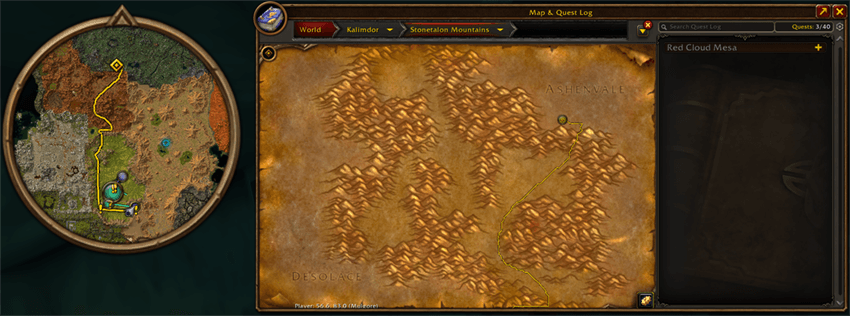
- Current quest is indicated by a golden path to follow
- Ctrl+click minimap / map to add a map-pin and make a pathfinder to that specific location
■ Journey View ■
the 16 routes laid out in a more guided, less linear approach
A more condensed and aggregated view of the planner, showing better quests that can be made in parallel / while doing other quests / in preparation of another quest of the planner.
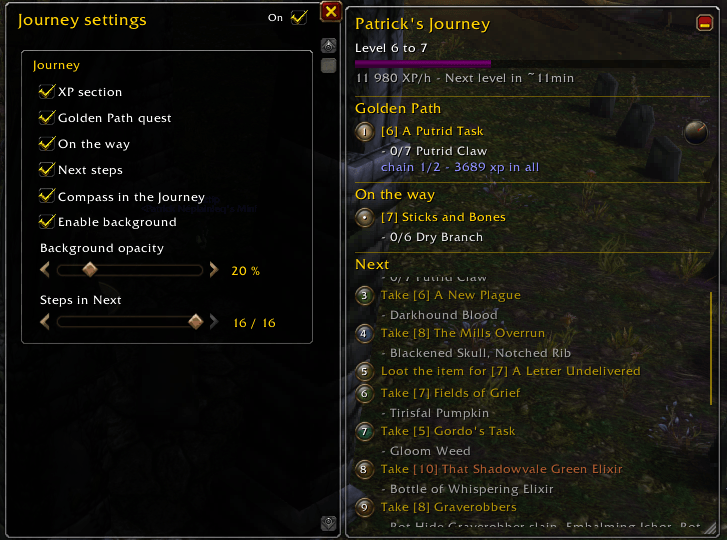
- Alternative display for routes planned ahead
- Quests that can be made in parallel are being displayed as an ‘On the way’ section.
- Resizable, movable, every subsection opt-in/out.
- Compass can be embedded next to the ‘Golden Path’ section
- Clickable quest to open map & QuestLog
■ Dungeon locations & questlines ■
be (better) prepared before you step into a dungeon
Dungeon locations are visible via a clickable marker, showing their questline and where to start it. Completed quests (then dungeon) get a checkmark.
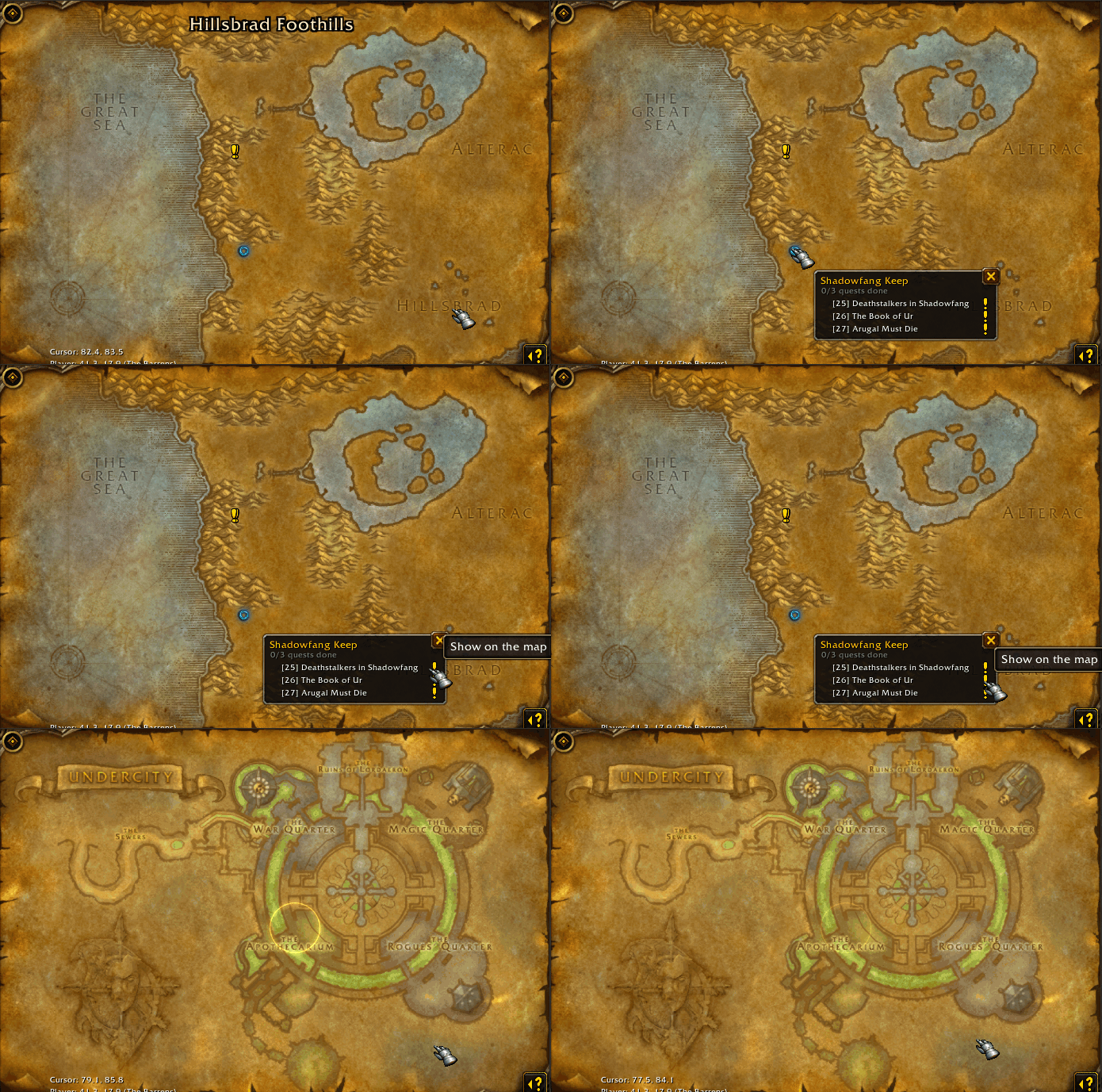
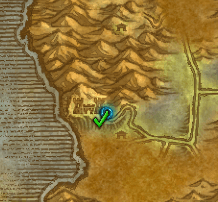
- Dungeon location shown on map/minimap as ‘Dungeon markers’
- Clickable dungeon markers showing their questlines : where to get them and/or the current quest of their questline.
- Checkmark on quest then on the dungeon marker, showing if you’ve finished a dungeon or not.
■ Gathering professions markers ■
“oh, phish! that’s skinny copper leaf”
Every gathering profession has its own markers, with the same anti-clutter UX
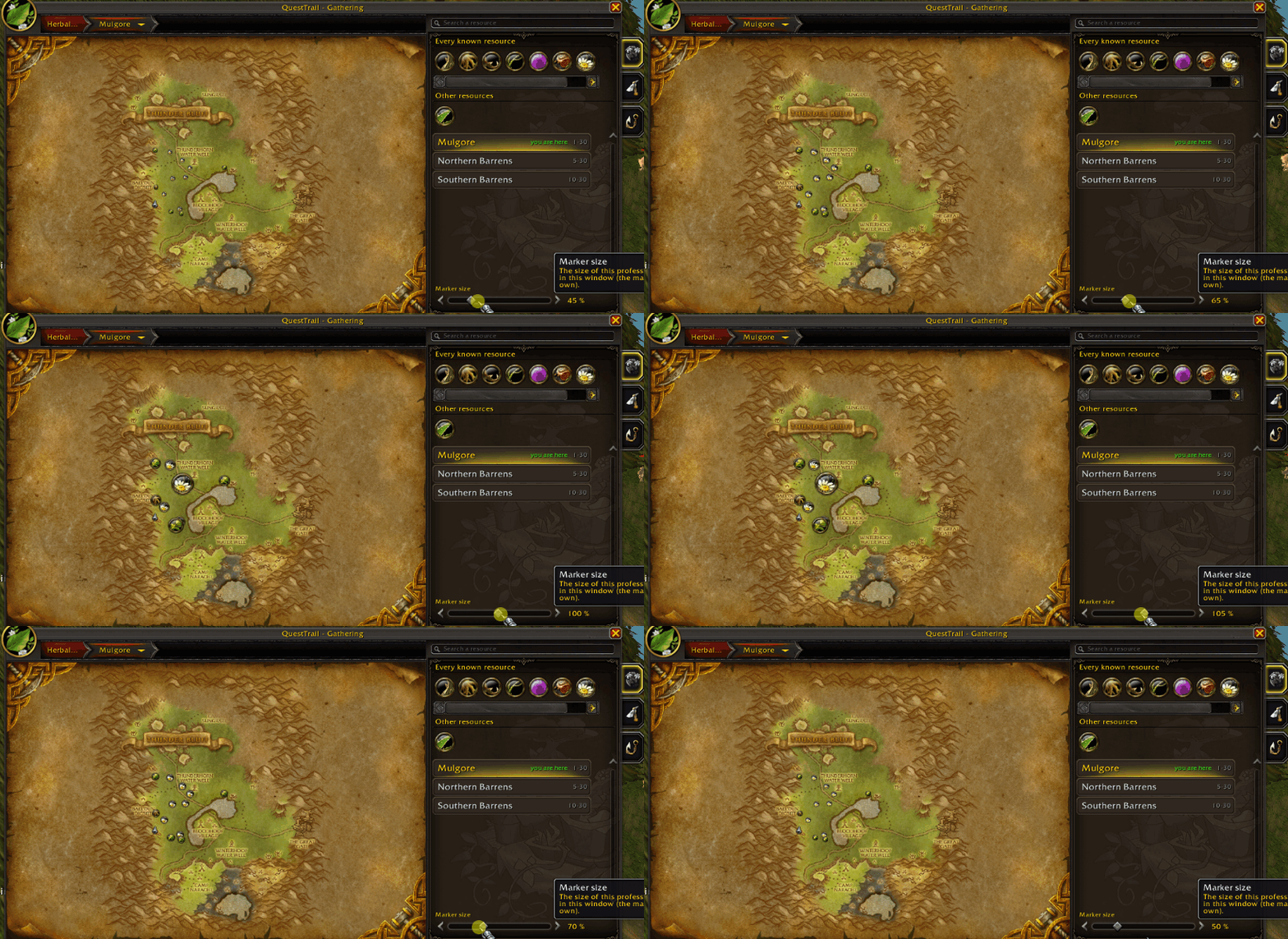
- Herbalism, mining, skinning, fishing, trackable and searchable via a quickly accessible panel
- Fades nodes depending on player distance
- Filter node display for the current zone only or not
- 1 click fishing macro (first press to start fishing, second press to reel)
■ Configuration assistant / easy to edit ■
I tried my best
Easy and (very) quick to set up, extensively editable.
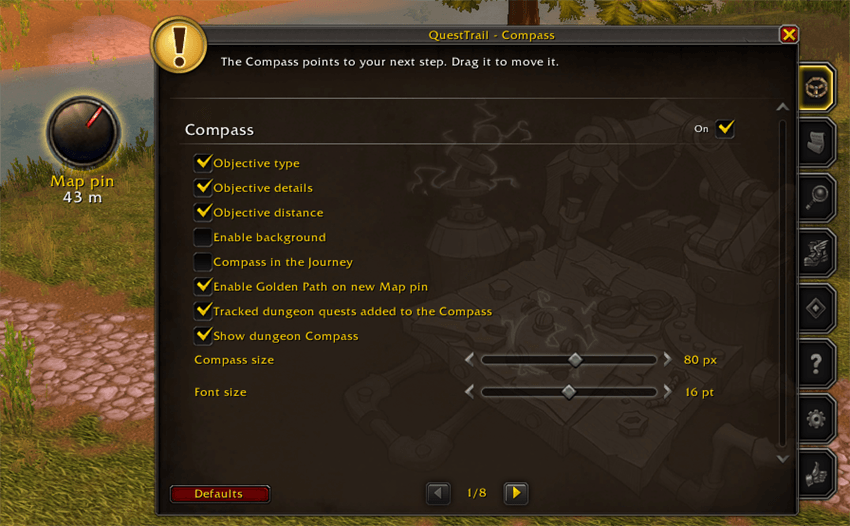
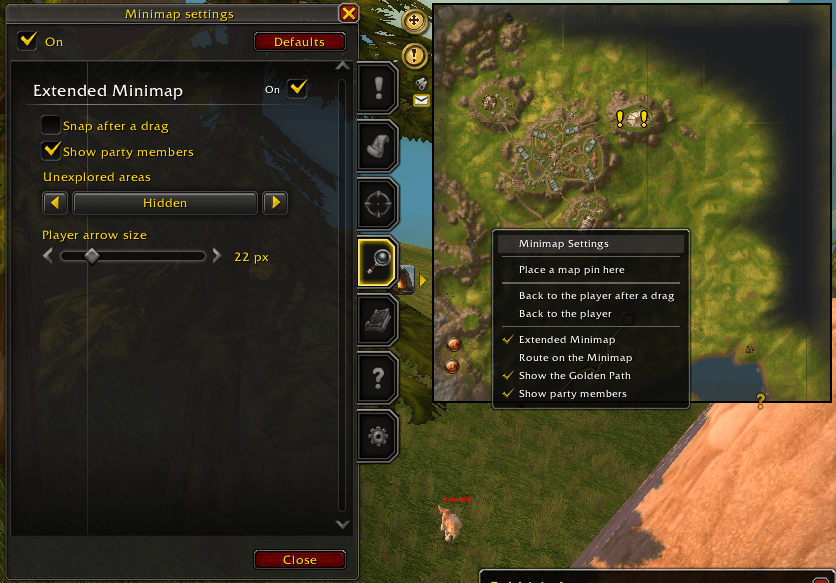
- Configuration assistant for first-time user or when updating to a major new addon version (eg ; 3.x.x to 4.x.x) or callable from addon settings.
- All menus callable from anywhere via a click - same UI, naming, etc.
- Every setting can be tuned separately for the layout it applies to; marker size for minimap, for map, for map & QuestLog, etc.
■ Road to 60 ■
/played per level
See your playtime per level, per character, against your race, class, faction, or realm.
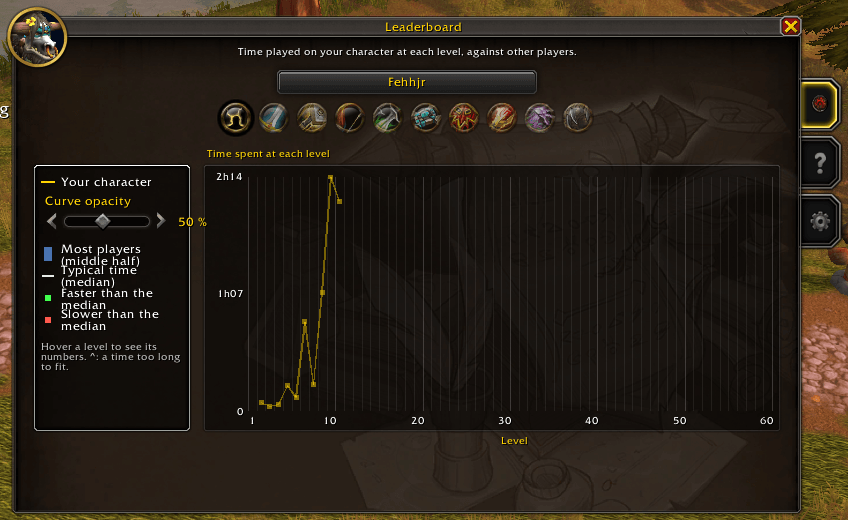
- Time spent on level (without afk time) on a curve.
- Aggregating times with median, min and max time of other players.
Configuration
/qtror via various menus by Right click map, map & QuestLog, minimap, compass. Also in Options > AddOns > QuestTrail).- Every feature and option opt-in/out, no strong dependency between options.
- Fully customizable.
Author
Made by Kromleck Bonkus. GPLv3 licence.
QuestTrail Team