QuestShare Forever
- By
Shares quests with your group, auto accepts theirs, and shows their quest logs in a quest book with objectives and rewards.
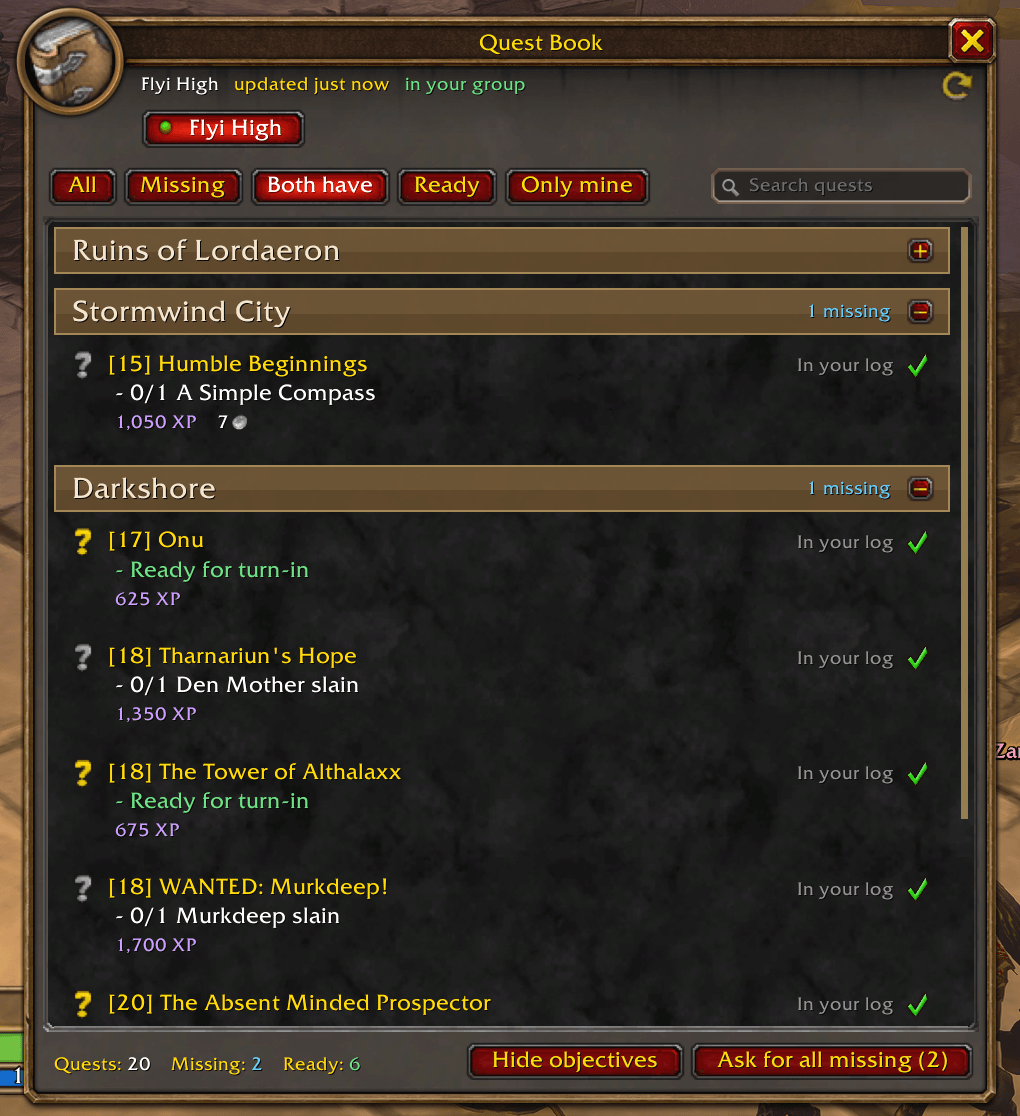
QuestShare-3-both-have.png
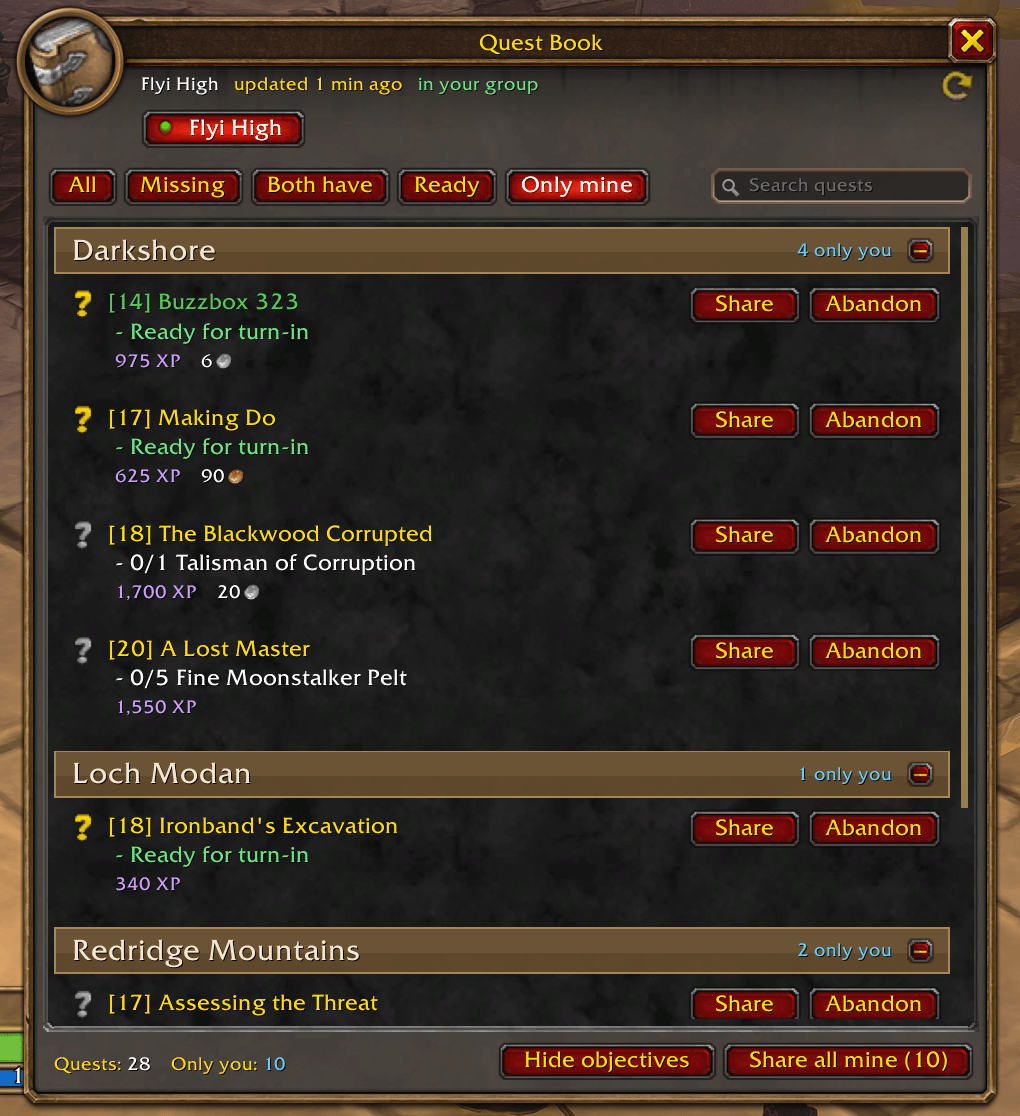
QuestShare-5-only-mine.png
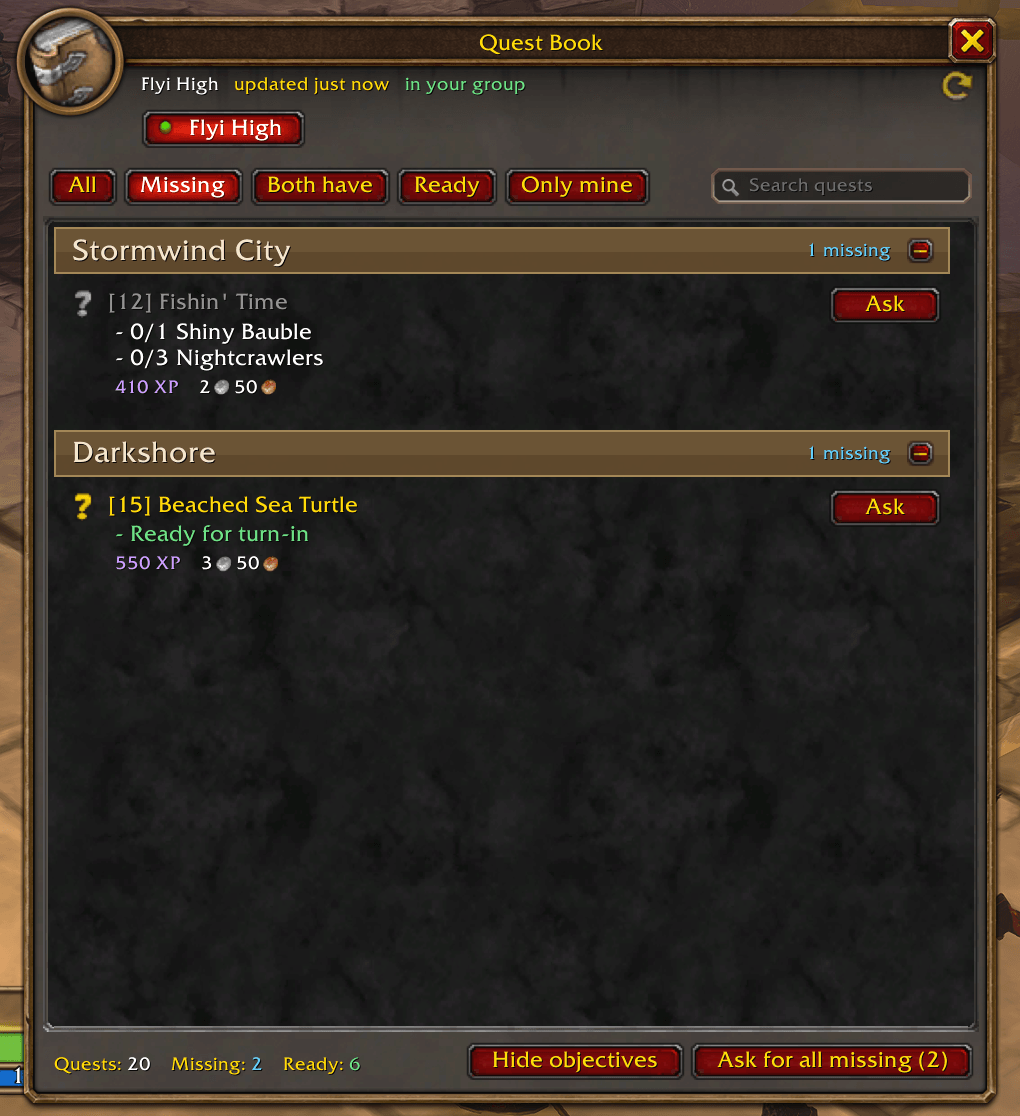
QuestShare-2-missing.png
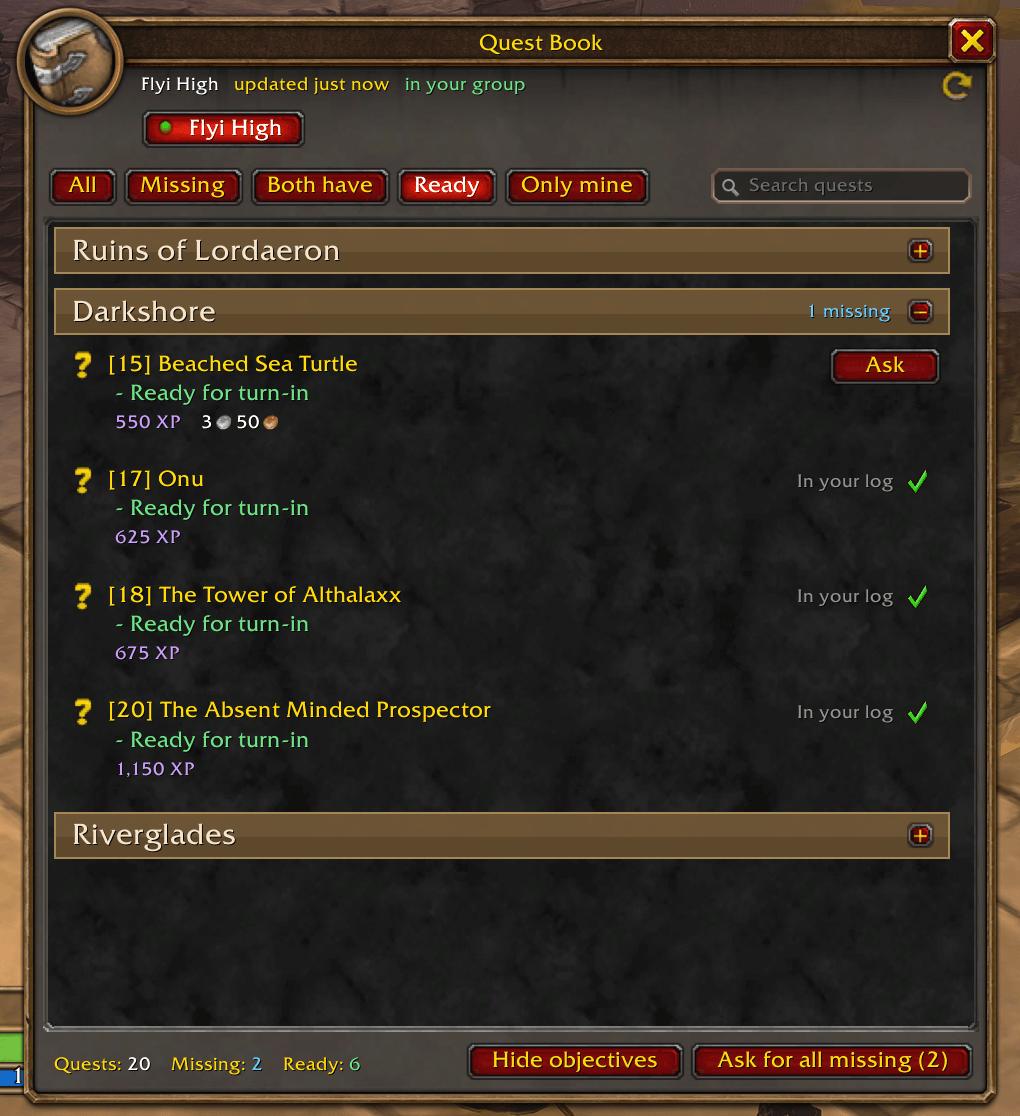
QuestShare-4-ready.png
QuestShare-1-all.png
Description
Questing with a friend? QuestShare shares your quests with the group, accepts theirs, and shows their quest log in a quest book.
How it works
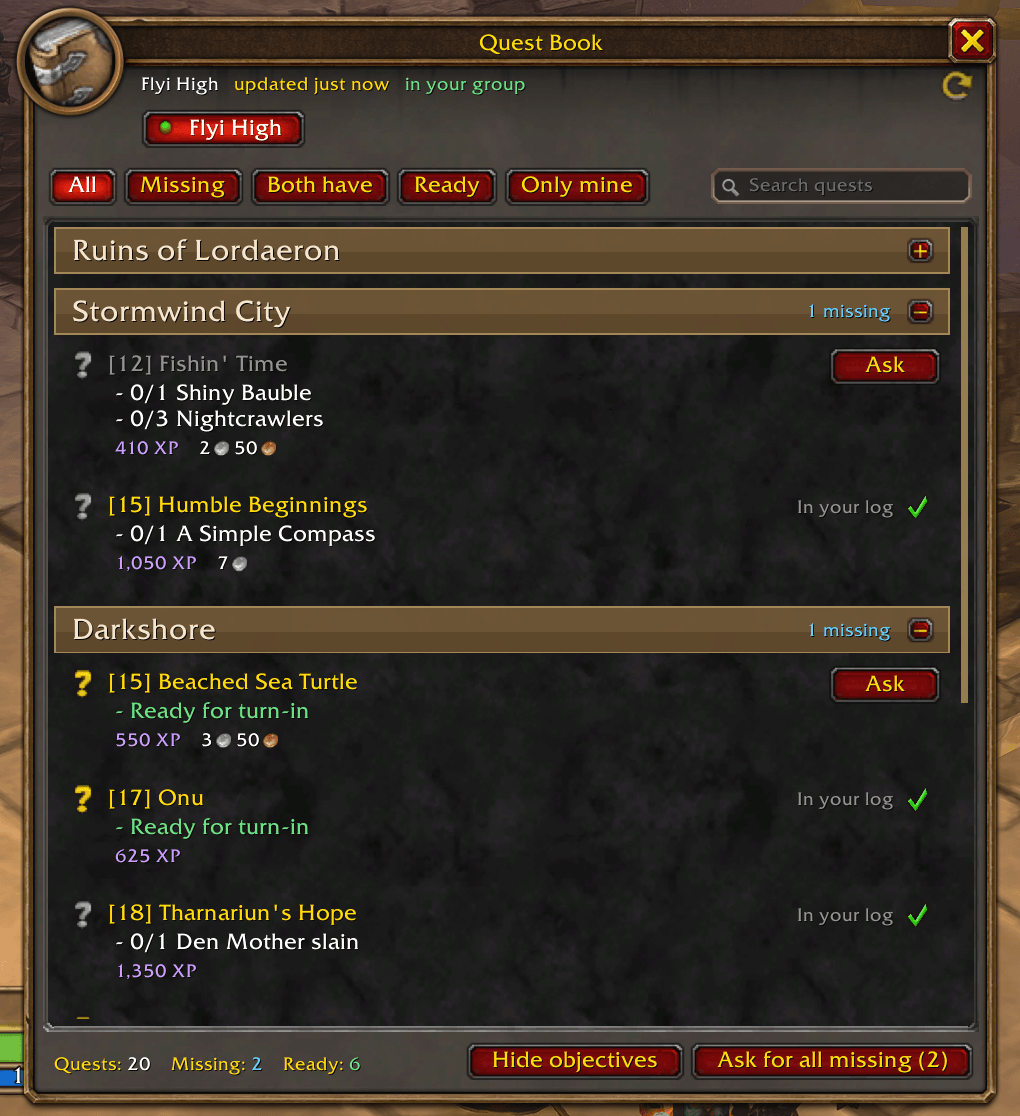
Accept a quest while you are in a group and QuestShare shares it right away. Quests a group member shares with you are accepted by themselves. Open the quest book and you see the quest logs of everyone in your group who also has QuestShare: by zone, with level, objectives and rewards, and with the quests you are missing marked so you can ask for them with one click.
Features
- Auto share: a quest you accept is shared with your group right away (only in a group)
- Share all: a button on the quest log shares every shareable quest, one after another. Quests that every group member already has are skipped, so shared quests don't bounce back
- Auto accept: quests shared by a group member are accepted, and so are escort quests a group member starts. Quests from NPCs are never touched
- Quest book: the quest logs of your group members, grouped by zone like the default quest log
- Level, objective progress, and the XP and gold each quest gives
- Filters: All, Missing (they have it, you don't), Both have, Ready to turn in, Only mine
- Ask: asks the owner to share a quest you are missing, or ask for all missing quests at once
- Only mine: your own quests that the other player doesn't have, with buttons to share them or to abandon them (you are asked first)
- Search by quest, zone or objective
- The last log of every player is saved, so you can read it while they are offline
- Looks like the default UI: portrait frame, red buttons, quest log style headers
- Minimap button: left-click opens the quest book, right-click shares all quests
- Lightweight, with no dependencies
Commands (/qs or /questshare)
| Command | Effect |
|---|---|
/qs |
Show the help |
/qs book |
Open the quest book |
/qs all |
Share all quests with your group |
/qs auto |
Turn auto share on or off |
/qs accept |
Turn auto accept on or off |
/qs minimap |
Show or hide the minimap button |
Notes
- The quest book needs QuestShare on both sides. Logs are sent over addon messages to your party or raid, never to anyone outside your group.
- XP depends on your level, so the XP shown for another player's quest is what that player gets.
- In the quest book, shift+right-click a player's tab to remove their saved log.
- Settings are saved per account.
License: GPL-3.0-or-later
QuestShare Forever Team