
Questree
- By
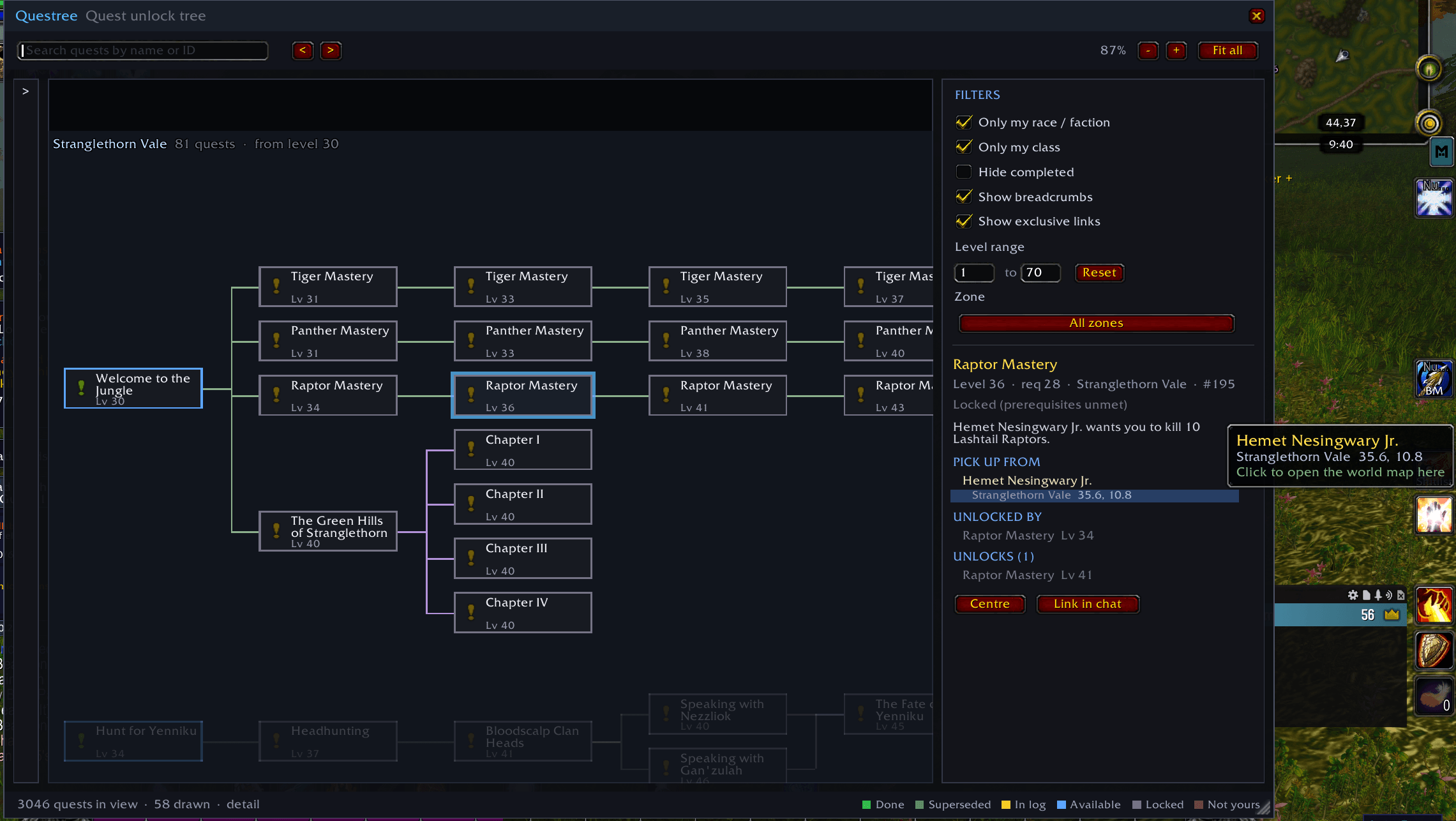
Uaaaaantitled.png
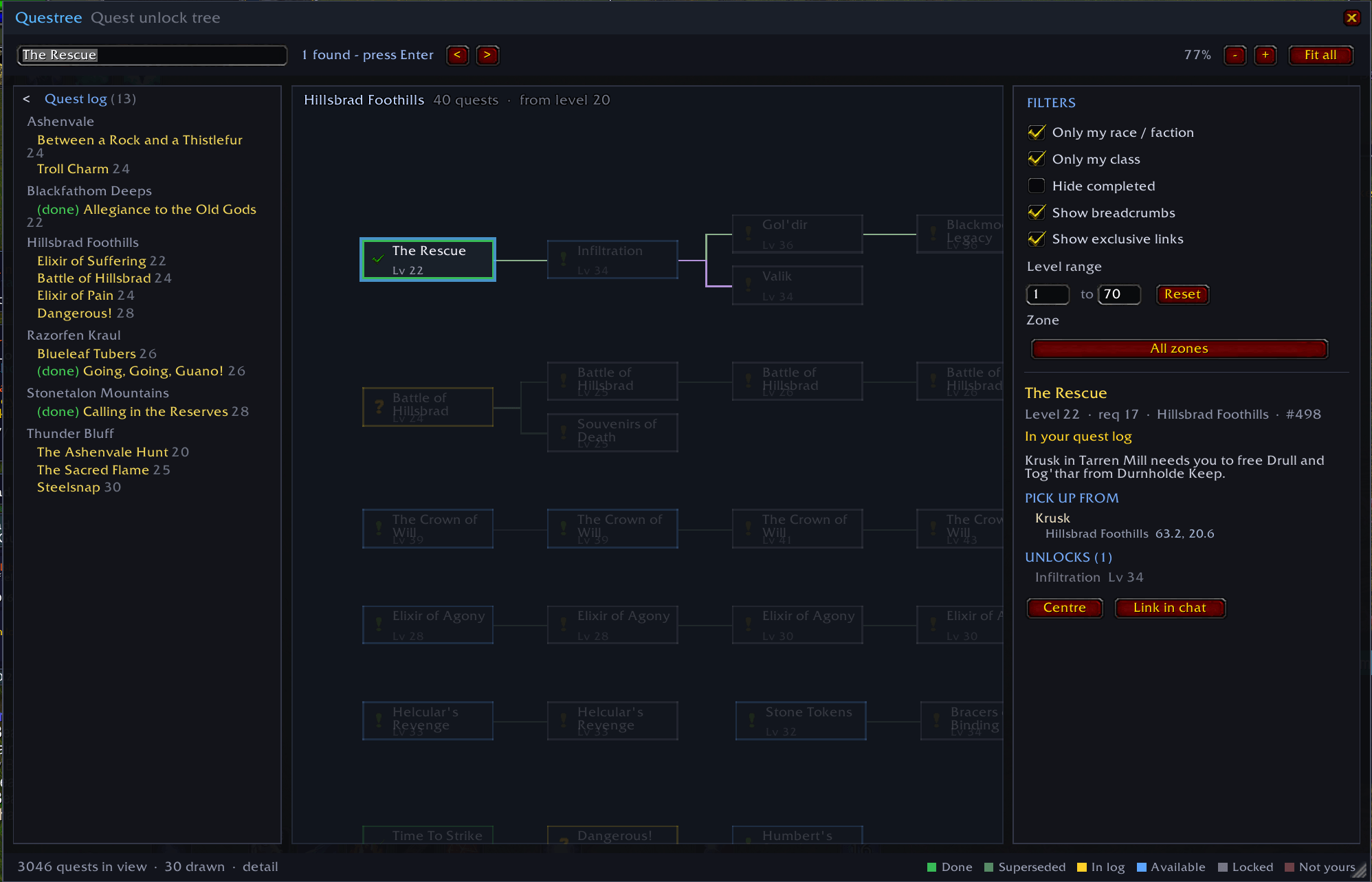
Untaaitled.png
Description
Questree
Every quest in the game as one node-based unlock tree, in the spirit of Minecraft's advancements screen. Drag to pan, scroll to zoom, and scroll all the way out to see the whole game at once.
Open it with /questree (or /qtree, or /qt).
What you are looking at
Quests flow left to right: anything that unlocks a quest sits to its left, and everything it unlocks sits to its right. Chains are grouped into a block per zone.
The canvas is split into two headed sections stacked down the page:
- Questing — the zones themselves, plus class, seasonal and other quest categories.
- Skilling — the professions: Alchemy, Blacksmithing, Cooking, Enchanting, Engineering, First Aid, Fishing, Herbalism, Leatherworking, Mining, Riding, Skinning, Tailoring and friends.
Within each section the blocks are laid out alphabetically — A in the top left, running left to right and wrapping downwards, Z in the bottom right.
Section headings are drawn over the canvas at a fixed size so they stay readable however far out you scroll, and they step aside once you zoom in far enough to read quest titles, where the zone name is the more useful label.
Zone blocks and the heading band above each section are both sized as a proportion of the canvas rather than in absolute units, so filtering down to a single zone gives you that zone filling the window — not a small card stranded under a screen of empty space.
Zone captions are drawn unscaled, so they stay readable however far out you scroll. They are placed largest-zone-first, held inside their own zone's visible area, and any caption that would collide with one already placed is dropped rather than overlapping it. That means the overview stays legible instead of turning into a pile of names; zooming in makes room and the remaining zone names appear.
Quests with no prerequisites and no follow-ups are packed into a compact grid at the bottom of their zone rather than scattered through the chains.
Node border colours:
| Colour | Meaning |
|---|---|
| Green | Completed |
| Muted green | Superseded — you can never pick it up now, so you are done with it |
| Yellow | In your quest log |
| Blue | Available now |
| Grey | Locked — prerequisites unmet |
| Dark red | Your race or class can never take it |
A quest counts as superseded when taking or finishing something else closed it off for good. Click it and the panel says which, using Questie's own wording so the two agree:
- Unavailable: Later quest completed or active — a quest further along the chain is already in hand.
- Unavailable: Follow up quest active or completed — a breadcrumb whose destination you already have.
- Unavailable: Exclusive quest completed / …in quest log — you took the other side of a mutually exclusive choice.
This is presentation only: a superseded quest is never treated as a satisfied prerequisite, because the game does not treat it that way either.
Connector colours distinguish requires all from requires any one of, sub-quests, and breadcrumbs. Red links mark quests that lock each other out.
Interaction
- Drag anywhere on the canvas to pan; scroll to zoom toward the cursor.
- Click a node to trace its chain — everything unrelated dims, so you can follow exactly what unlocks what. Right-click clears the selection.
- Search by quest name or ID. The box takes the caret as soon as the window
opens, so
/qtthen straight into typing works. Matches light up in place; press Enter (or use the arrows) to walk through them. Escape clears the box and releases the caret; a second Escape closes the window. - The quest log panel on the left lists everything you are currently on, using
the game's own zone grouping. Click any entry to jump straight to that quest in
the tree. It starts collapsed — open it with the
>arrow, and the state is remembered. It follows your log live as you accept and turn in quests.
The window sits at DIALOG strata so it draws over action bars and anything else
at HIGH, rather than disappearing behind them. While the world map is open it
steps down to just below whatever strata the map is using, so the map is never
buried; it returns as soon as the map closes.
- The sidebar lists what unlocks the selected quest, what it unlocks, and what it locks out. Every entry is clickable.
- It also shows where to pick the quest up: the NPC's name and title, the area they are in, and their coordinates. Roaming quest givers list each area they appear in, busiest first. Quests that start from a world object or an item say so instead.
- Click a location to open the world map at that zone with a blinking marker on the spot — a quest icon under a ring pinging outwards. The marker hides itself when you look at another zone and comes back when you return; click it to clear it. If TomTom is installed you also get a waypoint and its arrow — but the marker does not depend on it.
Zoom levels
The renderer swaps representation as you zoom so that "show me all of it" stays affordable:
- Overview (fully zoomed out) — every quest is a coloured dot, and captions shorten to just the zone name so more of them fit. Zooming out stops here: the limit is the point at which the whole tree is on screen, so you can never shrink it into an island in an empty panel. Fit all lands on exactly that zoom. Resize the window and the limit moves with it.
- Compact — plaques with the quest name on one line, clipped to fit.
- Titles — the name across the whole plaque on up to two lines.
- Detail — quest icon, full name and level.
A plaque is never blank. Node text sits inside the zoomed canvas, so a fixed point size would shrink away as you zoom out; instead the font scales inversely with the zoom to stay about 11px on screen at any level, and detail is dropped as the plaque runs out of room rather than the text disappearing.
Only what is near the viewport is built at any moment, so panning stays smooth regardless of how many quests exist.
Requirements
Questree reads its quest data from Questie, which supplies the prerequisite, chain, and exclusivity relationships the tree is built from. Questie must be installed and enabled; Questree does not ship its own copy of the database, so it stays small and inherits Questie's corrections.
If Questie is missing or still loading, Questree says so and retries.
Commands
/questree                 open or close the window  (also /qtree and /qt)
/qt Allegiance of the...  open it and jump straight to that quest
/qt 8483                  ...by quest ID as well
/questree rebuild         discard the cached graph and rebuild it
/questree help            list commands
/qt <name> matches case-insensitively and accepts a partial name. An exact name
wins over a longer one containing it, then names starting with what you typed, then
names containing it anywhere. Every match lights up on the canvas just as if you had
typed it into the search box, so the < > arrows step through the rest.
Notes
- The first open builds the graph and lays it out. That work is spread across frames with a progress bar rather than freezing the client.
- Changing a filter re-runs the layout. Turning quests in only recolours nodes; it does not re-pack the tree underneath you.
- Tested against TBC Classic (interface 20506).
Questree Team
