QuestLuma
- By
Quest target highlights, world navigation with objective progress, an area quest window and optional automatic quest turn-in.
exec-bdceff5f-eb44-4cf8-b82f-61dcf01802d5.png
19_45_16.png
exec-82ca5a5b-3233-4304-806c-a02af3a7cf40.png
exec-69bc0f69-141d-4e40-86ea-b712d0e34c13.png
Description
QuestLuma
Spot your quest targets. Follow your objectives. See what matters in your area.
QuestLuma adds compact quest-progress nameplate markers, world navigation and a movable Area Quest Information window to WoW: Forever. Its interface is available in English and German.
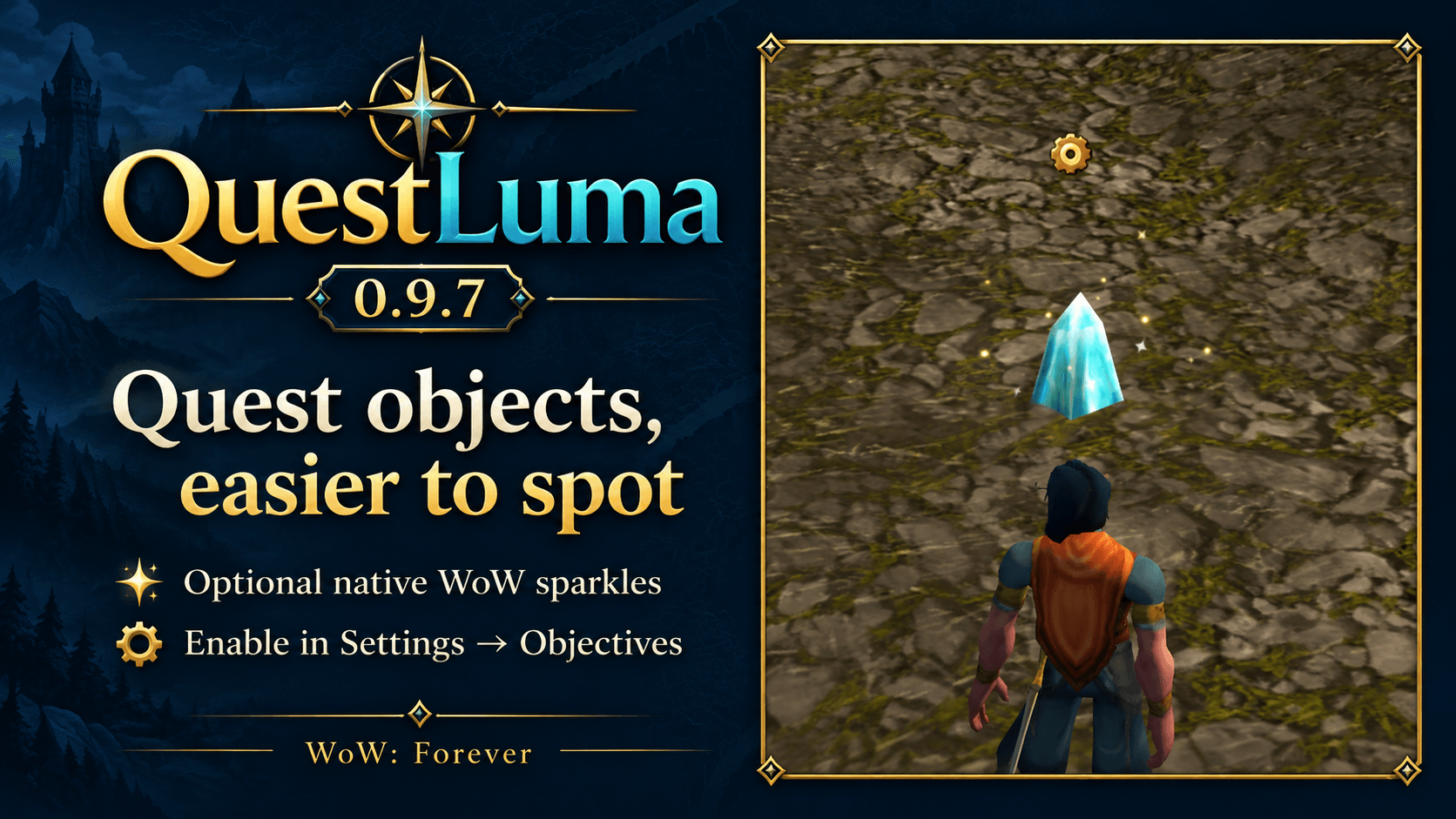
New in 0.9.7: quest sparkles
Make collectible quest objects easier to spot with WoW's native sparkle effect. Enable Settings > Objectives > Enable WoW quest sparkles. It works automatically without learning names, prior looting or setup commands.
This optional feature is off by default. The game decides which objects receive the effect; quest NPCs can also sparkle. It replaces object outlines. Enabling takes effect immediately outside combat. To remove existing sparkles after disabling it, fully restart WoW — /reload is not enough. Changes made in combat apply afterwards. Switch the option off before disabling or uninstalling the addon.
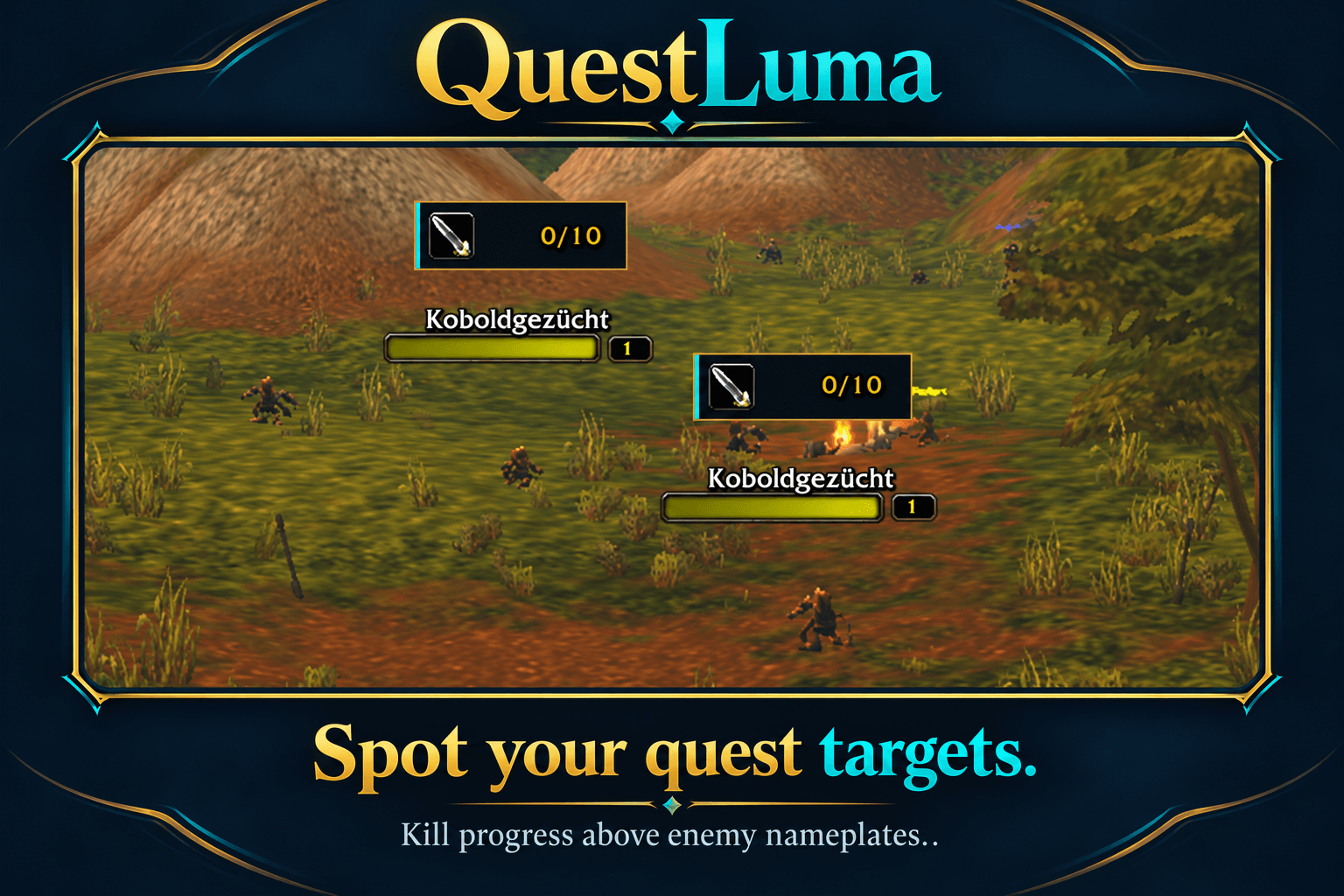
Quest progress above nameplates
- Compact, translucent strips with circular framed icons.
- Kill objectives and required quest-item counts, including real item icons when identified.
- Optional item and kill-target names.
- Several matching objectives on the same mob.
- Optional party/raid progress when the client supplies it in NPC tooltips.
- Completed objectives automatically stop being highlighted; obsolete item mappings are cleaned up.
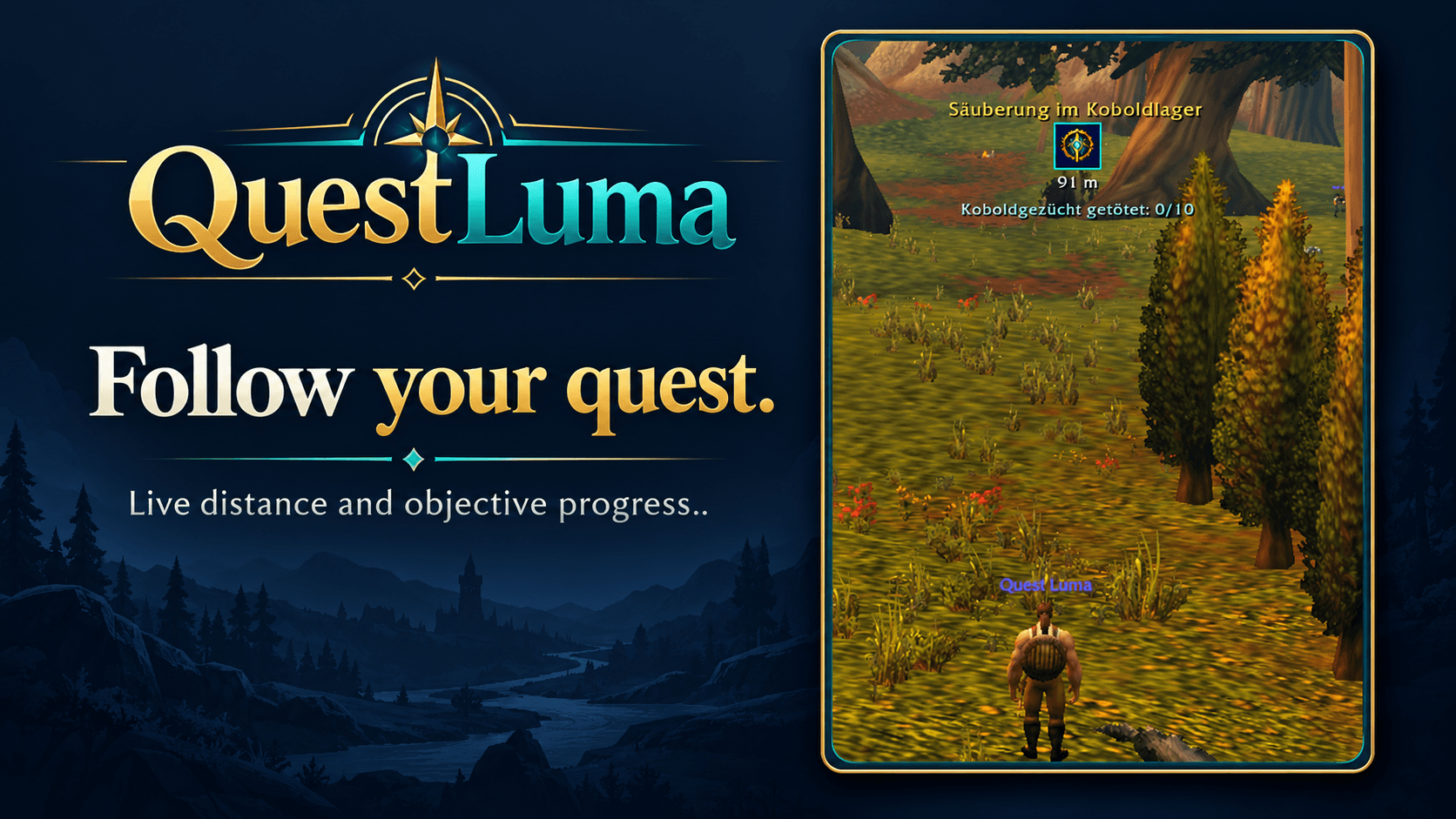
Follow your objectives in the world
The world marker follows the client's selected watched quest, with distance, unfinished objective text and an optional estimated arrival time. Unwatch all quests to hide quest navigation. Click a quest heading in the area window to watch and select it.
The marker fades as you approach an unfinished quest destination and hides inside that quest's marked area, returning when you leave. Completed quests show Turn in quest. When WoW navigates to your corpse while you are a ghost, it switches to a skull and Your corpse automatically.
The marker shows a client-provided navigation point, not a pathfinding route. Arrival time is an estimate from your recent progress toward the destination and does not predict terrain or detours.
Area Quest Information
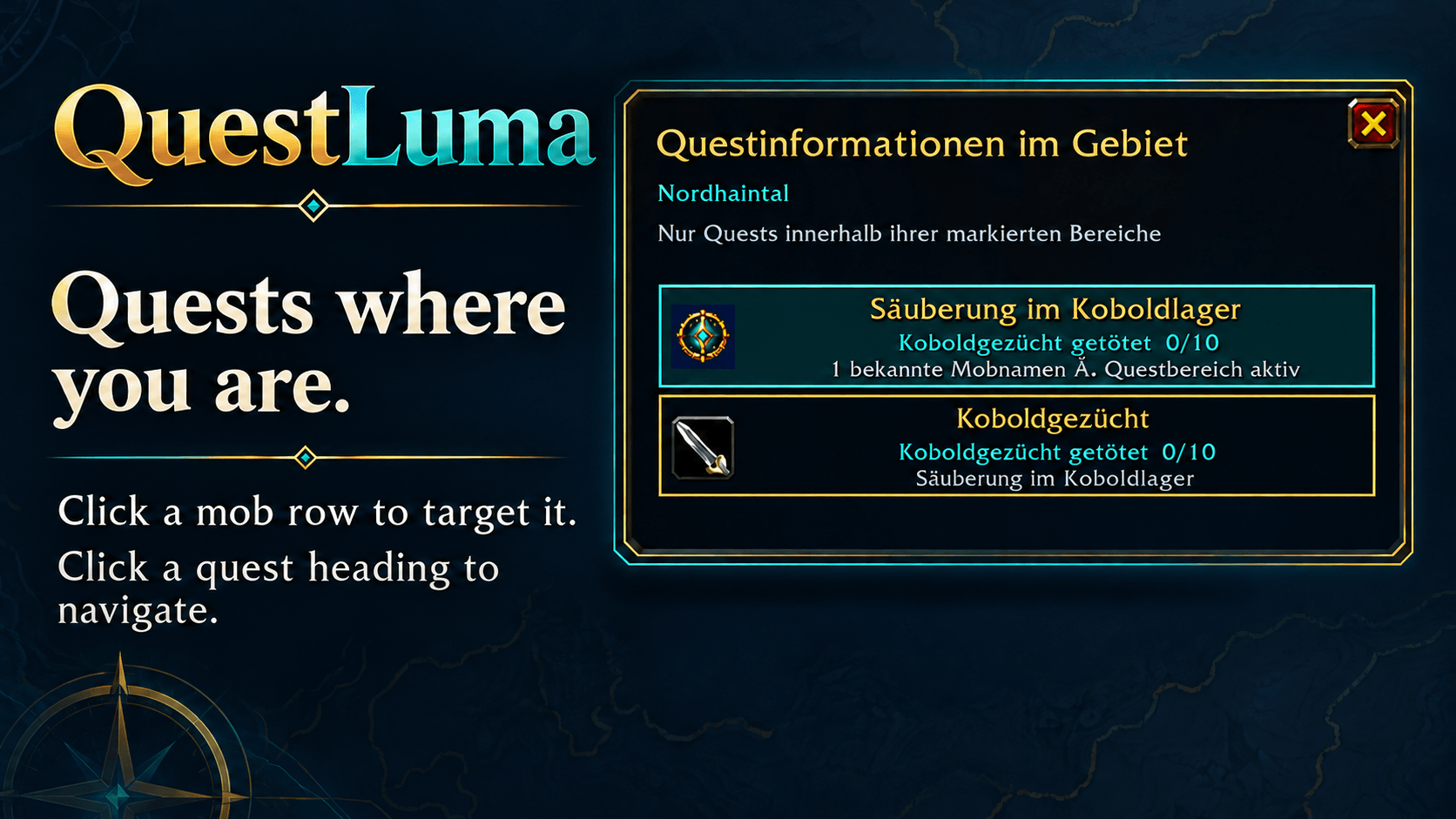
Enter a marked area for an unfinished kill or item-collection quest to see its heading and the matching mob names observed from quest nameplate tooltips. Entries disappear when you leave their quest area. Overlapping quest areas can show several quests.
Currently detected mobs are distinguished from previously known names. Click a mob row to target by exact name within WoW's targeting range; this does not start an attack or guarantee a particular instance of a same-named mob.
Drag the window header to move it. Adjust its scale, width, height and background transparency independently in the Area tab. Pagination appears only when needed. Protected targeting-window changes are deferred during combat.
Leftover quest loot reminders
Leave an unfinished quest item in an observed creature's loot window and close it to get a red ! in the matching area-window mob row. Hover to see the item. Reminders require a readable, unambiguous loot source; they do not broadcast other players' loot.
When a dead interaction, mouseover or target unit has exactly the recorded source GUID, the row shows Matching corpse detected. Client-provided unit data determines whether this is available. Clicking still targets by mob name, so check your target before looting. Reminders are temporary and expire after five minutes or when their quest objective ends.
Optional automatic turn-in
Automatically hand in eligible completed quests when speaking to the quest giver. Disabled by default. Multiple reward choices and money requirements remain manual. Hold Shift to bypass automation; it pauses during combat. New quests are not accepted automatically.
Get started
Install the QuestLuma folder in Interface/AddOns, restart WoW, and enable enemy nameplates (normally V). Open /ql for settings. A six-step English/German introduction opens the first time you open settings and can be replayed with the Tutorial button.
Minimap: left-click opens settings, right-click toggles the area window, and dragging repositions the round button.
| Command | Action |
|---|---|
/ql |
Settings |
/ql area |
Toggle the area quest window |
/ql tutorial |
Replay the guided introduction |
/ql test |
Toggle nameplate preview |
/ql track QUEST_ID |
Watch and select a quest for navigation |
/ql diagnose |
Quest, tooltip and area diagnostics |
/ql lootdiag |
Leftover loot and corpse-match diagnostics |
/ql objectdiag |
Native sparkle setting diagnostics |
Compatibility
Developed for WoW: Forever 1.60.1 / Interface 16001. Other clients are not currently validated. Quest text uses your client language; menu labels use the addon language. German distance labels use meters; English uses yards.
No required addon dependencies. Area/nameplate recognition supports kill and item-collection objectives and learns mob names from observed tooltips rather than a complete NPC database.
For detection issues, include your client build, addon version, /ql diagnose output, and a screenshot of the quest objective and NPC tooltip.
License: All Rights Reserved.
QuestLuma Team