QuestieRouter
- By
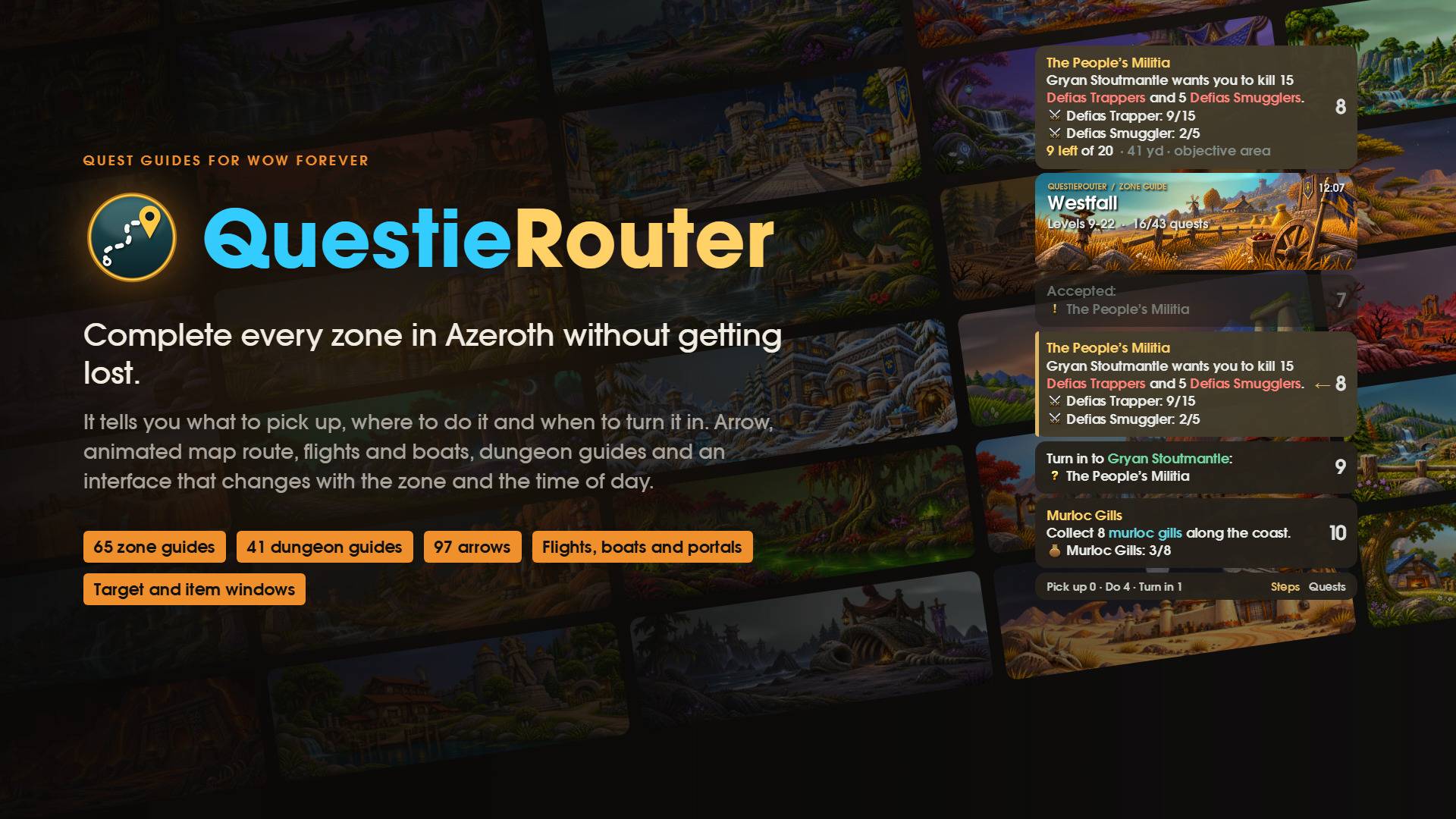
QuestieRouter turns Questie's quest database into a guide. It tells you what to pick up, where to do it and when to turn it in.
02-guias.jpg
05-cadenas.jpg
07-dianoche.jpg
08-zonas.jpg
09-flecha.jpg
15-cierre.jpg
Description

QuestieRouter: complete every zone, quest by quest, without ever getting lost
QuestieRouter is a zone completion guide, not a speed-levelling guide. Its goal is to help you finish each zone properly: every quest, in the right order, so you follow the zone's story from start to finish instead of rushing through levels and skipping the lore.
It turns Questie's quest database into a full guide for each zone. It tells you what to pick up, where to do it and when to turn it in, in the same order an experienced player would, so completing a zone never turns into back-and-forth or wasted time. On top of that you get a navigation arrow, an animated route on the map, flights and boats worked out for you, dungeon guides, and an interface that changes with the zone and the time of day.
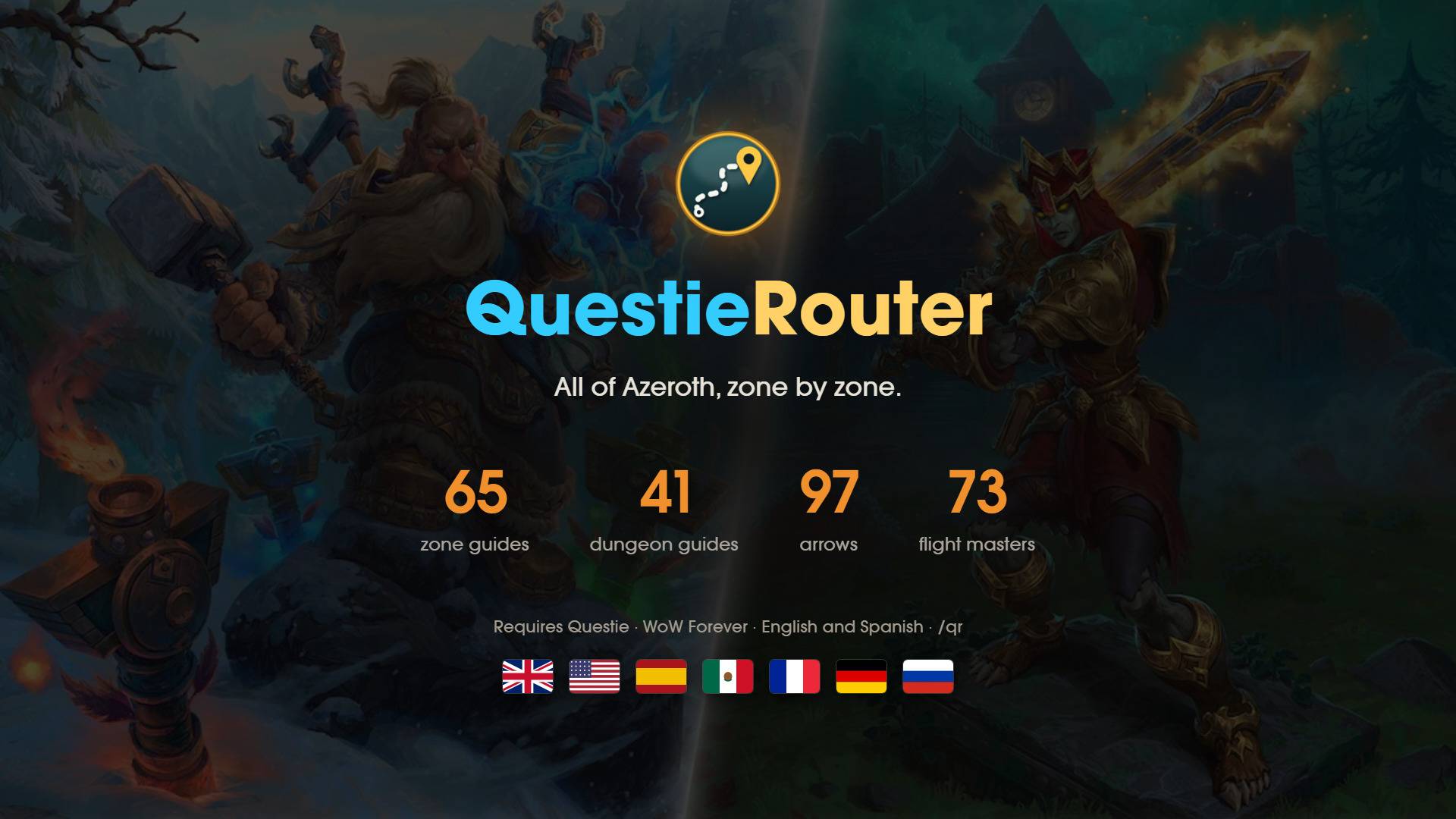
69 zone guides · 41 dungeon guides · 4,220 quests · 97 arrow styles · 73 flight masters
Requires Questie
Made for WoW Forever · Available in English, Spanish, French, German and Russian
Enjoy the zone, not just the XP bar
QuestieRouter is built for players who want to experience each zone: read the quests, follow every storyline and see how they connect, and leave nothing behind.
- Every quest in the zone, not just the most efficient ones.
- Chains are followed from the first quest to the last, so you see each story through.
- The order is optimised so that doing everything is still smooth: no running back and forth for one quest at a time.
Change zone whenever you like
You're never locked into a guide. Right-click the banner and pick another zone at any time, whether you've finished the current one or just fancy a change.
- If the new zone is far away, QuestieRouter plans the trip from where you are to the first quest giver: on foot, by flight, boat or tram.
- Quests you've already done stay done, so you can come back to a zone later and carry on where you left off.
A guide for every zone

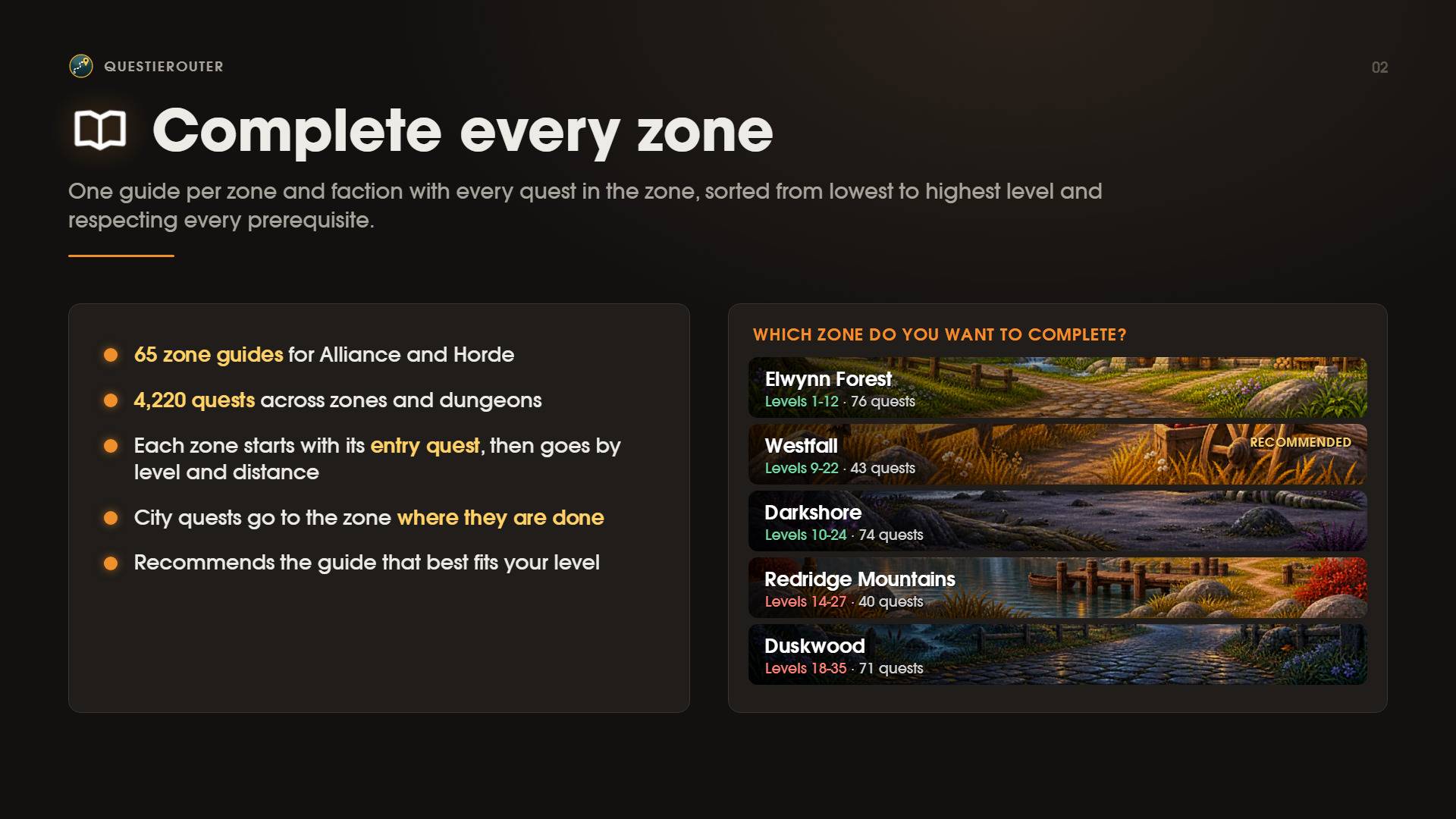
- One guide per zone and faction, for both Alliance and Horde, including Zephras Isle and the Darkspear Islands (PvP).
- Each guide uses the level range shown on the zone's map, so you always know whether a zone suits you.
- Quests are sorted by level and distance, and every prerequisite is respected.
- Each zone starts with its entry quest.
- City quests are placed in the zone where you actually do them.
- The guide that best fits your level is marked as recommended.
Pick up · Do · Turn in

Forget doing one quest at a time. QuestieRouter plans your session the way an experienced player does:
- Hub: pick up and turn in everything nearby.
- Field: head to the objective area, or straight to the densest group of enemies.
- Turn in: finish the rest. Anything newly unlocked takes you back to the hub.
- Next hub: move on, without bouncing back and forth between two nearby quests.
In capital cities, every completed quest you can turn in there comes first, starting with the nearest NPC. Then the guide picks up where it left off.
Dungeon guides

41 dungeon guides, from The Deadmines to Scholomance. QuestieRouter sends you around the world to collect the dungeon's quests, then routes you to the entrance. Steps done inside the dungeon are clearly marked, and once you're out it takes you to turn everything in.
Coming soon
- Levelling guides: for players who want to reach the level cap as fast as possible. They'll come later, as a separate kind of guide, so zone guides stay focused on completing each zone.
- Profession guides.
- More event guides, added as each world event goes live in the game. The Darkmoon Faire is already available.
Quest chains and quest list

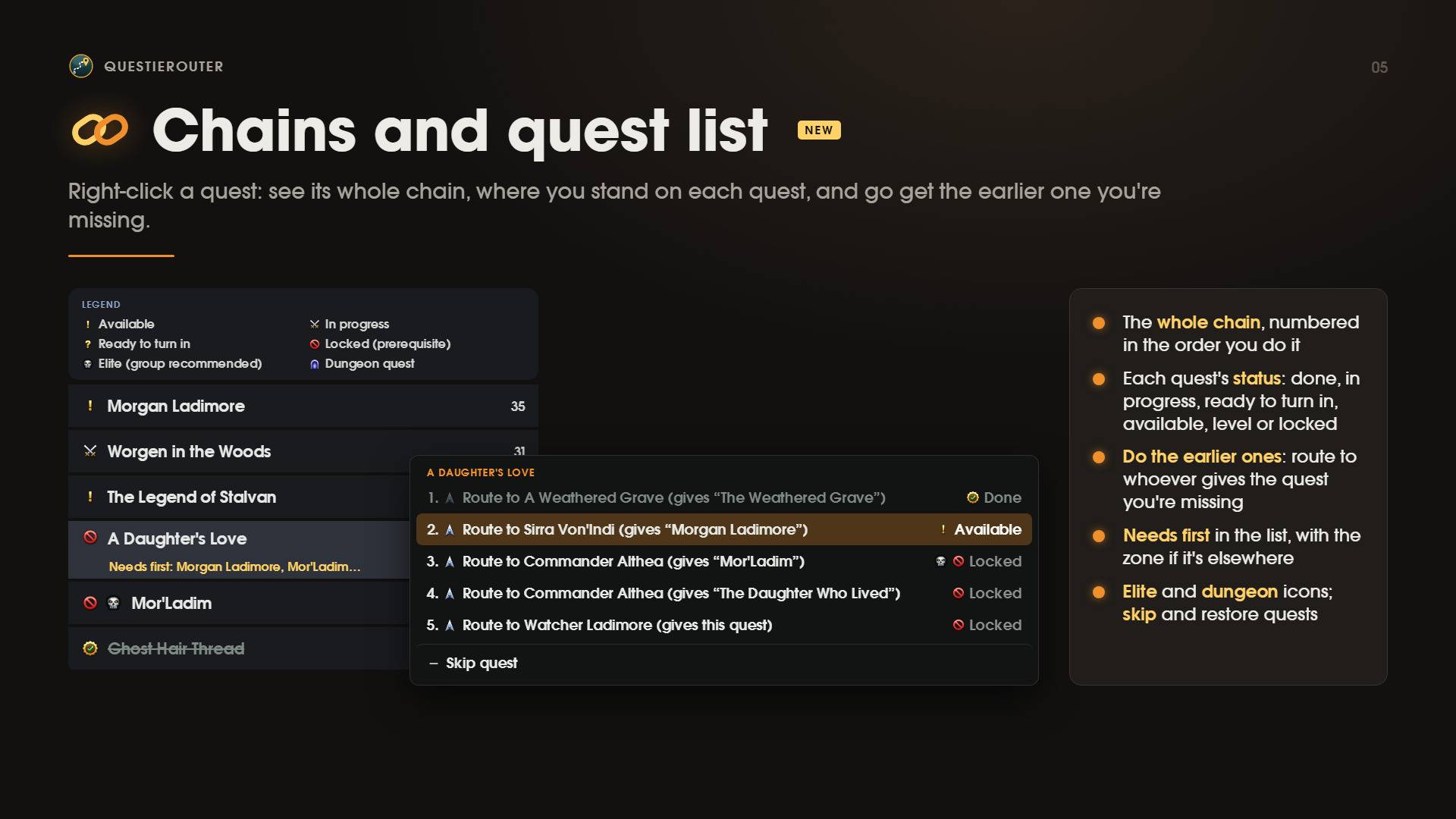
The Quests tab lists every quest in the zone and shows exactly where you stand on each one: available, in progress, ready to turn in or locked.
- What's missing: if a quest isn't available yet, the list shows the earlier quest you still need and its zone.
- The whole chain at a glance: right-click any quest to see its chain, numbered in the order you do it. Each quest shows its status on the right: done, in progress, ready to turn in, available, the level you still need, or locked, with the reason when it isn't an earlier quest.
- One click to start: click any quest in the chain to get a route to whoever gives it. If you can't pick it up yet, you get a warning instead of a wasted trip.
- Only what's yours: quests for another race or class never show up as the previous quest.
- Skip quests and bring them back whenever you like.
- Elite and dungeon quests are marked with icons in the list, in the steps and in the chain.
Auto accept and turn in

Talk to an NPC and QuestieRouter accepts the guide's quests and turns in the completed ones for you.
- It only accepts quests from the guide's steps, and never anything far above your level.
- When there's a reward to choose, the choice is always yours.
- Hold Shift to skip the automation for that NPC.
- Turn it on or off from the right-click menu or in Settings.
A living interface


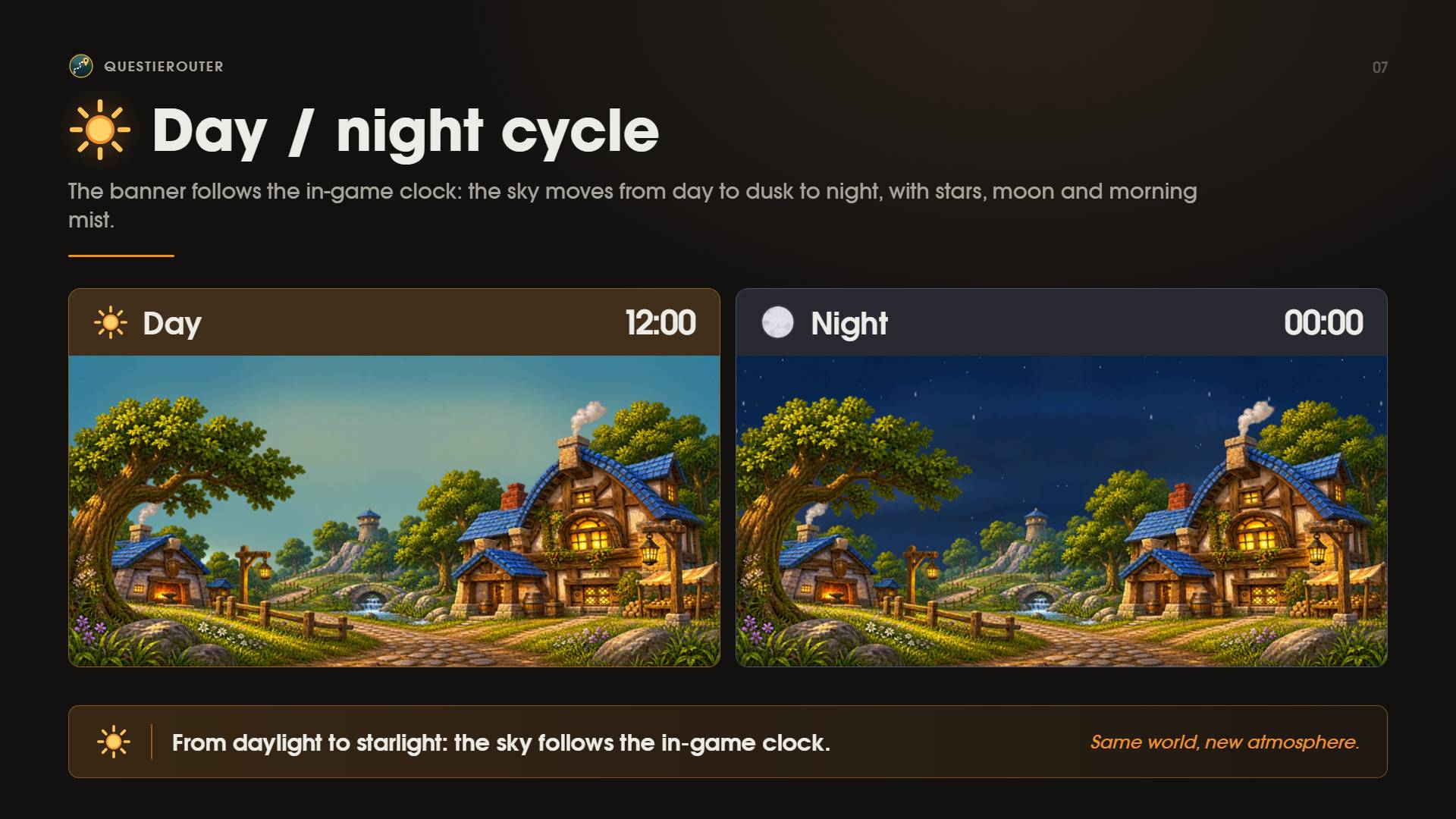
- The banner follows the in-game clock, from day to dusk to night, with stars, moon and morning mist.
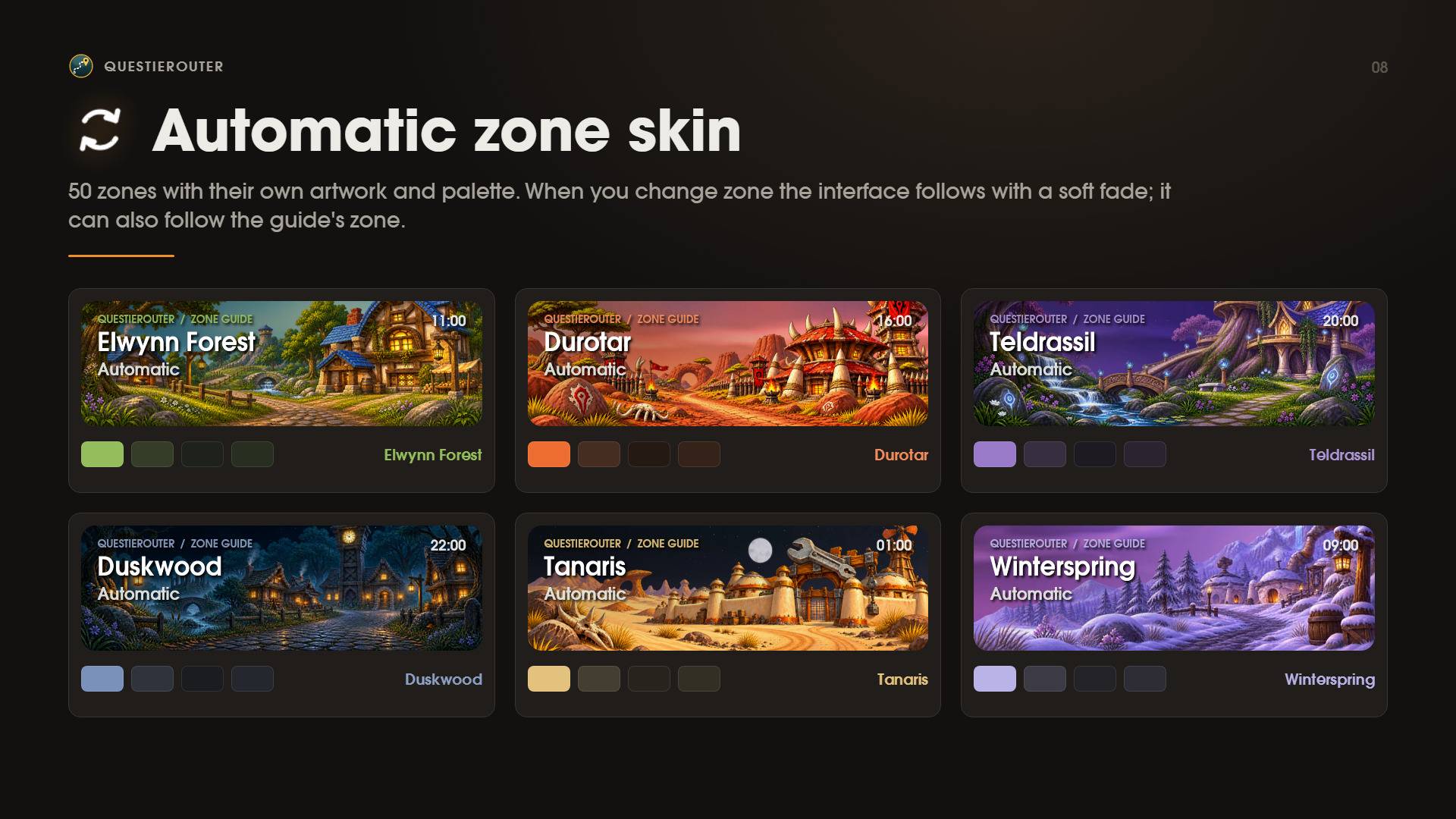
- 50 zones have their own artwork and palette. The skin fades smoothly when you change zone, or it can follow the guide's zone instead.
50 hand-crafted zone skins
Every zone below has its own skin. Step into a zone and the whole interface fades into it over a couple of seconds:
- Banner artwork: an illustration of the zone's landmark across the top of the guide. Hillsbrad Foothills even has a separate version for Alliance and for Horde.
- Sky: a backdrop painted for that zone, behind the day and night cycle.
- Colour palette: an accent colour taken from the zone's landscape, which tints the cards, the borders and the arrow.
| Kalimdor | Eastern Kingdoms |
|---|---|
| Ashenvale | Alterac Mountains |
| Azshara | Arathi Highlands |
| Darkshore | Badlands |
| Desolace | Blasted Lands |
| Durotar | Burning Steppes |
| Dustwallow Marsh | Deadwind Pass |
| Felwood | Dun Morogh |
| Feralas | Duskwood |
| Moonglade | Eastern Plaguelands |
| Mount Hyjal | Elwynn Forest |
| Mulgore | Hillsbrad Foothills |
| Silithus | Loch Modan |
| Stonetalon Mountains | Redridge Mountains |
| Tanaris | Searing Gorge |
| Teldrassil | Silverpine Forest |
| The Barrens | Stranglethorn Vale |
| Thousand Needles | Swamp of Sorrows |
| Un'Goro Crater | The Hinterlands |
| Winterspring | Tirisfal Glades |
| WoW Forever | Western Plaguelands |
| Riverglades | Westfall |
| Shen'dralas | Wetlands |
| Zephras Isle |
Capital cities: Stormwind City · Ironforge · Darnassus · Orgrimmar · Thunder Bluff · Undercity
Zones without a skin of their own use a neutral palette.
Navigation arrow

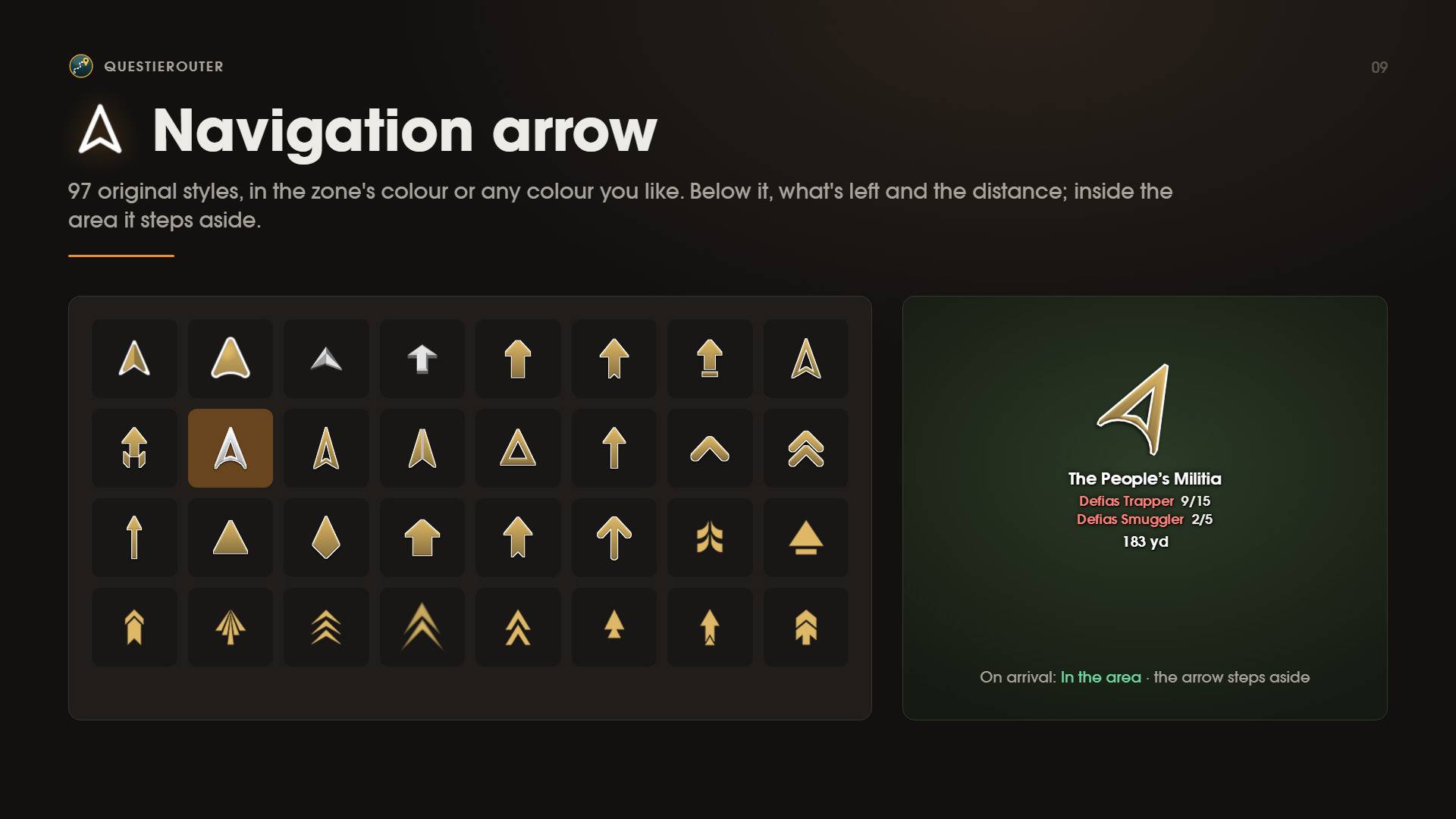
Choose from 97 original arrow styles, in the zone's colour or any colour you like. Under the arrow you can see what's left to do and how far away it is. Once you reach the objective area, the arrow moves out of your way.
Animated map route

An animated line runs from you to the objective, with the step number, on both the world map and the minimap.
- 4 line styles to choose from.
- The line keeps the same thickness at any zoom level.
- Travel routes are drawn leg by leg.
Targets and items

Two compact windows sit right next to the guide.
Target window
- Shows the current step's enemies, plus the NPC you need to pick up from or turn in to.
- Left-click targets them. Each button places its own raid marker, and only living enemies are selected.
- Shows a square 2D portrait or a 3D model.
- Right-click an enemy to target it and cast your ability, such as your opening attack or a pull spell. Choose it in Options: drag the ability from your spellbook onto the Right-click ability slot. Right-click the slot to clear it.
- Right-clicking a friendly NPC never casts the ability. It only targets the NPC, so you can't attack a quest giver by mistake. With no ability set, right-click just targets, like left-click.
- If another player has already tagged the enemy, click again to jump to the next one with the same name, so you still get credit.

Items window
- Lists your usable quest items, ready with one click.
- Items for the current step come first, with their count and cooldown.
Place both windows anywhere and set their button size and title position. Both are safe to use in combat and update as soon as combat ends.
Travel and flights

When the objective is far away, QuestieRouter finds the fastest way there using:
- The flights you've learned. They're checked automatically every time you open a flight master's map.
- Boats and zeppelins, including waiting and travel times.
- The tram and portals of your faction.
- City gates, so routes never go through walls.
While you fly, a bar at the bottom of the screen counts down your arrival based on real flight times.
Make it yours

The skin, banner, cards, arrow, map, travel and the small windows each have their own size, opacity and colour settings. You'll also find the options, the changelog and support in Settings > AddOns > QuestieRouter.

Getting started
- Install Questie and QuestieRouter.
- Log in. A short setup wizard opens the first time: choose the text size and what the guide shows. You can open it again at any time with
/qr install. - Pick a zone, or take the recommended one. You can switch to another zone whenever you like.
- Follow the arrow, and enjoy the zone's story.
| Command | What it does |
|---|---|
/qr |
Turn QuestieRouter on or off |
/qr guide |
Show or hide the guide window |
/qr pick |
Open the zone picker |
/qr options |
Graphics options |
/qr settings |
Panel in Settings > AddOns (changelog, support) |
/qr install |
Open the setup wizard again |
/qr dungeon <name> |
Route to a dungeon entrance |
/qr load_en · load_es · load_fr · load_de · load_ru |
Change the addon's language |
/qr load_auto |
Use your client's language |
You can also right-click the banner or the minimap button to open the full menu.
Languages
The interface is fully translated into:
- English (enUS / enGB)
- Spanish (esES / esMX)
- French (frFR)
- German (deDE)
- Russian (ruRU)
It follows your client's language automatically, or you can pick one with /qr load_xx. Quest, NPC and zone names always appear in your client's language.
Copyright
© 2026 Lizerius. All rights reserved.
QuestieRouter, including its code, artwork, arrow styles, guides and data, is protected by copyright. Without the author's prior written permission you may not:
- modify, adapt or create derivative works from it, in whole or in part;
- copy or reuse its code, artwork or guides in other projects;
- redistribute or re-upload it, on any website, platform or package;
- sell it, or use it for any commercial purpose.
You may download it from its official pages and use it for your own personal play. Questie belongs to its own authors. World of Warcraft is a trademark of Blizzard Entertainment, Inc.

QuestieRouter Team