QuestHubs
- By
Discover quest hubs, explore level ranges and rewards, track your progress, and find dungeon quest pickups with clearer maps. Requires QuestieDB from Questie.
Description
QuestHubs
Find your next questing destination at a glance.
QuestHubs brings a clearer view of your questing journey to World of Warcraft Forever. Discover concentrations of quest givers, explore the level ranges each area offers, and see your progress directly on your maps.
Discover places worth exploring
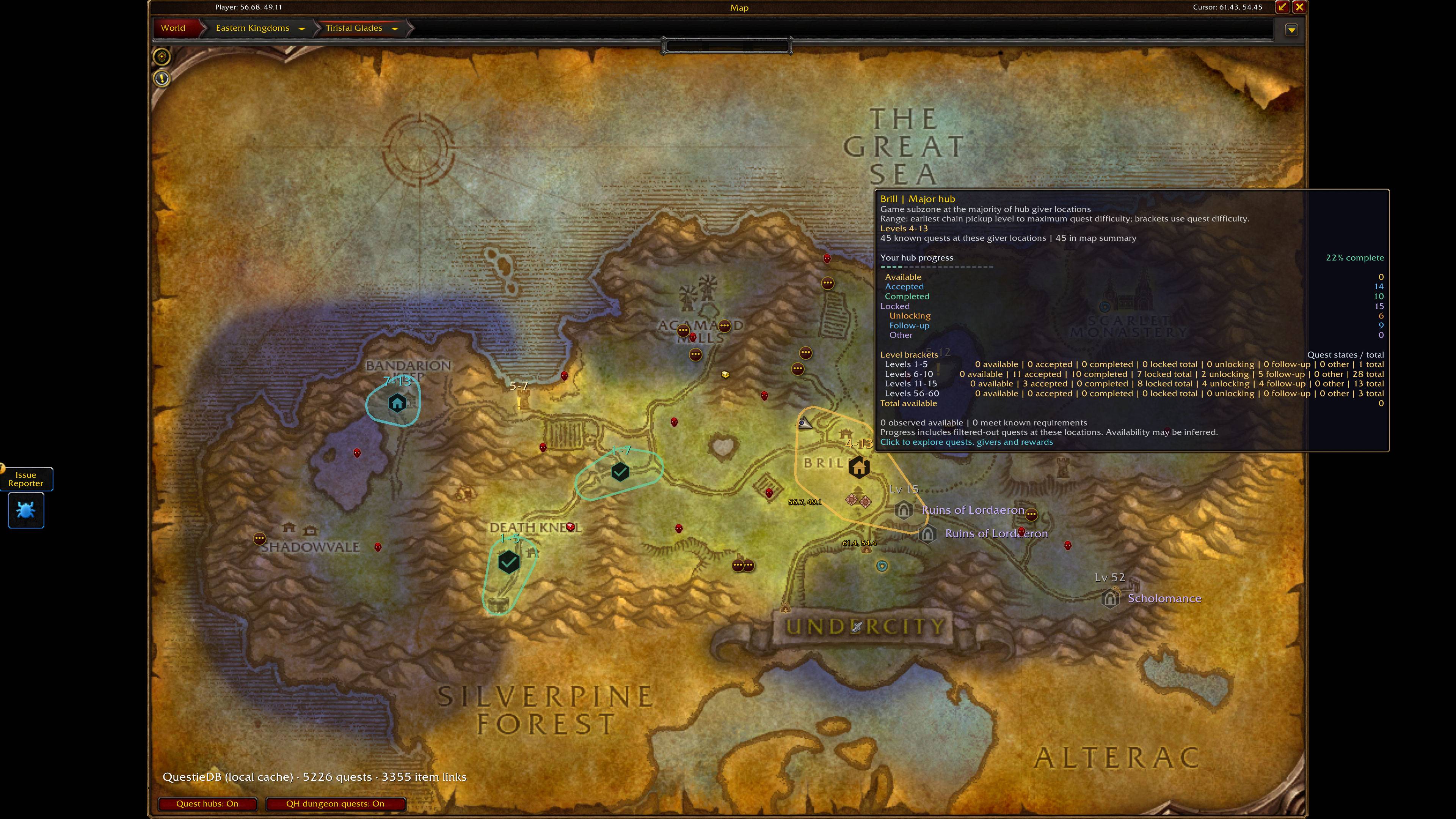
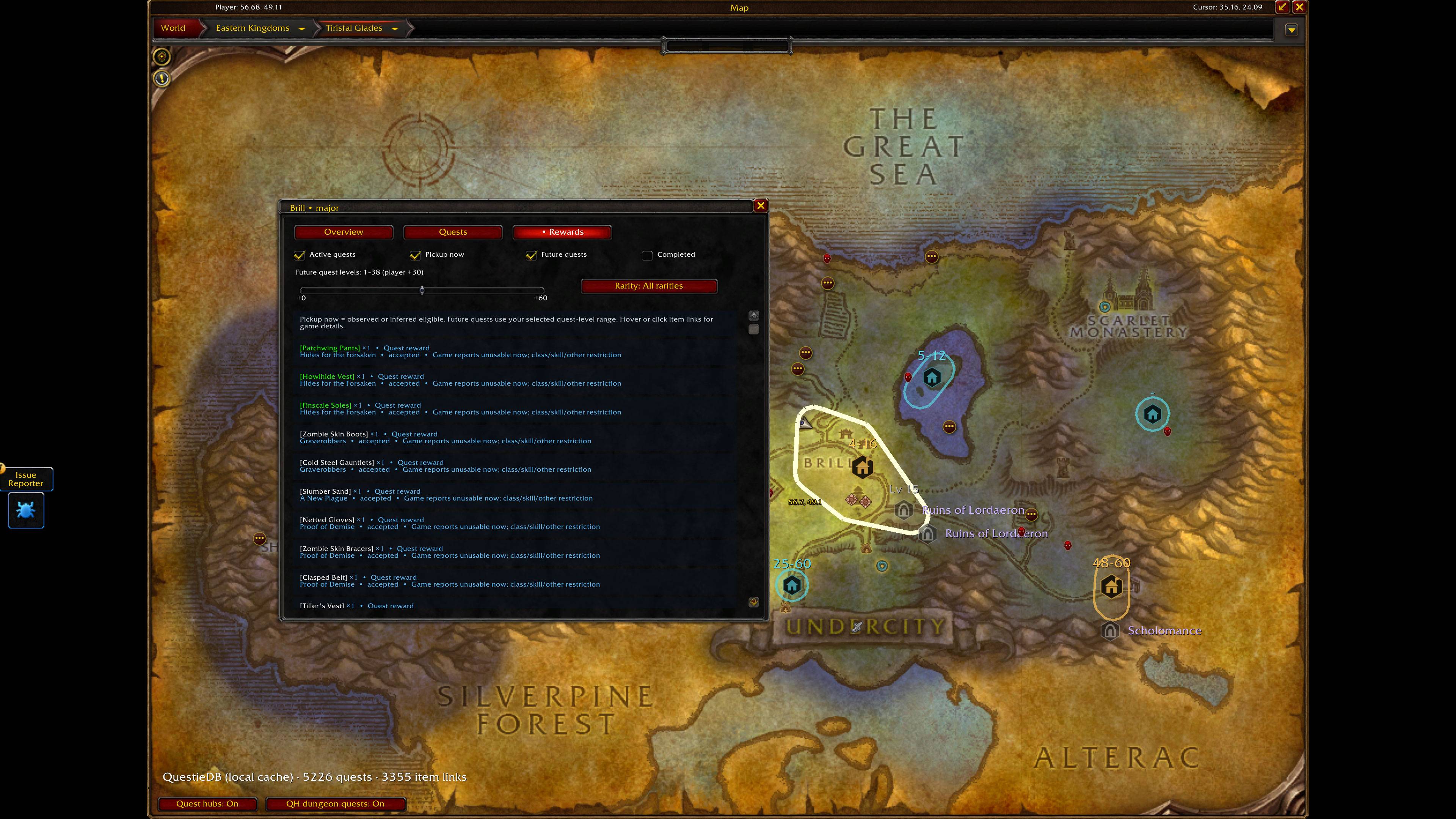
QuestHubs groups nearby quest givers into major and minor hubs, with configurable icons, outlines and translucent fills. Adjust how hubs form, merge overlapping areas, and choose whether names and level ranges appear beside their markers.
World-map tooltips help you compare zones, while smaller quest-giver markers reveal opportunities outside larger hubs.
Understand what’s available
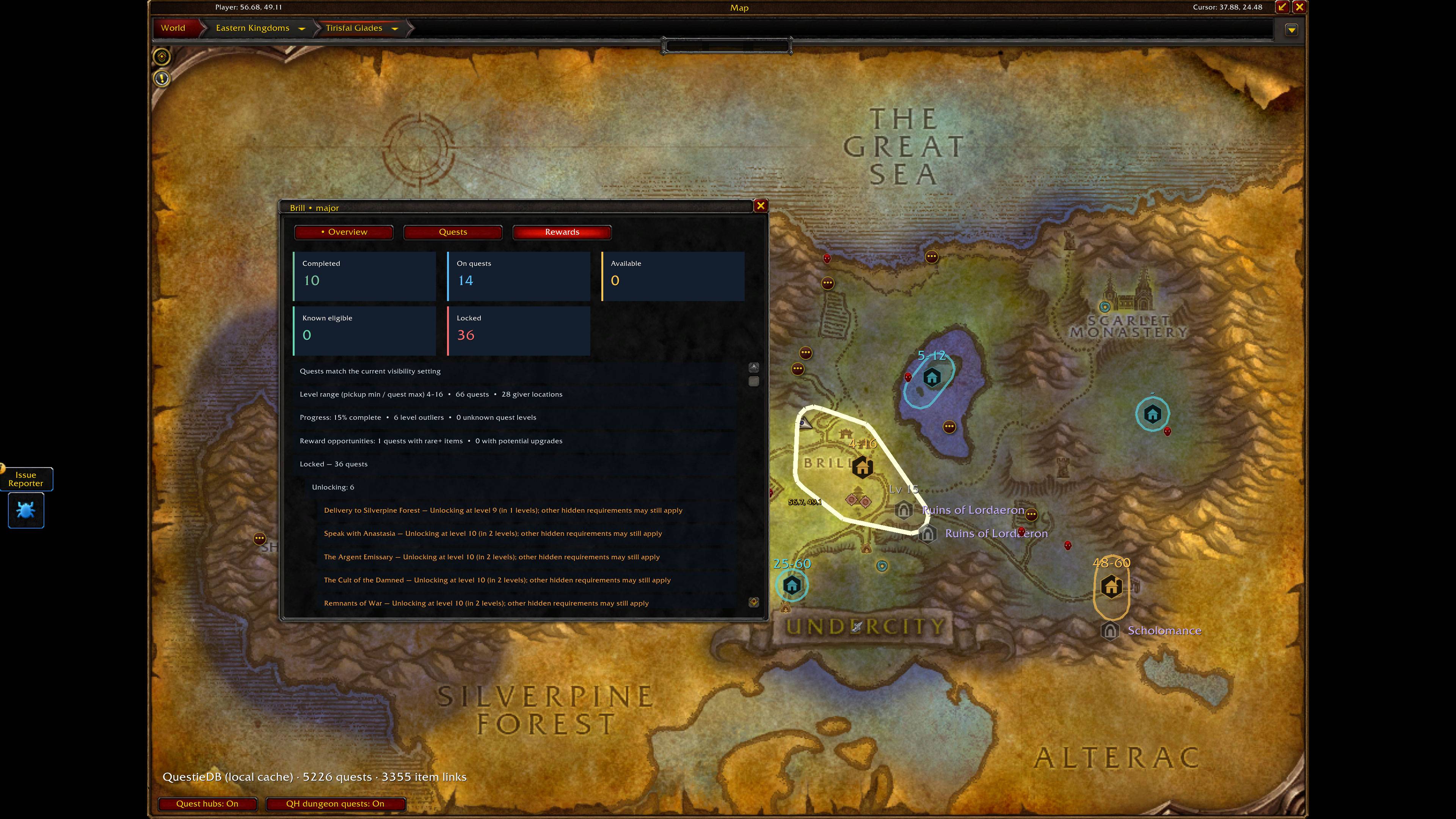
Hover over a hub for a progress summary, or click it to explore its quests, givers, chains and rewards.
Track:
- Available quests and quests that meet known pickup requirements.
- Accepted quests already in your log.
- Completed quests and your completion percentage.
- Unlocking quests that become available within an adjustable number of levels.
- Follow-up quests connected to your active chains.
- Other locked quests, with controls to hide them by reason.
Hub level ranges combine known chain pickup requirements with quest difficulty. Adjustable coverage controls help prevent an isolated high-level quest from dominating a hub’s range.
Find dungeon quest pickups
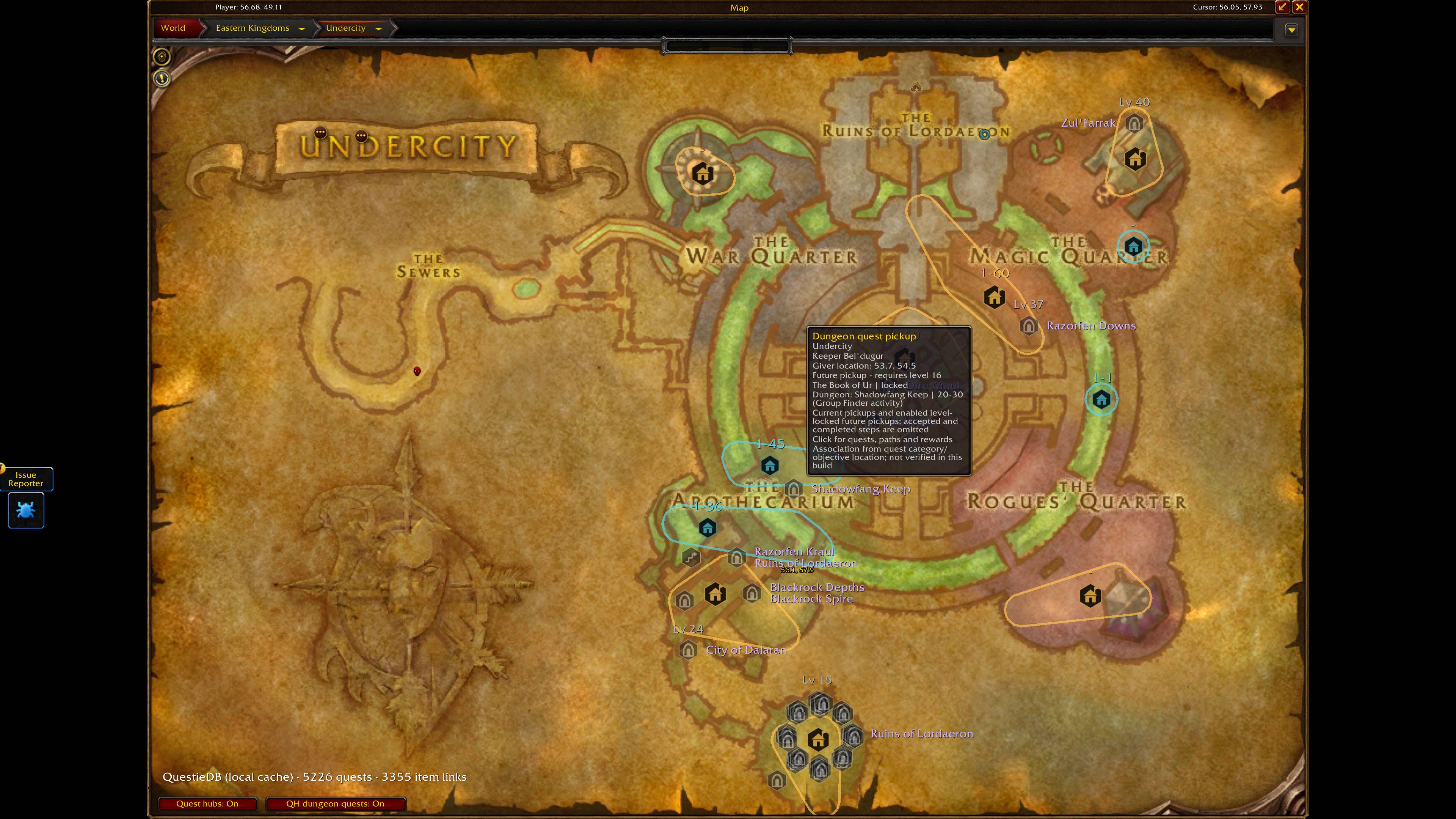
Separate markers show where to collect dungeon quests and their prerequisites. Current-step filtering keeps accepted, completed and later chain steps from cluttering the map.
Enable future dungeon pickups to display quests blocked only by level as muted markers with required-level labels. You can also filter dungeons by your character’s known LFG level bracket.
PvP quest pickups have their own marker styles and visibility controls.
Explore worthwhile rewards
Browse linked item rewards from a hub’s quest window, with controls for rarity, active quests, pickup opportunities and future quest levels.
Inspect items your character may be able to use and compare potential upgrades against current equipment. Item comparisons provide guidance rather than a complete evaluation of every build or item effect.
Make the map yours
- Quick-setup presets: Level and Discover and Show all hubs.
- Save your own Level and Discover setup.
- Separate options to exclude daily and weekly quests from hubs.
- Custom hub colours, icon opacity and label size.
- Optional quest-giver markers, outlines, fills and names.
- Subzone naming where the game provides suitable area information.
- Local caching to speed repeat loads.
Configure QuestHubs through Options → AddOns → QuestHubs, or use /qh options.
Requirements
Requires the Forever version of Questie, including its QuestieDB component. Ensure QuestieDB is enabled.
QuestHubs reads the installed QuestieDB provider at runtime. It does not include a scraped quest database or character settings.
Quest and reward coverage depends on the installed provider. Hidden server, phase or event requirements may still affect availability; speaking to the quest giver remains the final confirmation. Uncertainty details are optional and off by default.
Choose your destination, uncover the opportunities, and keep your adventure moving.
QuestHubs Team