Immersive Bags for Better Bags
- By
Immersive Bags brings classic adventuring style to BetterBags with 71 illustrated bag designs, faction clasps, a bank vault theme, a dedicated Hearthstone button and compact tabs. Choose a style or match your equipped bag. Requires BetterBags.
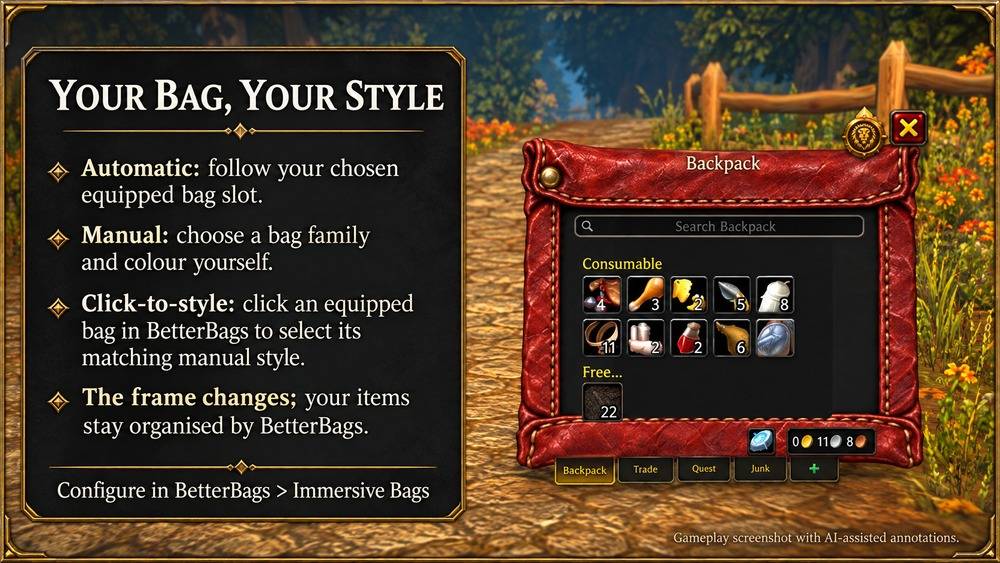
Immersive Bags Promo Using the Standardard Small Leather Pouch design
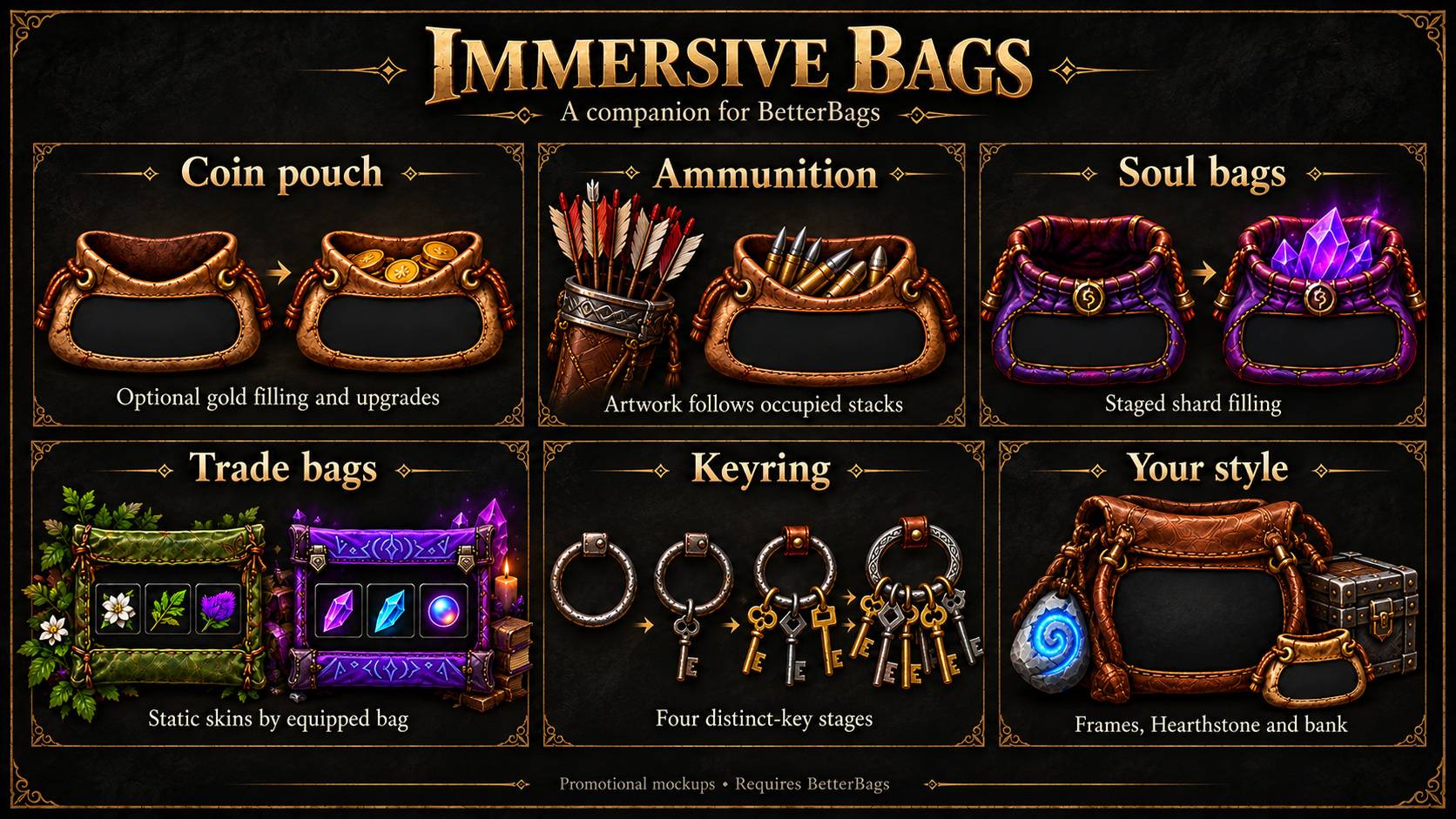
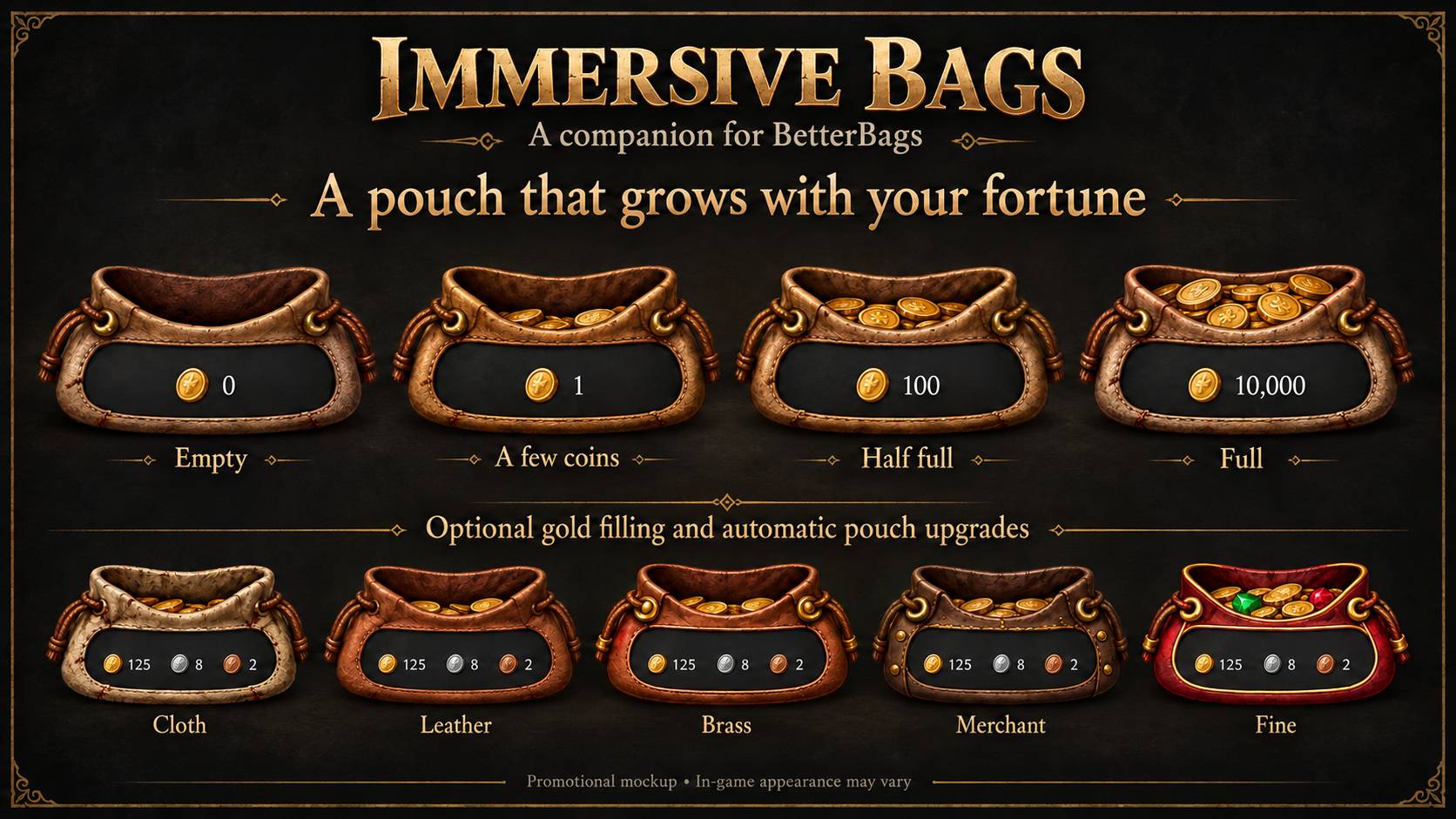
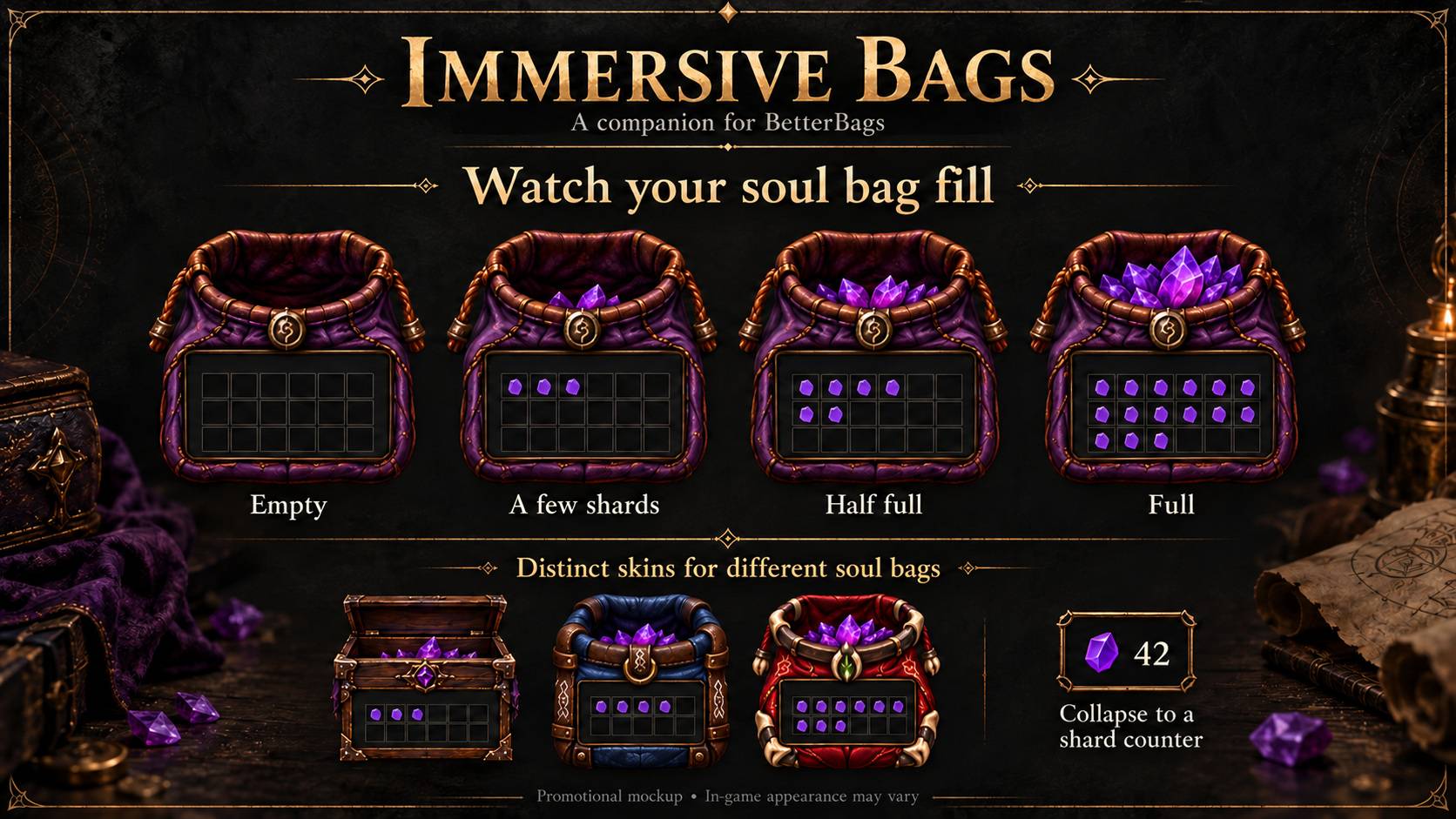
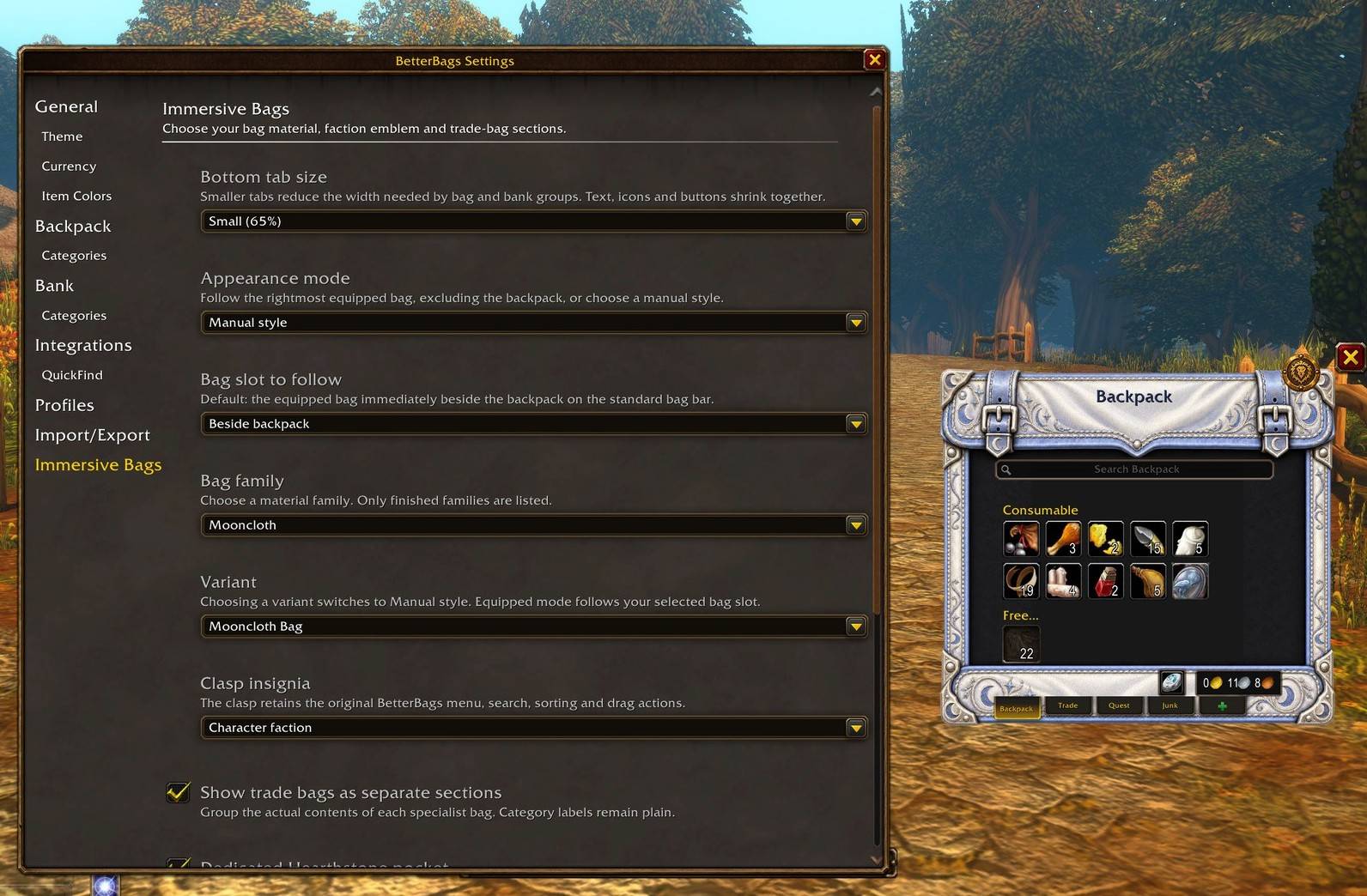
Immersive Bag Options showing manual or automatic bag changes as well as quality of life and bag variant menu.
Description
Immersive Bags began with how much I love BetterBags. Its excellent organisation, flexibility and familiar controls make it the foundation of my inventory setup. This companion addon builds on that experience with illustrated fantasy frames and accessories, making your inventory feel like part of your character’s equipment.
Backpack styles
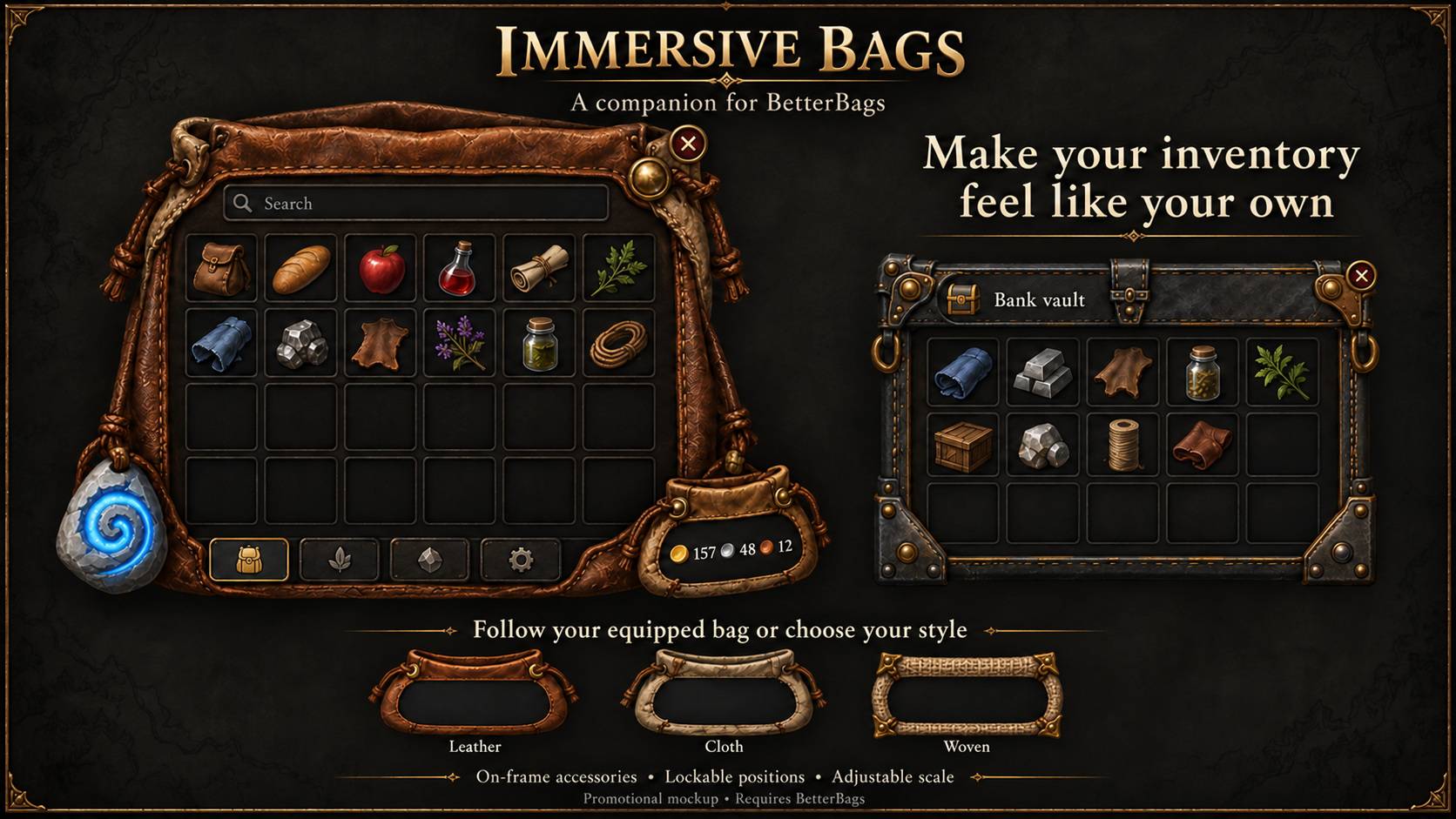
Choose from 71 designs across 17 material families, including worn leather, linen, wool, silk, mageweave, runecloth, woven baskets, animal hides and wooden containers. Designs reflect the character of different bags, from modest early pouches to more distinctive rare containers.
Use Automatic to match a selected equipped bag slot, defaulting to the bag beside your backpack, or choose a family and variant manually. An optional setting also lets you select a matching style by clicking an equipped bag in BetterBags’ bottom bag panel.
Coin pouch and currencies
Replace the standard money presentation with an illustrated coin pouch. Choose between five designs, from simple cloth to fine leather, while retaining money and tracked currencies supplied by BetterBags.
Optional gold-based upgrades change the pouch’s design as your wealth increases. You can also enable staged coin filling, with piles that grow as you collect gold and shrink when you spend it. Select different gold thresholds to suit your character’s progression.
Graphical Hearthstone
Keep your Hearthstone close at hand with a dedicated rune-carved stone accessory and cooldown feedback. When enabled, the separate button hides the Hearthstone’s normal inventory entry.
Choose an attached anchor or move it freely, lock its position, or save your preferred placement directly on the bag frame. A separate Hearthstone category is also available for those who prefer an inventory pocket.
Quivers and ammunition pouches
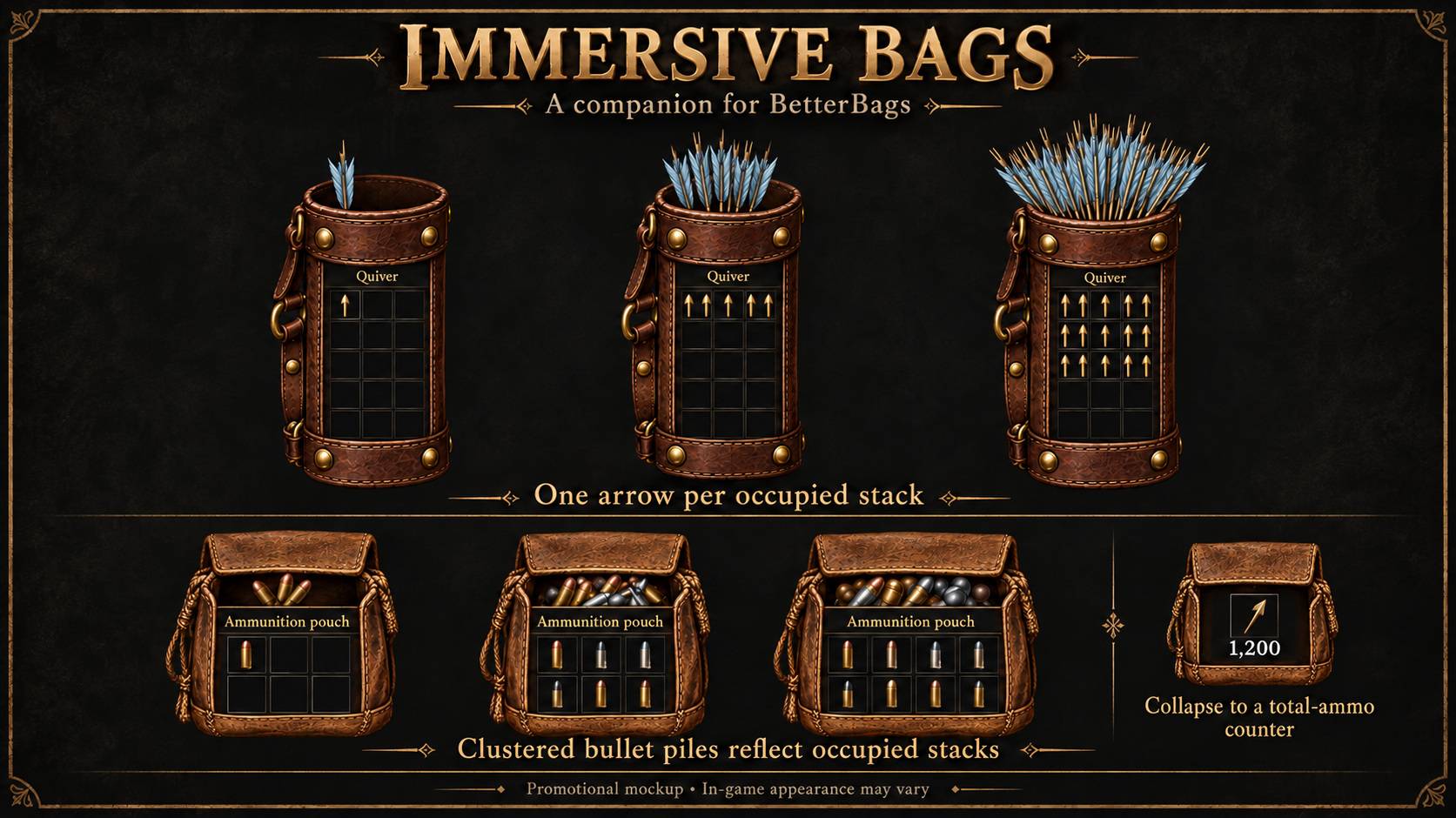
Give equipped ammunition containers their own illustrated panels, with distinct designs for supported quivers and pouches.
Quivers display one decorative arrow per occupied ammunition stack, building into an overlapping fan. Ammunition pouches use clustered bullet piles, with projectile artwork varying by supported ammunition type. Collapse either container into a compact icon showing its total ammunition, then click to expand it again.
Soul bags
Soul containers receive their own themed designs, including leather pouches, rune-bound bags and wooden cases.
Purple shard artwork progresses through filling stages as the bag’s Soul Shard contents increase. Real item slots remain accessible, and an optional collapsed display shows a shard icon with the total number held in that container.
Trade and reagent bags
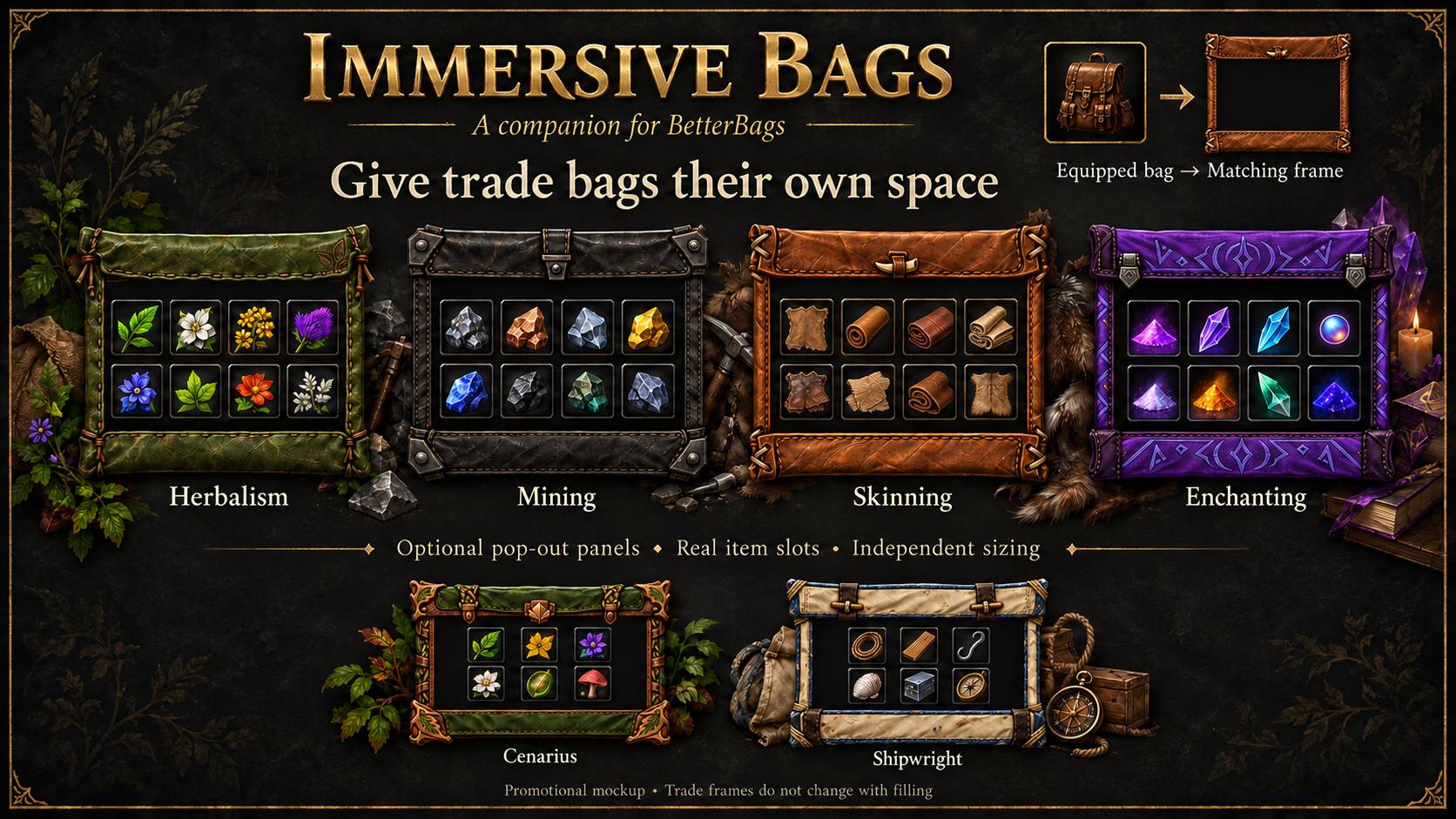
Optionally display equipped trade and reagent bags in separate pop-out panels. Supported bags select matching artwork by item ID, with native bag-type fallbacks where appropriate.
Styles include herbalism, mining, skinning, enchanting and general reagent containers. These use static themed frames rather than filling artwork, keeping the item area simple and readable while retaining the bag’s real slots.
Progressive keyring
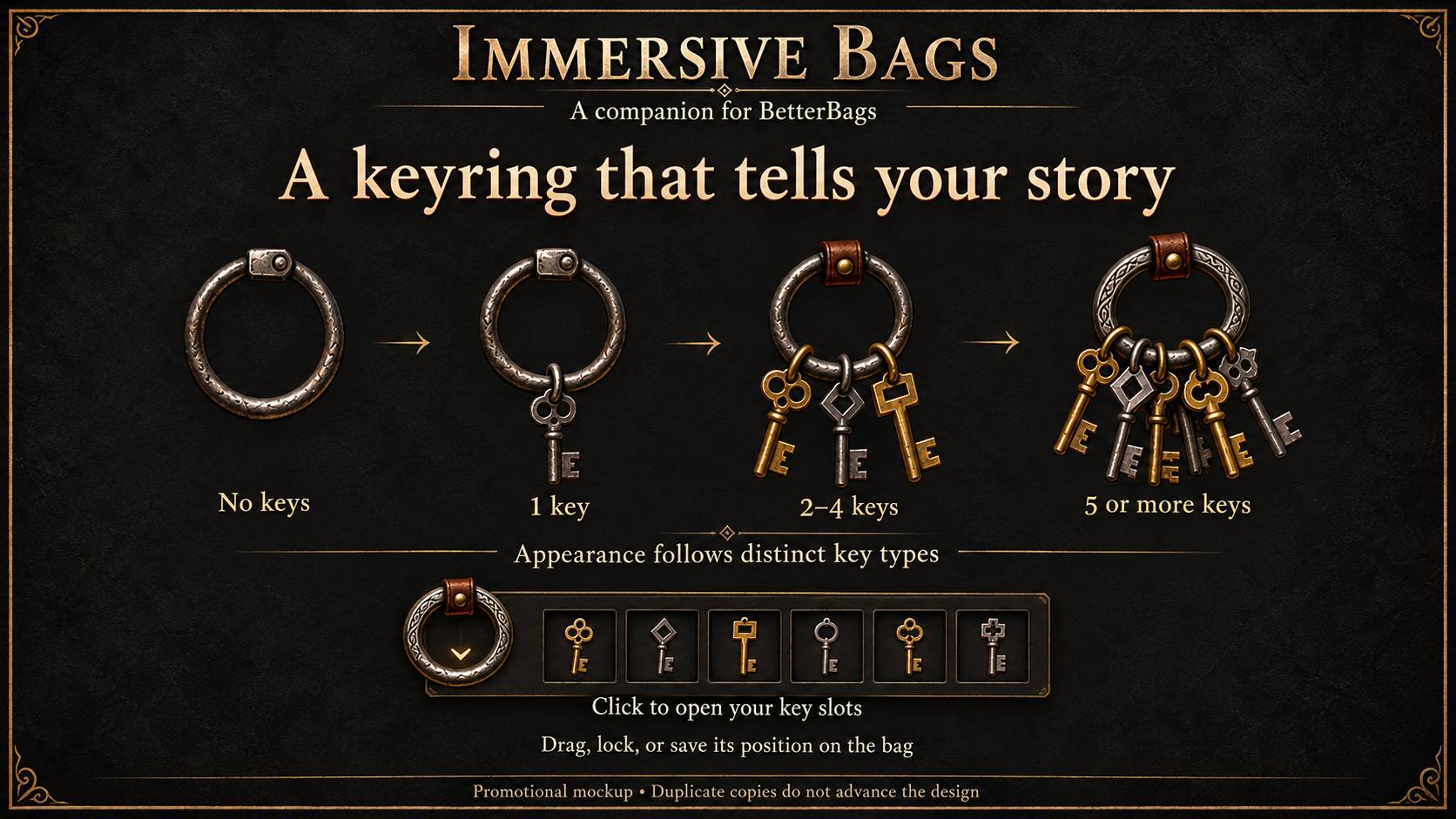
An illustrated keyring develops through four appearances: no keys, one key, two to four distinct key types, and five or more. Duplicate copies do not advance its appearance.
Click the ring to open its key slots. Adjust its scale, move and lock it, or save its current position on the backpack frame so it follows the bag.
Bank vault
Give your bank a separate iron-and-brass vault appearance, or let it share your backpack’s selected style.
A themed toggle opens and closes the bank-slot purchase controls beside the frame, keeping them clear of the bottom tabs.
Positioning and personalisation
Choose character-faction, Horde, Alliance or plain-brass clasp artwork. Adjust backpack, bank and specialist-container scales, and select normal, compact or small bottom tabs.
The coin pouch and Hearthstone have independent anchor and lock options. Save their current placement—and the visible keyring’s placement—as on-frame positions that follow your bag. Specialist panels also support saved positions and locking.
Organised settings
Settings are grouped into General, Backpack, Bank, Trade Bags, Ammunition, Soul Bags, Currency Pouch, Hearthstone and Keyring pages.
Existing preferences are preserved when updating. A Restore defaults button asks for confirmation before resetting Immersive Bags, leaving BetterBags’ own settings intact.
BetterBags continues to provide the inventory organisation you know, while Immersive Bags adds the visual character. Native item interactions remain available.
Requires BetterBags, installed separately.
Developed primarily for WoW Forever.
Immersive Bags for Better Bags Team