Questboard
- By
List the dungeon and group quests you can share, and find players who can share them with you. For WoW Forever.
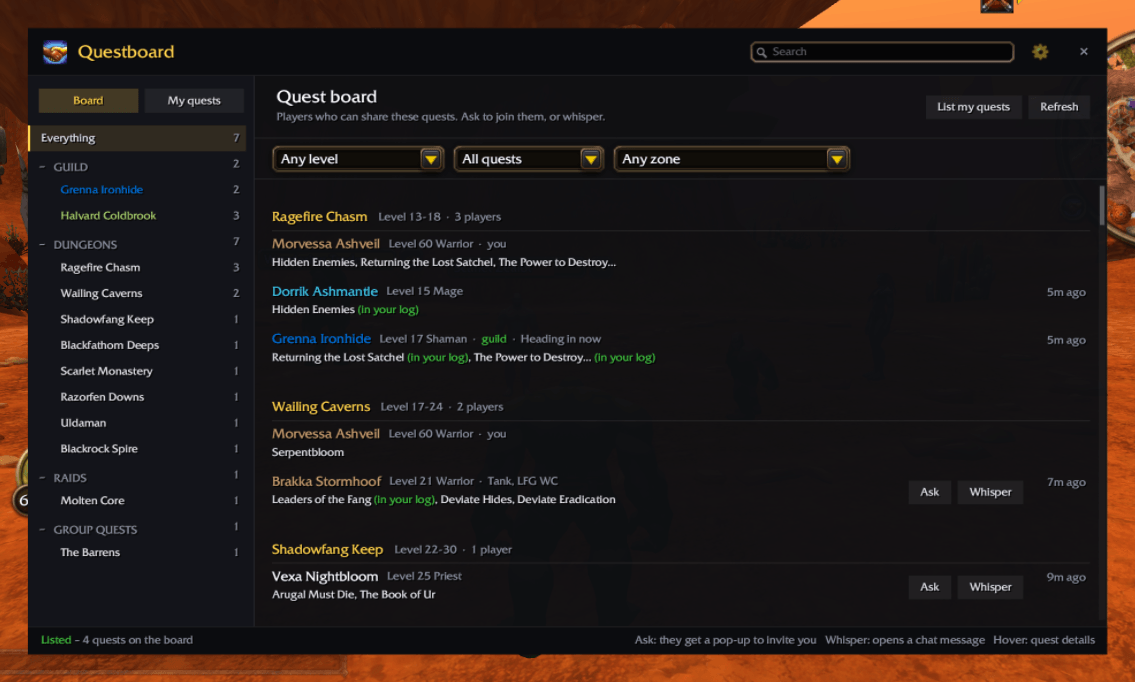
questboard-board.png
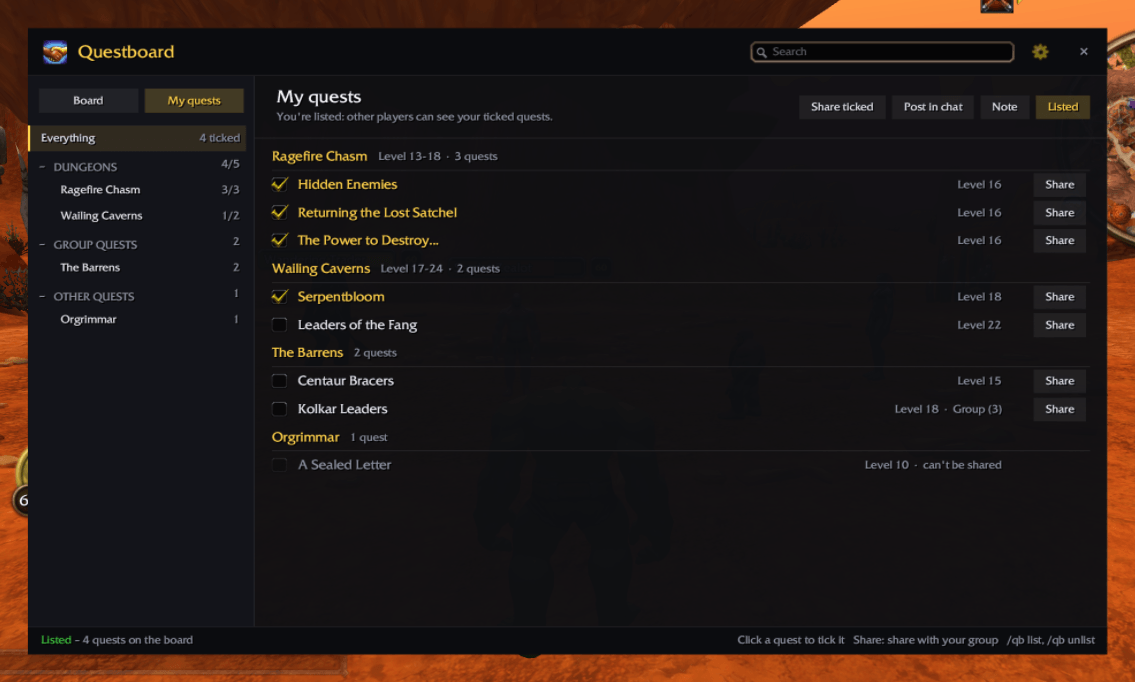
questboard-my-quests.png
questboard-guild.png
questboard-settings.png
questboard-parchment.png
Description
Questboard
Share dungeon quests in WoW Forever. Tick the quests you can share, list yourself, and players who need them can find you. Or find someone who can share the quests you're missing, before you set off for the dungeon.
What's in it
- My quests. Your quest log grouped by dungeon, in level order with Forever's level ranges, then group and elite quests, then the rest by zone. Dungeon quests picked up in town (Hidden Enemies in Orgrimmar, say) still go under their dungeon. Click a quest to tick it; quests the game won't let you share are greyed out.
- List me. Your ticked quests go on the board for Questboard users on your faction, in your guild and in your group. Add a short note ("Tank, heading in now"). Hand a quest in or abandon it and your listing updates itself.
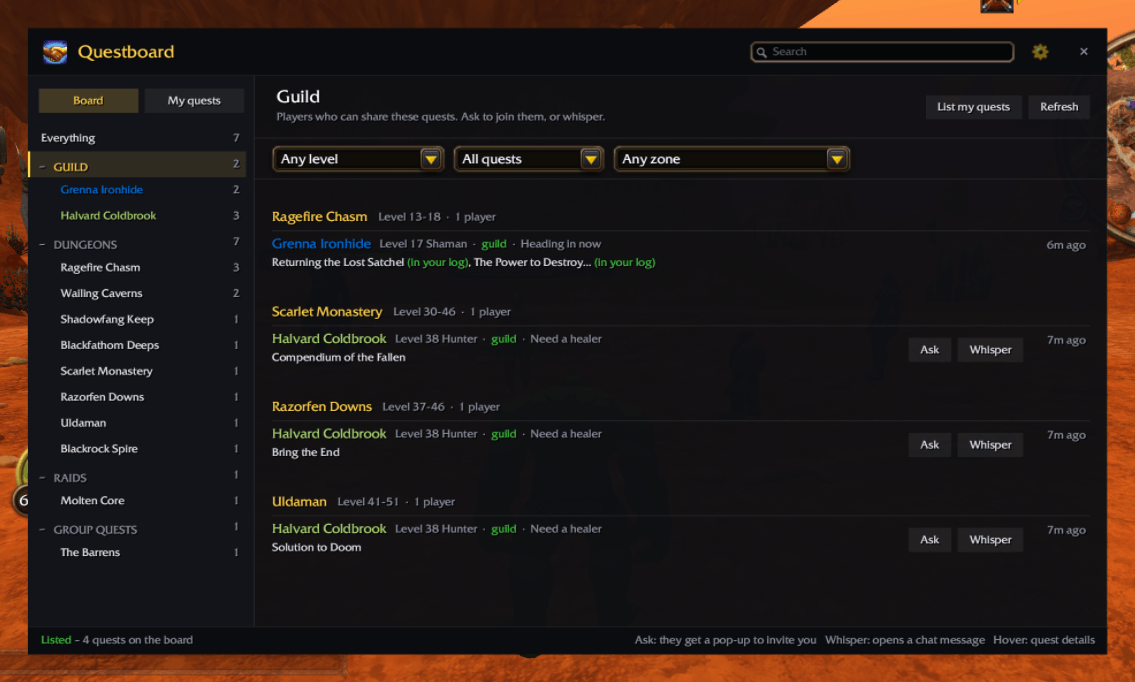
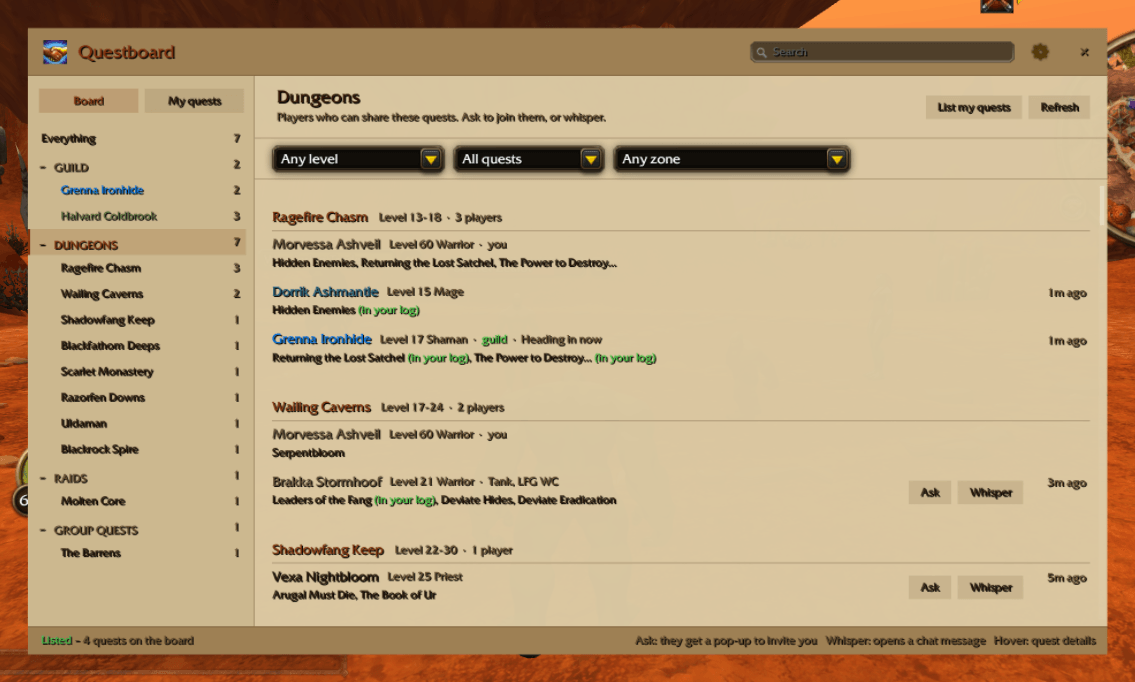
- The board. Who can share which dungeon's quests, with their level, class and note. Quests you've already done are hidden, and ones already in your log are marked.
- Ask or whisper. Ask sends the lister a request: they get a pop-up offering to invite you, and when you join, to share their quests with the group. Whisper opens a whisper asking for the quests.
- Share in one click. In a group, share every ticked quest with your party, or one at a time.
- Filters. Quests around your level (or not above it), dungeons, raids, group and elite quests or the rest, and a zone: where you are, or any zone, with the dungeons whose entrance is there.
- Your guild. A Guild section lists every guild member who's listed quests; click it for all of them or a name for just theirs. Fold any section of the list away with – / +.
- Post in chat. Post your ticked quests as quest links in party, guild, say or LookingForGroup, for players without Questboard.
- Try it out.
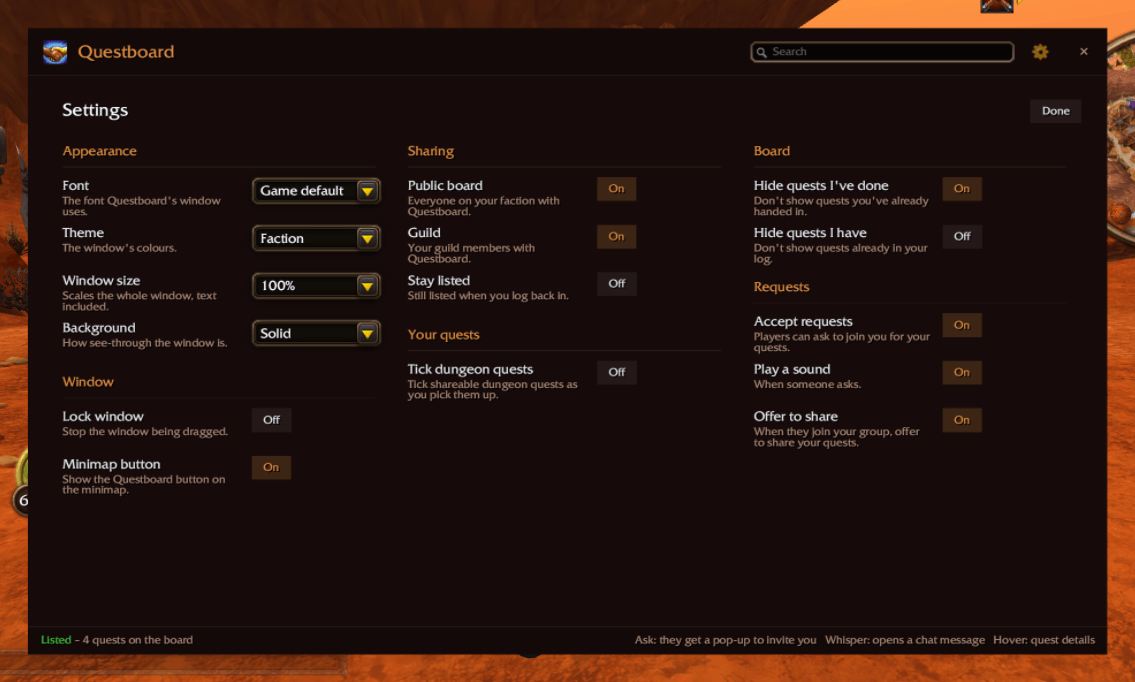
/qb demofills everything with sample quests and pretend players, with a pretend request, invite and share. Nothing is sent to anyone. - Themes: Dark, Parchment, Class colour, Faction or High contrast, plus font, window size and transparency, as in Lootwise.
How to use
/questboardor/qbopens the window. There's also a minimap button (right-click for My quests, drag to move) and an entry in the addon compartment menu.- Tick your quests on My quests, then press List me.
/qb listand/qb unlistdo it from chat. - Quests can only be shared within a group, and only ones the game lets you share.
Notes
WoW Forever is in beta. If something's wrong or you hit an error, please leave a comment. /qb debug lists anything the game has blocked Questboard from doing.
Credits
- Dungeon level ranges as listed on foreverchanges.pro; dungeon quest names from mmonster.co's guides.
- The window, themes and settings are shared with Lootwise. Questboard is GPL-2.0.
Questboard Team