Lootwise
- By
A loot browser for WoW Forever: what drops where, wishlists, crafting and a profession planner.
lootwise-planner-shopping.png
lootwise-planner-route.png
lootwise-crafting.png
Description
A loot browser for WoW Forever. Look up what drops where, plan your gear, and keep wishlists, all in one clean window.
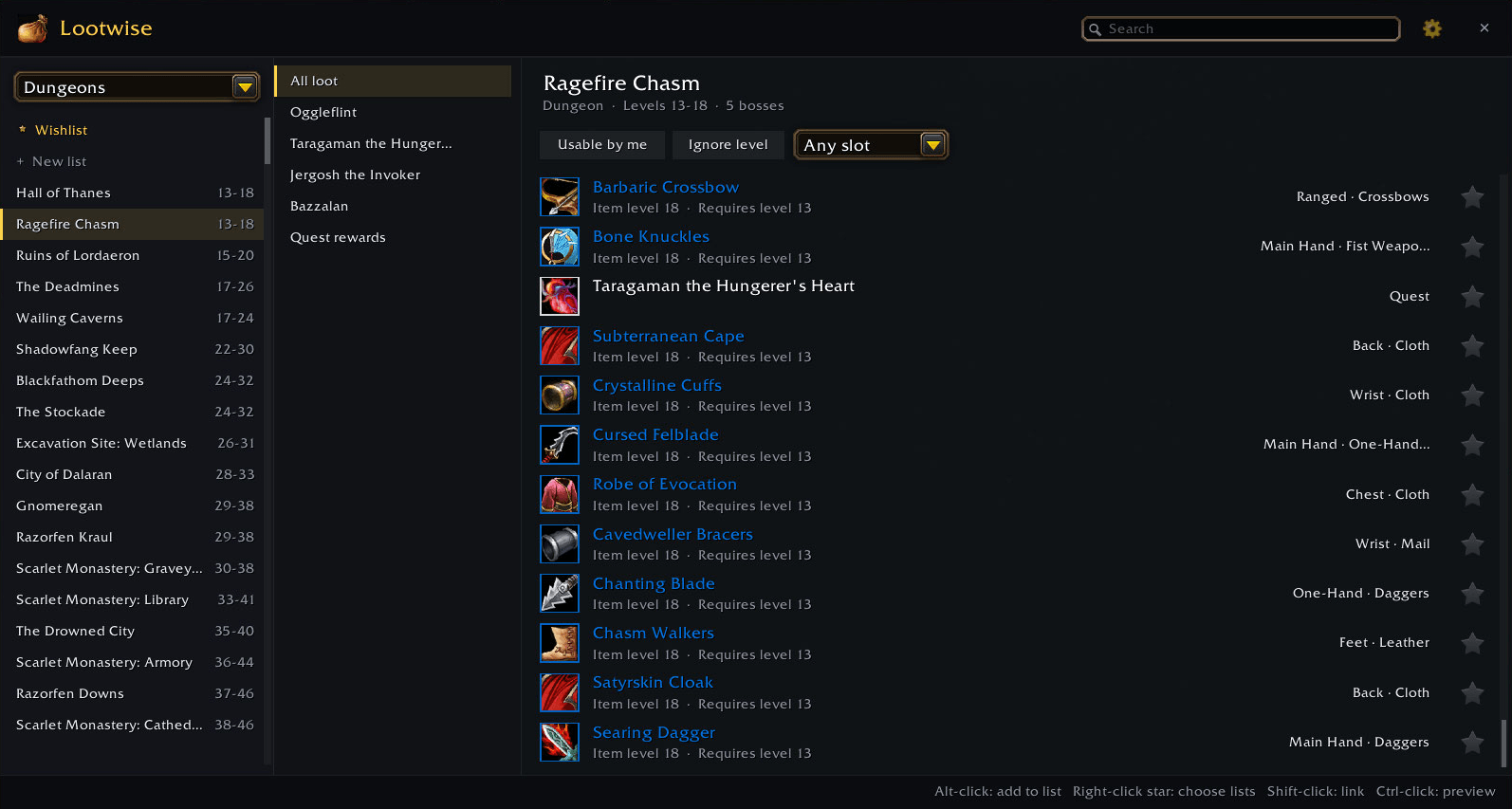
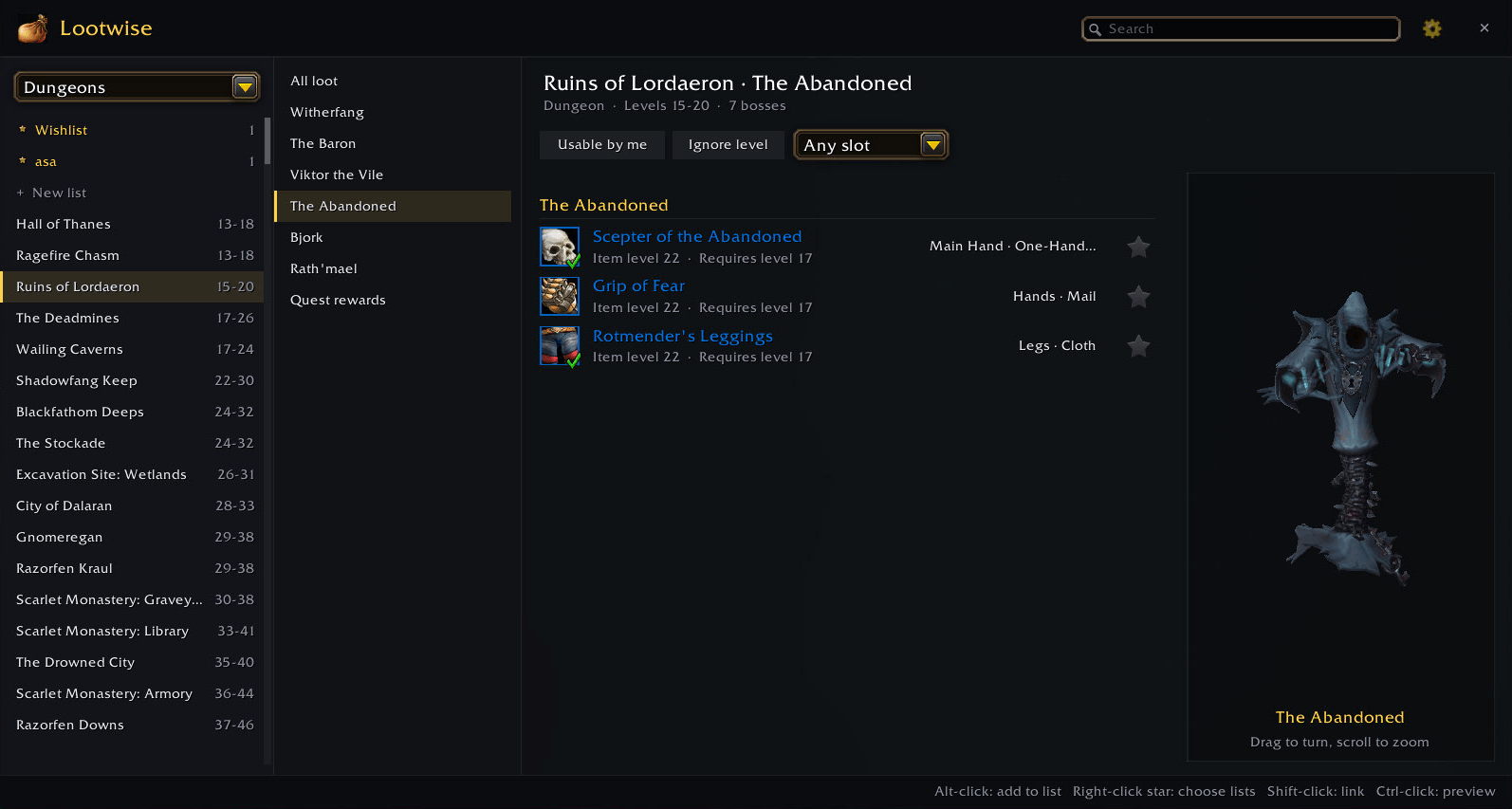
- Dungeons and raids. Every boss and what it drops. Dungeons and raids open on All loot, every drop in one list; hover an item to see which boss drops it, or pick a boss to see just its loot and its 3D model.
- Forever's own loot. Loot tables for Forever's new dungeons (Hall of Thanes, Ruins of Lordaeron, Excavation Site: Wetlands, City of Dalaran) and for the Classic dungeons Forever has changed so far. More as they're published.
- Dungeon quest rewards. Every dungeon quest and what it rewards, with a Horde or Alliance icon for one-faction quests.
- Forever's level ranges and raid line-up. Dungeons are listed in level order with Forever's ranges. Raids on Forever's roadmap (Onyxia's Lair, Barrow Deeps, Hyjal Summit) are kept separate from the Classic raids that haven't been announced.
- PvP, reputation and collections. PvP sets and weapons, battleground and faction rewards (with your current standing), item sets, mounts, world events. Switch between Alliance and Horde rewards with one click.
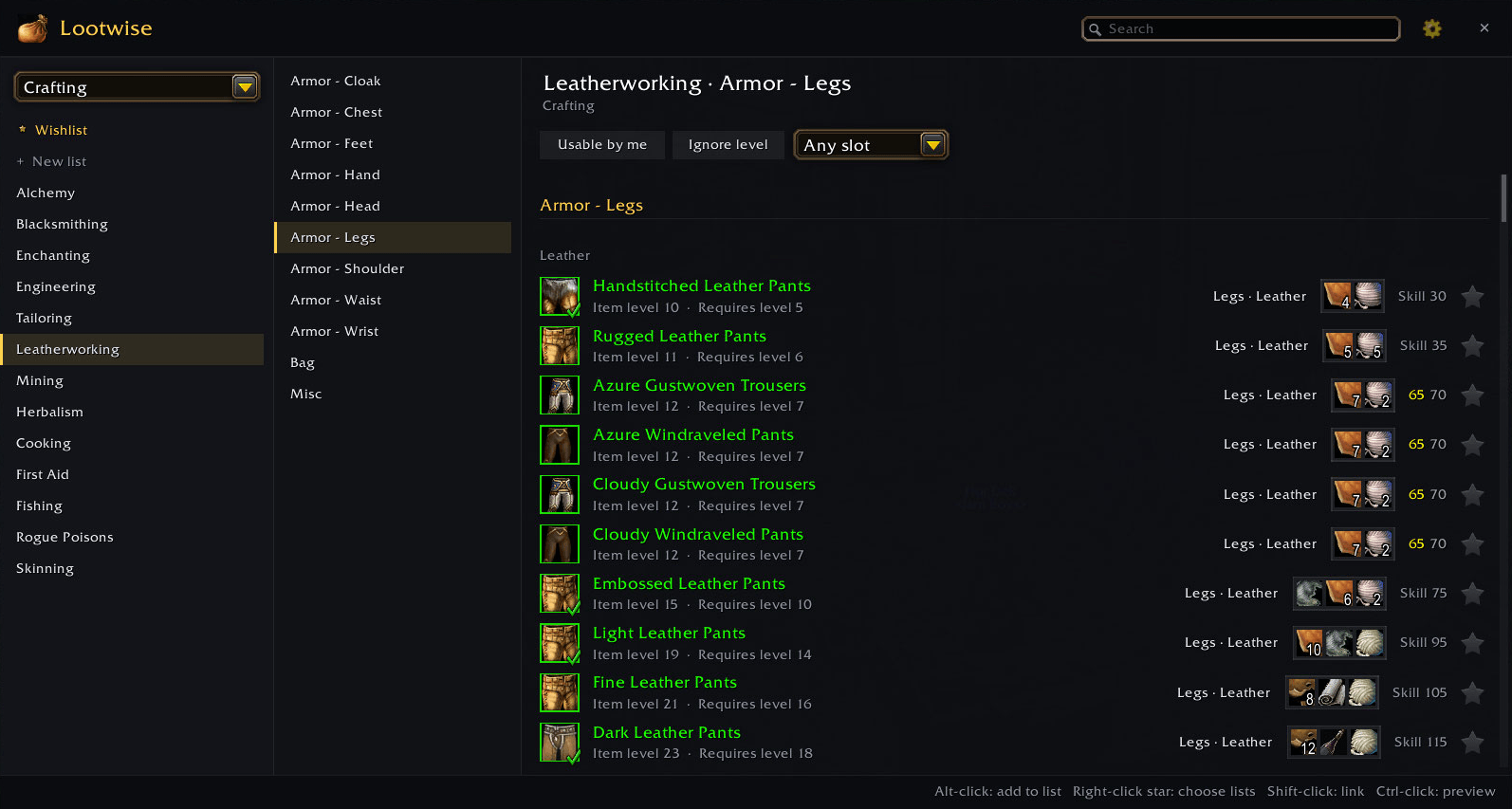
- Crafting. Every profession, including every recipe new in Forever, in skill order. Each recipe shows the skill where it turns yellow and grey, and its materials are shown right on the row (hover a material to see how many you have).
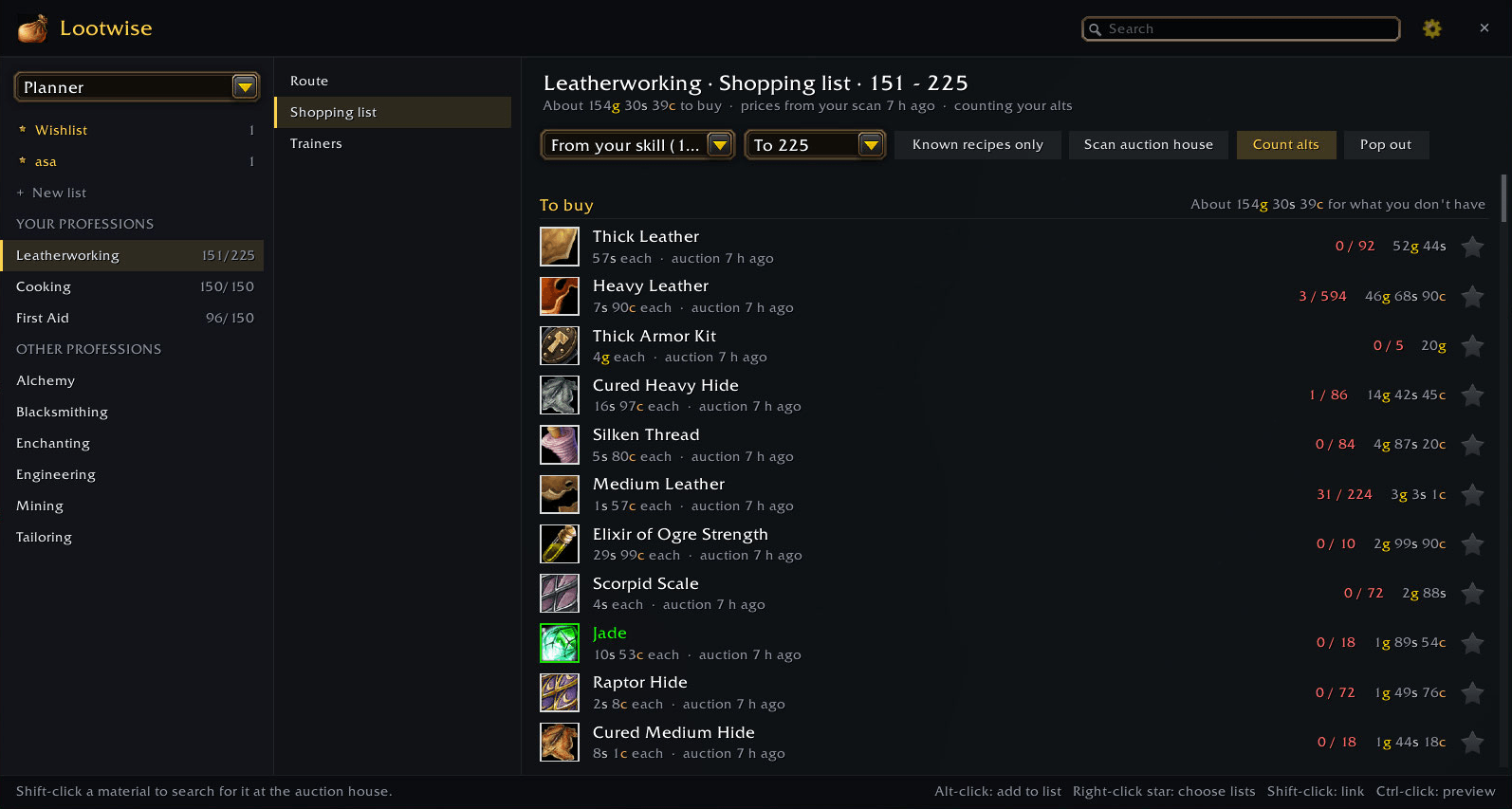
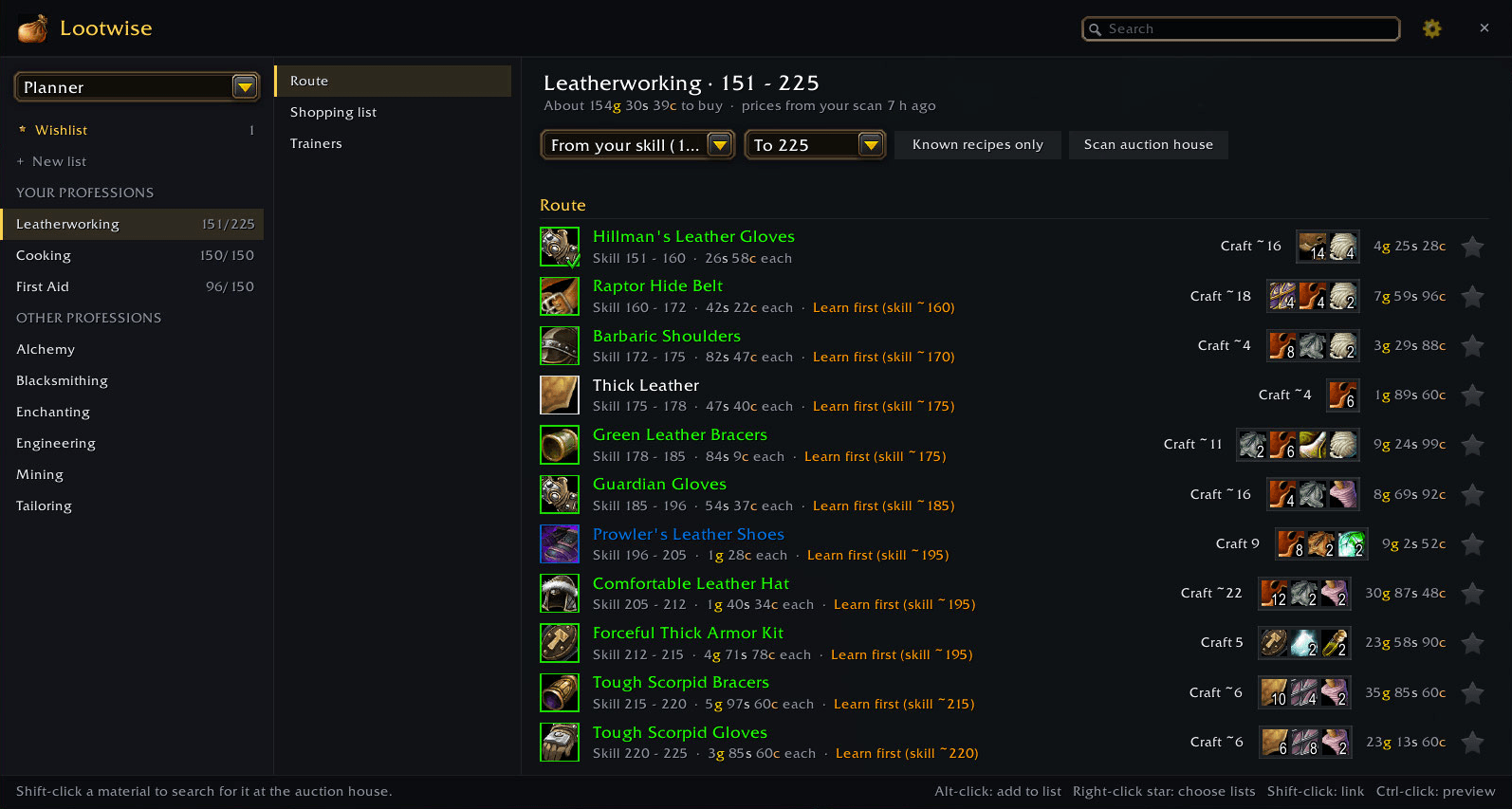
- Profession planner. Pick a profession and a target skill: Lootwise works out the cheapest route from the recipes you know, how many of each to craft, and what it costs, using real auction house prices (scan the whole auction house in one click). The shopping list counts your bags, bank and your alts, and pops out into a small window for the auction house. It tells you where to train each new rank, with a map waypoint, and which ore to mine where smelting stops giving skill.
- Wishlists. Star items to add them to a list. Keep as many lists as you like (BiS, Phase 2, alts...) and share them with a code or send them straight to your party, raid, guild or a friend.
- Item sources everywhere. Hover any item anywhere in the game to see where it comes from.
- Filters. Your class's sets, "Usable by me" (with or without your current level), and item slot. Search by item, slot, boss or dungeon.
- Wishlist alerts. Walk into a dungeon and Lootwise lists the items from your lists that drop there, and tells you when one drops.
- Ticks on gear whose appearance you've collected for transmog, and recipes you know, plus optional arrows on gear with a higher item level than yours.
- Shopping lists. Every material needed for the crafted items on a list, against what's in your bags and bank. Or click a recipe's materials to pop out a quick shopping list for the auction house.
- Group needs. See which group members have a drop on their list. Drops in unpublished dungeons are shared between Lootwise users, so loot tables fill in fast.
- Vendors. Talk to a vendor and Lootwise remembers what they sell; tooltips say where to buy things.
- Export lists as text or Wowhead links, and open Lootwise with a keybinding.
- Themes: Dark, Parchment, Class colour, Faction or High contrast.
- Settings for font, window size and transparency, tooltips, filters and alerts.
- Try on whole sets in the dressing room with one click.
/lootwiseor/lwopens the window. There's also a minimap button (drag to move,/lootwise minimapto hide) and an entry in the addon compartment menu.- Click a star to add an item to your default list; right-click the star to pick a list or copy the item's Wowhead link.
- Shift-click an item to link it in chat; Ctrl-click to preview it.
/lootwise importpastes a share code.
WoW Forever is in beta, and so is some of the loot data. If something's wrong or missing, or you hit an error, please leave a comment. /lootwise debug lists anything the game has blocked Lootwise from doing.
- Classic loot data from AtlasLootClassic by Hoizame and contributors (GPL-2.0). Lootwise is also GPL-2.0.
- Forever dungeon loot from the guides on method.gg, mmonster.co and ExpCarry.
- Dungeon level ranges as listed on foreverchanges.pro.
- Recipes and materials from the game client's data, via wago.tools.
Lootwise Team