QFXTalents
- By
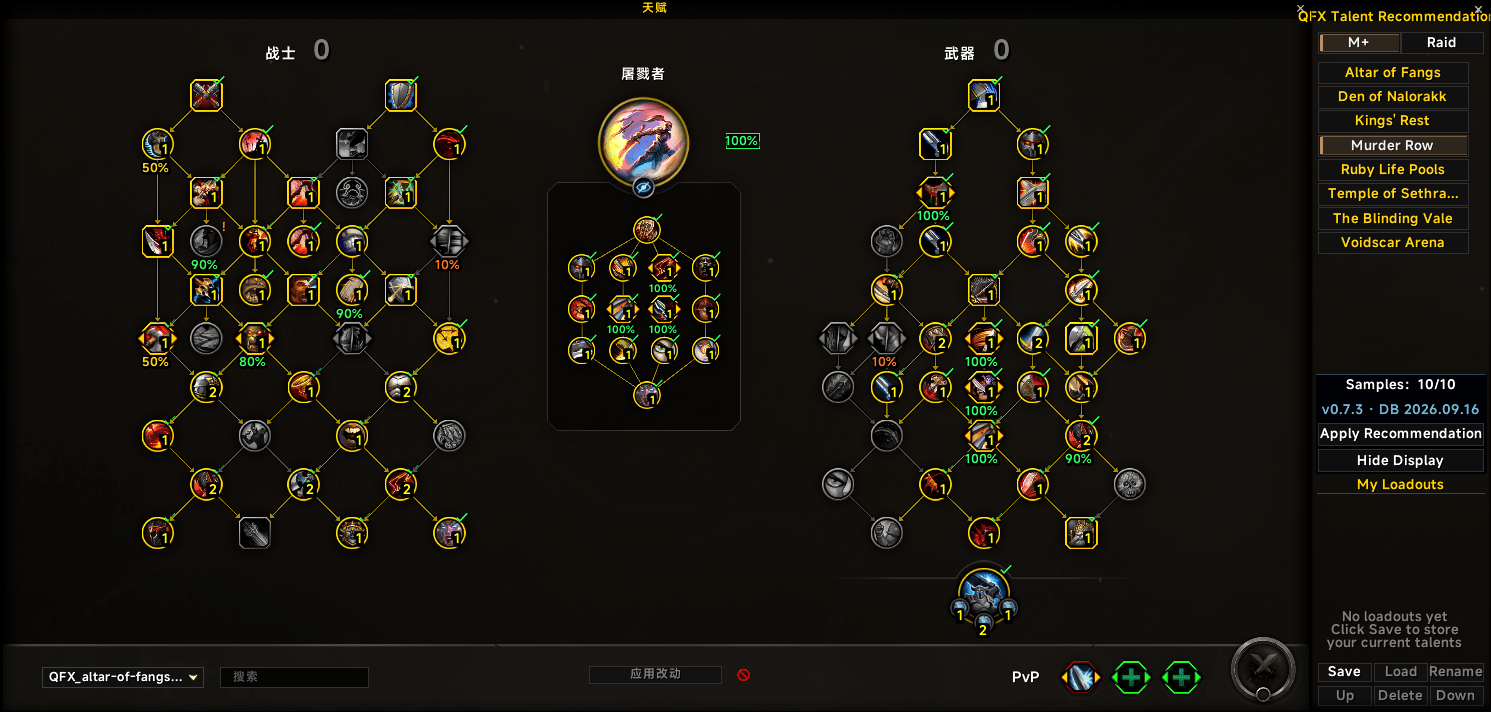
QFXTalents adds Mythic+ and raid talent recommendations to Blizzard’s talent UI, shows node pick rates, applies recommended builds in one click, and manages personal loadouts. Requires QFXTalentData.
a97cb7e5-8849-4ef0-8867-30ecde2a123f.png
169d974a-b79d-421f-83e9-23bdc173c42c.png
95a171a6-c05f-4f5f-8c63-bafa117c00de.png
Description
QFXTalents
QFXTalents is a lightweight talent recommendation addon for World of Warcraft.
It integrates directly into Blizzard's native talent window and provides Mythic+ dungeon and raid boss talent recommendations, talent pick-rate information, one-click build application, and personal talent loadout management.
⚠️ IMPORTANT — QFX Talent Data IS REQUIRED
QFXTalents requires the separate QFX Talent Data addon for recommendation data.
QFXTalents does NOT include the Mythic+ or raid recommendation database.
To use talent recommendations, please install and enable:
QFXTalents + QFX Talent Data
Without QFX Talent Data, the addon interface can still load, but Mythic+ and raid talent recommendations will not be available.
QFX Talent Data provides the data used for:
- Mythic+ talent recommendations
- Raid boss talent recommendations
- Heroic raid builds
- Mythic raid builds
- Talent pick-rate percentages
- Recommended talent configurations
The database is separated from the main addon so recommendation data can be updated independently.
Features
Mythic+ Talent Recommendations
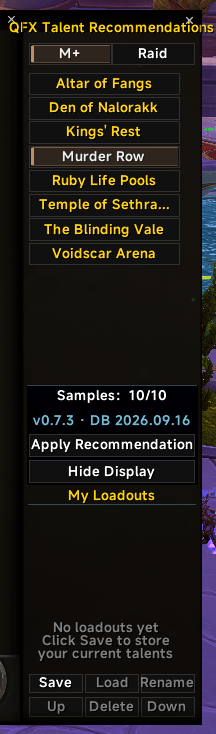
QFXTalents provides recommended talent builds for supported Mythic+ dungeons.
Select a dungeon to view the recommended build for your current specialization directly inside Blizzard's talent window.
The addon can also display talent pick-rate percentages on individual talent nodes, making it easier to understand which talents are commonly selected.
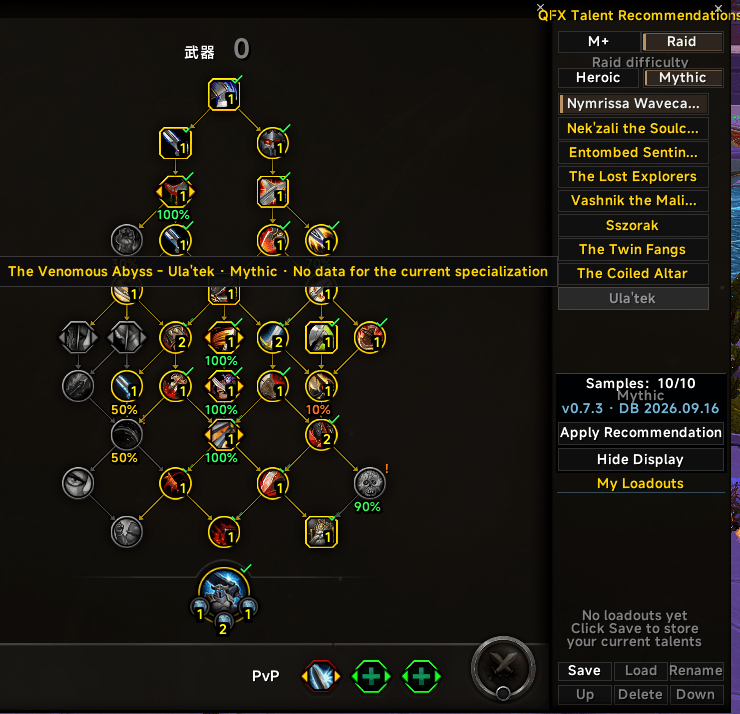
Raid Boss Talent Recommendations
Raid recommendations are provided per boss, rather than using one build for an entire raid.
Supported raid recommendations are separated by difficulty:
- Heroic
- Mythic
When supported data is available, QFXTalents can display the recommended talent setup for the selected raid boss.
This makes it easier to prepare different builds for different encounters without manually searching for them outside the game.
One-Click Apply
Recommended builds can be applied directly from the QFXTalents interface.
QFXTalents uses Blizzard's native talent system to apply recommended configurations instead of manually changing individual nodes.
This keeps the addon lightweight and closely integrated with the default talent UI.
Talent Pick Rates
QFXTalents can display talent usage percentages directly on the talent tree.
This helps you quickly compare:
- Frequently selected talents
- Alternative choices
- Your current build
- Recommended talent selections
- Choice-node preferences
The percentage display can be disabled if you prefer a cleaner talent interface.
Personal Talent Loadouts
QFXTalents also includes a lightweight personal loadout manager.
You can:
- Save your current build
- Load saved builds
- Rename builds
- Delete builds
- Reorder saved builds
- See which build is currently active
Saved builds are managed separately for each specialization.
Blizzard UI Integration
QFXTalents is designed to extend Blizzard's original talent interface instead of replacing it.
Dungeon recommendations, raid recommendations, and personal loadouts are displayed alongside the native talent tree.
The goal is to keep the interface familiar, lightweight, and easy to use.
EllesmereUI Compatibility
EllesmereUI is optional.
When EllesmereUI is installed, QFXTalents can integrate with its interface styling.
EllesmereUI is not required for QFXTalents to function.
Localization
QFXTalents supports:
- English
- 简体中文
- 繁體中文
The interface automatically follows the WoW client language when supported.
Database
Recommendation data is provided by QFX Talent Data.
Its internal database modules include:
QFXTalentDataQFXTalentData_MythicPlusQFXTalentData_RaidHeroicQFXTalentData_RaidMythic
Database modules are loaded when required to avoid loading unnecessary data.
Required Addon
⚠️ QFX Talent Data
QFX Talent Data is required for Mythic+ and Raid talent recommendations.
Download:
Please make sure both addons are installed and enabled:
QFXTalents
→ Talent interface, recommendation system, and loadout management
QFX Talent Data
→ Mythic+ and Raid recommendation database
⚠️ If QFX Talent Data is missing, recommendation data will not be available.
Commands
/qmt
Open the talent interface.
/qfxmt
Open the talent interface.
/qmtdb
Check QFX Talent Data database status and information.
The QFXTalents Team