PvP Sauvage - World PvP Stats & Rivals
- By
World PvP stats per character: kills, deaths, streaks, revenge kills and rivals, plus battleground and arena tabs. Nemesis alerts. English & French.
world.png
characters.png
nemesis.png
alert.png
banner.png
Description
PvP Sauvage is a world PvP addon: every kill and every death out in the world, who did it, where, and with what. Put your worst rivals on your nemesis list and get warned the moment they show up. Battlegrounds and arenas get their own tabs, so they never mix with your world PvP.
PvP sauvage is what French players call world PvP. The addon speaks English and French.
🌍 Your world PvP stats
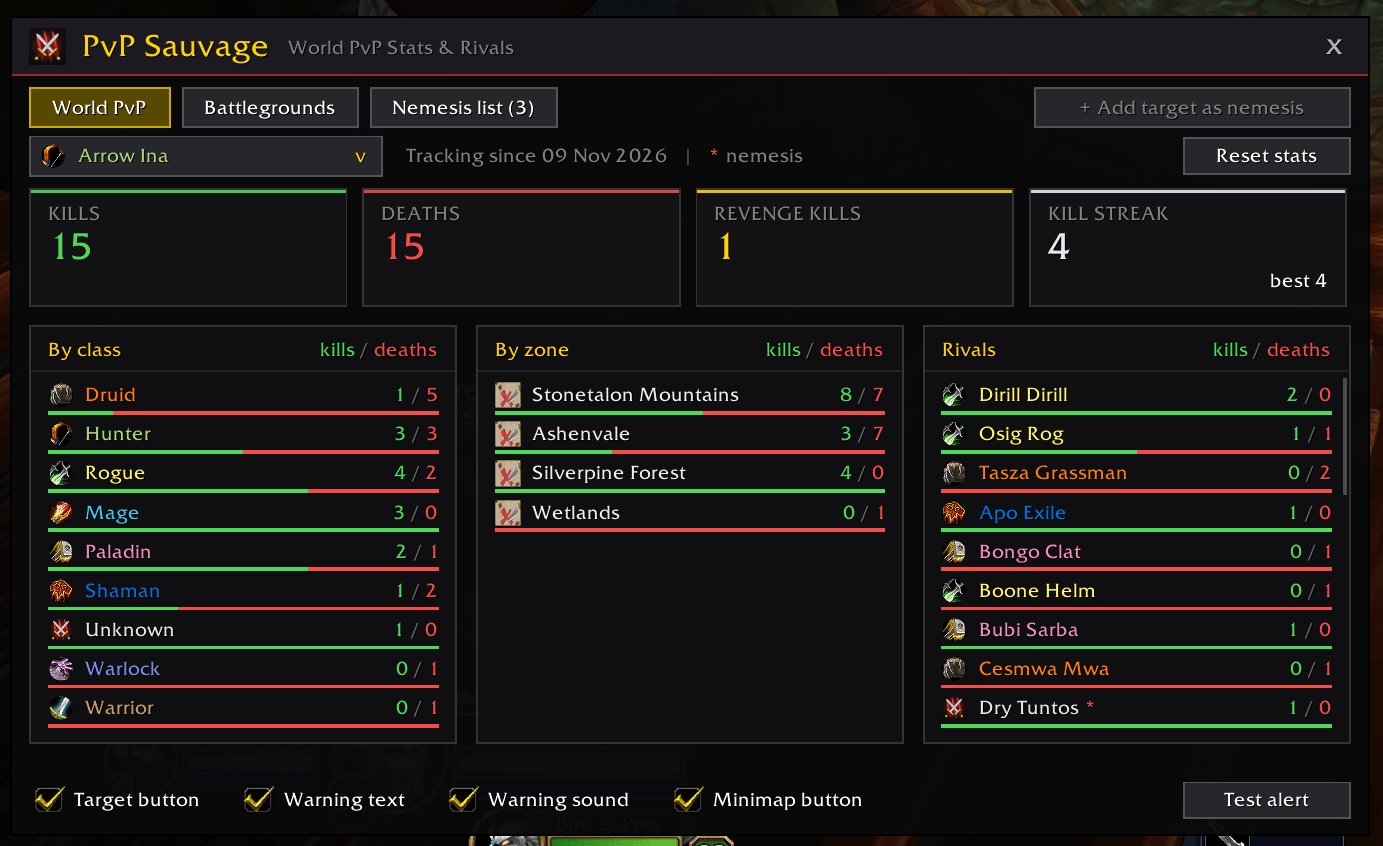
- Kills, deaths, kill streak and revenge kills (kills on someone who killed you before), with this session's numbers alongside.
- Breakdowns by enemy class, by zone and by rival: see which class you farm and which zone you keep dying in.
- Rivals: everyone you've fought, most fights first. Hover one to see your record against them and your last fight; click to make them a nemesis.
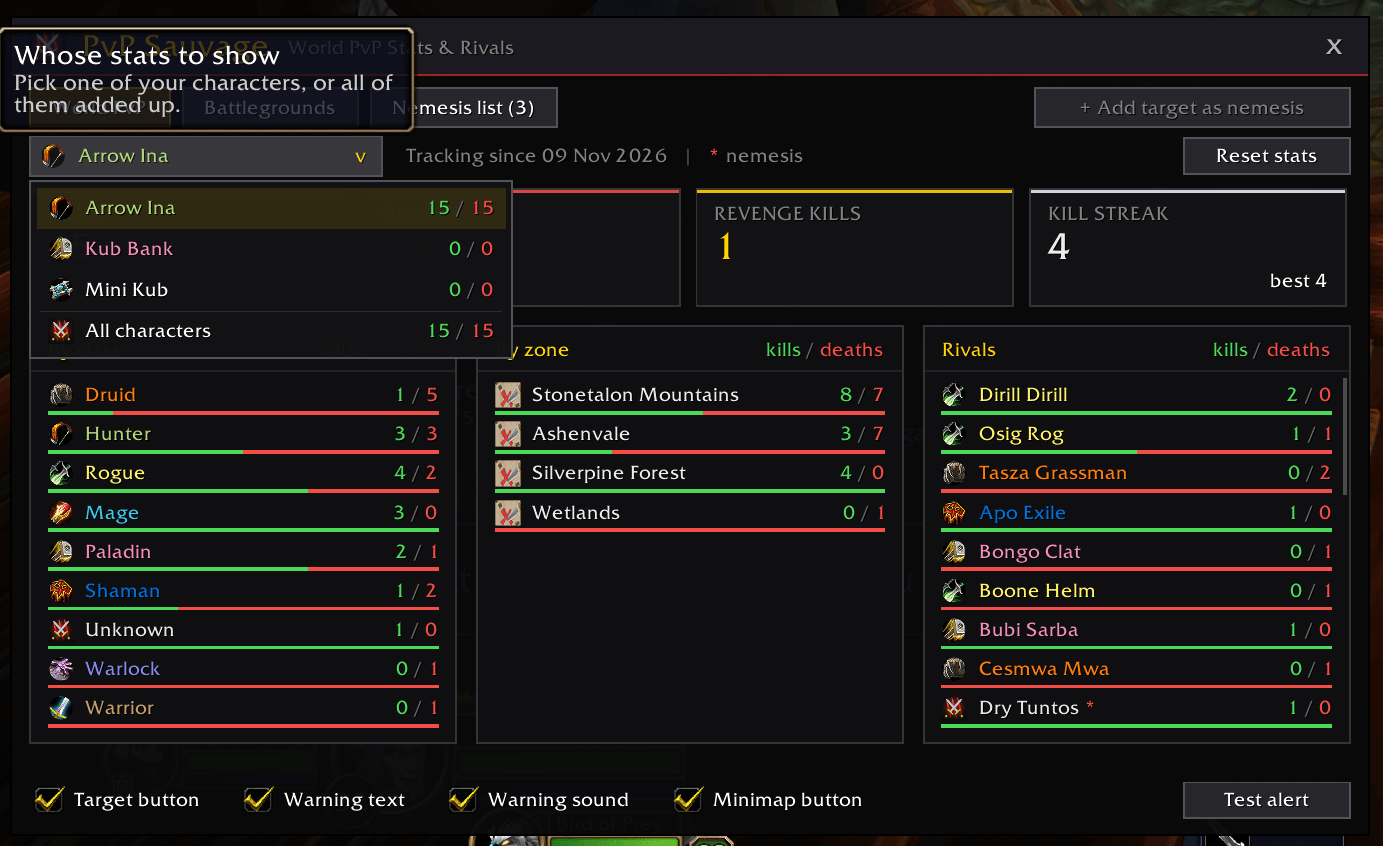
- Per character: each character has its own stats. Switch to another character, or to all of them added up.
⚔️ Battlegrounds and arenas
- Fights inside a battleground or an arena count in their own tab, with the same tiles and breakdowns, so your world PvP stays world PvP.
- The window opens on the tab for where you are.
- The Arenas tab shows on game versions that have arenas (TBC and Wrath). WoW Forever has none yet; if it gets one, the tab appears the first time you step into an arena.
💀 Your nemesis list
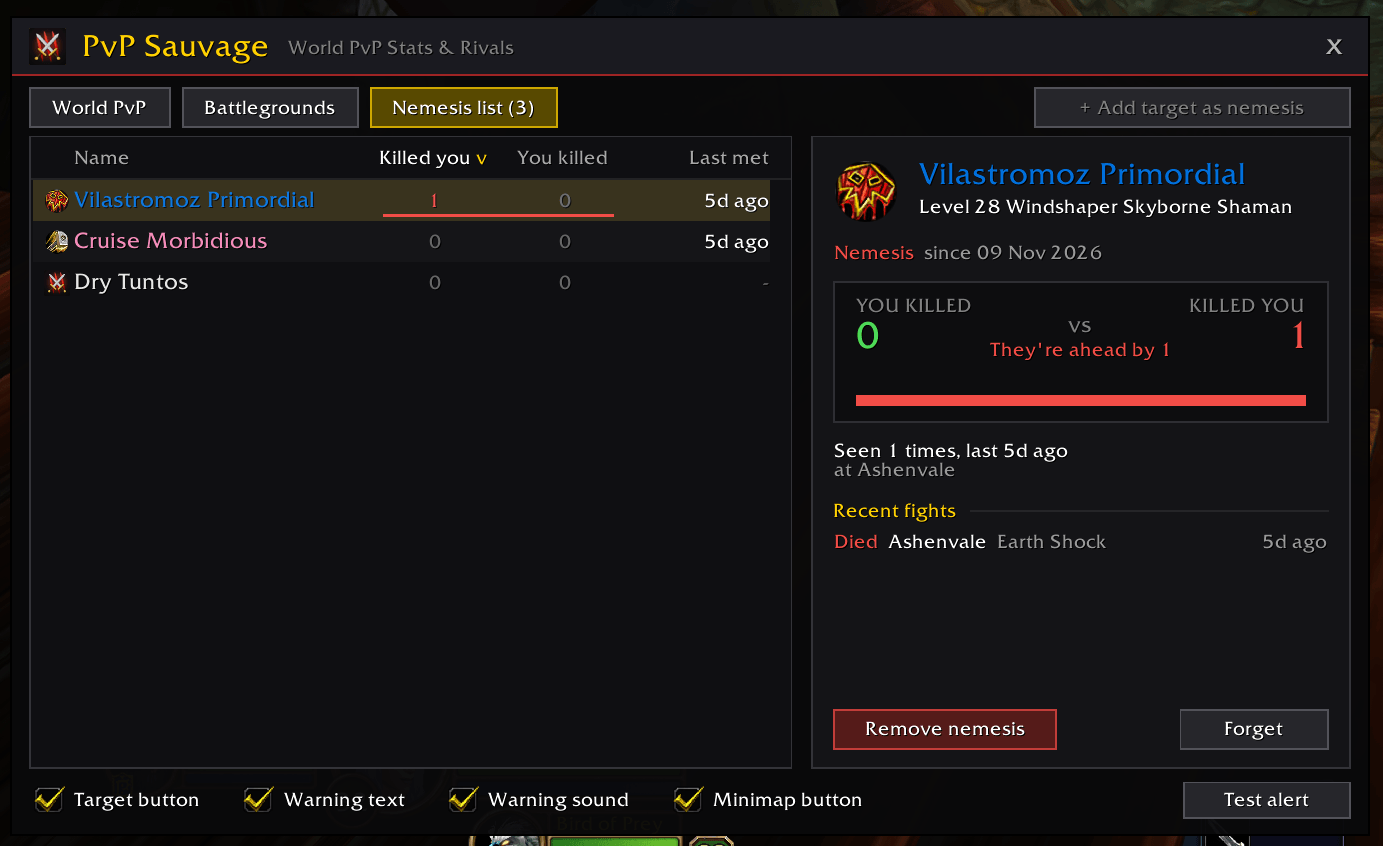
- Head-to-head score for every nemesis: You killed 3 vs Killed you 5, with a bar showing who's ahead.
- Fight history: every death and kill logged with the date, zone, subzone, and the spell that finished you off.
- Rival profiles: level, race, class, guild, how often you've run into them, and where you last saw them.
🔔 Know when they're near
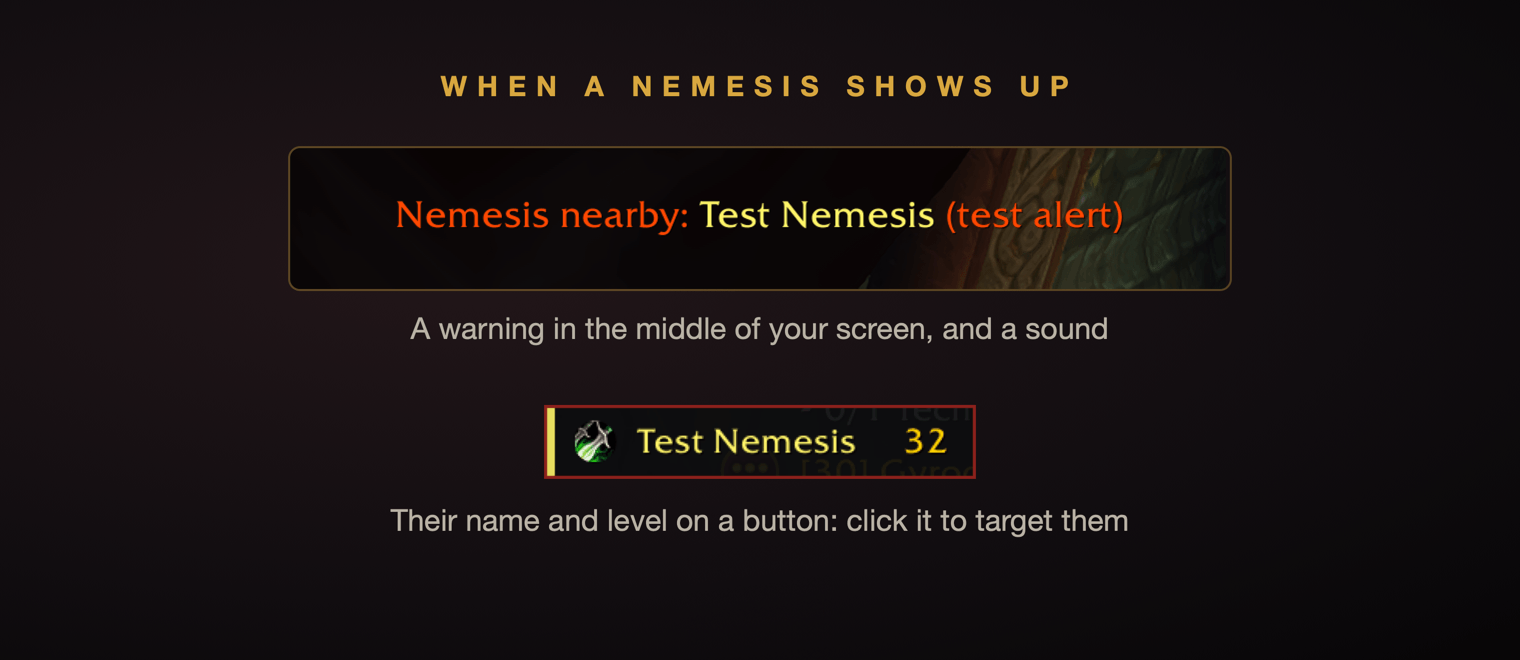
- Warned the moment they're near: a warning in the middle of the screen, a sound, and a button with their name and level. Click it to target them.
- Nothing on screen otherwise: the button goes away when they do. At most one warning per nemesis per minute, so no spam. Text, sound and button can each be turned off.
- Catches them three ways: enemy nameplates, your target, and your mouseover (plus the combat log on Classic Era, TBC and Wrath).
How to use
- Just play. Every PvP kill and death is recorded automatically, in world PvP, battlegrounds or arenas.
- Click the minimap button (or type
/sauvage) to see your stats, your rivals and your nemesis list. - Make someone a nemesis by clicking a rival in your stats, or by targeting them and clicking Add target as nemesis.
- When a nemesis comes near, you get a warning and a button with their name and level. Click it to target them.
Click Test alert in the window (or type /sauvage test) to see the alert, and right-click and drag the button where you like.
Already using Nemesis?
Keep Nemesis enabled for one login: PvP Sauvage imports your nemesis list, stats and rivals on its first load (your Nemesis fights count as world PvP). Then turn Nemesis off.
Slash commands
/sauvage or /pvps:
| Command | What it does |
|---|---|
/sauvage |
Open the PvP Sauvage window |
/sauvage add |
Add or remove your current target |
/sauvage remove <Name> |
Remove someone by name (the first name is enough) |
/sauvage list |
Print your nemesis list |
/sauvage button |
Turn the target button on or off |
/sauvage test |
Show a test alert, to place the button |
/sauvage minimap |
Show or hide the minimap button |
/sauvage clear |
Empty the nemesis list (your PvP stats are kept) |
/sauvage help |
List every command |
Good to know
WoW does not let addons scan everyone around you, so nearby detection relies on nameplates, your target and your mouseover. For the most reliable alerts, turn on Always Show Nameplates for enemies (or tap the nameplate key, default V).
| Classic Era · TBC · Wrath | WoW Forever | |
|---|---|---|
| Who killed you | Last enemy player who hit you (combat log) | The game's death recap |
| Your kills | Your killing blows | Honorable kills |
| Fallback | An enemy player targeting you when you died, marked likely | Same |
En français
PvP Sauvage garde vos stats de PvP sauvage : chaque victime et chaque mort, qui vous a tué, où et comment. Mettez vos pires rivaux dans votre liste des némésis et soyez prévenu dès qu'ils approchent : une alerte au milieu de l'écran, un son, et un bouton avec leur nom et leur niveau pour les cibler en un clic.
- Stats par personnage : victimes, morts, séries et vengeances, par classe, zone et rival. Passez d'un personnage à l'autre, ou voyez-les tous ensemble.
- Onglets séparés pour les champs de bataille et les arènes.
- L'addon s'affiche en français si votre jeu est en français.
- Commande :
/sauvage(ou/pvps).
Works on WoW Forever, Classic Era, TBC Anniversary and Wrath Classic, in English and French. Fully open source. Bug reports and ideas welcome in the comments.
PvP Sauvage - World PvP Stats & Rivals Team