PurplePolice
- By
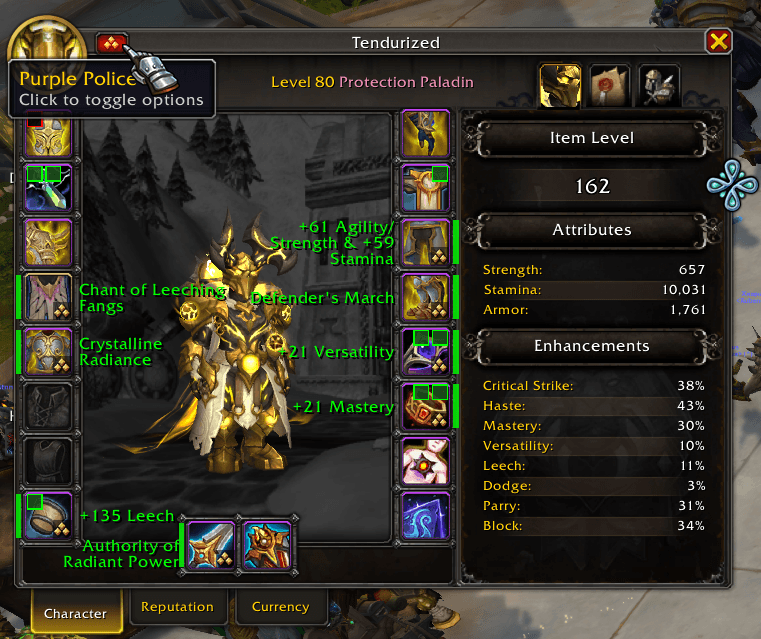
Shows enchant ranks and gem socket status directly on character panel slots. Never miss an unenchanted piece of gear again!
2026-01-24_11-58-12.png
2026-01-24_11-57-19.png
Description
PurplePolice helps you quickly identify unenchanted and unsocketed gear on your character panel and when inspecting other players.
Features
- Enchant Quality Icons - Shows the crafting quality tier (Rank 1/2/3) icons directly on enchantable gear slots
- Side Indicators - Green/red colored bars on gear slots indicate enchant status at a glance
- Socket Status Indicators - Visual indicators show filled vs. empty gem sockets on jewelry and other socketable items
- Enchant Name Labels - Optional text labels showing the name of your current enchant
- Missing Enchant Alerts - Optional "Missing Enchant" text on gear that needs enchanting
- Inspect Frame Support - See enchant and socket status when inspecting other players
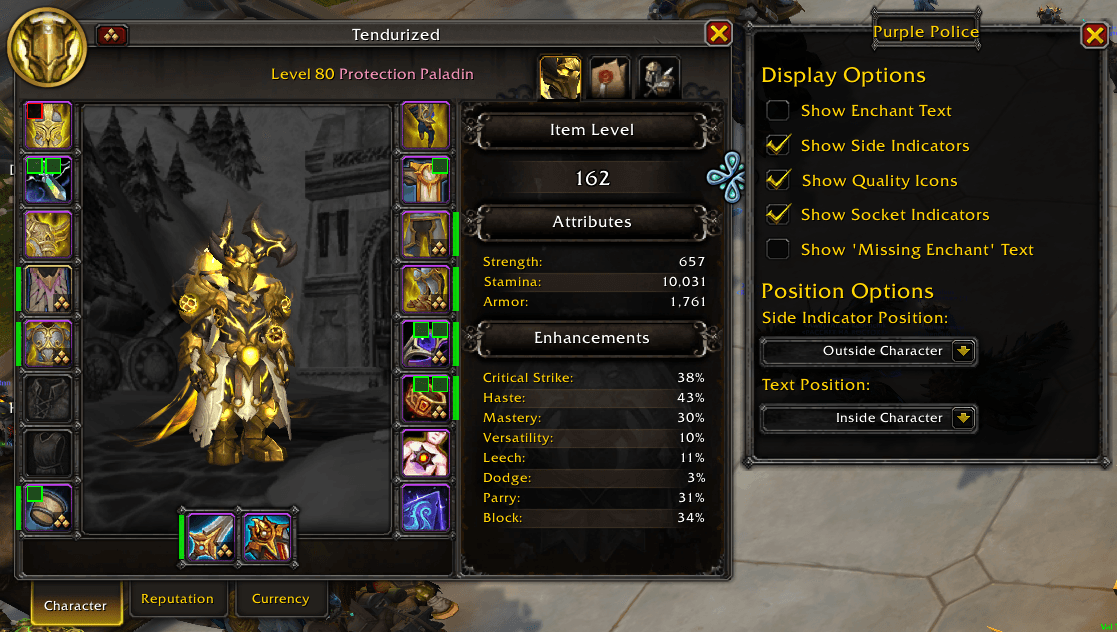
- Tabbed Options Panel - Click the button on character/inspect frame to access quick options with separate tabs for each frame
- Customizable Positioning - Configure whether indicators appear inside or outside the character frame
Supported Slots
Enchantable:
- Weapons (Main Hand & Off Hand)
- Chest, Cloak, Bracers
- Legs, Boots
- Rings
Socketable:
- Neck, Rings
- Belt, Bracers, Helm
Usage
Simply open your Character Panel (C) and the addon will automatically display enchant information. Click the toggle button near the character frame to open the options panel.
When inspecting another player, the same indicators will appear (based on your inspect frame settings). Click the toggle button on the inspect frame to adjust inspect-specific options.
PurplePolice Team