


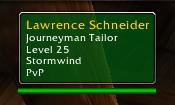
Friendly NPC
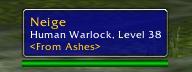
Player - not flagged
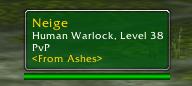
Player - flagged, PvP line enabled
Description
Skeev's SimpleTip (redux) : Ayradyss code mod
Skeev has graciously turned over care and feeding of SimpleTip to me - I'll do my best to be worthy of him. Following are version notes. -- SimpleTip 2.0 -- Skeev's simple tooltip enhancer, redux credit to Ayradyss - dr.nykki[at]gmail.com A basic tooltip-enhancer. Coded to a) make the tooltips look the way I wanted 'em to, and b) do it as efficiently as possible, so's to minimize impact on framerate. Originally written for Gypsy, but it should work with dang near anything. It's as localized as possible; however, the repositioning commands and help info need translations (if you're up for translating the text into French and/or German, shoot me an email -- I'll add you to the credits :)- Enhances the player/NPC tooltips by doing the following:
  Avara
  Undead Priest, Level 39
  <Draug Ronoh>
  PvP
4) Adds PvP line to only PvP-flagged NPC's/players 5) Newbie tips, if they're enabled, should be left intact 6) Configurable tooltip repositioning Skeev said his version was localization-friendly, so I presume this one is.
- Usage:
/simpletip [command] ( /stip [command] )-- In-game help:
/simpletip help ( /simpletip usage, /simpletip ? )-- Set base tooltip position:
/simpletip moveto [pos] ( /simpletip anchor [pos] )
Where [pos] is one of the following:topleft top topright left center right
bottomleft bottom bottomright
  This sets both the overall location of the tooltip (top left corner, bottom center, etc), as well as which point on the tooltip is anchored -- e.g. "/simpletip moveto bottomleft" positions the tooltip at the bottom left corner of the screen, such that it grows up and to the right from there, depending on the size.
  Or, to tie the tooltip to the mouse pointer:
/simpletip moveto pointer ( /stip moveto pointer, /stip moveto mouse )-- Fine-tune tooltip position:
/simpletip offset [x, y] ( /simpletip xy [x,y] )
 Set [x, y] values to offset the tooltip from the absolute corner/edge.  The "x" value controls the horizontal position (- left, + right), the "y" value controls vertical (- down, + up).
 When the tooltip anchor position is changed, the [x, y] offset values automatically default to set the tooltip slightly inside the edge of the screen.
 If the tooltip is set to the mouse position, offsets are disabled.
-- Disable tooltip positioning
/simpletip nomove ( /simpletip noanchor )
 This prevents SimpleTip from making any adjustments to the tooltip position whatsoever -- the tooltip will appear in the default location (or, SimpleTip will stay out of the way of any other tooltip position mods you are using).
 This is the "default" state -- until you tell it otherwise, SimpleTip won't attempt to reposition the tooltip at all.
-- Show position / offset status
/simpletip status ( /simpletip show, /simpletip info )
SimpleTip will display the current placement settings in the default chat window.-- Show / hide PvP flagged line
/simpletip pvp [status] where [status] is either "show" or "hide"-- Show / hide player PvP ranks in tooltips
/simpletip rank [status] where [status] is either "show" or "hide"-- Change background coloring
 /stip color [option] where [option] is "raid", "pvp", or "off"
 "raid" sets the background color to the raid class color of your [friendly] target.
 "pvp" sets the color by friendly/hostile status; non-pvp-flagged friends are blue.
 "off" uses a black background like the default tooltips.
-- Credits
/simpletip about ( /simpletip credits )
 SimpleTip will tell you who the fabulous people are that worked on this mod.  And they are fabulous (well, once someone helps with translation, it'll be a "they", for now, it's just "he".  But he's fabulous nevertheless).
 [Well, now it's two, and Skeev is way more fabulous than I could ever be, but it's cool anyway.]
The SimpleTip (redux) Team
