


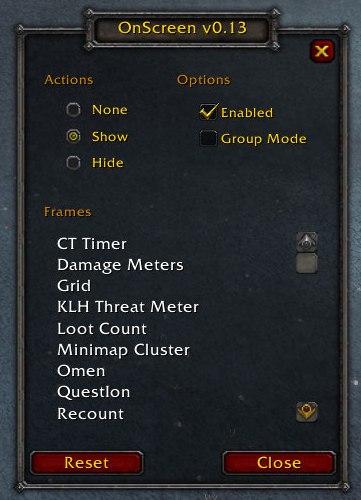
OnScreen Configuration GUI
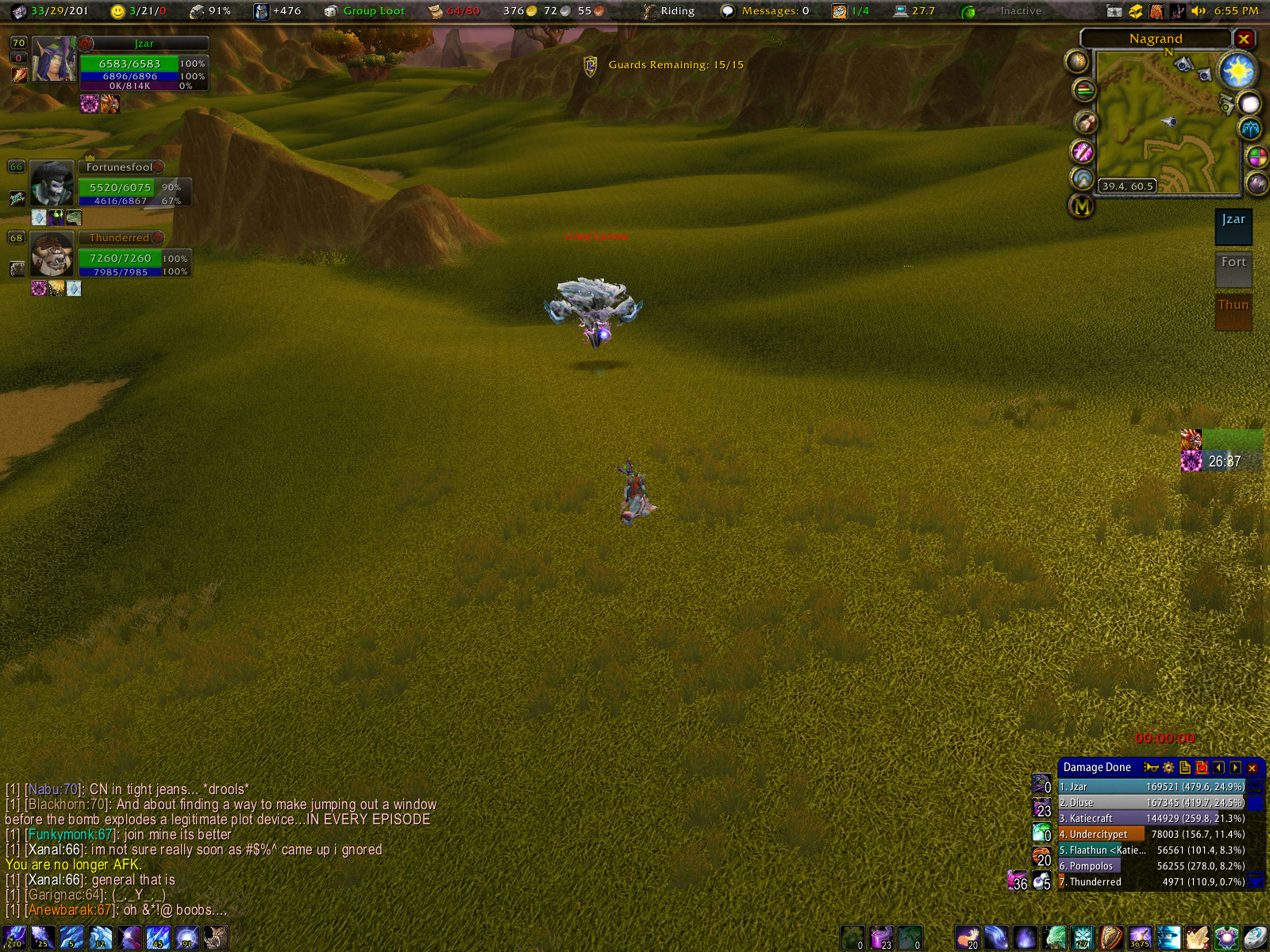
My UI out of battle
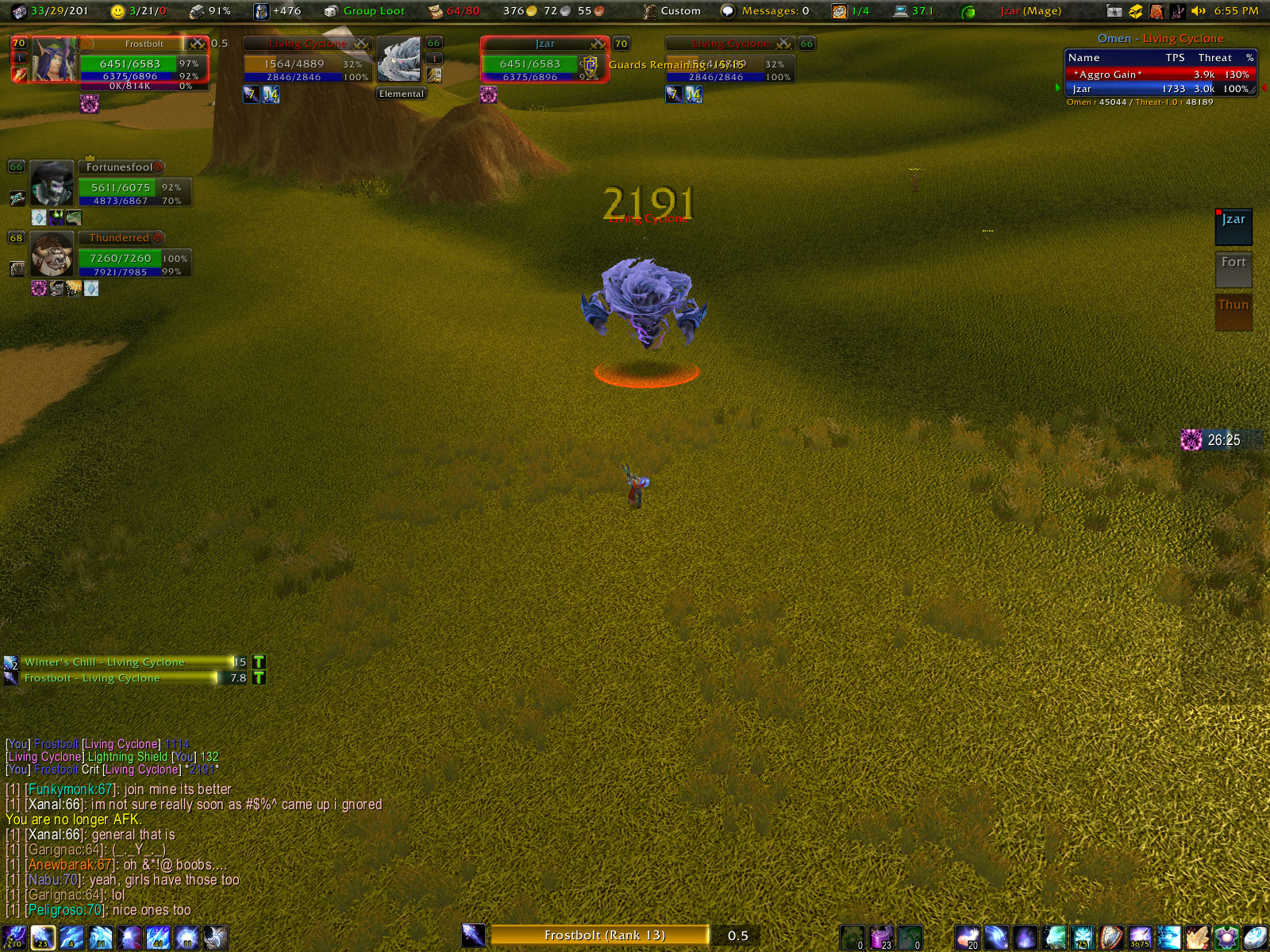
My UI in battle
Description
OnScreen
This is a very simple mod to show some things, and hide others when you enter and leave combat. For example, what inspired this was the realization that I don't need Omen displayed when I'm not in combat, and I don't really need my minimap when I am. So I could save space by having them overlap, and trade places based on whether I'm fighting something at the moment.
It's not even close to done. It needs a UI so people can easily use it. However, if you open up OnScreen.lua, you can change true/false values in the OnScreen_Modules table to configure what shows and what hides on combat changes. If you know a little about LUA and XML, you can even add your own addons.
Please, post requests for further supported addons here and I'll try to stick them in.
Changes in v0.14a
- Updates TOC for WoW v2.2.0
- Added override option. If you toggle the UI state mid-battle, when you leave, it'll still be in the correct state.
- Major revision of frame parsing engine. *SHOULD* make adding modules easier for reals this time.
- Modules added
- Chat1 (Tab)
- Chat2 - Combat
- Chat2 (Tab)
- Chat3 - Custom
- Chat3 (Tab)
- Note: Because of the way Blizzard stores default frame statuses, chat frames must be shown when you logout. I've hooked most logout / quit functions to show the frames before you logout, but if you routinely use Alt+F4 to quit, and you enable OS for one of the chat frames, you're going to encounter problems. As a workaround, use /os fq or /os exit to achieve the same thing as Alt+F4, but actually apply the workaround.
- Bartender3 - 01
- Bartender3 - 02
- Bartender3 - 03
- Bartender3 - 04
- Bartender3 - 05
- Bartender3 - 06
- Bartender3 - 07
- Bartender3 - 08
- Bartender3 - 09
- Bartender3 - 10
- nQuestLog
- oRA Player Target
- ag Party Frame
- ag Party Pets
- XLootMonitor
- eCastingBar - Target
- eCastingBar - Focus
- TrinketMenu
Features
- Hides certain UI elements when you enter combat
- Shows certain other UI elements when you enter combat
- Restores your UI when you leave combat again.
- Toggle between the two views with a user-bindable key
Slash commands
- (Either /onscreen or /os will work)
- config - Opens the configuration menu
- group - Toggles group mode. If enabled, OS will only switch modes when you're in a group (party or raid)
- toggle - Toggles whether you're in fight mode or not. Works whether OS is enabled or not. Use this (or the key binding) to configure your fight setup.
- on - Activates OnScreen
- off - Deactivates OnScreen
- fq / exit - Force Quit (same thing as Alt+F4)
The OnScreen Team
