


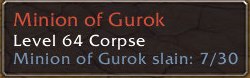
QuestIon showing objective status in unit tooltip
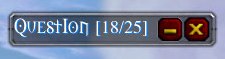
QuestIon minimized
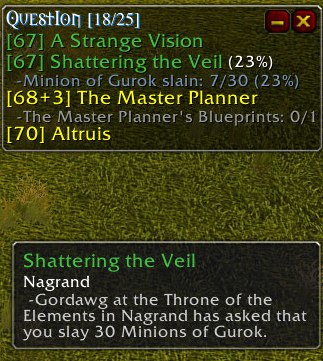
QuestIon with quest tooltip showing
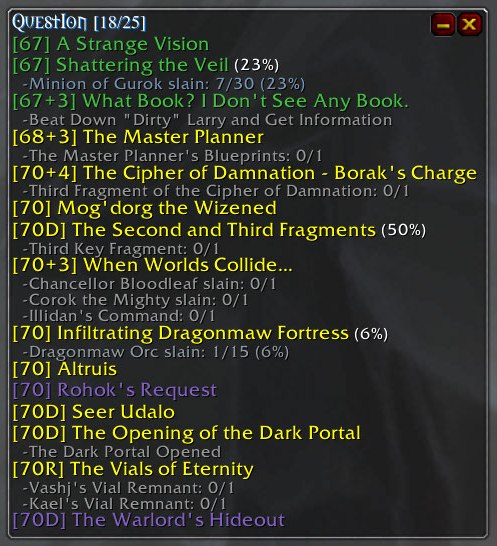
QuestIon with new level tag enhancements
Description
QuestIon
(pronounced Quest - I - On) is a very customizable and configurable window for tracking quests and objectives.
Changes to v1.8.0
- Put in change from Deptacz, bump toc and package it up so we can use this with 3.0/Wotlk
Features:
- Easy-to-use drop down menus for configuring
- Each quest can be configured individually
- Sort quests by level, location, or by title
- Filter quests by current location and/or level
- Collapsible location headers
- Auto-Fade and Auto-Minimize window options
- Auto-Show quests on objective pickup
- Configurable font sizes
- Configurable defaults for new quests
- Global commands to change an option on all quests
- Set which corner the window grows/expands from
- Quest titles are displayed with the quest level and quest difficulty color
- Customizable colors for the window background, new objectives, and finished objectives
- Objectives change color as they are completed
- Current number of quests is easily displayed
- Bindable keys for hiding and minimizing
- Clicking on a quest title opens your Quest Log to that quest
- Displays quest objectives in tooltips
- Obtains quest drop data from database addons MobMap and MobInfo2
- Auto-notification outputs your quest objectives as they are completed to selected chat frame.
In-Game Usage:
- Left click and hold on the title moves the window
- Right click on the title opens the main menu
- Left click on a quest title opens the quest log to that quest
- Shift-left click when the chat edit box is closed will add/remove the quest from Blizzard's Quest Tracker
- Shift-left click on a quest title adds it to the chat edit box
- Ctrl-left click on a quest title attempts to share that quest
- Right click on a quest opens the quest configuration menu
- Shift-right click on a quest title adds the quest objectives to the chat edit box
- Shift-right click when the chat edit box isn't open to output the objectives directly to the currently selected output channel
- Ctrl-right click on a quest title allows you to abandon that quest
Slash commands:
(Either /qio or /qi will work)
- /qi show - Show the QuestIon window
- /qi hide - Hide the QuestIon window
- /qi resetpos - Reset the QuestIon window position
Optional Dependencies
It is not QuestIon's job to collect / store / manage information like a database. So Question now can access such information via two very useful mods
- MobMap - http://mobmap.de/
- MobInfo3 -
If you're unfamiliar with them, please check it out. They're very useful and powerful.
QuestIon Team

Owner

