Baud Speed
Description
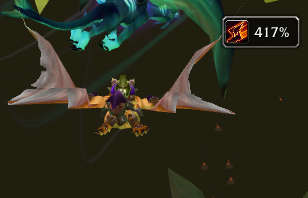
Displays your current speed, as a percentage of your run speed. Calibration is already set for most zones. To calibrate the speedometer, click the boot icon while running on flat ground. Baud Speed will try to factor in any speed boosting items you have on. If it doesn't calibrate properly, remove your speed items and try again. Also note that the displayed speed is based on the speed you move on the map, and does not include elevation.
Baud Speed Team