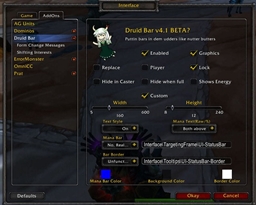
This addon acts like your party window. It displays the person's name, their hp, and their mana all in text format. For the numerically inclined, it's much easier to read and understand than bars.
There are also many different options that this addon allows.
--You can customize what frames will be shown:
Player, Pet, Party members, Target, or Mouseover.
--You can also choose what data is shown:
Names, Real/% health, keybindings, mana, CP, # of buffs, # of debuffs.
--Other cosmetic things:
Added backgrounds and colors, independant scaling, showing in combat.
--Has a wide range of compatability and functionality:
Cosmos menu support, DruidBar support, CastParty support, and shows in myAddOns.
You can truly take this small addon and show any and all relevant information about the status of your party and targets. It conserves space by not depending on statusbars and optional showing of information.
Well, that's enough explaining. Really, if you're curious at all about this addon, give it a try. Just a try, no obligation to use in conjunction with your player bars, or as a complete replacement to the player frame.
Slash Commands: /li or /linoleum
/li menu will give you the Menu, if you don't like slash commands.
Slash Command Parameters:
toggle: turns on or off the addon.
combat: toggles between showing or hiding while in combat.
show [target/player/pet/party/mouse/all]: toggles between showing or hiding the specified frame. all shows/hides all frames.
hide [target/player/pet/party/all]: Toggles between showing or hiding the blizzard default frames.
lock: locks or unlocks the draggable button to move Linoleum
scale #: sets an independant scale for Linoleum. 0.5-2.0 is a good range. no parameter sets it to the UI's scale.
buff: toggles between showing buffs or debuffs beside each frame
debuff: same as above.
setbuffs [unit] [0-10]: Sets how many buffs will display for the specified unit. Unit choices are "target", "player", "pet", "party", "all"
setdebuffs [unit] [0-10]: Sets how many debuffs will display for the specified unit. Unit choices are "target", "player", "pet", "party", "all"
setbelow: This moves the buffs below each frame, instead of to the right.
Color: This sets the color options for each individual frame. format looks something like this -
/ms color [target/player/pet/(class)/all] [primary/alternate] [r/g/b/a] [# from 0-1]
or optionally, if you want to set the r/g/b/a values for one frame all at once,
/ms color [target/player/pet/(class)/all] [primary/alternate] [#r] [#g] [#b] [#a]
also added /ms defaultcolor to reset back to normal.
hidebackground: This will hide the backgrounds of the frames. parameters are target/player/pet/party/all.
maxname: shortens the names of the target frame to a number you specify. note that it shortens the first name and the second name, so setting maxname to 3 will give you names like
"Chi Chi", whereas 7 will give you "Chillwi Chimaer"
Align [l/r/c]: Aligns the text properly. Can make really large frames if you don't use /li maxname. l/r/c will justify the name text to the left/right/center.
pad #: Sets the amount of padding between values.
free: Toggles the frames from being freely movable or linked together.
setup [player/pet/party/target] [str]: Sets how the specified frame displays information. this has 21 different options you can choose to get the most out of your bar.
bind: Shows the Keybinding(ex:F1)
name: Shows the Unit's name
lvl: Shows the unit's lvl
hpx: Shows the unit's raw hp
mpx: Shows the unit's raw mp
hpp: Shows the unit's percent hp
mpp: Shows the unit's percent mp
hpm: Shows the unit's missing hp
mpm: Shows the unit's missing mp
drp: Shows a druid's percent mp when shifted (player only)
drm: Shows a druid's missing mp when shifted (player only)
drx: Shows a druid's raw mp when shifted (player only)
cp: Shows a rogue(or druid in cat form)'s combo points (player only)
crit: Shows the unit's status
deb: Shows types of debuffs.
pet: Shows pet's happiness(pet only)
xpx: Show player raw xp(player only)
xpp: Show player xp percent(player only)
xpm: Show xp tnl(player only)
xpr: Show rested xp(player only)
xpq: Show % of xp rested(player only)
cls: Show unit's class, or show mob's creature type.
use /li setup help in-game to see this info displayed.
strlen [1/2/3/4/5/6] #: Sets a minimum length of a text field. use this to make it less bouncy
fraid: Toggles the raid frames from being freely movable or linked together.
useraidscale: Toggles on/off independant raid scaling.
raidscale #: Sets the size of the raid frames.
relbuff: Shows only your relevant buffs, ex: Mark of the Wild/Thorns for Druids.
reldebuff: Shows only relevant debuffs that you can cure, ex: Curse for mages.
growright: Toggles the frames growing from the left or the right.
Just in case anyone bothers to read there. lately it seems like the opposite, but just in case.
The Linoleum Team