
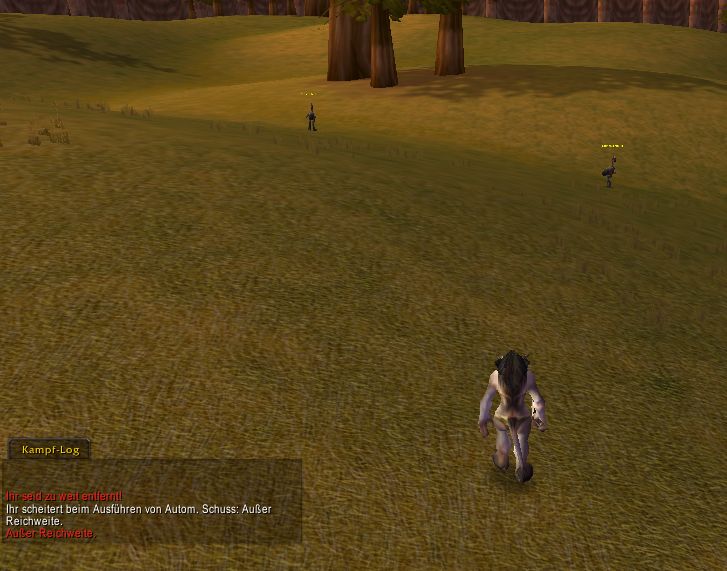
Addon active
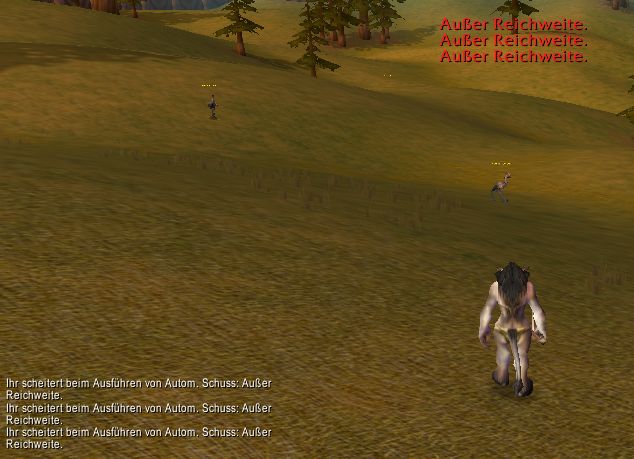
Addon inactive, WoW Std behaviour
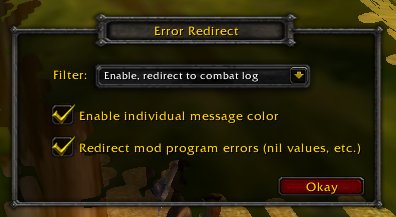
Config dialog
Description
Filters some of the common big red error messages, which appears in the screen center, and redirect them to the combat log.
Thomas created a version with a nice GUI, you can edit messages and colors ingame now: http://www.curse-gaming.com/en/wow/addons-4067-1-error-redirect-with-gui.html
Use the chat command '/config_redirect' to open a setup window. There you can enable/disable the addon and specify what should happen with a message that triggers the filter:
* 'Disable' - Addon is inactive, all messages appear in screen center as usual
* 'Enable, no redirect' - Filter is active, filtered messages are NOT displayed anywhere
* 'Enable, redirect to general log' - Filter is active, filtered message are displayed in the general log
* 'Enable, redirect to combat log' (default) - Filter is active, filtered message are displayed in the combat log
* Checkbox 'Enable individual color message' - option for advanced users to colorize specific messages, see below. If you don't need this function, it doesn't matter whether the box is checked or not. Works independent.
* Checkbox 'Redirect mod program errors' (disabled by default) - suppress program error message box (nil values). The error message is moved to the combat log. Make sure you enabled 'Display LUA errors' in the Blizzard interface options.
Currently the following messages are filtered:
(Please note: It does not care which client (english/french/german) you use. Filtering works on any client. I just list here the english messages, because everyone understand english.)
'Target to close.'
'Spell is not ready yet.'
'Invalid target.'
'Out of range'
'Ability is not ready yet.'
'Can't attack while dead.'
'Target is too far away.'
'You are facing the wrong way!'
'You are too far away!'
'You have to be standing to attack anything!'
'You have no target.'
'Not enough energy'
'Not enough focus'
'Not enough health'
'Not enough mana'
'Not enough rage'
'Your fish got away!'
'No fish are hooked.'
'You feel well rested.'
'There is nothing to attack.'
'That ability requires combo points'
'You must be in stealth mode'
'Your target is dead'
'Can't attack while charmed.'
'Can't attack while fleeing.'
'Can't attack while pacified.'
'Can't attack while stunned.'
'Inventory is full.'
'You must be facing the corpse to loot it.'
'You don't have permission to loot that corpse.'
'Already looted'
'Someone is already looting that corpse.'
'You need to be standing up to loot something!'
'You can't loot right now.'
'You can't loot anything while stunned!'
'You are too far away to loot that corpse.'
'Cannot loot while invulnerable.'
'You don't have enough money.' (at merchant)
'Target needs to be in front of you'
'Can't do that while stunned'
'Another action is in progress'
'Interrupted'
'You have to be standing to do that'
'You can't do that yet'
'Cannot use while mounted'
'Internal mail database error.'
'Can't speak while shapeshifted.'
'You are dead'
'Your pet is dead.'
'Your pet is not dead'
'Can't do that while moving'
Extend the list
Advanced users can extend the list to their needs. To extend the list open FilterFixedStrings.lua and/or FilterPartialStrings.lua. Comments explain how to extend the list. You can also filter messages from other addons. I hope it is not to difficult to edit the thing. If you need help, feel free to contact.
Message color
What's the deal with this checkbox 'Enable individual color message'?
Advanced users also can setup colors for specific messages, e.g. you can setup that 'Out of range' should now be green. Please see file FilterFixedColoredStrings.lua for more info on how to extend this list. The default list is empty. The config dialog contains a checkbox to turn off/on this feature. If turned off, your individual colors are not taken into account. This feature works independet, you can specifiy any message to colorize. Its in no way related to the other filters.
Credits: Bunny for the idea and for compiling the default filter list.
The Error Redirect Team
