
Untitled
Untitled
Using 3D models in unit frames
Screen
Description
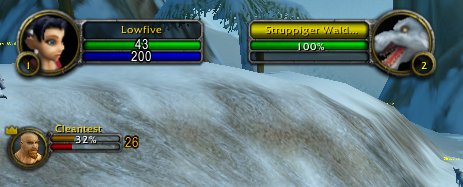
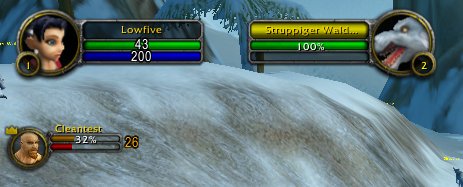
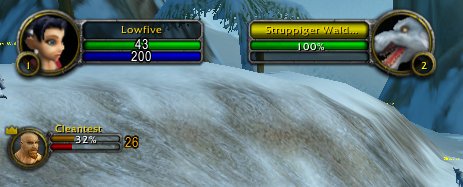
Small enhancement for the standard player, target and party frames.
What to do?
Enter '/cleanplayerframe' to access option window.
- Option Player frame
Leave untouched - Addon does not change player frame text.
Hide text - Addon removes text 'health', 'mana', 'rage', 'engergy' from the player frame.
Show only current value - Only show your current health or mana / rage / energy value. Same is true for your pet.
- Option Party
Disabled - Do not show party member health at all.
Show health values - Show health value right to the respective party frame. It will copy the text layout from the player frame. So, if you have selected Show only current value in the option player frame above, it will also just display the current health value. Otherwise it will display 'current health / max health'.
Show colorized health values - Same, but also change color according to health status.
Show colorized health values + assist messages - Same, but display a message if health gets critical. See notes at end of documentation.
- Option Targetinfo
Disabled - Do not overlay target frame with any information.
Show current value if possible, otherwise percent - If the exact hp or mana value of the target is known it is displayed, otherwise displayed as percent.
Show always percent - Even if the exact value is known, it is always displayed as percent.
Show both - If exact values is known, it is displayed togehter with value in percent.
- Option Font
Use font without outline - A font without shadow / outline is used for target and party frame overlays.
Use font with outline - A font with shadow / outline is used for target and party frame overlays.
- Option Colorize health bars
If enabled, the player / target / party health bars will change color according to their status.
- Option Show party member health in percent
If enabled, the health of party members is displayed on top of their health bars.
- Option Use small font for player frame
If enabled, the the font used to overlay the target and party frame is assigned to the player frame.
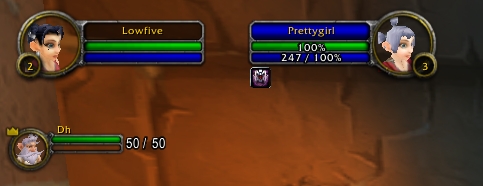
- Option Use 3D models on player, party and target frame
If enabled, the 2D portraits are replaced by the actual 3D models. If a party member is to far away, his 3D model can not obtained, the 2D portrait is displayed then.
Make your choice and press Okay button.
Note on assist messages
At the party combo box you can choose to show messages. This option will display a message right to the party member frame, if the health drops below a certain point.
Currently there are only two messages in. If you play a Priest and you enable this option, it will show 'Healing recommended' if health below 45% and 'Heal NOW!' if health below 30%. See file localization.lua to change the message and / or generate new ones for your class. There will be no GUI to setup this.
The Clean Player Frame Team
