
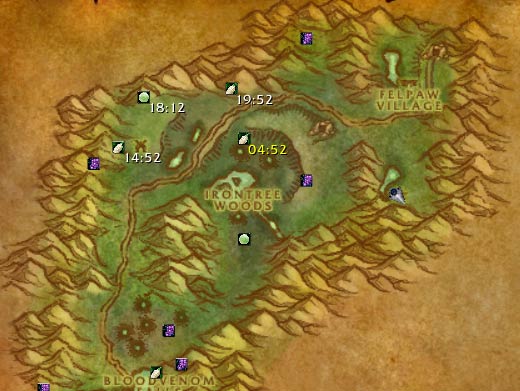
World map view
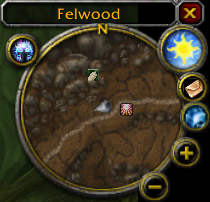
minimap support
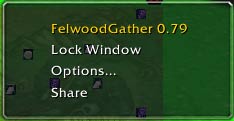
Minimap right click menu
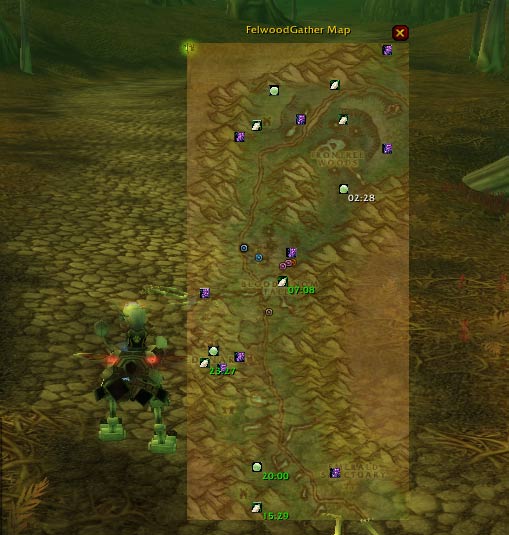
original Minimap Window
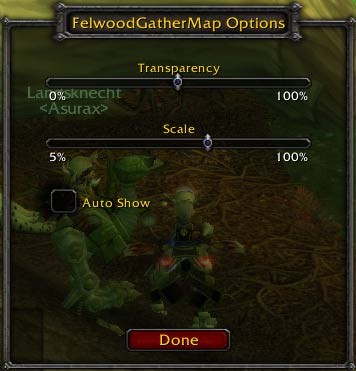
Map config window
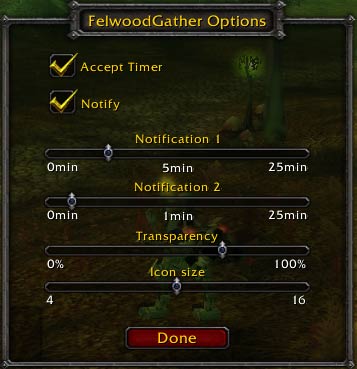
Config window
Description
FYI: you can use following plugins to FelwoodGather interface inprovement.
* for  Titan Panel users: TitanFelwoodGather
* for FuBar usees: FuBar - FwgFu
You can find the link at dependencies section.
- Description
- Feature
* Present landmark of Whipper Root Tuber, Windblossom berries, and Night Dragon's Breath with their icons, on world detail map.
* After you got the fruit, display estimate timer on landmark label.
* Highlighten the next spawn timer label.
* Start timer automatically when you got the fruit.
* Notify you with sound before the fruit respawn. default ETA 5min and 1min(configurable).
* Exchange timer with your team mate.
* Reset/announce/share/start/clear the timer from popup menu.
* Original minimap window.
- Usage
- Commands
* /fwg share
 If you want to share the timer you have with your rosters, type this.
* /fwg config
 Toggle Configuration window.
* /fwg count
 Countdown caller. Do not monopoly the objects. keep window open and pick up together.
* /fwg map
 Toggle FelwoodGather map window
* /fwg reset
 Reset FelwoodGather map position
* /fwg minimap
 Toggle minimap icons
- Configuration window
You can customize
* Accept timer: If unchecked, your timer does not update by group rosters.
* Share timer: send timer to your rosters when you loot.
* Show Minimap Icons: If checked, show fruits icons on your minimap.
* Minimap updtate interval: interval of update minimap icon info.
* Notify: If checked, you will get notification with sound effect.
* Notification 1/2: Time that will notify.
* Transparency: Icon and label setting on worldmap.
* Icon size: scale for icon on worldmap.
Also, you can customize map window from right click menu from minimap title bar area.
* Transparency: Transparency of minimap window.
* Scale: Scale of minimap window.
- Menu
- Bindings
- Timers
The FelwoodGather Team
